Extract single or multiple values from text using Regular Expressions in SSIS — no Script Task needed. Read input from a direct string, file, or SSIS variable and save parsed results to a variable. Includes a built-in Regex tester. Part of ZappySys SSIS PowerPack (FREE).
Parse text and extract values using Regular Expressions in SSIS — no Script Task required.
Read raw input text from a direct string, a file, or an SSIS variable and extract single or
multiple values using Regex patterns. Parsed results are saved directly into SSIS variables
for immediate use downstream. A built-in test panel lets you validate your Regex before
executing the package.
Part of ZappySys SSIS PowerPack — this component is FREE.
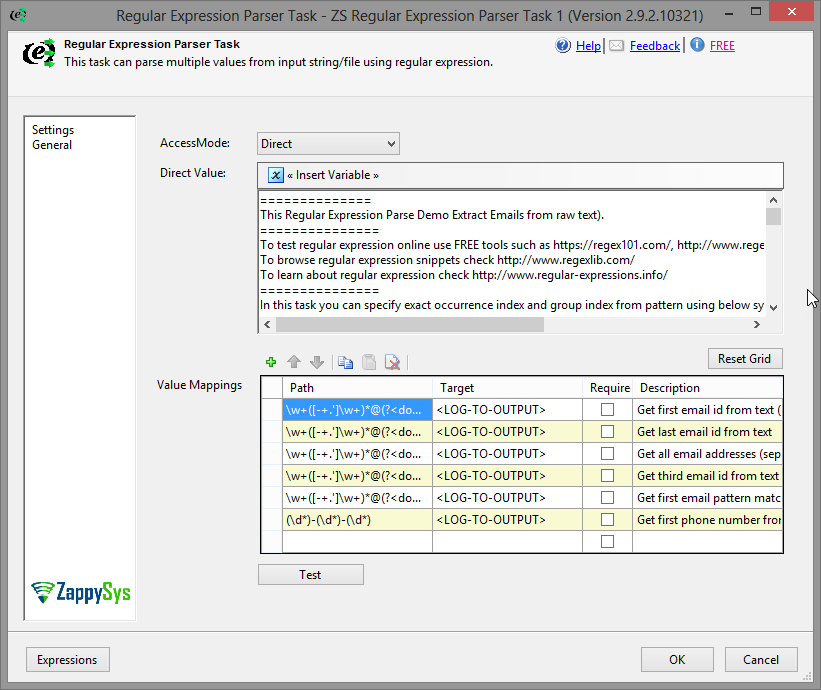
Direct String — Enter raw text inline in the task UI
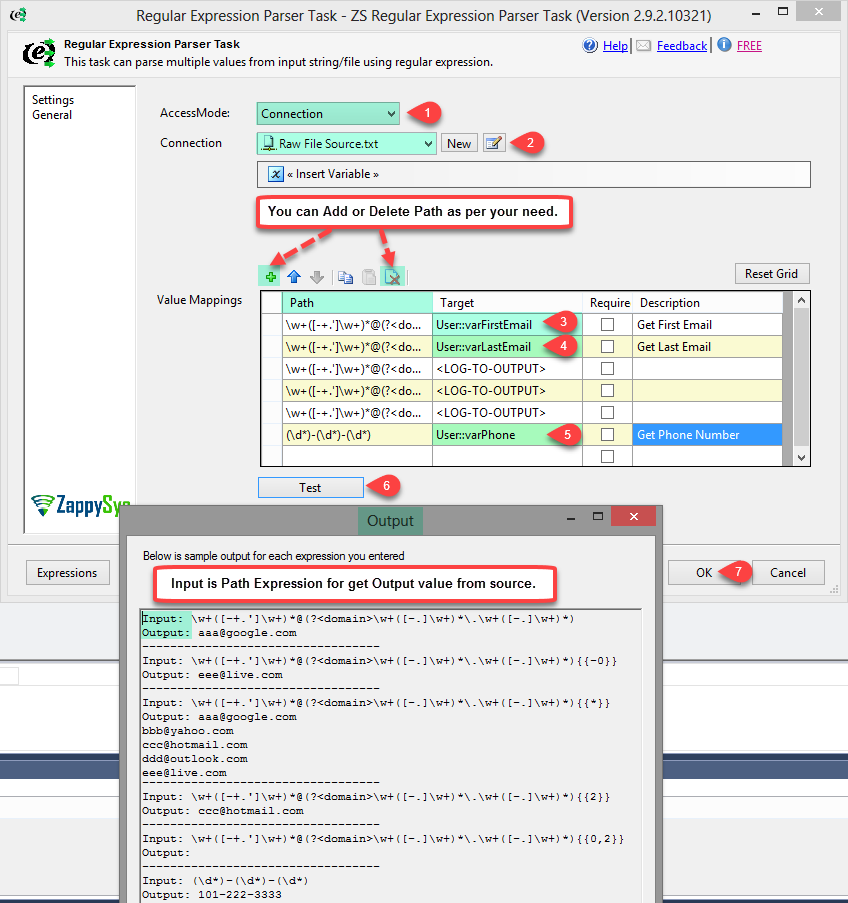
File — Read input text from any file path on disk
SSIS Variable — Parse text already stored in an SSIS variable (e.g. from a prior REST API call or file read)
Extraction Capabilities
Extract a single match or the full set of capture groups from one Regex pattern
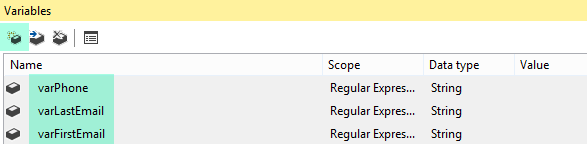
Map each extracted group to a separate SSIS variable
Extract multiple values in a single task execution using named or indexed groups
Developer Experience
Built-in Regex test panel — enter sample text and validate your pattern interactively before running the package
No Script Task, C#, or VB.NET code required
💡 Common Use Cases
Common real-world scenarios where this task replaces custom Script Tasks for text parsing:
Extract Contact Details: Pull email addresses or phone numbers from unstructured text. Example: Parse a customer note field and extract all email addresses into a variable.
Parse API Responses: Extract a specific value from a REST API response stored in an SSIS variable. Example: Pull a token, ID, or status code from a raw JSON or HTML string.
Log File Analysis: Extract error codes or timestamps from log file content. Example: Read a log file and capture all lines matching a specific error pattern.
Data Validation & Cleansing: Verify that variable content matches an expected format. Example: Confirm a date string matches yyyy-MM-dd before passing it to a downstream task.
Dynamic Path Parsing: Extract a filename or subfolder name from a full file path string. Example: Parse C:\data\2024\sales.csv to extract the year segment into a variable.
🎯 Summary
Replace Script Tasks with a drag-and-drop Regex parser that reads from strings, files, or variables.
Extract one or many values using standard Regular Expressions and store results directly in SSIS variables — with a built-in tester to get your pattern right on the first run.
Trusted by Developers & IT Teams Worldwide
Built for SSIS Workflows: Purpose-built for high-performance ETL and complex integration scenarios.
Expert Technical Support: Direct access to engineers via email and remote screen-share sessions.
Proven Enterprise Scale: Trusted by 3000+ teams across 90+ countries, including Fortune 500.