Read and write Microsoft OneDrive data in SSIS using prebuilt API Source and API Destination components.
Configure delegated OAuth, application OAuth, or certificate-based OAuth, then select actions to copy, download, upload, list, and manage OneDrive files and folders in a guided UI.
Part of ZappySys SSIS PowerPack (100+ connectors & tasks).
Recommended starting point
Pro Tip: The Visual Studio download installs the VSIX shell. Use the guide above to install and run the full SSIS PowerPack runtime and components.
Compatibility: SQL Server 2012-2025+ (32/64-bit) | Azure Data Factory / Azure-SSIS IR Ready
⚡ Key Benefits
- Bi-Directional OneDrive Flows — Read and write OneDrive data in a single SSIS package
- Flexible OAuth Options — Configure delegated, application, or certificate-based OAuth authentication
- Action-Oriented Connector — Execute file and folder operations such as copy, download, delete, and list actions
- Guided Endpoint Setup — Pick connector actions and preview data before final mapping
- Production-Ready Runtime — Deploy to SQL Server Agent or Azure-SSIS IR for scheduled execution
📸 Visual Overview & Setup
|
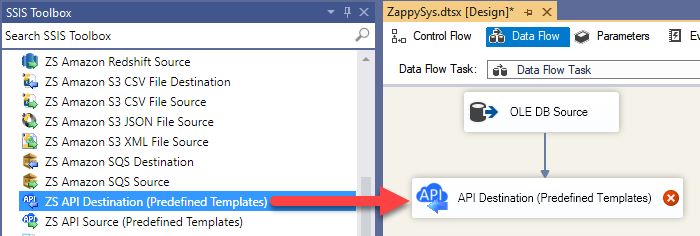
1. Drag API Source from Toolbox

|
2. Drag API Destination from Toolbox
|
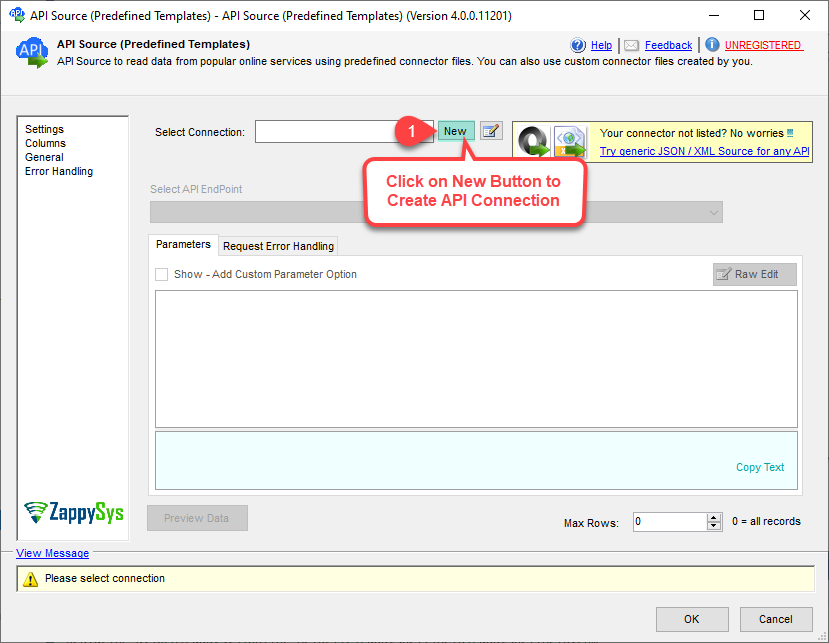
3. Pick or Create OneDrive Connector
|
|
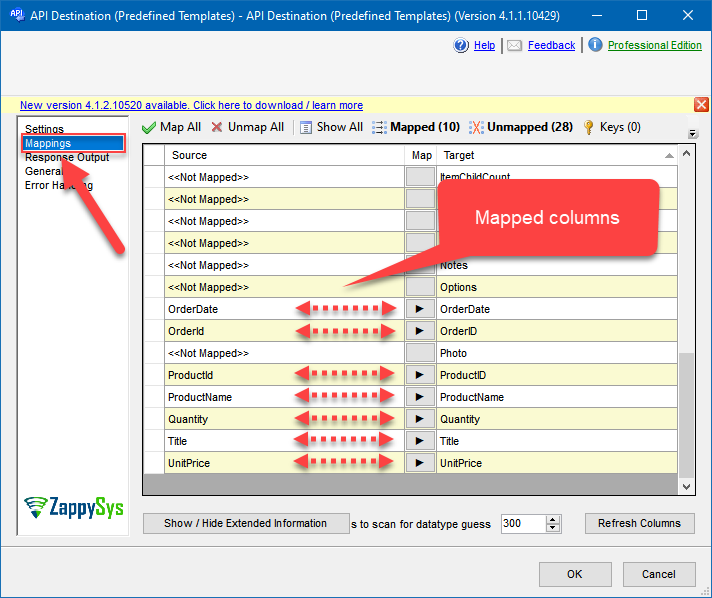
4. Map the Columns
|
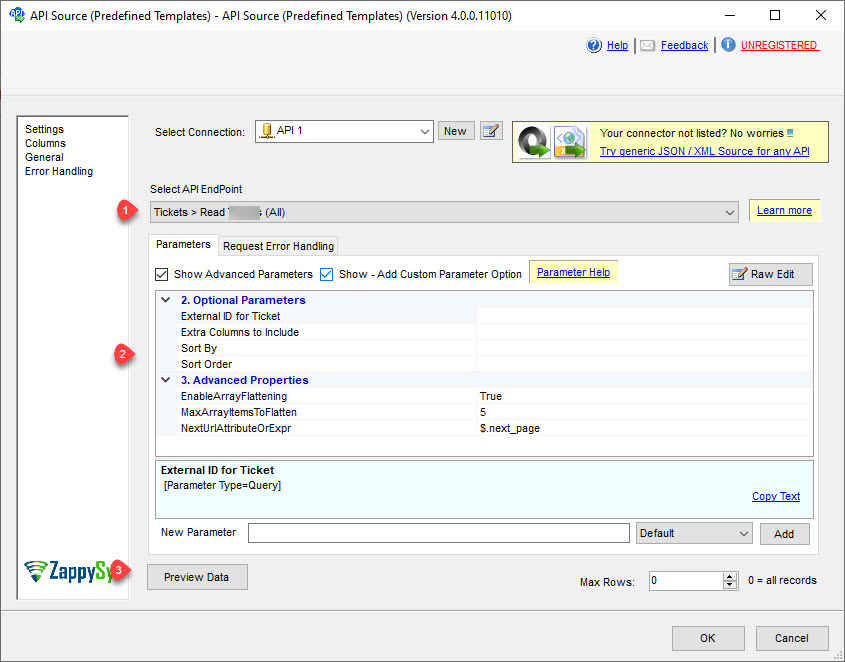
5. Select Endpoint and Preview data
|
6. Destination Mapping & Execute
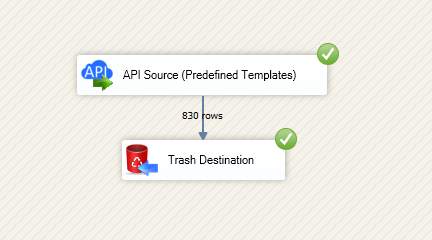
|
🔧 Key Features
OneDrive Read + Write in SSIS
- Use API Source to extract OneDrive files, folders, and metadata for downstream ETL
- Use API Destination for write operations such as create, update, delete, and copy actions
- Build end-to-end file lifecycle automation in one SSIS data flow
Authentication Modes
- User Credentials [OAuth] for delegated user access
- Application Credentials [OAuth] for app-only automation scenarios
- Application Credentials with Certificate for signed JWT OAuth flows
Connector and Action Control
- Choose OneDrive connector from Popular Connectors or Search Online
- Select specific actions such as copy item, delete item, download file, and list files
- Preview endpoint responses before finalizing mappings
Operational Readiness
- Map source columns to destination fields with built-in mapping UI
- Run on SQL Server Integration Services or Azure-SSIS IR
- Schedule and monitor repeatable integration workloads in production
💡 Common Use Cases
Typical SSIS scenarios powered by SSIS OneDrive Connector:
- File Synchronization Pipelines: Read OneDrive file inventories and sync selected items to SQL or downstream systems.
- Automated File Delivery: Upload generated exports from ETL jobs into OneDrive folders for business users.
- Controlled Cleanup Jobs: Delete or move files after retention windows using action-driven API calls.
- Metadata Reporting: Extract file and folder metadata for operational dashboards and audits.
- Hybrid Orchestration: Combine source reads, transformations, and destination writes in one repeatable SSIS package.
🎯 Summary
SSIS OneDrive Connector helps ETL teams move OneDrive data in and out of SSIS with guided API Source and Destination configuration.
You get OAuth flexibility, action-based endpoints, and mapping controls to automate file-centric integration workflows.
Trusted by Developers & IT Teams Worldwide
- Built for SSIS Workflows: Designed for API-driven ETL with source and destination patterns.
- Expert Technical Support: Reach ZappySys engineers via support and guided setup resources.
- Proven Enterprise Adoption: Used globally across data integration, automation, and reporting teams.
|
SSIS PowerPack
Includes SSIS OneDrive Connector

Read reviews on Capterra →
|
Start Integrating OneDrive with SSIS PowerPack
Use prebuilt API connectors for read and write scenarios across cloud apps, files, and databases.
Full functionality is FREE for development within Visual Studio
| |


