Read JSON from files, REST APIs, OData endpoints, or direct strings in SSIS — no scripting required.
Use file mode, API mode, or direct string mode to parse and flatten JSON into relational rows.
Apply JSONPath filters for nested arrays/documents, configure OAuth or basic auth, handle pagination automatically,
and process very large JSON datasets with high-performance extraction.
Part of ZappySys SSIS PowerPack.
Recommended starting point
Pro Tip: The Visual Studio download installs a basic extension.
Use the guide above to install and run the full SSIS PowerPack (all connectors & UI).
Compatibility: SQL Server 2012–2025+ (32/64-bit) | Azure Data Factory / Azure-SSIS IR Ready
⚡ Key Benefits
- Multi-Mode JSON Ingestion — Read JSON from local files, URLs/APIs, or direct JSON strings/variables
- Deep JSONPath Extraction — Pull nested hierarchy and arrays with flexible JSONPath filtering
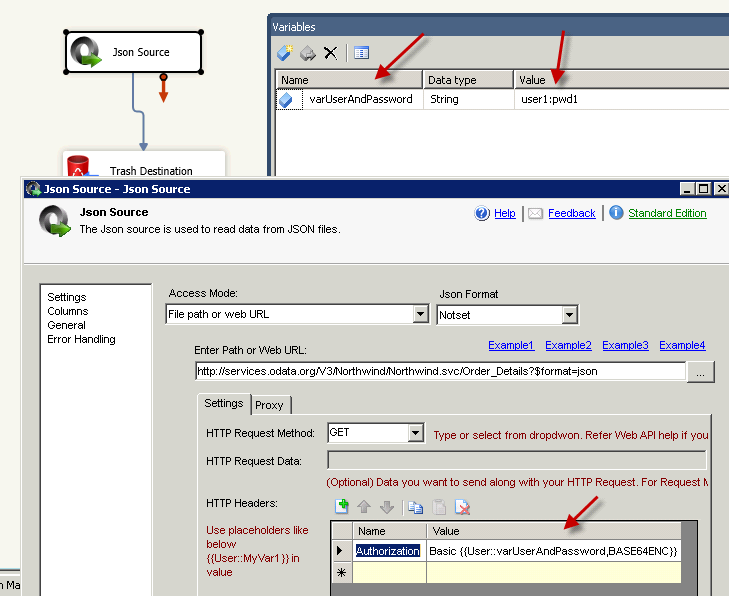
- API-Ready Security — Support OAuth 1.0/2.0, basic auth, custom headers, cookies, and HMAC auth
- Pagination & Looping — Handle paged APIs and wildcard file loops for continuous batch ingestion
- Large File Performance — Optimized engine for high-volume JSON parsing and flattening
📸 Visual Overview & Setup
|
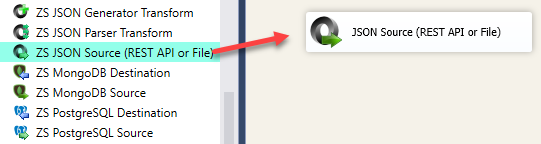
1. Drag & Drop JSON Source
|
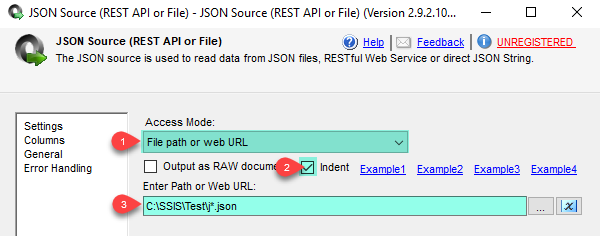
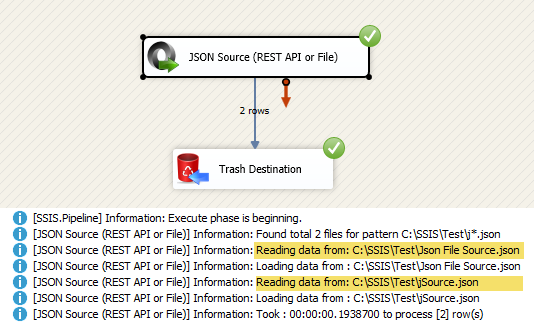
2. File Mode with Wildcards
|
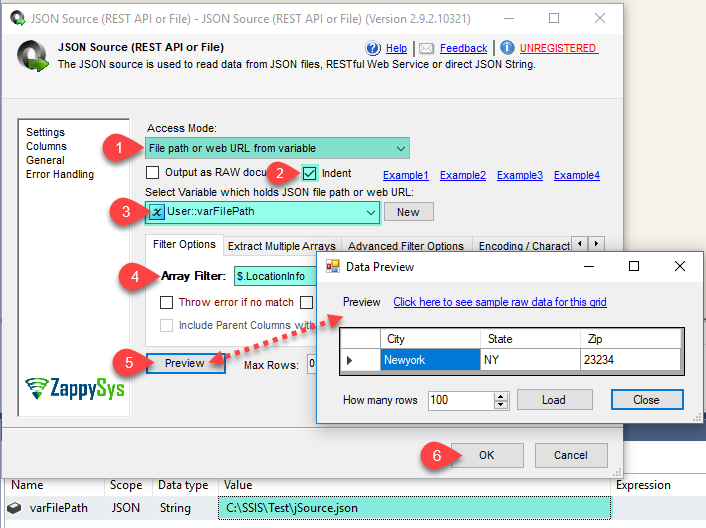
3. API/Variable Mode
|
|
4. Extract Nested JSON Arrays
|
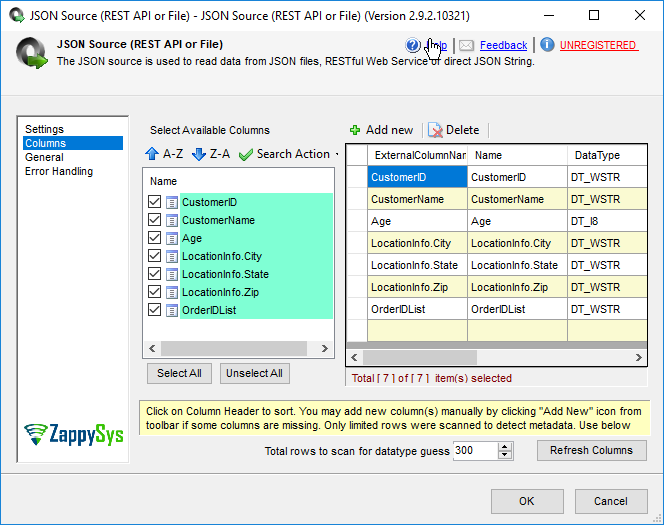
5. Select Output Columns & Datatypes
|
6. Auth Header Setup (API Calls)
|
🔧 Key Features
Input & Connectivity
- Read from local files, web URLs, direct strings, variables, and command output streams
- Support OAuth 1.0/2.0, basic auth, custom headers, cookies, proxy, and HMAC auth
- Native support for OData and generic REST API endpoints
Parsing & Transformation
- Extract nested hierarchy and arrays using JSONPath filters
- Array flattening (child array items as columns) and pivoting support
- Option to output raw JSON from inner arrays with formatting controls
Scalability & Control
- Very high performance for large JSON datasets
- Pagination engine with multiple end-condition strategies
- Looping through wildcard file sets for batch ingestion
💡 Common Use Cases
Common real-world scenarios for JSON Source in SSIS:
- REST API to SQL Pipelines: Pull paged API data and load to SQL Server staging tables.
- Large JSON File ETL: Process multi-million-row JSON files from storage drops.
- OAuth-Protected API Integration: Connect to cloud APIs requiring OAuth 2.0 tokens.
- Nested JSON Flattening: Transform complex arrays/sub-documents into tabular outputs.
🎯 Summary
Replace custom HTTP and JSON parsing scripts with a drag-and-drop source designed for API and file-driven SSIS ingestion.
Handle auth, pagination, JSONPath extraction, and large-volume flattening in one component for robust production ETL workflows.
Trusted by Developers & IT Teams Worldwide
- Built for SSIS Workflows: Purpose-built for high-performance ETL and complex integration scenarios.
- Expert Technical Support: Direct access to engineers via email and remote screen-share sessions.
- Proven Enterprise Scale: Trusted by 3000+ teams across 90+ countries, including Fortune 500.
|
SSIS PowerPack
Includes SSIS JSON Source

Read reviews on Capterra →
|
Start Automating Workflows with SSIS PowerPack
Includes connectors for APIs, databases & cloud apps. Build robust ETL workflows without custom scripting.
Full functionality is FREE for development within Visual Studio
| |

