Parse JSON strings and documents inside the SSIS data flow into relational rows and columns.
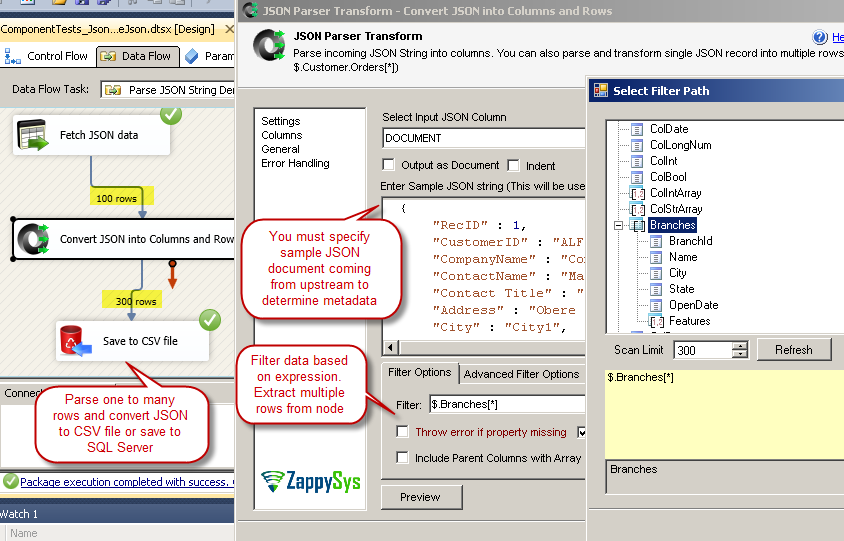
Point the transform at a JSON column or payload, define a filter expression (JSONPath-style) to expand nested arrays into multiple rows,
optionally denormalize hierarchies, and route parsed output to OLE DB, files, or downstream transforms—without a Script Task.
Part of ZappySys SSIS PowerPack.
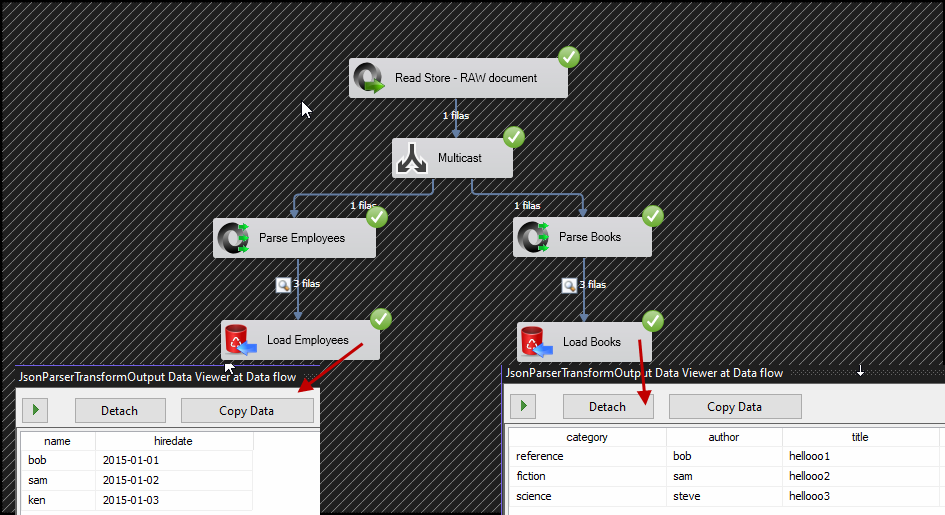
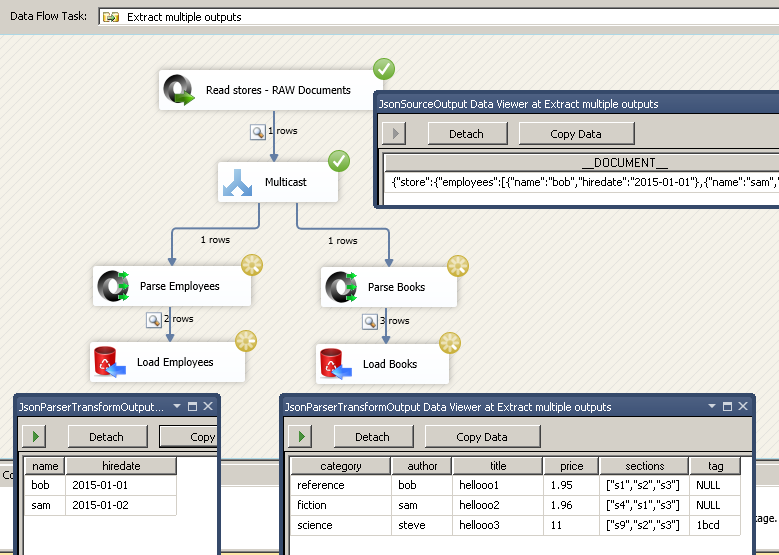
Pro Tip: When JSON arrives as a single column (REST response, MongoDB export, or VARCHAR from SQL), pair JSON Source or a raw-text source with JSON Parser Transform to fan out nested arrays—see the multi-branch data flow in the visual grid below.
Compatibility: SQL Server 2012–2025+ (32/64-bit) | Azure Data Factory / Azure-SSIS IR Ready
⚡ Key Benefits
JSON → relational shape — Split documents into multiple output columns and rows ready for SQL loads
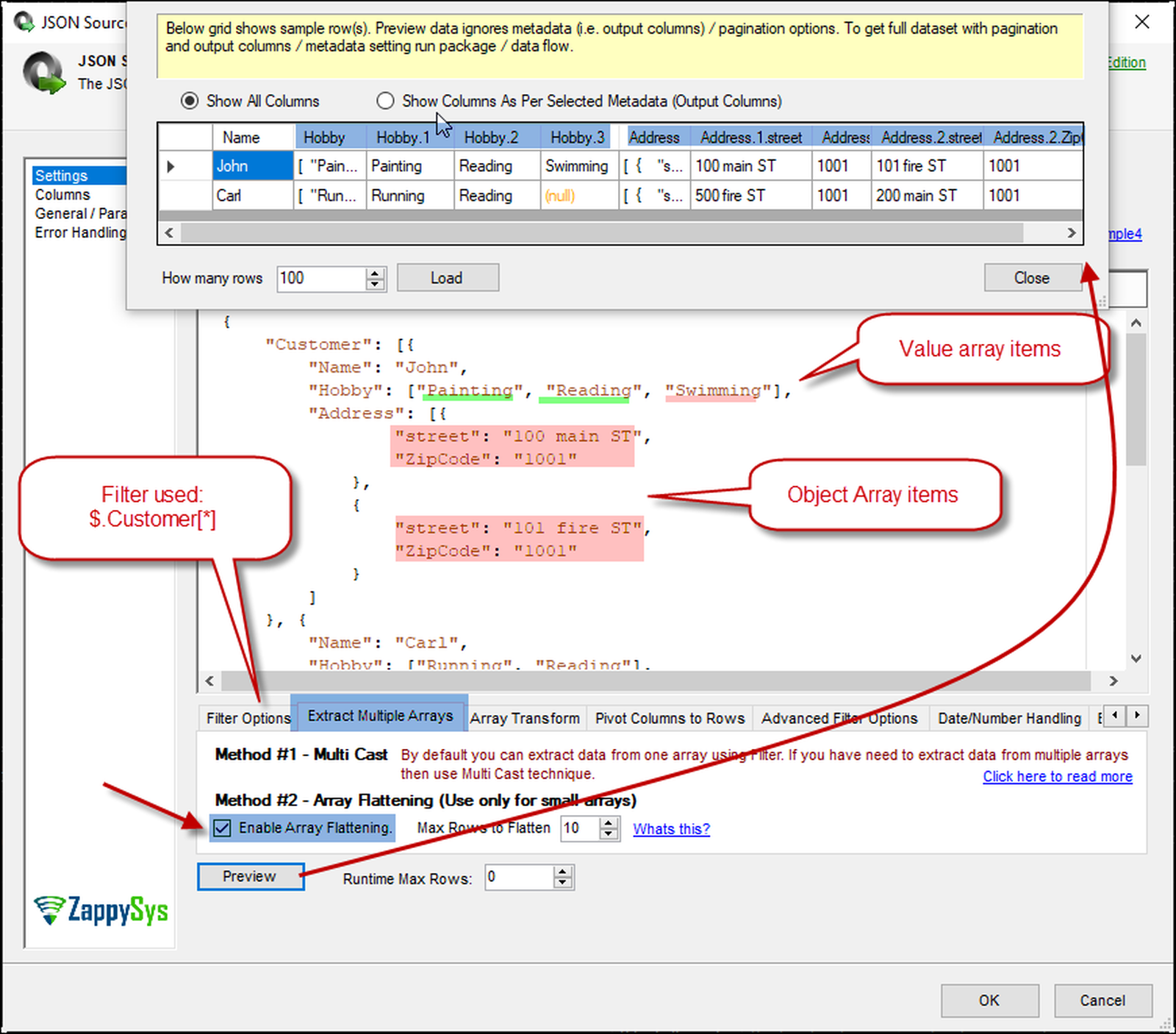
Nested arrays as rows — Expressions such as $.Customers[*].Orders[*] expand one document into many detail lines
Denormalization — Flatten hierarchical payloads without custom .NET code
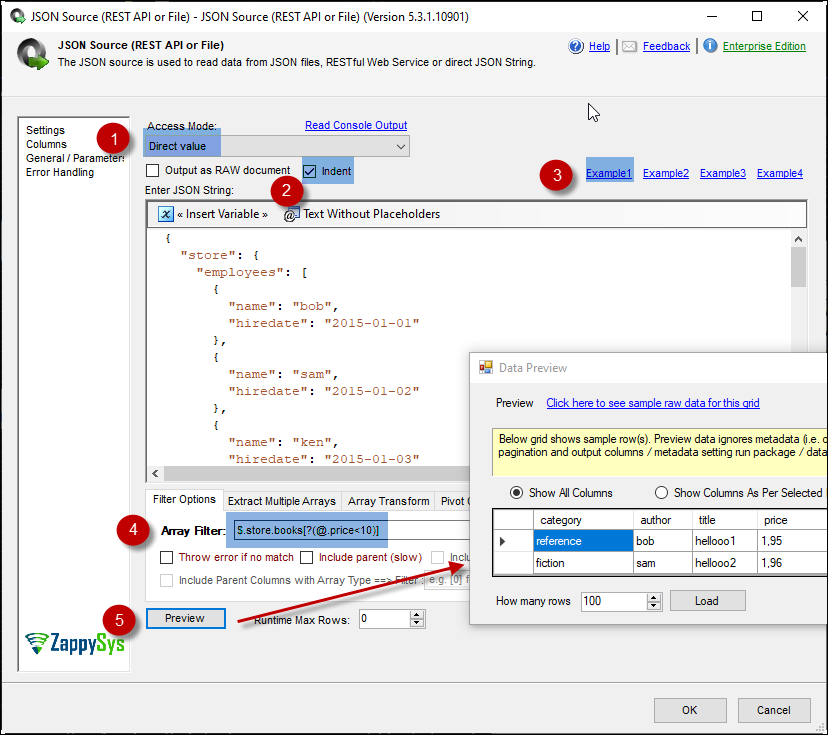
Advanced filtering — Regex-aware filters (for example matching authors in a book array)
Non-file inputs — Parse JSON from upstream columns, variables, or even process standard output captured from a command line
String / document parsing — Turn raw JSON text into typed output columns
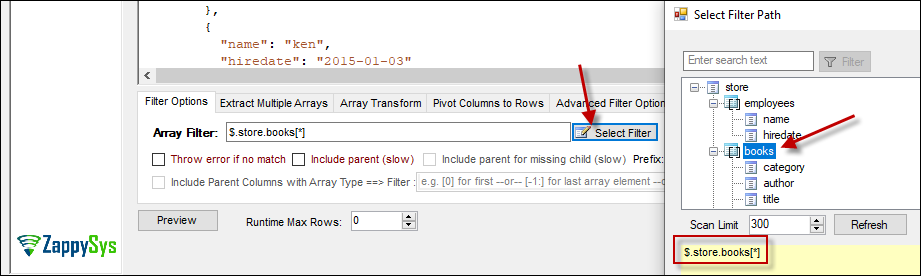
Filter expressions — Target nodes and arrays (for example $.Users[*].UserName)
Parent column options — Include parent attributes alongside exploded child rows; optional LEFT OUTER JOIN–style behavior for missing children
Regex in filters — Narrow array members with pattern predicates
Pre-parse cleanup — Optional search/replace (including regex) before the parser runs
Logging & metadata — Configurable logging, encoding, and metadata scan modes for stable production loads
💡 Common Use Cases
REST payload staging: Flatten API JSON into tables for warehouse loads.
JSON in SQL columns: Expand NVARCHAR documents into normalized detail rows.
Multi-entity responses: Fan out orders, line items, and customers from one response via multiple parser paths.
Command-line integration: Consume JSON printed to stdout (for example from curl) inside the pipeline.
🎯 Summary
JSON Parser Transform is the data-flow counterpart to ad hoc JSON scripting: it reliably denormalizes nested MongoDB- or API-style documents into SSIS-friendly rowsets so you can load SQL Server (or other destinations) using standard transforms.
Trusted by Developers & IT Teams Worldwide
Built for SSIS Workflows: Purpose-built for high-performance ETL and complex integration scenarios.
Expert Technical Support: Direct access to engineers via email and remote screen-share sessions.
Proven Enterprise Scale: Trusted by 3000+ teams across 90+ countries, including Fortune 500.