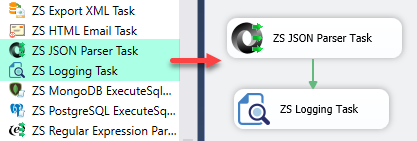
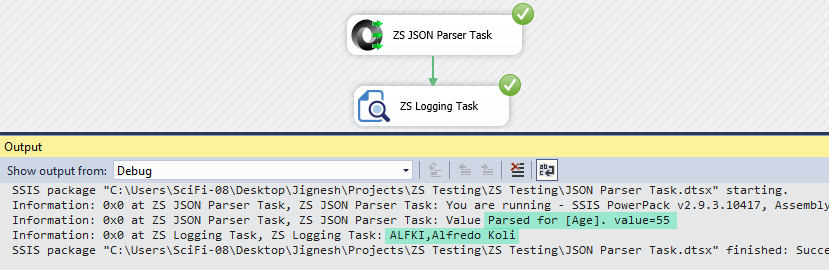
Extract single or multiple values from JSON documents in SSIS using JSONPath — no Script Task needed. Read input from a direct string, JSON file, or SSIS variable and save parsed results to variables. Includes a built-in JSONPath tester. Part of ZappySys SSIS PowerPack (FREE).
Extract single or multiple values from JSON documents in SSIS using JSONPath — no Script Task required.
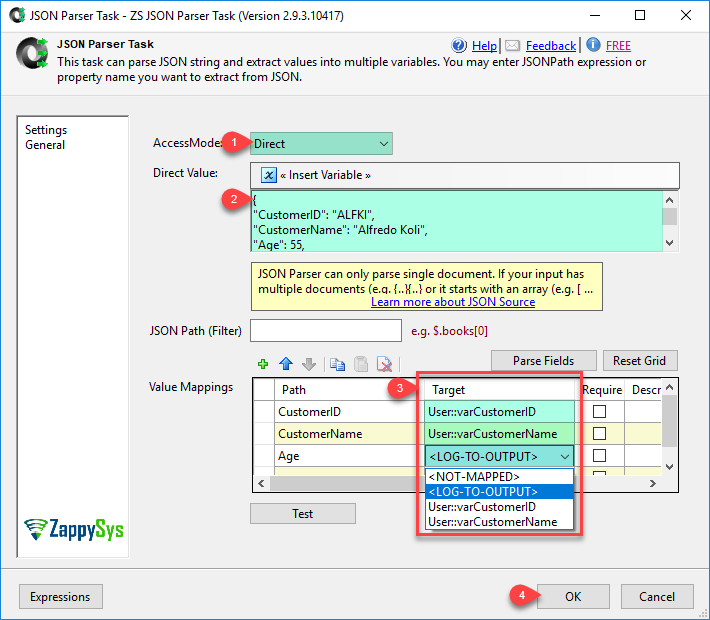
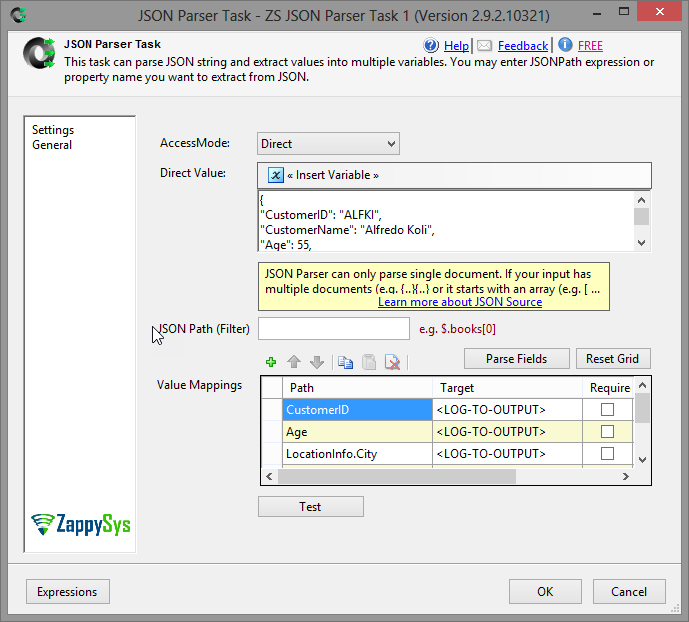
Read JSON from a direct string, a JSON file, or an SSIS variable. Specify a JSONPath expression or
property name to extract content, and save the result to any SSIS variable for use downstream.
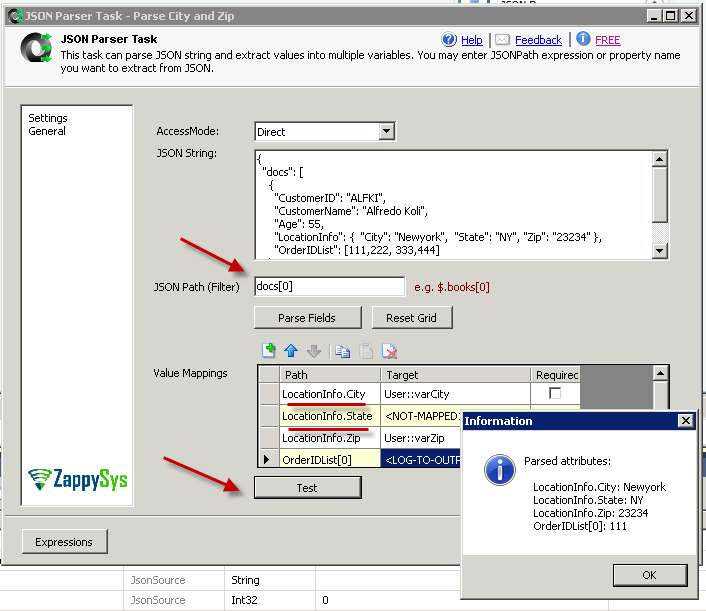
Auto-detect available fields and validate your JSONPath with the built-in test tool — all from a
simple drag-and-drop task UI.
Part of ZappySys SSIS PowerPack — this component is FREE.
Extract single or multiple JSON values by JSONPath expression or property name
Support for complex nested JSON structures and arrays
Auto-detect and list all available JSON field names from the document
Input Sources
Direct string value — static content or expression-evaluated at runtime
JSON file via File Connection Manager
SSIS variable containing JSON content from a prior task or data flow
Output & Validation
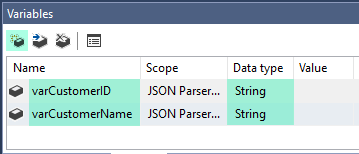
Save extracted values directly to SSIS variables for downstream use
Built-in interactive JSONPath tester — validate expressions before deploying
Compatible with SQL Server 2012–2025 (32/64-bit) and Azure Data Factory
💡 Common Use Cases
Common real-world scenarios where this task replaces custom Script Task JSON parsing:
Parse REST API Responses: Extract specific fields from JSON API responses into SSIS variables. Example: Call a REST API and extract the order_id or status value from the JSON reply.
Read JSON Configuration Files: Load settings or parameters from JSON config files into SSIS package variables. Example: Read a connection string or folder path from a JSON settings file at runtime.
Extract Content from Database JSON Columns: Parse JSON stored in database columns and split into individual fields. Example: Pull the customer.name node from a JSON column and write it to a staging table.
Validate JSONPath During Development: Use the built-in tester to confirm extraction logic before deploying to production. Example: Paste a sample JSON document and test multiple JSONPath expressions interactively in the UI.
🎯 Summary
Replace Script Tasks with a drag-and-drop JSON parser that handles JSONPath-based extraction end to end.
Read JSON from any source, auto-discover field names, validate your expressions interactively, and store results in SSIS variables — all without writing a single line of code.
Trusted by Developers & IT Teams Worldwide
Built for SSIS Workflows: Purpose-built for high-performance ETL and complex integration scenarios.
Expert Technical Support: Direct access to engineers via email and remote screen-share sessions.
Proven Enterprise Scale: Trusted by 3000+ teams across 90+ countries, including Fortune 500.