SSIS HTML Table SourceSSIS HTML Table Source scrapes HTML TABLE data from URLs/files or variables, supports multi-URL merge, table/XPath targeting, header/footer skips, row numbers, and link/image extraction. Part of ZappySys SSIS PowerPack for SQL 2012–2025 and Azure-SSIS IR. |

Extract structured data from HTML TABLE tags in SSIS with a no-code source component.
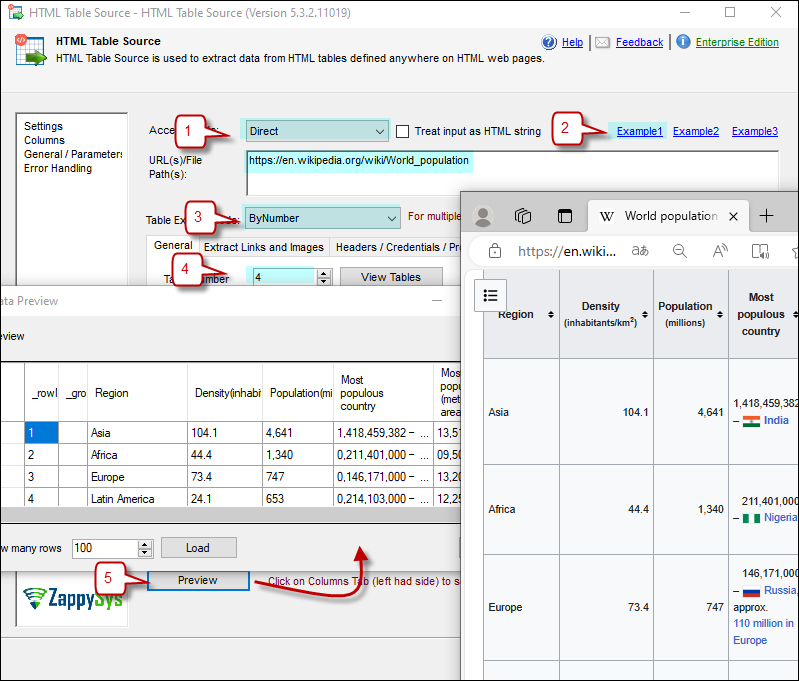
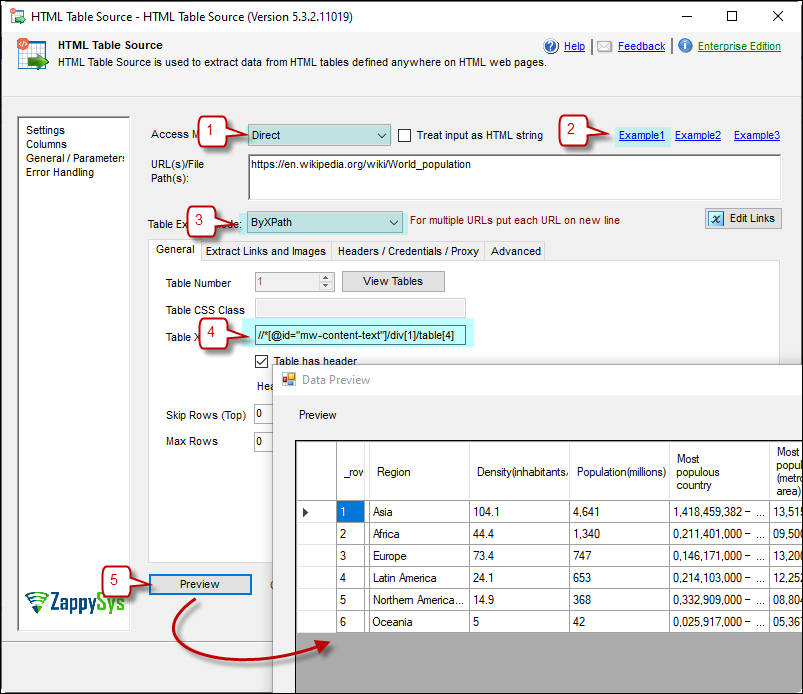
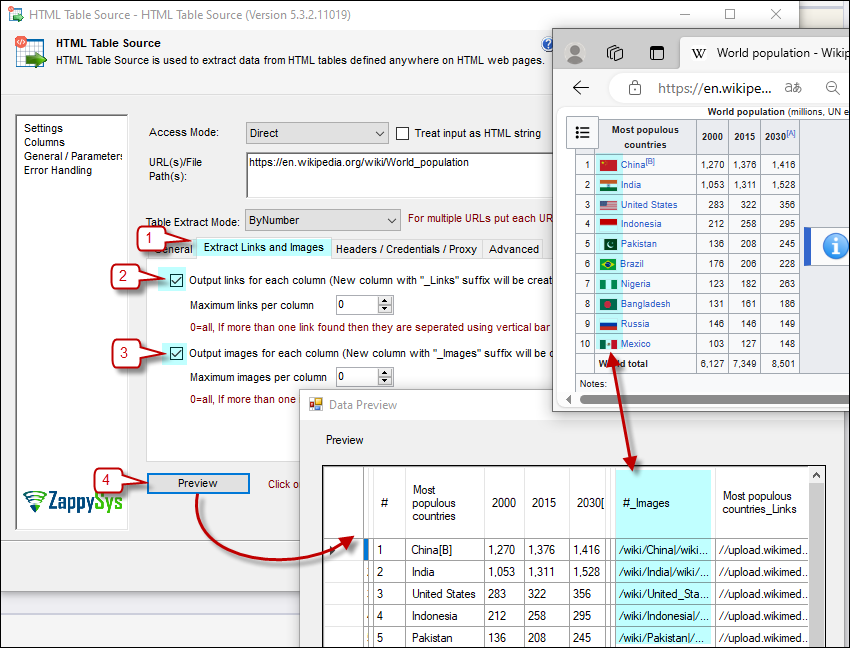
Scrape HTML table rows from web pages, local HTML files, or SSIS variables. Target tables by index, CSS selector, or XPath; skip headers/footers; merge multiple URLs; and capture links/images from cells for downstream processing.
Recommended starting point
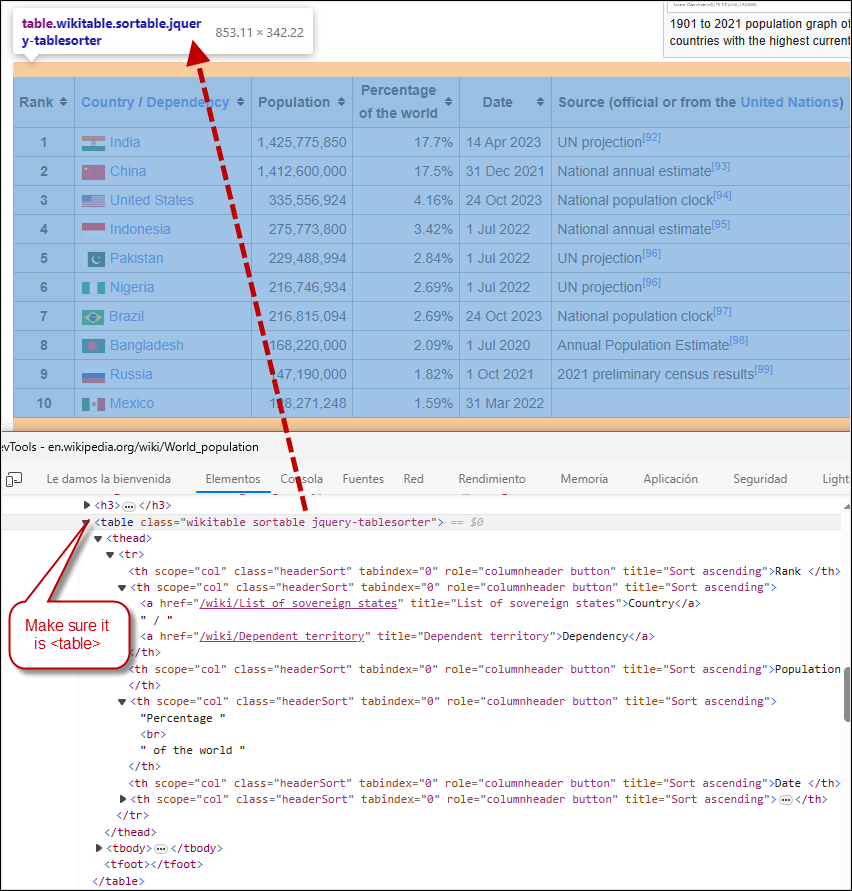
Pro Tip: Validate the page contains a real
<table> element in browser inspect mode before configuring XPath or CSS selection rules.
Compatibility: SQL Server 2012–2025+ (32/64-bit) | Azure Data Factory / Azure-SSIS IR Ready
⚡ Key Benefits
📸 Visual Overview & Setup
🔧 Key Features
💡 Common Use Cases
🎯 SummarySSIS HTML Table Source turns fragile manual web-table copy/paste into repeatable ETL. It lets teams scrape, normalize, and load table-shaped web content with SSIS-native configuration rather than custom parsers.
Start Automating Workflows with SSIS PowerPack Includes connectors for APIs, databases & cloud apps. Build robust ETL workflows without custom scripting. Full functionality is FREE for development within Visual Studio |