Skip to content
| Marketplace
Sign in
Visual Studio>Tools>SSIS Google Search Console Connector
SSIS Google Search Console Connector

SSIS Google Search Console Connector

ZappySys

| (0) | Free Trial
Read and write Google Search Console data in SSIS with API Source and API Destination. Configure OAuth or Service Account access, preview search analytics and site endpoints, and map columns for low-code ETL workflows. Part of ZappySys SSIS PowerPack.
Download

Read and write Google Search Console data in SSIS with API Source + API Destination .

Configure OAuth User Account or Service Account authentication, query sites and organic search reports, and map source/destination operations directly in SSIS.
Part of ZappySys SSIS PowerPack (100+ connectors & tasks).

Recommended starting point
View Setup Guide & Get Started →
See features, UI & examples →
Pro Tip: For unattended jobs, prefer Service Account auth and grant Search Console access to the service account email.
Compatibility: SQL Server 2012-2025+ (32/64-bit) | Azure Data Factory / Azure-SSIS IR Ready

⚡ Key Benefits

  • Two-Way Search Console Integration — Use API Source for export and API Destination for import workflows
  • Dual Auth Models — Supports OAuth User Account and Service Account-based automation
  • Organic Reporting Focus — Query and analyze sites and organic search report endpoints
  • Resilient API Execution — Retry settings (403/429 patterns) help stabilize scheduled package runs
  • Low-Code SSIS Design — Select endpoints, preview data, and map columns through UI-driven configuration

📸 Visual Overview & Setup

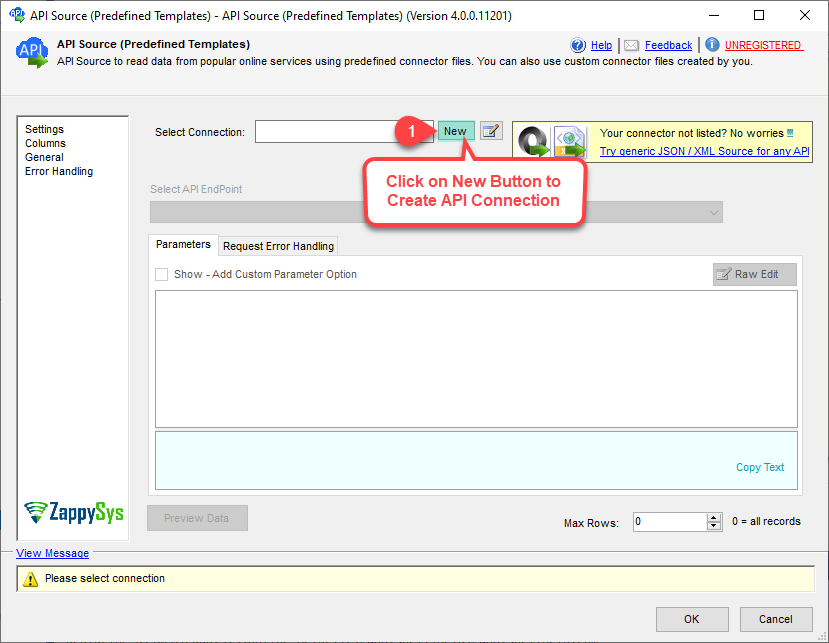
1. Drag API Source to Data Flow
API Source drag and drop
🔍 View Full Size
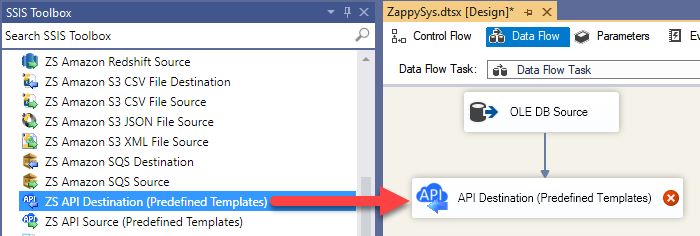
2. Drag API Destination to Data Flow
API Destination drag and drop
🔍 View Full Size
3. Pick or Search Google Search Console Connector
Create or search connector
🔍 View Full Size
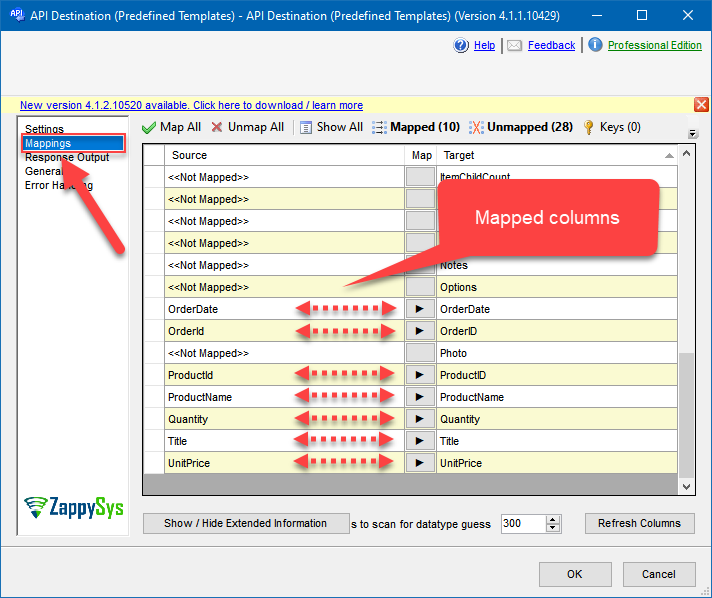
4. Map Source and Destination Columns
Destination mapping
🔍 View Full Size
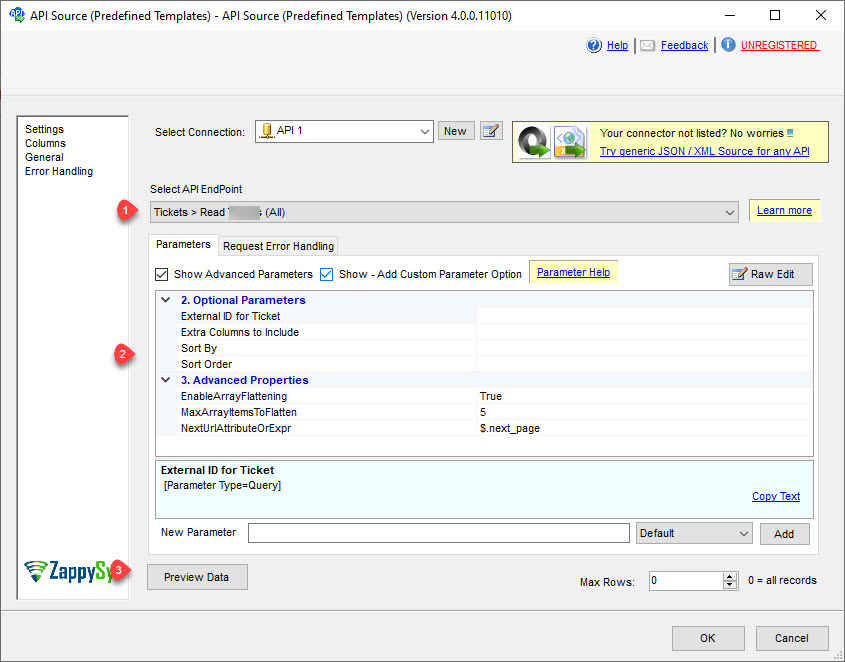
5. Select Endpoint and Preview Data
Select endpoint and preview
🔍 View Full Size
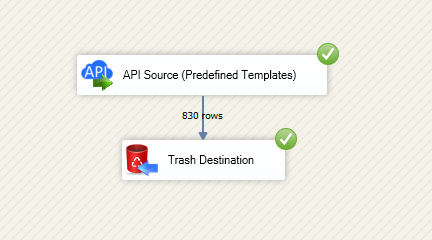
6. Execute and Load to Target
Execute data flow
🔍 View Full Size

🔧 Key Features

Google Search Console Connector Workflow

  • Configure connector from preinstalled list or Search Online in API Source/API Destination
  • Select endpoints and pass required properties before previewing API responses
  • Map source columns to destination fields for write/lookup operations in SSIS flows

Authentication & Reliability

  • OAuth User Account flow with generated access/refresh tokens
  • Service Account flow with key file and explicit Search Console permission grants
  • Retry settings (RetryMode, RetryStatusCodeList, RetryCountMax) for transient failures

💡 Common Use Cases

Common integration scenarios from the landing guide:

  • Organic Search Reporting: Retrieve organic search reports for analytics and SEO monitoring pipelines.
  • Site Inventory Export: Extract configured site lists and related metadata into downstream stores.
  • Automated API Workflows: Use API Destination for write/lookup actions without hand-coded API clients.
  • SSIS-to-Warehouse Sync: Feed Search Console data into SQL targets using Upsert Destination patterns.

🎯 Summary

SSIS Google Search Console Connector delivers a documented, two-way connector workflow for Search Console integration in SSIS.
Teams can authenticate securely, preview endpoints, map columns, and run resilient low-code ETL jobs for search analytics data.

Trusted by Developers & IT Teams Worldwide

  • Built for SSIS Workflows: Purpose-built for high-performance ETL and API integration scenarios.
  • Expert Technical Support: Direct access to engineers via email and remote screen-share sessions.
  • Proven Enterprise Scale: Trusted by 3000+ teams across 90+ countries.

SSIS PowerPack
Includes SSIS Google Search Console Connector
Capterra Rating
Read reviews on Capterra →

Start Integrating Google Search Console with SSIS PowerPack

Includes connectors for APIs, databases, files, and cloud apps so you can build robust ETL pipelines without custom scripting.

Download SSIS PowerPack (Free Trial)

Full functionality is FREE for development within Visual Studio

  • Contact us
  • Jobs
  • Privacy
  • Manage cookies
  • Terms of use
  • Trademarks
© 2026 Microsoft