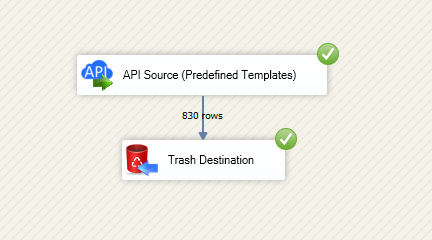
Read and write Google Ads data in SSIS using API Source and API Destination.
Configure OAuth, select actions, preview data, and map columns in one flow.
Build low-code ETL for campaigns, ad groups, and performance metrics.
Part of ZappySys SSIS PowerPack.
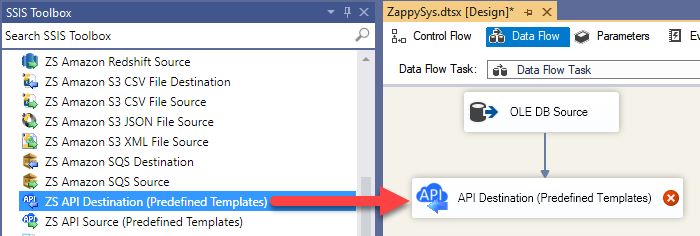
Read and write Google Ads data in SSIS using API Source + API Destination components.
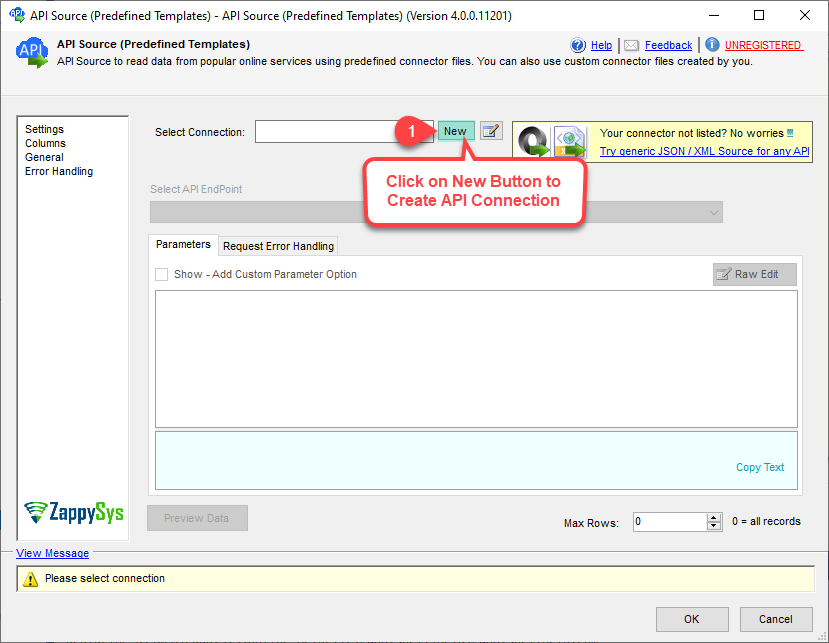
SSIS Google Ads Connector lets you configure OAuth, select connector actions, preview rows, and map outbound payloads in one ETL design. Use the same connector family for extraction and write-back workflows without custom scripting. Part of ZappySys SSIS PowerPack (100+ connectors and tasks).
Unified Connector UX — Configure source and destination endpoints in a familiar interface
OAuth User Account Setup — Manage Google Ads auth inputs in component configuration
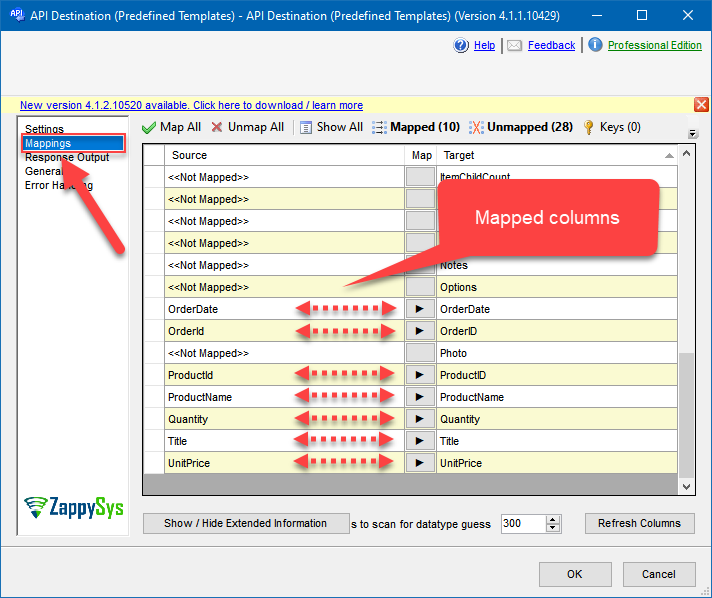
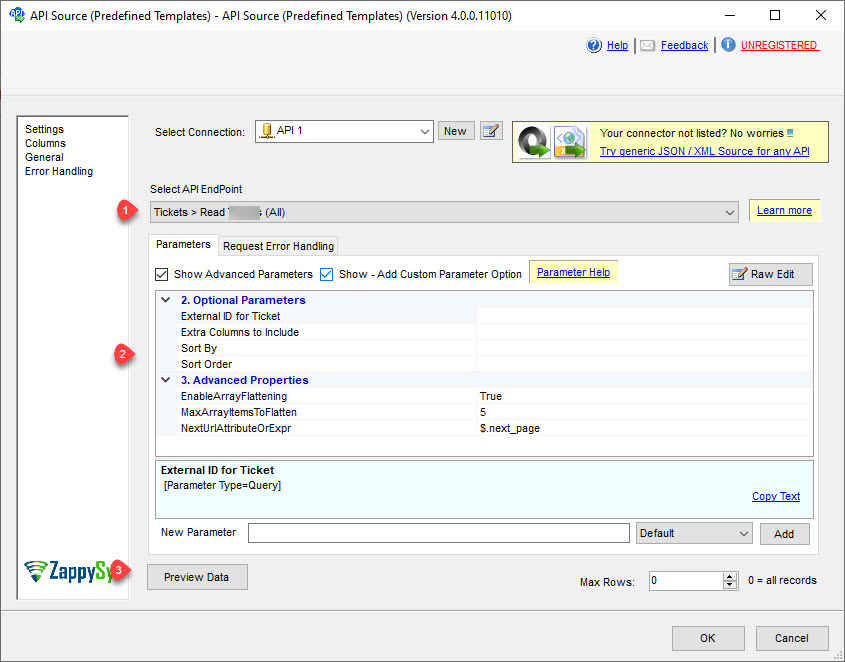
Preview + Mapping Cycle — Validate source rows and destination mappings before package run
Action Parameterization — Pass endpoint-specific fields for campaign and ad entity operations
Pipeline Reusability — Reuse configured connections across multiple package data flows
💡 Common Use Cases
Common scenarios for SSIS Google Ads Connector in analytics and activation workflows:
Campaign performance extraction: Pull campaign, ad group, and keyword data to SQL staging for reporting.
Scheduled BI refresh: Feed Power BI semantic models from curated SSIS pipelines.
Write-back operations: Push approved updates to destination endpoints from controlled ETL logic.
Marketing data consolidation: Combine Google Ads metrics with CRM and warehouse data for attribution.
🎯 Summary
SSIS Google Ads Connector provides a practical read/write integration path for ad-platform data in enterprise ETL. Configure once, preview and map visually, and operationalize repeatable package deployments.
Trusted by Developers & IT Teams Worldwide
Built for SSIS Workflows: Purpose-built for production ETL and integration packages.
Expert Technical Support: Engineers assist with connector setup, auth, and mapping logic.
Proven Enterprise Scale: Teams worldwide use ZappySys for API and cloud connectivity.