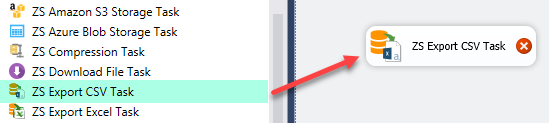
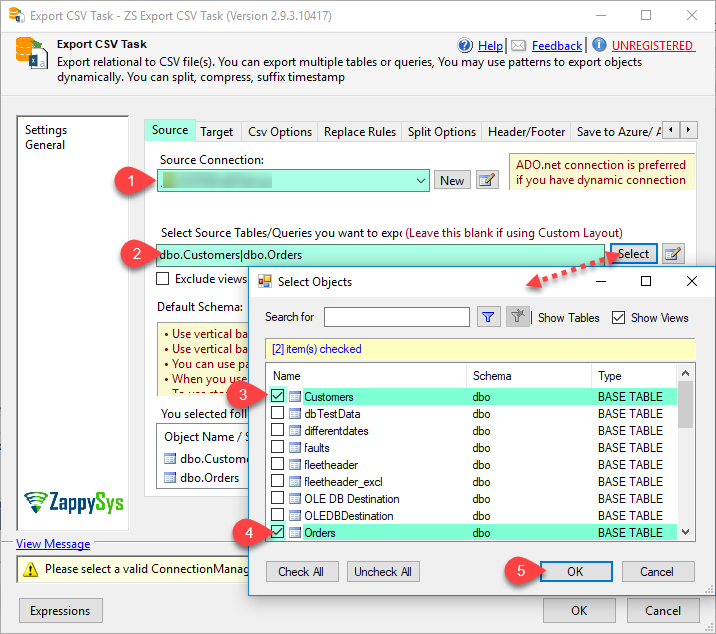
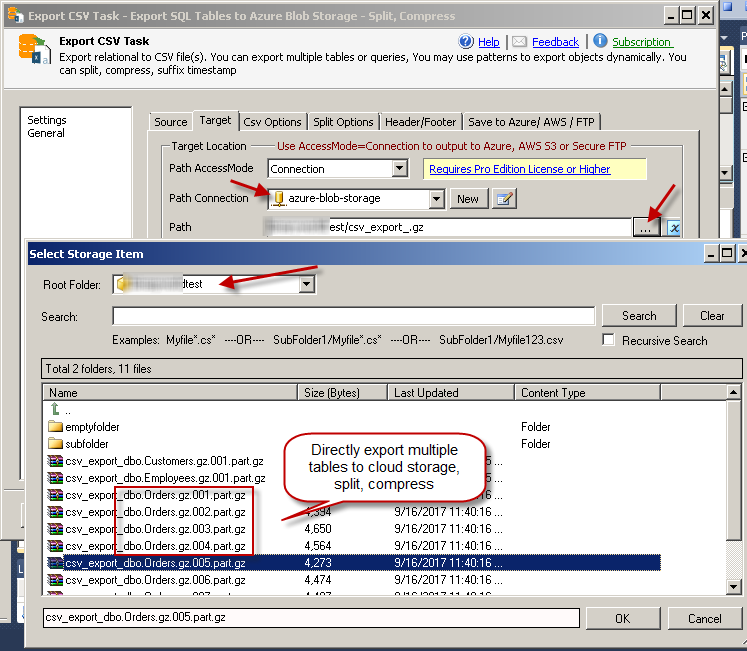
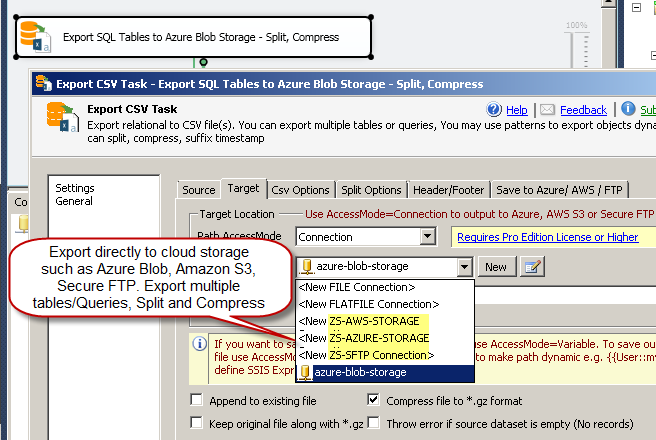
SSIS Export CSV File Task creates dynamic CSV exports from SQL queries/tables, with split/append/compress controls, format options, and direct cloud targets (Azure Blob, AWS S3, FTP/SFTP). Part of ZappySys SSIS PowerPack.
Create dynamic CSV exports from relational data in SSIS without fragile metadata wiring.
Export query or table outputs to local files or cloud storage, control delimiters/encoding/date formatting, split by size/rows/group column, and compress or append for production delivery pipelines.
Part of ZappySys SSIS PowerPack.
Pro Tip: For large nightly feeds, combine split-by-column with GZip and cloud output so each consumer gets smaller partitioned files in a dedicated folder.
Compatibility: SQL Server 2012–2025+ (32/64-bit) | Azure Data Factory / Azure-SSIS IR Ready
CSV formatting control — Delimiter, quote handling, headers, encoding, and date format options
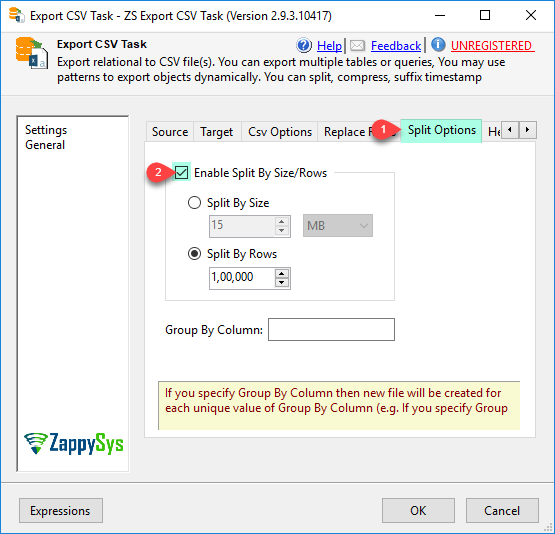
Split strategies — Split by file size, row count, or grouped column value
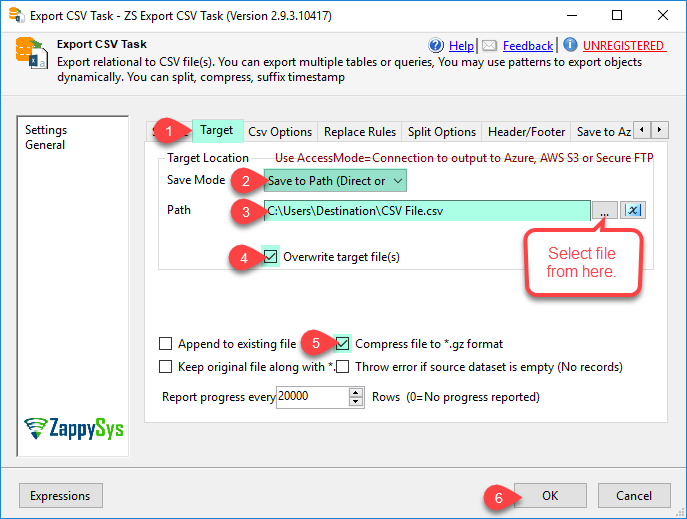
Cloud destinations — Azure Blob, Amazon S3, FTP, and SFTP output support
Compression + append — GZip and append options for incremental delivery flows
32/64-bit ready — Fully managed behavior across SSIS runtimes
💡 Common Use Cases
Daily data feeds: Publish partitioned CSVs to cloud storage for downstream ingestion.
Partner file exchange: Export and compress country/customer-specific files for SFTP transfer.
Lake landing zones: Push SQL extracts to blob storage with predictable naming and splits.
Ops-safe re-runs: Use append and split settings to resume or rerun without manual file edits.
🎯 Summary
SSIS Export CSV File Task provides a robust publishing layer from relational sources to flat-file and cloud destinations, combining dynamic extraction, formatting controls, and delivery-ready split/compression options in one repeatable task.
Trusted by Developers & IT Teams Worldwide
Built for SSIS Workflows: Purpose-built for high-performance ETL and complex integration scenarios.
Expert Technical Support: Direct access to engineers via email and remote screen-share sessions.
Proven Enterprise Scale: Trusted by 3000+ teams across 90+ countries, including Fortune 500.