Skip to content
| Marketplace
Sign in
Visual Studio>Tools>SSIS Dropbox Connector
SSIS Dropbox Connector

SSIS Dropbox Connector

ZappySys

| (0) | Free Trial
Read and write Dropbox data in SSIS using API Source and API Destination components. Integrate files and folders with OAuth user account authentication in low-code ETL workflows. Part of ZappySys SSIS PowerPack.
Download

Read and write Dropbox files and folders in SSIS with API Source + API Destination.

SSIS Dropbox Connector is built on the ZappySys API Connector framework so you can configure OAuth, choose endpoints, preview results, and automate file operations directly in SSIS packages without custom API code.
Part of ZappySys SSIS PowerPack (100+ connectors & tasks).

Recommended starting point
View Setup Guide & Get Started →
See features, UI & examples →
Pro Tip: Generate OAuth tokens using a service or shared integration account for stable unattended package runs.
Compatibility: SQL Server 2012-2025+ (32/64-bit) | Azure Data Factory / Azure-SSIS IR Ready

⚡ Key Benefits

  • Bidirectional Integration — Read and write Dropbox content in one SSIS data flow
  • OAuth-Based Access — Secure user-account authentication with token workflow
  • Endpoint Coverage — List, upload, download, delete, and folder operations
  • Low-Code Setup — Configure templates and mappings without manual REST scripting
  • Production ETL Friendly — Integrate with Upsert Destination and SQL Agent scheduling

📸 Visual Overview & Setup

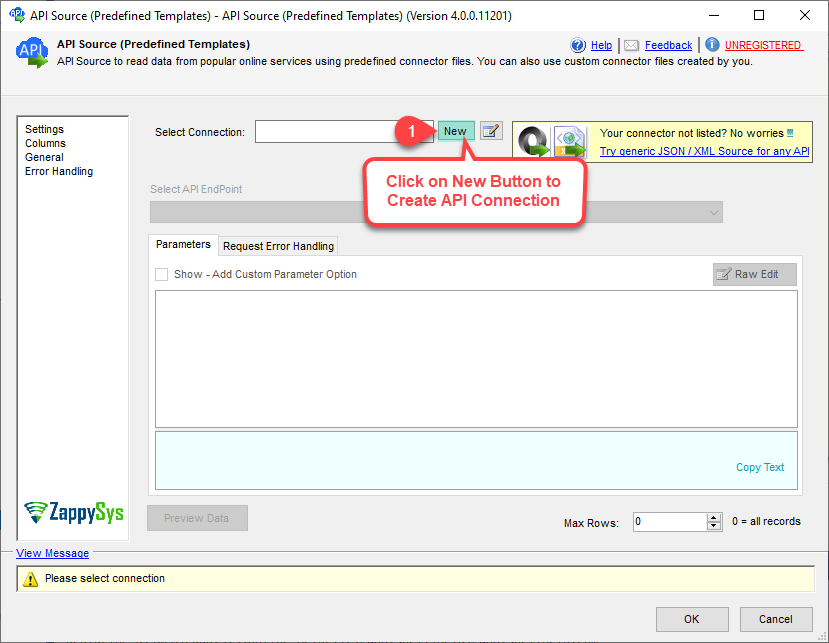
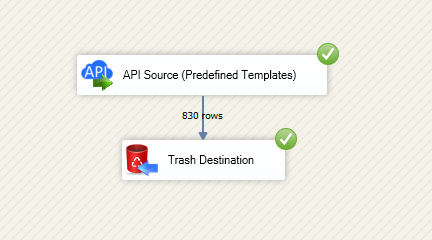
1. Drag API Source onto Data Flow
Drag API Source onto SSIS Data Flow
🔍 View Full Size
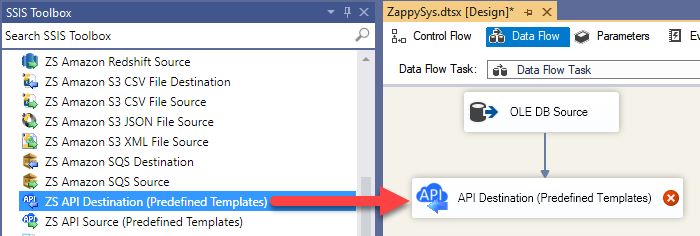
2. Drag API Destination onto Data Flow
Drag API Destination onto SSIS Data Flow
🔍 View Full Size
3. Create Dropbox OAuth App
Create OAuth app in Dropbox
🔍 View Full Size
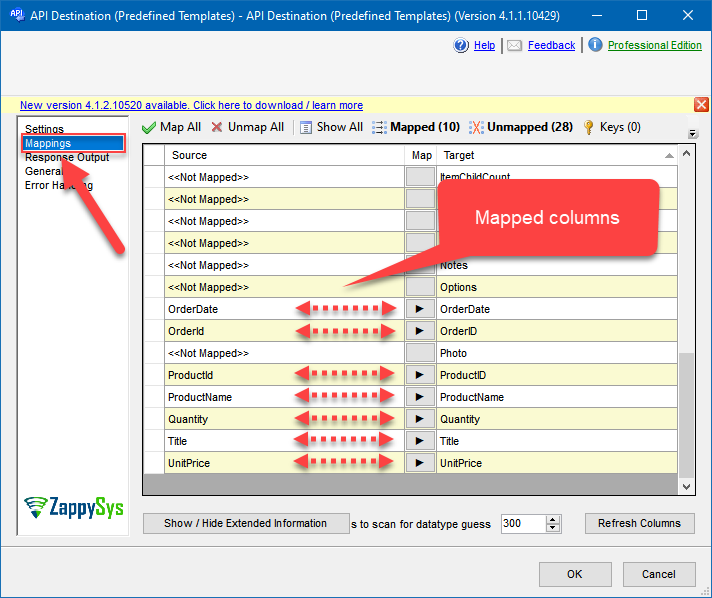
4. Map the Columns
Map the Columns
🔍 View Full Size
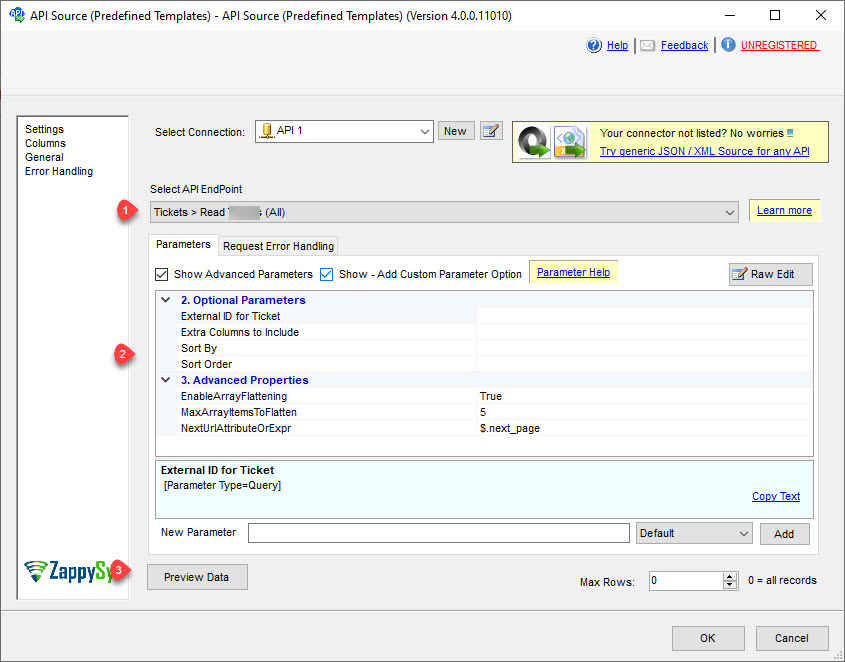
5. Source — Select Endpoint & Preview
Preview Dropbox source data
🔍 View Full Size
6. Destination Mapping & Execute
Destination Mapping & Execute
🔍 View Full Size

🔧 Key Features

Read and Write Endpoint Support

  • List files and folders with API Source endpoints
  • Upload, delete, and download content with API Destination endpoints
  • Use generic REST endpoints for advanced Dropbox API calls

Authentication and Security

  • User Account OAuth with custom Dropbox app support
  • Configurable client id, client secret, redirect URI, and scopes
  • Retry controls for transient failures and throttling responses

Operational Control

  • Visual endpoint selection and parameterized requests
  • Preview and mapping before package execution
  • Deploy via SQL Agent or Azure-SSIS IR in ADF

💡 Common Use Cases

  • Automated file intake: Pull new Dropbox files into SSIS staging flows.
  • Outbound publishing: Push processed files to Dropbox destinations.
  • Folder governance: Create and clean folders from pipeline logic.
  • Cloud ETL orchestration: Bridge Dropbox file operations with SQL data pipelines.
  • Enterprise scheduling: Run managed Dropbox jobs from SQL Agent or ADF.

🎯 Summary

Integrate Dropbox with SSIS using familiar drag-and-drop patterns.
Use one connector framework for extraction, transformation, and file delivery automation.

Trusted by Developers & IT Teams Worldwide

  • Built for SSIS Workflows: Designed for production ETL and integration operations.
  • Expert Technical Support: Guidance for connector setup, auth, and endpoint design.
  • Proven Enterprise Scale: Adopted by thousands of organizations across 90+ countries.

SSIS PowerPack
Includes SSIS Dropbox Connector
Capterra Rating
Read reviews on Capterra →

Start Integrating Dropbox with SSIS PowerPack

Install once and use SSIS Dropbox Connector plus 100+ connectors and tasks for API and cloud ETL scenarios.

Download SSIS PowerPack (Free Trial)

Free for development inside Visual Studio.

  • Contact us
  • Jobs
  • Privacy
  • Manage cookies
  • Terms of use
  • Trademarks
© 2026 Microsoft