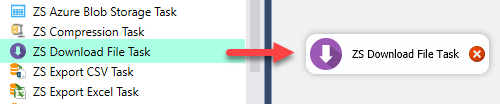
Download files from any HTTP or HTTPS URL directly inside an SSIS package — no Script Task needed. Supports direct URL, SSIS variable, and connection-based URL modes with proxy support. Part of ZappySys SSIS PowerPack (FREE).
Download files from any URL inside your SSIS package — no Script Task required.
Fetch files from any HTTP or HTTPS URL directly in the Control Flow using a simple
drag-and-drop task. Choose from three flexible input modes — direct URL, SSIS variable,
or URL from Connection Manager — and route downloads through a proxy server when needed.
Part of ZappySys SSIS PowerPack — this component is FREE.
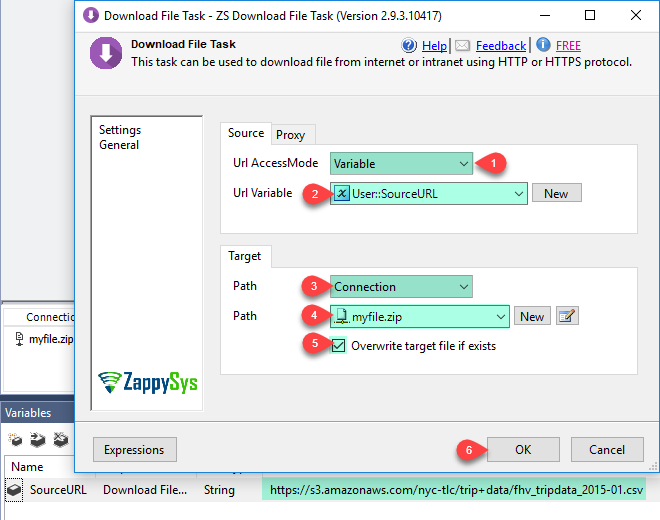
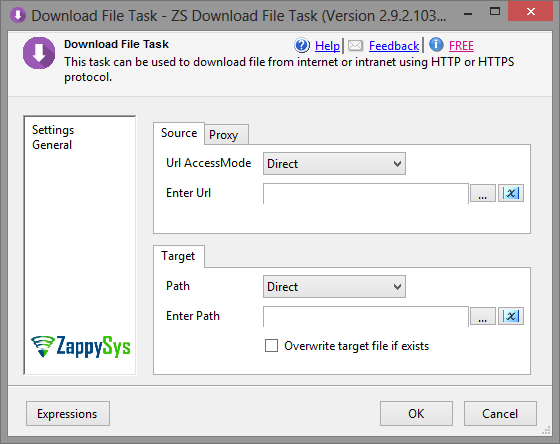
Direct URL Mode — Enter the download URL inline in the task properties
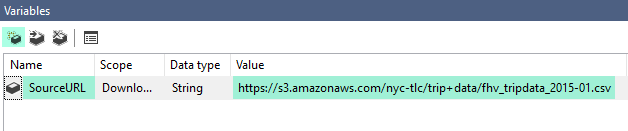
Variable Mode — Read the target URL from an SSIS variable at runtime for dynamic or looping scenarios
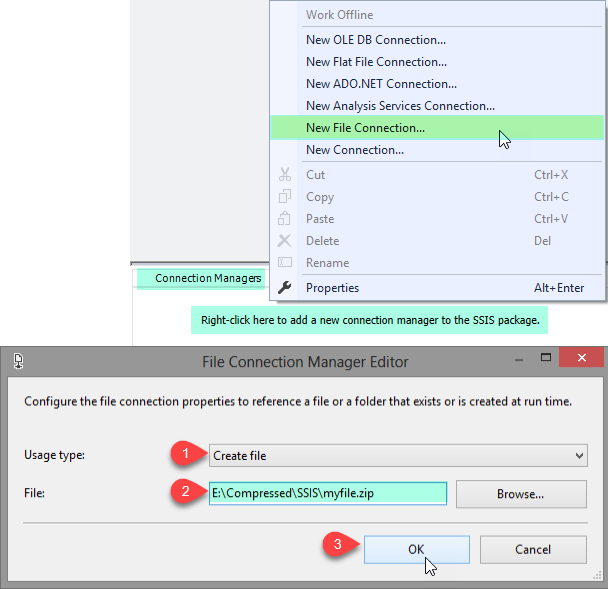
URL from Connection Mode — Source the URL from an HTTP Connection Manager for centralized credential management
Network
Proxy server support for restricted or corporate network environments
Compatible with any HTTP or HTTPS URL
💡 Common Use Cases
Common real-world scenarios where this task eliminates Script Task-based file downloads:
Download Data Files Before ETL: Pull the latest CSV or XML data file from a web endpoint before processing. Example: Download a daily exchange rate file from a public URL before loading into SQL Server.
Parameterized Downloads: Store the URL in a variable and reuse the same task across environments. Example: Switch between dev and prod download URLs by changing a single package variable.
Loop-Based Multi-File Downloads: Iterate through a list of URLs and download each file in sequence. Example: Use a For Each Loop container with a variable URL to batch-download monthly report files.
Download Reference or Config Files: Fetch lookup tables or configuration files from a central HTTP endpoint at runtime. Example: Download a mapping file from an internal server before running a Lookup transform.
Corporate Proxy Downloads: Download files through a proxy in enterprise environments with restricted direct internet access. Example: Route downloads through a corporate HTTP proxy without writing custom WebClient code.
🎯 Summary
Download files from any URL inside your SSIS Control Flow — no Script Task needed.
Use direct, variable, or connection-based URL modes with proxy support for flexible, production-ready file retrieval.
Trusted by Developers & IT Teams Worldwide
Built for SSIS Workflows: Purpose-built for high-performance ETL and complex integration scenarios.
Expert Technical Support: Direct access to engineers via email and remote screen-share sessions.
Proven Enterprise Scale: Trusted by 3000+ teams across 90+ countries, including Fortune 500.