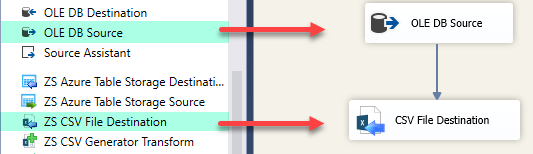
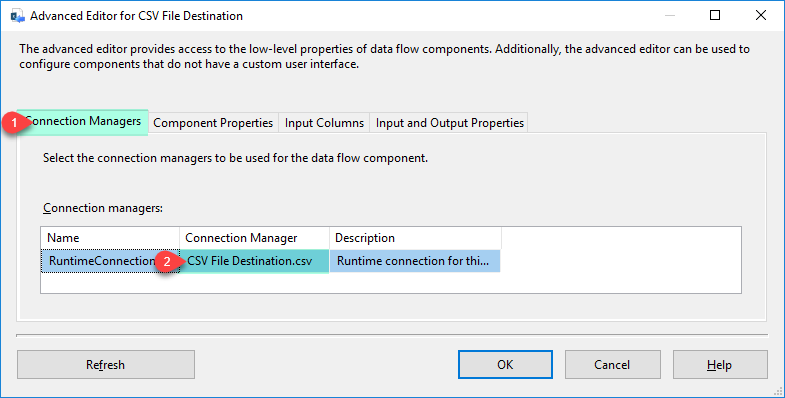
Write data to CSV, TSV, or custom-delimited files from any SSIS source — no Script Task needed. Supports file splitting by row count or size, direct GZip/Zip compression, dynamic paths, and column mapping with renamed headers. Part of ZappySys SSIS PowerPack.
Write data to CSV, TSV, or custom-delimited files from any SSIS source — no Script Task required.
Connect any relational source, map columns with renamed headers, and write output to flat files with
full control over delimiter, encoding, and quoting. Automatically split large files by row count or
file size, compress output directly to GZip or Zip without a separate task, and build dynamic file
paths using SSIS variables — all from a simple drag-and-drop component.
Part of ZappySys SSIS PowerPack.
Write CSV (comma), TSV (tab), or any custom-delimited flat file
Control delimiter, text qualifier, encoding, and header row inclusion
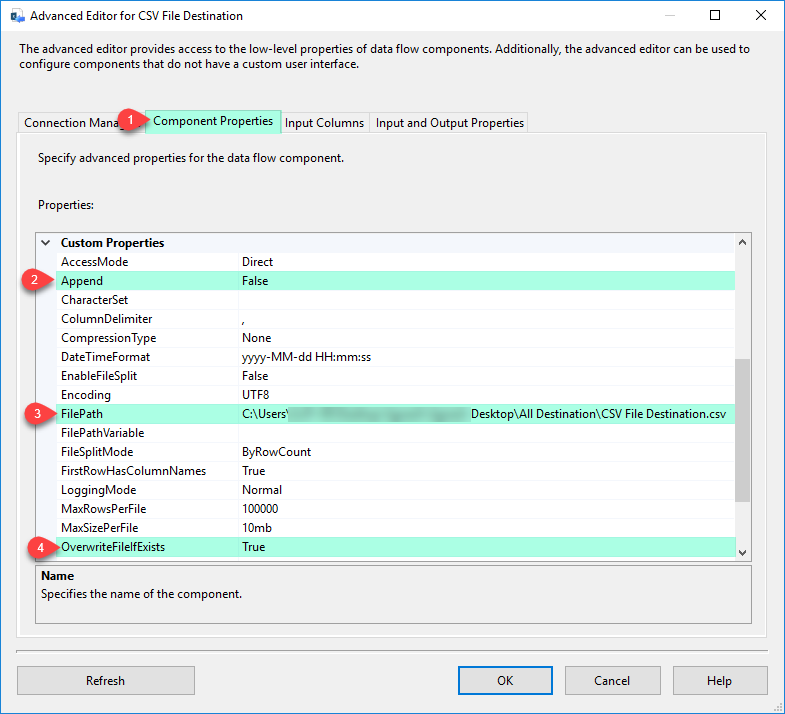
Append to existing files or overwrite — configurable write mode
File Management
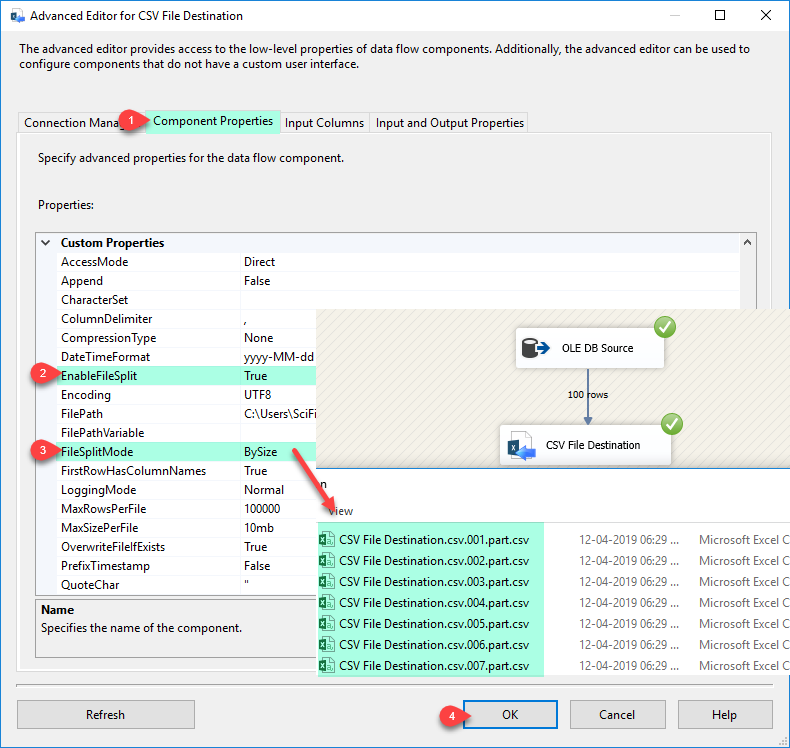
Automatic file splitting — split output by max row count or max file size
Dynamic file paths using SSIS variables (e.g. date-stamped or tenant-specific filenames)
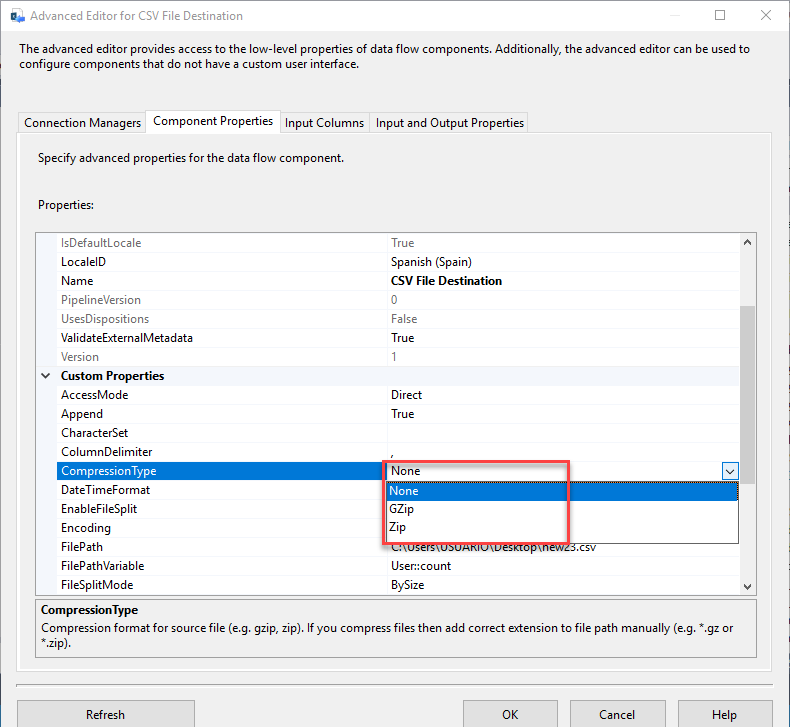
Write directly to GZip (*.gz) or Zip compressed output without a separate compression step
Column Mapping
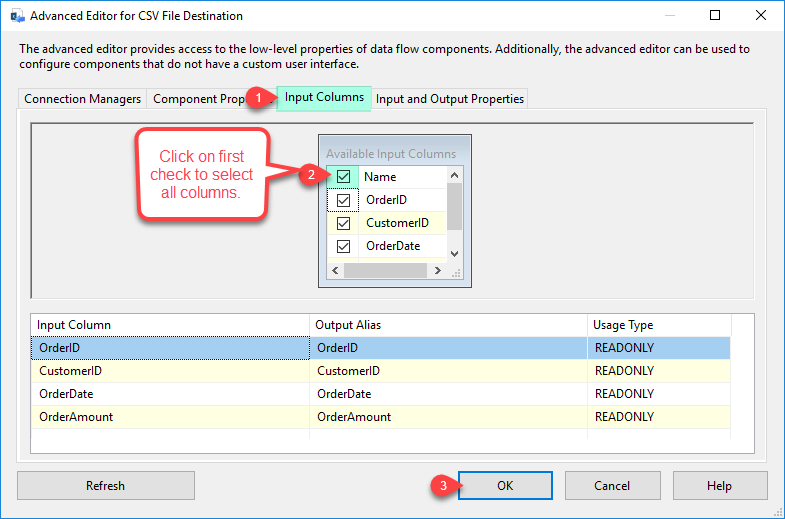
Map any source column to a CSV output column
Rename CSV header column names independently from source column names
Compatible with SQL Server 2012–2025 (32/64-bit) and Azure Data Factory
💡 Common Use Cases
Common real-world scenarios for writing CSV files from SSIS pipelines:
Daily Data Exports: Export SQL Server query results to date-stamped CSV files for downstream systems or BI tools. Example: Export yesterday's orders to orders_20260330.csv using an SSIS variable in the file path.
Large File Splitting: Break a multi-million-row export into manageable chunks for partner system ingestion limits. Example: Split a 5M-row product export into 500K-row files automatically without any custom logic.
Compressed Archive Delivery: Write output directly as GZip or Zip for FTP delivery or cloud storage upload. Example: Produce a report.csv.gz file in one step — no separate Zip File Task needed.
Multi-Tenant Exports: Use SSIS variable placeholders to write separate CSV files per tenant or date partition. Example: Generate /exports/{{User::TenantID}}/data.csv for each tenant in a loop.
🎯 Summary
Replace Script Tasks and custom file-writing code with a drag-and-drop CSV destination that handles flat file output end to end.
Write CSV, TSV, or custom-delimited files, split by size or row count, compress directly to GZip or Zip, and use dynamic paths — all without a single line of code.
Trusted by Developers & IT Teams Worldwide
Built for SSIS Workflows: Purpose-built for high-performance ETL and complex integration scenarios.
Expert Technical Support: Direct access to engineers via email and remote screen-share sessions.
Proven Enterprise Scale: Trusted by 3000+ teams across 90+ countries, including Fortune 500.