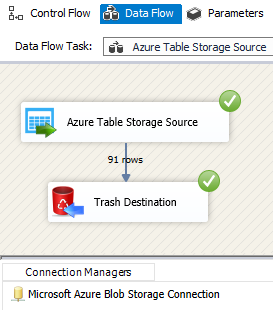
Read Azure Table Storage in SSIS with SQL-like queries, design-time previews, and bulk extract. Connect with Azure storage credentials and stream NoSQL rows into ETL. Part of ZappySys SSIS PowerPack.
Extract from Azure Table Storage in SSIS with SQL-like queries and previews.
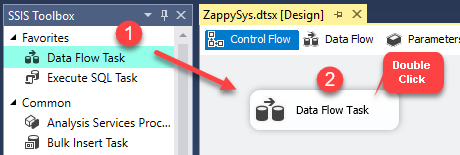
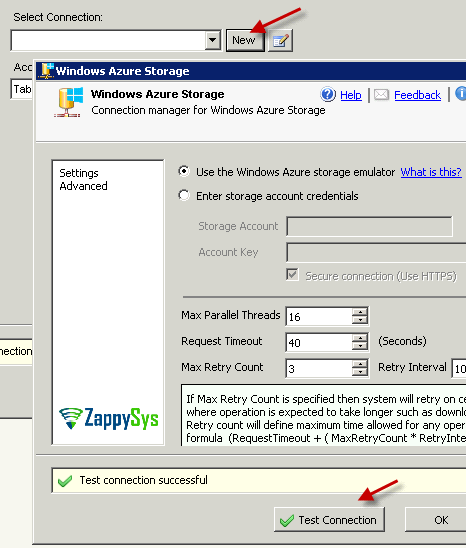
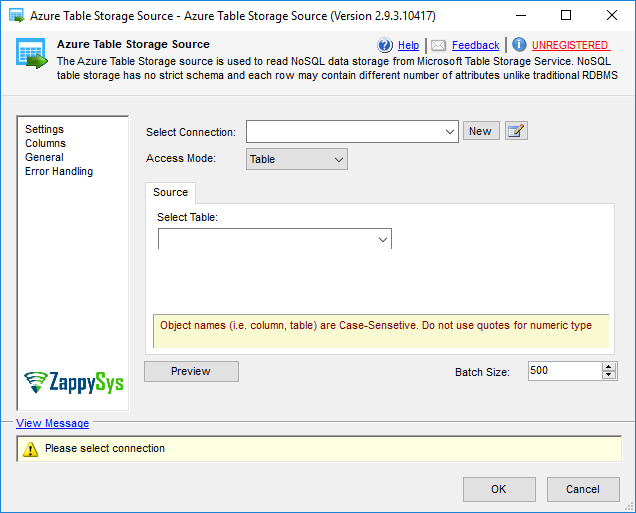
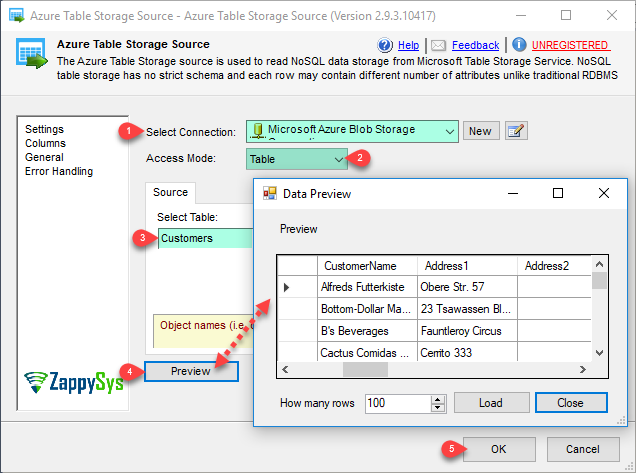
Connect to your storage account, choose table or query mode, preview entities at design time, and pull bulk data into standard data flows without hand-coding the REST API.
Part of ZappySys SSIS PowerPack.
Pro Tip: Preview table data after connection, then switch to query mode when you need filters or projections—reuse the same connection manager across packages.
Compatibility: SQL Server 2012–2025+ (32/64-bit) | Azure Data Factory / Azure-SSIS IR Ready
⚡ Key Benefits
Bulk read from Table Storage — Stream large entity sets into SSIS with a drop-in source
SQL-like query engine — Filter and shape data without low-level Azure Table REST details
Design-time previews — Validate table and query output before full runs
Bulk extraction — Read large volumes from Azure Table Storage into SSIS
SQL-like querying — Use the PowerPack query engine instead of raw REST calls
Table and query modes — Browse entities or run filtered projections
Data preview — Inspect table and query results during development
Azure storage integration — Works with standard Azure storage connection patterns
Cloud-ready packages — Run on premises or with Azure-SSIS IR
💡 Common Use Cases
Warehouse staging: Land Table Storage entities into SQL for reporting.
Incremental sync: Extract filtered partitions and merge into downstream systems.
Migration: Move legacy app data stored in tables to relational or lake targets.
Operational ETL: Combine table reads with blob, queue, and API components in one package.
🎯 Summary
SSIS Azure Table Storage Source packages Azure NoSQL reads into a familiar SSIS source component—connection setup, visual settings, previews, and bulk extract—so teams can query and load table data without maintaining custom REST integration code.
Trusted by Developers & IT Teams Worldwide
Built for SSIS Workflows: Purpose-built for high-performance ETL and complex integration scenarios.
Expert Technical Support: Direct access to engineers via email and remote screen-share sessions.
Proven Enterprise Scale: Trusted by 3000+ teams across 90+ countries, including Fortune 500.