Read and write Amazon Selling Partner (SP-API) data in SSIS with API Source and API Destination.
Configure Private app OAuth, preview endpoints, and automate listings, orders, reports, and payments without custom API code. This connector runs on the ZappySys API Connector framework and supports low-code extraction and writeback flows in one package.
Part of ZappySys SSIS PowerPack (100+ connectors & tasks).
Recommended starting point
Pro Tip: Use a User DSN-style design-time setup in Visual Studio, then promote secrets to package parameters / environments for SQL Agent deployments.
⚡ Key Benefits
- Bidirectional Connector — Pull and push SP-API data with API Source and API Destination in one SSIS pipeline
- Private OAuth Setup — Configure ClientId, ClientSecret, TokenUrl, and Refresh Token using built-in auth UI
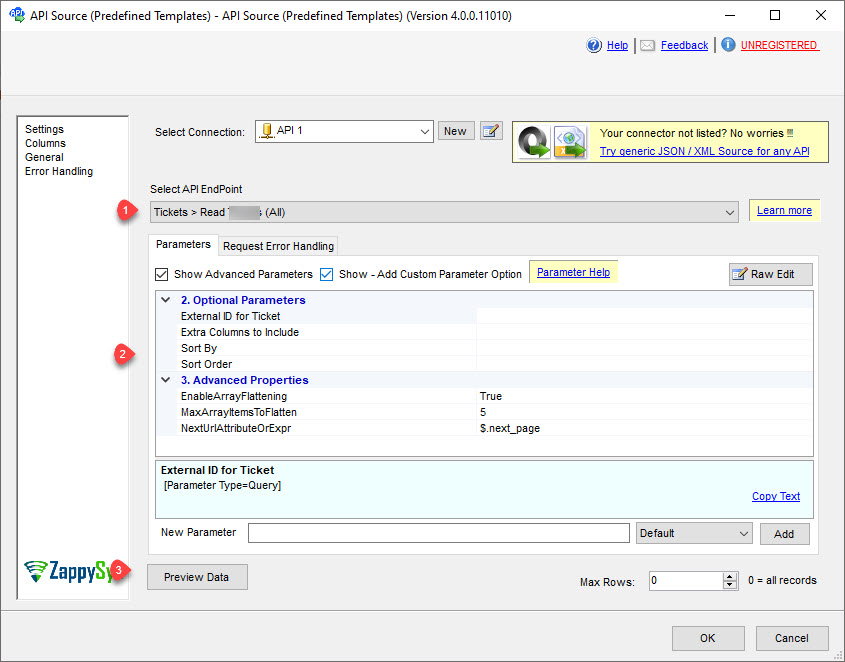
- Endpoint Preview — Pick endpoints and validate payloads before execution with Preview Data
- Retry on Throttling — Built-in 429 retry options with RetryCountMax and RetryMultiplyWaitTime
- Low-Code Mapping — Visual destination mapping for write operations and upsert-style downstream loads
📸 Visual Overview & Setup
|
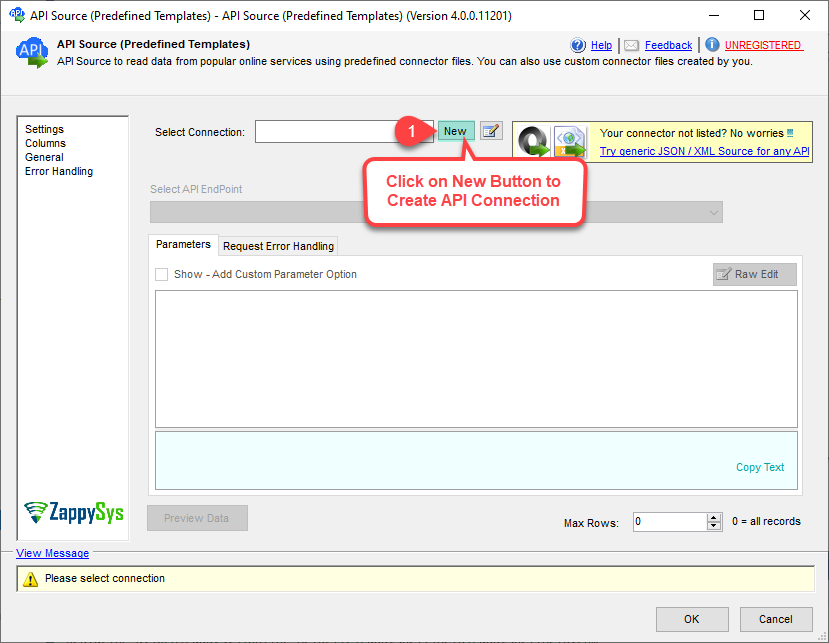
1. Drag API Source

|
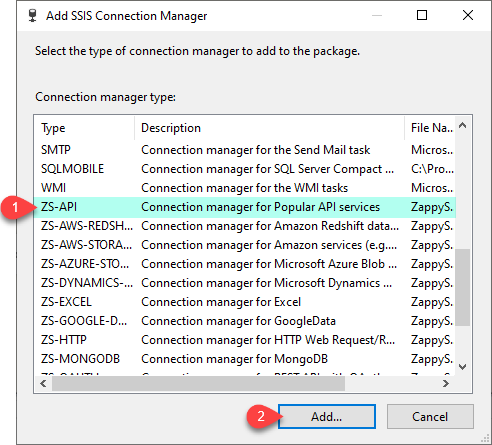
2. Choose SP-API Connector
|
3. Configure Private OAuth
|
|
4. Preview Endpoint Data
|
5. Drag API Destination
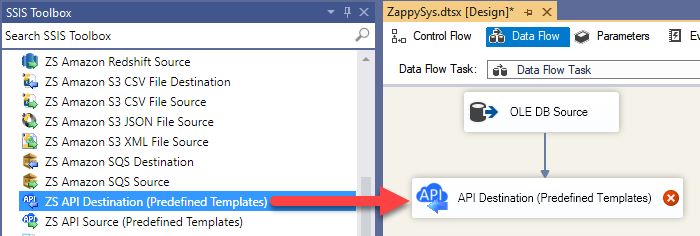
|
6. Map & Execute
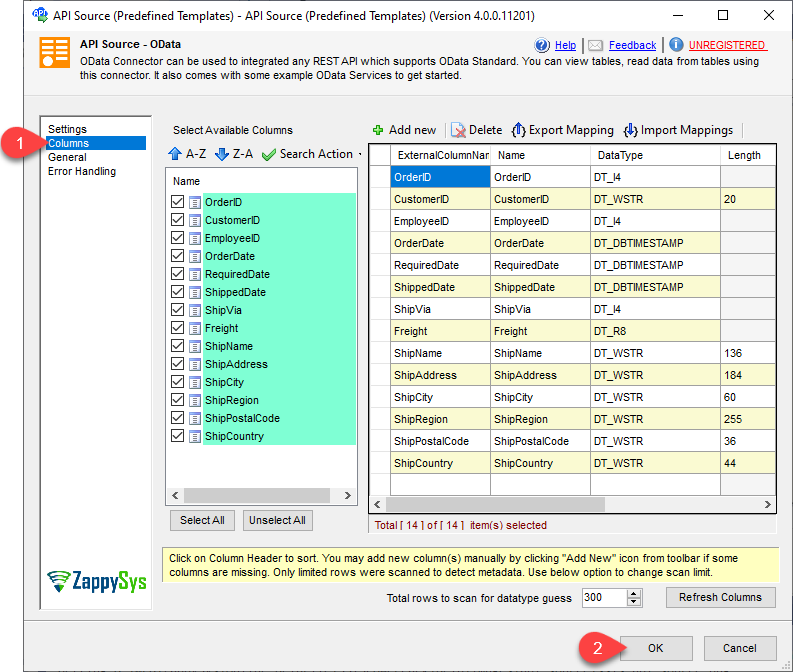
|
🔧 Key Features
SP-API Data Operations
- Read and write listings, orders, report metadata, catalog, and payment-related resources
- Use API Source for extraction and API Destination for push/update in the same package
- Explore many predefined actions including report retrieval and generic REST request operations
Private App OAuth
- Authentication Type: Private app [OAuth]
- Configure ClientId, ClientSecret, TokenUrl, and Refresh Token directly in connection manager
- Supports API Base URL overrides and version parameters (Orders/Seller/Reports/etc.)
Reliability & ETL Fit
- Retry controls for 429 throttling with RetryCountMax and exponential wait strategy
- Easy handoff to Upsert Destination for SQL Server, PostgreSQL, and Redshift loads
- Ready for SQL Agent and SSIS Catalog deployment patterns
💡 Common Use Cases
- Order Ingestion: Pull order and order-item feeds into warehouse staging tables.
- Catalog Enrichment: Query catalog/search endpoints and join with internal SKU data.
- Report Automation: Trigger report endpoints, download outputs, and load to SQL targets.
- Marketplace Monitoring: Track selling performance and reconcile operational metrics.
🎯 Summary
Build reliable SSIS pipelines for Amazon Selling Partner (SP-API) without hand-coding auth flows or REST pagination.
Configure Private OAuth once, preview endpoints quickly, map outputs visually, and run production ETL with built-in retry.
Trusted by Developers & IT Teams Worldwide
- Built for SSIS Workflows: Purpose-built for production-grade API integrations and ETL pipelines.
- Expert Technical Support: Direct access to engineers for setup, authentication, and troubleshooting.
- Proven Enterprise Scale: Trusted by 3000+ teams across 90+ countries.
|
SSIS PowerPack
Includes SSIS Amazon Selling Partner Connector

Read reviews on Capterra →
|
Start Integrating Amazon SP-API with SSIS PowerPack
Includes the SSIS Amazon Selling Partner Connector plus 100+ connectors & tasks for APIs, databases, and cloud apps.
Full functionality is FREE for development within Visual Studio
| |