Skip to content
| Marketplace
Sign in
Visual Studio>Tools>SSIS Amazon S3 Task (AWS S3 Task)
SSIS Amazon S3 Task (AWS S3 Task)

SSIS Amazon S3 Task (AWS S3 Task)

ZappySys

|
4,689 clicks
| (0) | Free Trial
Automate Amazon S3 file and folder operations in SSIS without scripting. Upload, download, copy, move, rename, list, and delete objects with filtering, metadata, and security options in one task-driven workflow. Part of ZappySys SSIS PowerPack.
Get Started

Automate Amazon S3 storage operations in SSIS using one drag-and-drop task.

Upload, download, copy, move, rename, list, and delete S3 files/folders/buckets in control flow workflows. Configure filters, metadata, and security options through UI-based settings without custom scripts.
Part of ZappySys SSIS PowerPack.

Recommended starting point
View Setup Guide & Get Started →
See features, UI & examples →
Pro Tip: The Visual Studio download installs a basic extension. Use the guide above to install and run the full SSIS PowerPack (all connectors & UI).
Compatibility: SQL Server 2012–2025+ (32/64-bit) | Azure Data Factory / Azure-SSIS IR Ready

⚡ Key Benefits

  • 30+ S3 Operations — Handle file/folder/bucket lifecycle tasks in one component
  • No-Code Cloud Automation — Replace script-heavy S3 routines with SSIS UI configuration
  • Advanced Search & Filters — Use pattern and SQL-like filtering for object selection
  • Metadata & Security Controls — Set metadata and manage storage security behaviors
  • Pipeline Integration — Embed S3 operations into scheduled ETL/control-flow packages

📸 Visual Overview & Setup

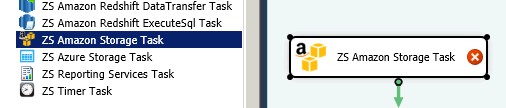
1. Drag Amazon S3 Task
Drag Amazon S3 Storage Task in SSIS
🔍 View Full Size
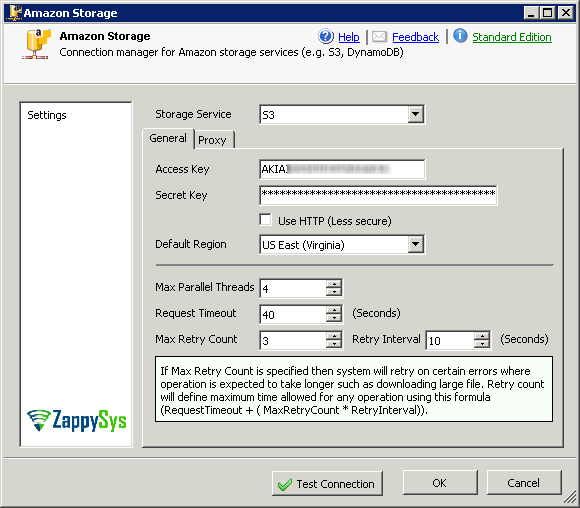
2. Configure S3 Connection
Create and configure Amazon S3 connection
🔍 View Full Size
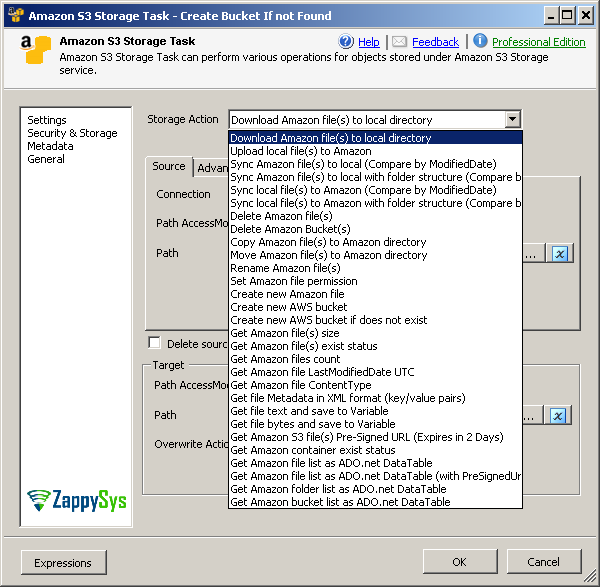
3. Choose S3 Operation
Amazon S3 task operations list
🔍 View Full Size
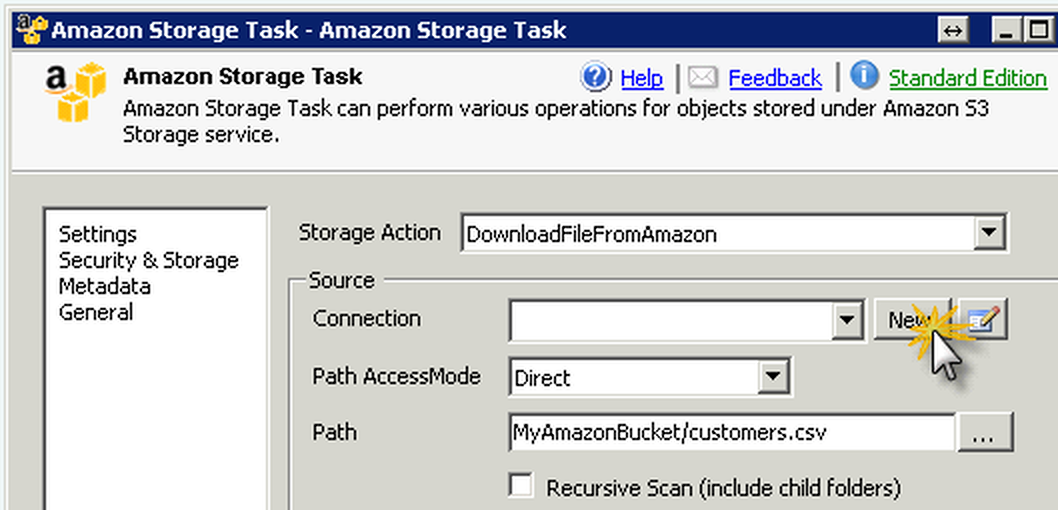
4. Download Files Scenario
Download files from Amazon S3 to local disk
🔍 View Full Size
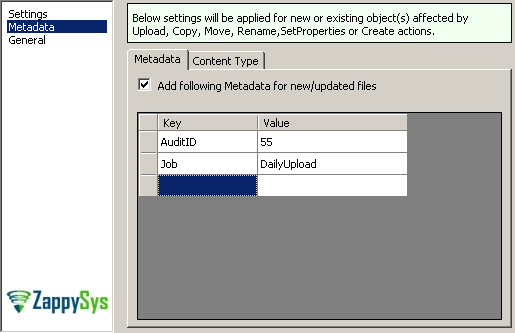
5. Metadata & Security Options
Set Amazon S3 metadata key value pairs
🔍 View Full Size
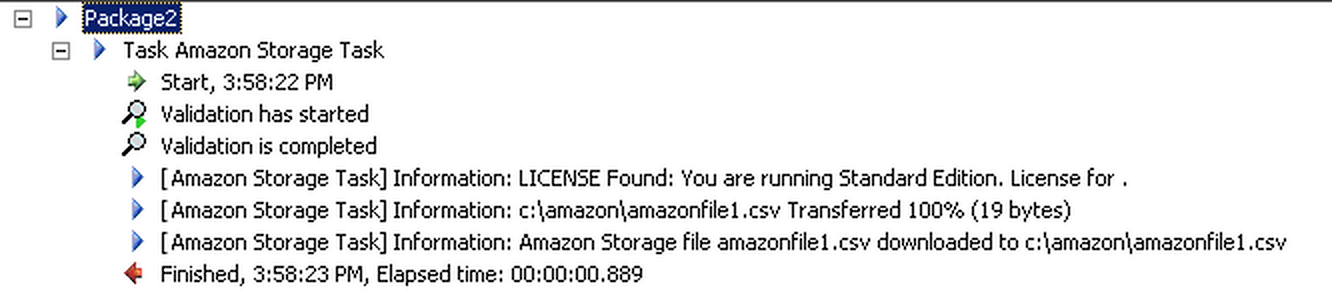
6. Execute and Verify Log
Amazon S3 task execution log
🔍 View Full Size

🔧 Key Features

  • Upload/download/copy/move/rename/delete S3 objects
  • Bucket and folder operations with list/search capabilities
  • Metadata key/value and storage security settings
  • Advanced object filtering with regex and SQL-like rules
  • Execution logging for run-time monitoring

💡 Common Use Cases

  • Landing Zone Automation: Download inbound files from S3 to local/ETL staging folders.
  • Cloud Publishing: Upload processed exports to S3 for partner or analytics access.
  • Housekeeping: Delete/archive old objects and folders using filter conditions.
  • Cross-Account Routing: Copy or move objects between buckets/accounts in scheduled jobs.

🎯 Summary

SSIS Amazon S3 Task centralizes cloud storage automation in one SSIS-native component. It gives teams script-free control over file lifecycle operations, filtering, and metadata for reliable production pipelines.

Trusted by Developers & IT Teams Worldwide

  • Built for SSIS Workflows: Purpose-built for high-performance ETL and complex integration scenarios.
  • Expert Technical Support: Direct access to engineers via email and remote screen-share sessions.
  • Proven Enterprise Scale: Trusted by 3000+ teams across 90+ countries, including Fortune 500.
SSIS PowerPack
Includes SSIS Amazon S3 Task
Capterra Rating
Read reviews on Capterra →

Start Automating Workflows with SSIS PowerPack

Includes connectors for APIs, databases & cloud apps. Build robust ETL workflows without custom scripting.

Download SSIS PowerPack (Free Trial)

Full functionality is FREE for development within Visual Studio

  • Contact us
  • Jobs
  • Privacy
  • Manage cookies
  • Terms of use
  • Trademarks
  • Your Privacy Choices
  • Consumer Health Privacy
© 2026 Microsoft