Connect to a JDBC-backed data source through standard ODBC by configuring the ZappySys JDBC Bridge Driver without Java coding.
ODBC JDBC Bridge Driver lets you point a DSN to a JDBC JAR, set driver class and JDBC URL, then run read/write SQL through your existing ODBC workflow.
Use query preview, metadata browsing, and standard ODBC clients for reporting, ETL, and app integration.
Part of ZappySys ODBC PowerPack (30+ drivers).
Recommended starting point
Pro Tip: Install Java 8+ (JRE/JDK), download the vendor JDBC JAR, and point the DSN to that file. Use User DSN for interactive work and System DSN for SQL Agent or Windows services. Match 32-bit vs 64-bit ODBC administrator to the calling app, and verify JAVA_HOME / PATH if Java is not detected.
Compatibility: Windows ODBC (32/64-bit) | Works with Visual Studio, .NET, BI tools |
Data Gateway for SQL Server, JDBC, and non-Windows access
⚡ Key Benefits
- Use JDBC in ODBC Apps — Connect Java-only drivers in Excel, Power BI, SQL Server, and other ODBC tools
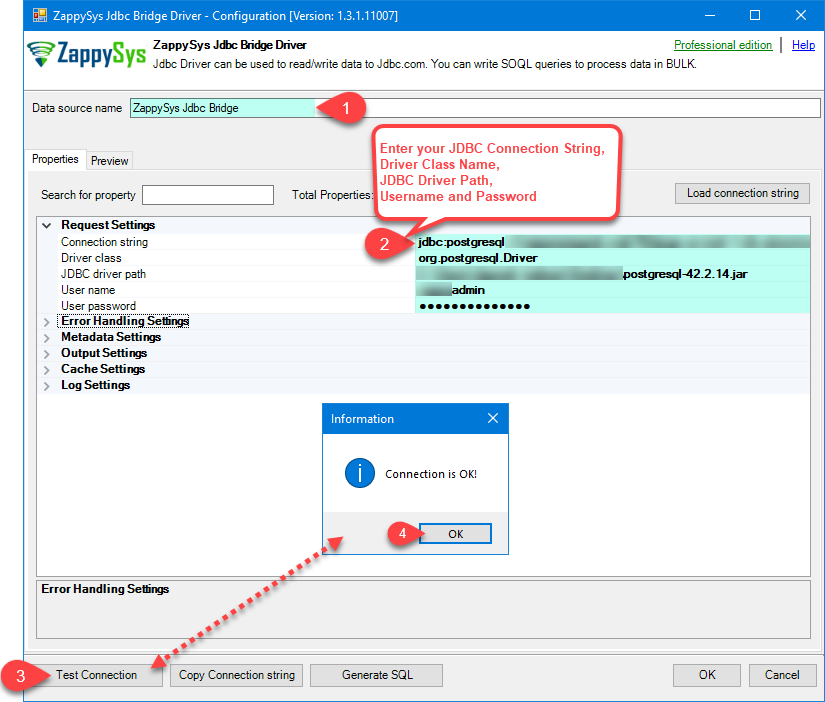
- Low-code DSN Setup — Configure JDBC URL, driver class, JAR path, credentials, and connection parameters in one wizard
- Read and Write SQL — Run SELECT/INSERT/UPDATE/DELETE when supported by the underlying JDBC driver
- Preview Before Production — Validate query output with built-in table picker and preview UI before deployment
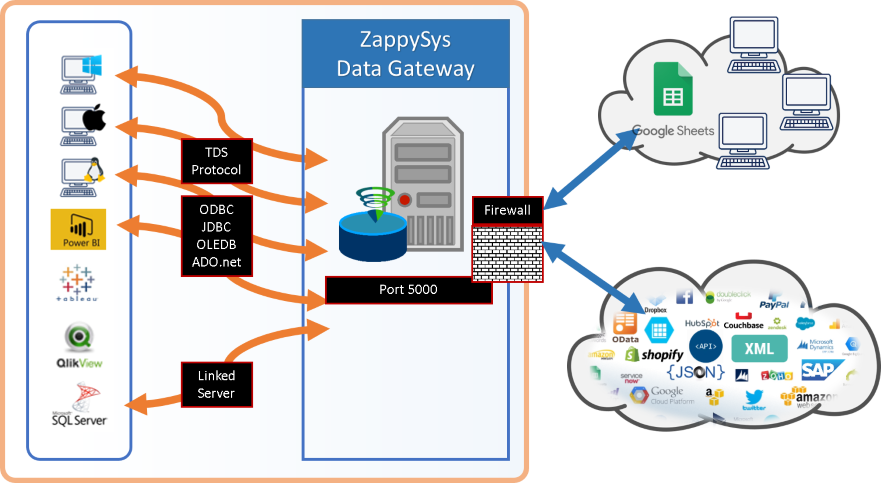
- Centralized Access — Share a configured connection with Data Gateway for SQL Server linked servers and remote clients
📸 Visual Overview & Setup
|
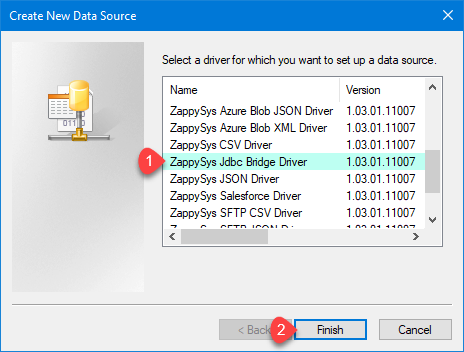
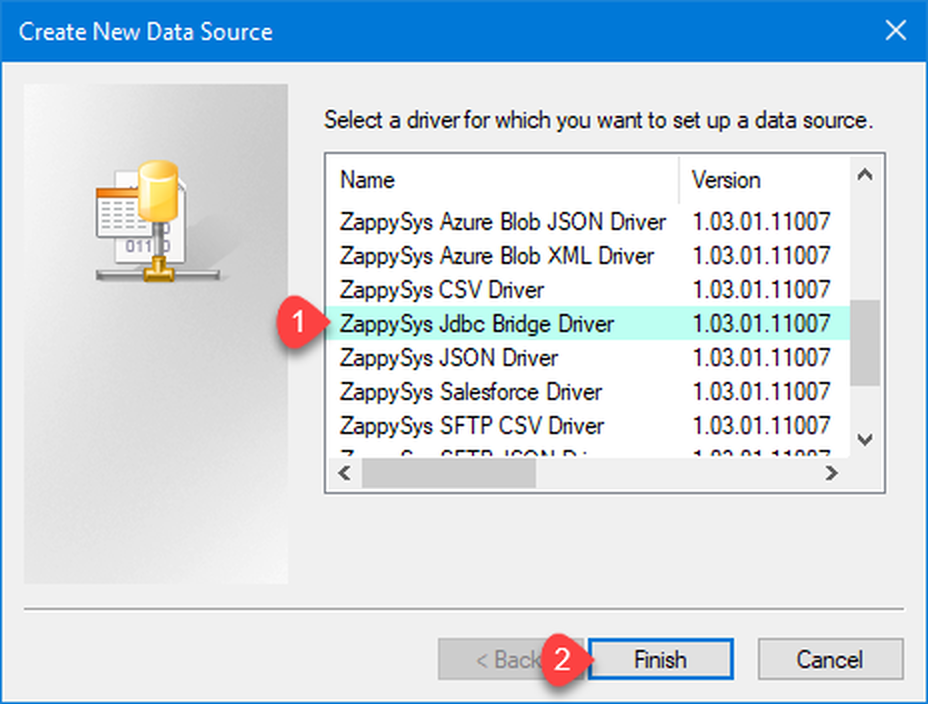
1. Choose JDBC Bridge Driver Type
|
2. Enter Full Path for *.jar file (i.e. JDBC driver file)
|
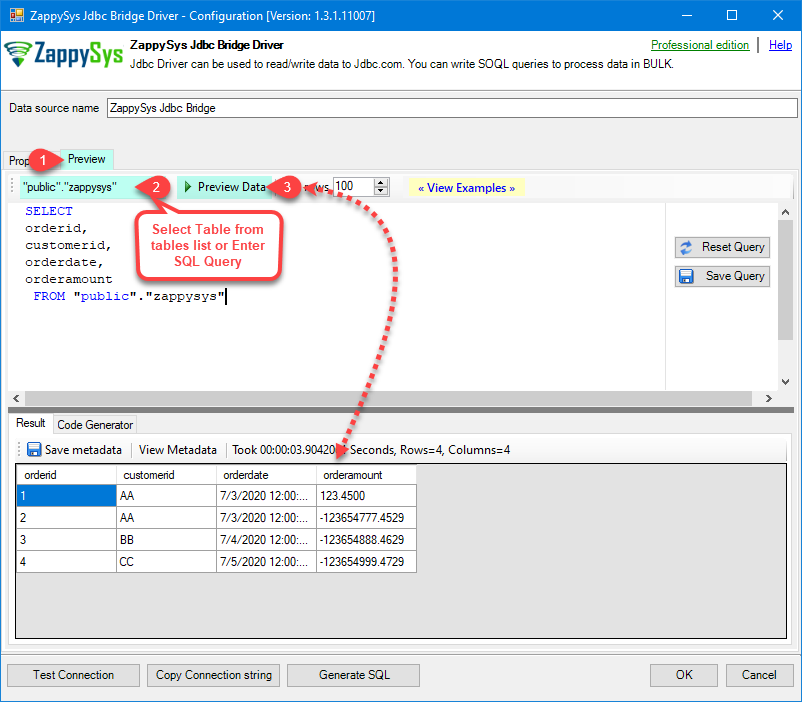
3. Preview SQL Query
|
|
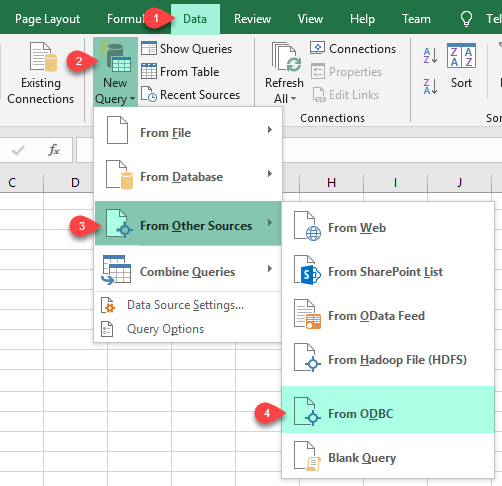
4. Load Data into Excel
|
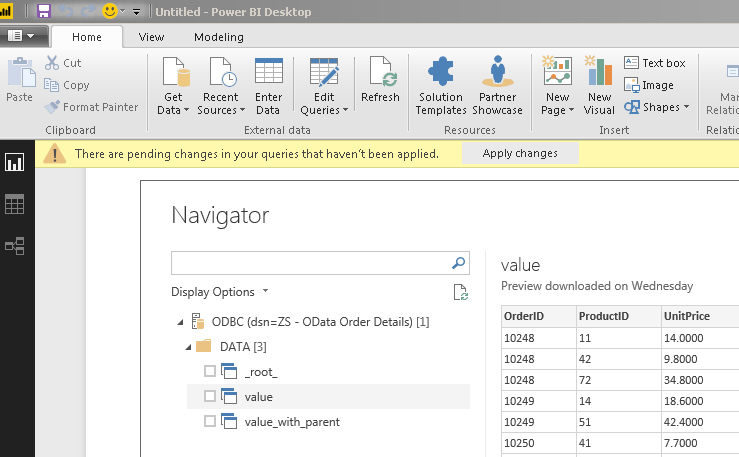
5. Connect from Power BI
|
6. Share Through Data Gateway
|
🔗 Seamless SQL Query Integration
Works with REST, OData, files, and databases
-- Query your target JDBC table (example from JDBC Bridge docs)
SELECT
  *
FROM
  MyTable
✔ JDBC driver executes the query through bridge routing
✔ Use the same DSN in BI, ETL, and custom ODBC apps
✔ Write support depends on JDBC driver capabilities
🔧 Key Features
JDBC Bridge Configuration
- Point the DSN to your local JDBC JAR file and set the JDBC driver class name
- Use JDBC URL connection strings exactly as required by the target vendor driver
- Map username/password and use
Connection parameters for extra driver options
- Run Test Connection to validate Java, JAR path, and JDBC URL before production use
Read / Write SQL
- Execute
SELECT, INSERT, UPDATE, and DELETE when supported by the JDBC provider
- Use preview mode for quick row inspection and metadata validation
- If an operation is not supported, the limitation comes from the target JDBC driver layer
Reliability & Platform Fit
- Use User DSN for interactive tools and System DSN for service-account schedules
- Match 32-bit/64-bit ODBC Administrator with the host application process bitness
- Reuse the same DSN in Excel, Power BI, SQL Server linked servers, SSIS, and custom .NET apps
- Publish via Data Gateway to centralize configuration, firewall access, and client onboarding
💡 Common Use Cases
Typical scenarios for ODBC JDBC Bridge Driver:
-
BI over JDBC-only systems: Query systems that publish only JDBC from Excel or Power BI without custom Java wrappers.
Example: connect analysts to JDBC-only reporting sources through one ODBC DSN.
-
SQL Server integration: Expose JDBC data to linked servers and
OPENQUERY via ODBC and Data Gateway.
Example: load JDBC-backed operational data into staging tables nightly.
-
ETL tool standardization: Use the same bridge DSN across SSIS, Informatica, and other ODBC-capable ETL tools.
Example: swap JDBC backend by changing DSN settings only.
-
Rapid troubleshooting: Validate connectivity quickly with query preview before coding production jobs.
Example: isolate Java path or JAR mismatch issues during deployment.
-
Shared enterprise access: Centralize bridge settings in Data Gateway so client machines do not need per-app setup.
Example: controlled access with gateway host firewall and restart workflow.
🎯 Summary
Bring JDBC-only data sources into your ODBC ecosystem with minimal setup.
Configure one bridge DSN, point to the JDBC driver JAR, and run SQL from the Windows tools your team already uses.
Trusted by Developers & IT Teams Worldwide
- Built for ODBC Workloads — One DSN model across BI, ETL, SQL Server, and custom code.
- Expert Technical Support — Engineers help with JDBC URLs, Java setup, and gateway networking.
- Proven Enterprise Scale — Thousands of teams worldwide rely on ZappySys for data connectivity.
|
ODBC PowerPack
Includes ODBC JDBC Bridge Driver

Read reviews on Capterra →
|
Ready to use JDBC in ODBC tools?
Install the full ODBC PowerPack to unlock all drivers and start your free trial.
| |