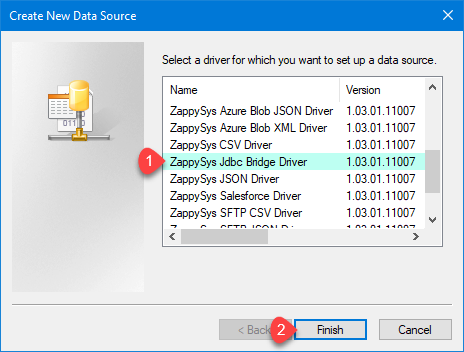
Connect to Infor Data Lake through standard ODBC by configuring the ZappySys JDBC Bridge Driver without Java coding.
Install the Infor Compass JDBC JAR, keep the ION API (.ionapi) file in the same folder (do not rename it), configure jdbc:infordatalake with driver class com.infor.idl.jdbc.Driver, validate with Test Connection, then preview SQL before wiring Excel, Power BI, or ETL jobs.
Part of ZappySys ODBC PowerPack (30+ drivers).
Recommended starting point
Pro Tip: Install Java 8+ (Java 21 recommended). Download infor-compass-jdbc.jar per Infor docs or the video tutorial, add the ION API file as Infor Compass JDBC Driver.ionapi in the same directory as the JAR, and do not rename the .ionapi file. Use a User DSN for interactive design and a System DSN for Windows services; match 32-bit vs 64-bit ODBC Administrator to the host process. For certificate or data-lake errors, see the community SSL article and Infor Data Lake discussions.
Compatibility: Windows ODBC (32/64-bit) | Works with Visual Studio, .NET, BI tools |
Data Gateway for SQL Server, JDBC, and non-Windows access
⚡ Key Benefits
- Infor Data Lake over ODBC — Expose JDBC-backed catalogs through a JDBC Bridge DSN your ODBC tools already understand
- Documented JDBC pairing — Compass JAR plus ION API file in one folder, as described in the setup guide
- Validated connectivity — Use Test Connection plus in-DSN SQL preview before production queries
- Operational DSN patterns — Choose User DSN for desktop sessions and System DSN for service accounts (match ODBC bitness)
- Optional Data Gateway — Centralize the Infor Data Lake data source for shared ODBC access and simpler control
📸 Visual Overview & Setup
|
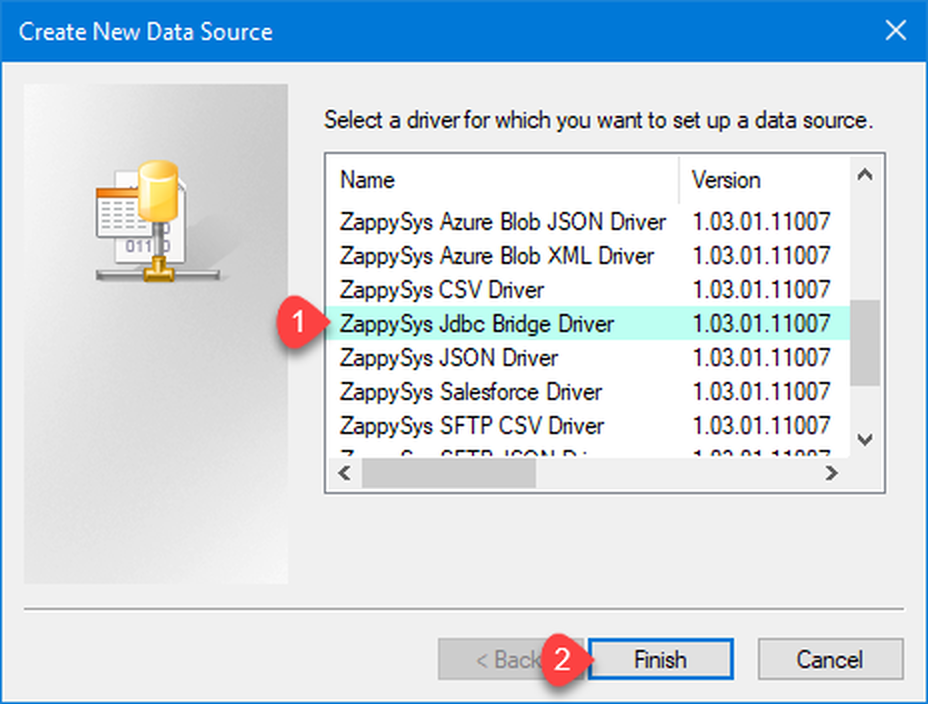
1. Choose JDBC Bridge Driver Type
|
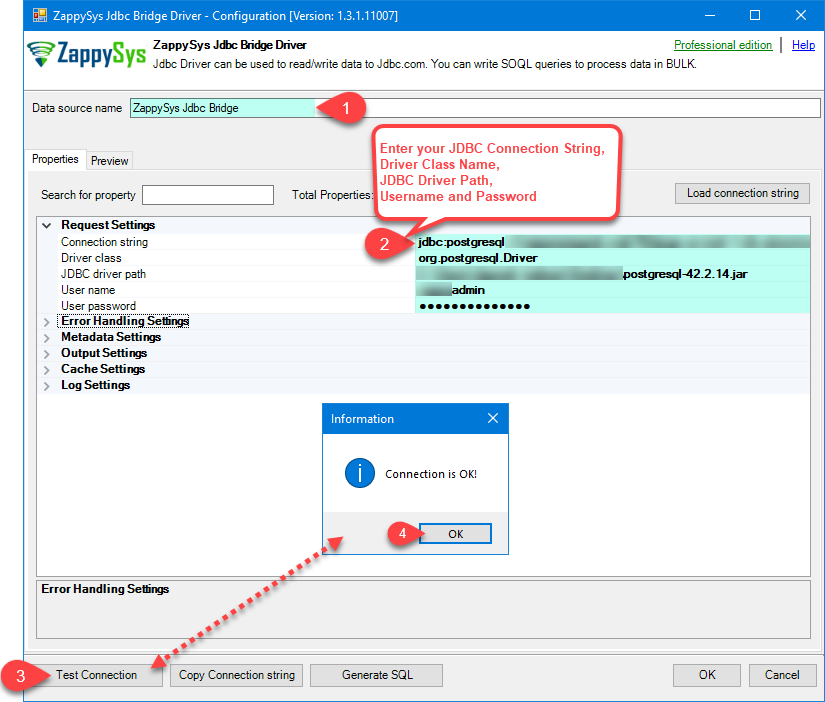
2. Enter Full Path for *.jar file (i.e. JDBC driver file)
|
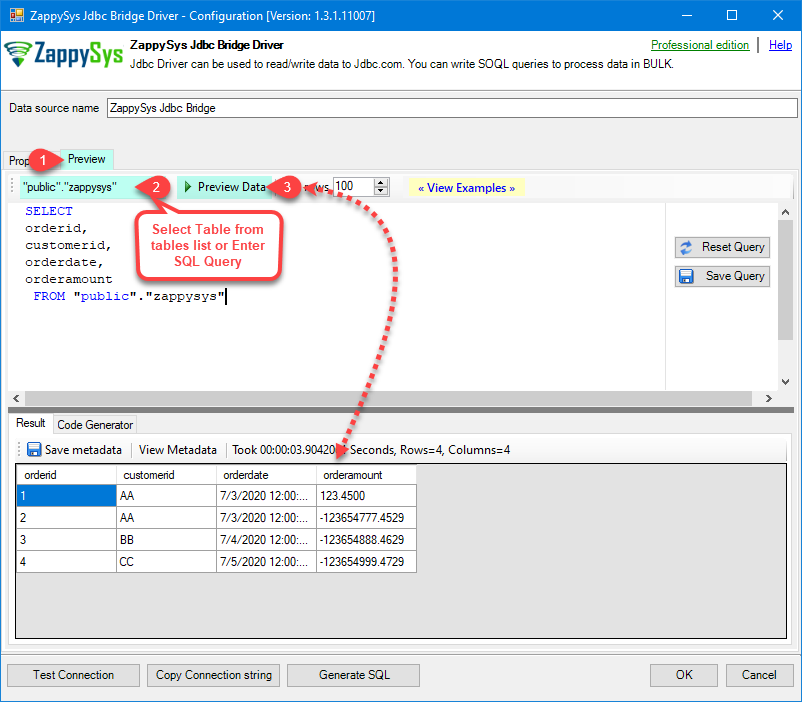
3. Preview SQL Query
|
|
4. Load Infor Data Lake Rows into Excel
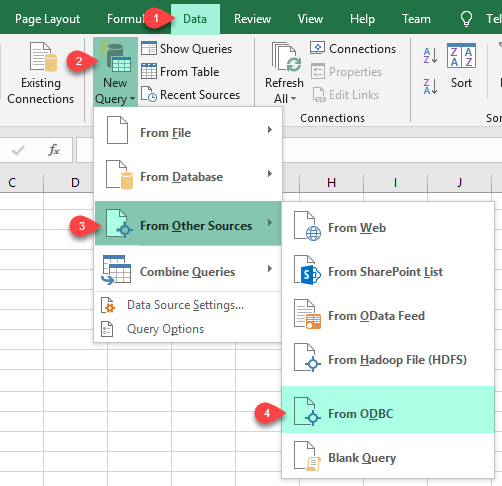
|
5. Connect from Power BI
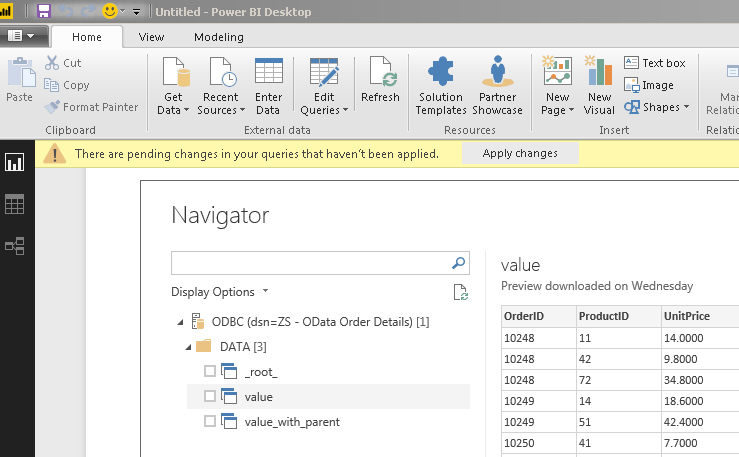
|
6. Share via Data Gateway
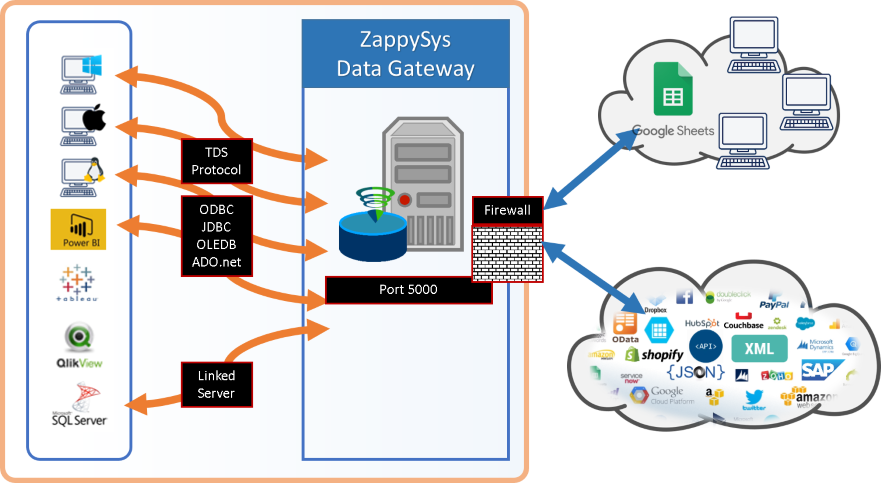
|
🔗 Seamless SQL Query Integration
Query Infor Data Lake tables with incremental filters (example from the setup guide)
-- Example SELECT with infor.lastmodified()
SELECT
  "RCM"."CCUST" AS "CustomerNumber",
  "RCM"."CNAME" AS "CustomerName",
  "RCM"."CSTAT" AS "CustomerStatus"
FROM "default"."RCM"
WHERE infor.lastmodified() >= '2026-02-01T00:00:00.000Z'
✔ Use catalog and table metadata from the driver
✔ Bridge relays SQL without rewriting it
✔ Works inside SQL Server, Power BI, Excel
🔧 Key Features
Read & Query
- Run Infor Data Lake SQL through ODBC after the DSN is configured
- Use the preview grid or Select Table metadata picker when the JDBC driver exposes catalogs
- See additional patterns in JDBC Bridge SQL query examples linked from the setup guide
JDBC Bridge Configuration
- Example JDBC URL from the guide:
jdbc:infordatalake://MY_DATALAKE_ID
- Driver class:
com.infor.idl.jdbc.Driver
- Example DSN name from the guide:
InforDataLakeDSN
- Point JDBC driver file(s) at your local JAR (example path:
D:\Drivers\JDBC\infor-compass-jdbc.jar) with Infor Compass JDBC Driver.ionapi in the same folder
- Example user name format from the guide:
john.smith@my-company.com
- Set Connection parameters to
[] when no extra properties are required, or extend per your tenant policy
- Run Test Connection to confirm Java, JAR path, ION API placement, and credentials before connecting client tools
Writes & Driver Behavior
- The bridge forwards SQL unchanged; INSERT/UPDATE/DELETE support depends on your Infor JDBC driver capabilities
- If you see action is not supported, that reflects the JDBC driver rather than the ZappySys bridge
Reliability & Platform Fit
- Standard ODBC 3.x for Power BI, Excel, SQL Server linked servers, SSIS ODBC Source, and custom apps
- Java 8 minimum with Java 21 recommended when your JDBC distribution allows it
- For Data Gateway deployments, copy DSN settings to the gateway host, adjust firewall rules, and restart the gateway service after edits
- Use the guide’s Troubleshooters & resources (JDBC Bridge Driver) list for Java discovery, SSL, multi-JAR merges, logging, and disconnect errors
- Learn more about the bridge in ZappySys JDBC Bridge Driver documentation
💡 Common Use Cases
Typical scenarios for the Infor Data Lake ODBC Driver:
- Operational reporting: Refresh Excel or Power BI models against Data Lake tables with incremental predicates such as
infor.lastmodified().
Example: customer dimension extracts from "default"."RCM".
- Enterprise integration: Land curated extracts in SQL Server for downstream SSIS or stored procedures.
Example: scheduled pulls using a System DSN under a service account.
- Gateway sharing: Publish
InforDataLakeDSN on Data Gateway so ODBC Driver for SQL Server clients connect centrally.
Example: teams reuse ZappySysGatewayDSN with default database set to the gateway data source name.
- Service automation: Align 32-bit vs 64-bit ODBC Administrator with the host process for Agent or Windows services.
Example: production jobs use a System DSN configured in the matching administrator.
🎯 Summary
Bring Infor Data Lake into ODBC-native tools without maintaining bespoke JDBC plumbing.
Install Java, place the Compass JAR and ION API file together, build a JDBC Bridge DSN with the documented URL and driver class, validate connectivity, and reuse the same DSN across Excel, Power BI, SQL Server, and optional Data Gateway deployments.
Trusted by Developers & IT Teams Worldwide
- Built for ODBC Workloads — One driver model across BI, ETL, databases, and custom code.
- Expert Technical Support — Engineers help with JDBC URLs, Java installs, and gateway networking.
- Proven Enterprise Scale — Thousands of teams worldwide rely on ZappySys for API and cloud connectivity.
|
ODBC PowerPack
Includes Infor Data Lake ODBC Driver

Read reviews on Capterra →
|
Ready to query Infor Data Lake over ODBC?
Install the full ODBC PowerPack to unlock all drivers and start your free trial.
| |