Connect Google Sheets to ODBC tools using ZappySys API Driver.
Configure OAuth or Service Account authentication, query and update sheets/ranges/cells with SQL, and use retry-aware settings for reliable API access.
Part of ZappySys ODBC PowerPack.
Connect Google Sheets to ODBC tools with
ZappySys API Driver
.
Configure OAuth User Account or Service Account auth, query/update spreadsheets and ranges with SQL, and centralize access via Data Gateway when multiple users need managed connectivity.
Part of
ZappySys ODBC PowerPack
.
Pro Tip:
Set Default SpreadsheetId during auth setup to simplify endpoint calls in Query Builder.
⚡ Key Benefits
Spreadsheet SQL Access
— Read and update sheet data using ODBC-friendly SQL syntax
Flexible Authentication
— Supports OAuth User Account and Service Account key-file setup
Range and Cell Operations
— Work with tabs, ranges, and cell updates from client tools
Resilient API Connectivity
— Retry settings help absorb transient API throttling/errors
Centralized Gateway Option
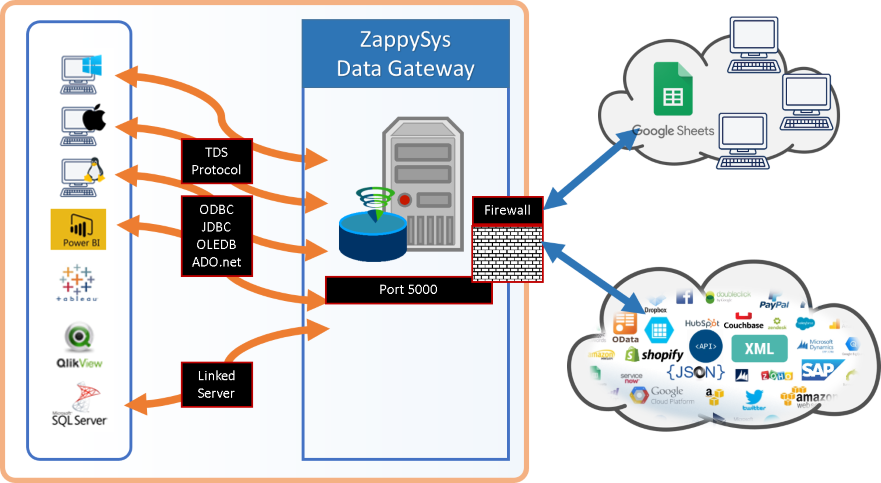
— Share controlled access through one Data Gateway endpoint
📸 Visual Overview & Setup
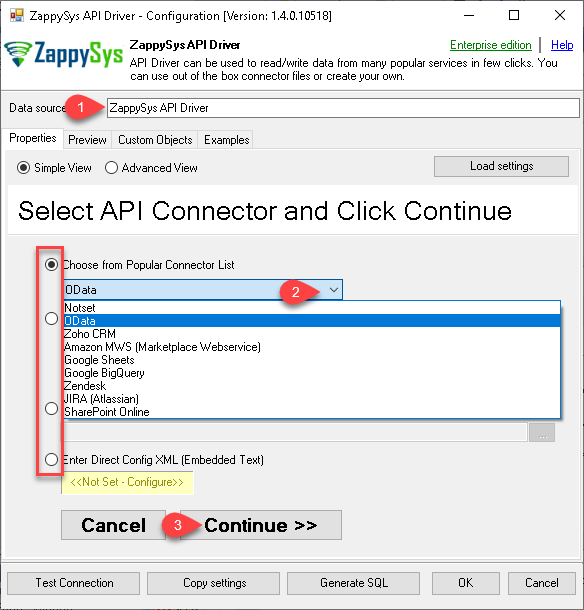
1. Configure Wizard with Embedded Connectors
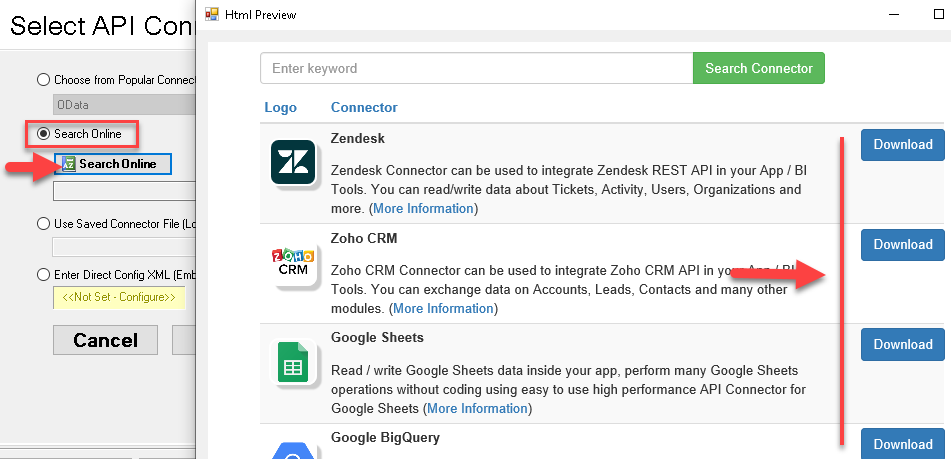
2. Search Online Connector Files
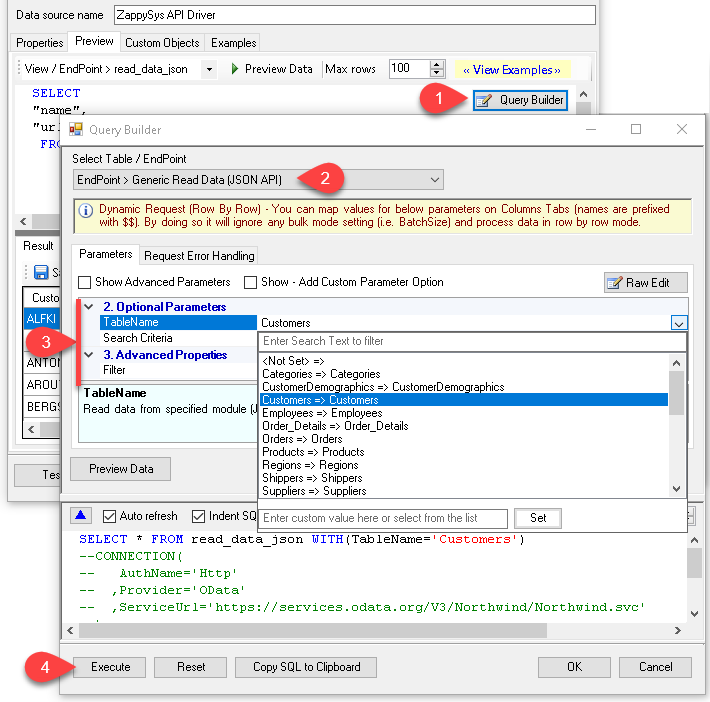
3. Build Query in Query Builder
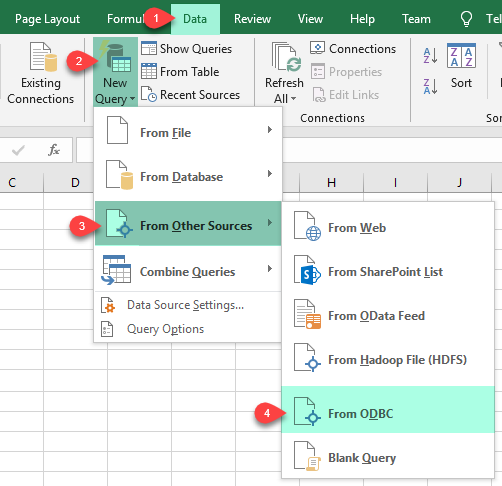
4. Load Data into Excel
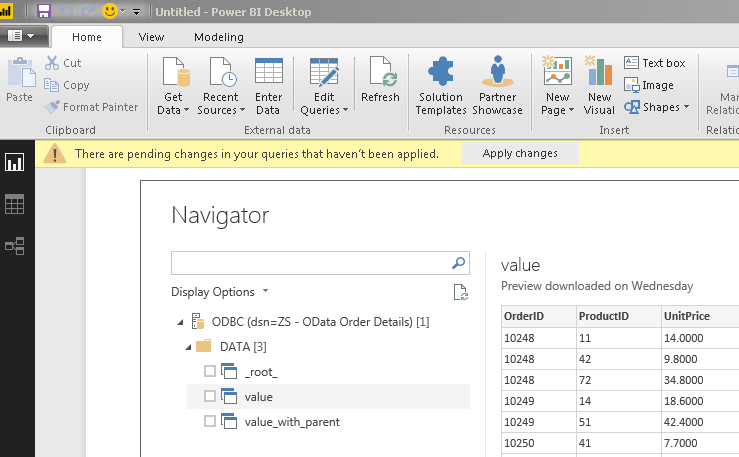
5. Analyze in Power BI
6. Centralize via Data Gateway
🔗 Seamless SQL Query Integration
Works with REST, OData, files, and databases
-- Read worksheet data via SQLSELECT *
FROM [Sheet1]
✔ Query APIs like a database
✔ No ETL or custom scripts needed
✔ Works inside SQL Server, Power BI, Excel
🔧 Key Features
Configure User/System DSN with built-in or downloadable Google Sheets connector files
Use OAuth or Service Account authentication with spreadsheet ID-aware setup
Generate SQL in Query Builder and preview data before running in client applications
Scale access using Data Gateway with centralized configuration and access control
💡 Common Use Cases
Read worksheet/tab data in BI or SQL tools using standard ODBC connectivity
Automate spreadsheet range updates and reporting extracts via scheduled jobs
Centralize Sheets connectivity for teams and services through Data Gateway
Use retry-aware settings for more reliable cloud API data access
🎯 Summary
Google Sheets ODBC Driver enables SQL-first access to spreadsheet data with guided DSN setup, flexible authentication, and optional gateway centralization.
Teams can query and update sheets through familiar ODBC workflows without building custom Google API clients.
Trusted by Developers & IT Teams Worldwide
Built for ODBC Workloads: One driver model across BI, ETL, databases, and custom code.
Expert Technical Support: Engineers help with OAuth setup, spreadsheet targeting, and query tuning.
Proven Enterprise Scale: Thousands of teams worldwide rely on ZappySys for API and cloud connectivity.