Connect Google Search Console to ODBC applications using ZappySys API Driver.
Configure OAuth or Service Account access, query sites and organic reports with SQL, and apply retry-aware settings for stable API connectivity.
Part of ZappySys ODBC PowerPack.
Connect Google Search Console to ODBC tools with
ZappySys API Driver
.
Configure OAuth User Account or Service Account authentication, query sites and organic search reports using SQL, and scale connectivity via Data Gateway when teams need centralized access.
Part of
ZappySys ODBC PowerPack
.
-- Get organic search report via SQLSELECT *
FROM get_report
WITH(
SiteUrl='sc-domain:mycompany.com',
StartDate='monthstart',
EndDate='today',
Dimensions='date~page'
)
✔ Query APIs like a database
✔ No ETL or custom scripts needed
✔ Works inside SQL Server, Power BI, Excel
🔧 Key Features
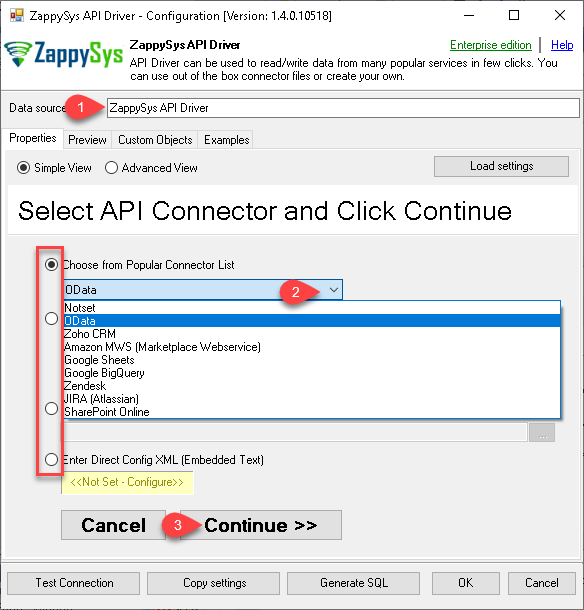
Create User DSN or System DSN for Google Search Console connector workflows
Support OAuth User Account and Service Account auth flows with documented parameter sets
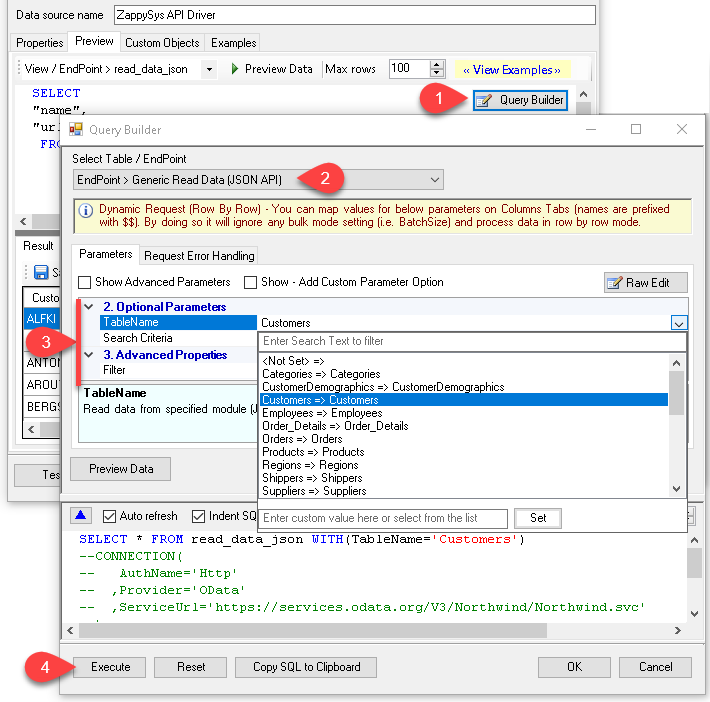
Use Query Builder to generate SQL and push compatible filters server-side
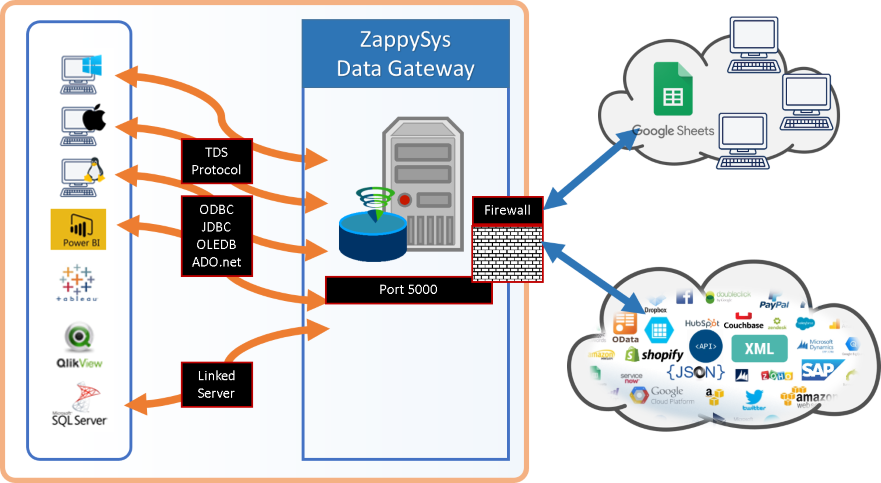
Enable Data Gateway for centralized configuration, connectivity, and access control
💡 Common Use Cases
Retrieve Search Console sites and reports from BI tools through ODBC SQL queries
Run repeatable SEO analytics extraction jobs without custom API coding
Centralize connector access for multi-user teams via gateway-hosted data sources
Use retry-aware ODBC connectivity for more reliable scheduled API access
🎯 Summary
Google Search Console ODBC Driver enables SQL-based access to Search Console data with guided DSN setup and dual authentication options.
Teams can query organic report data, manage connectivity centrally, and integrate API data using familiar ODBC workflows.
Trusted by Developers & IT Teams Worldwide
Built for ODBC Workflows:
Purpose-built for API and cloud data access from SQL tools.
Expert Technical Support:
Direct access to engineers via email and remote screen-share sessions.
Proven Enterprise Scale:
Trusted by 3000+ teams across 90+ countries.