Connect to Google BigQuery from ODBC apps using #DirectSQL and connector-driven setup. Configure OAuth (User or Service Account), ProjectId, and DatasetId, and centralize secure shared access through Data Gateway. Part of ZappySys ODBC PowerPack.
Read and write Google BigQuery data through ODBC using SQL-first workflows.
Google BigQuery ODBC Driver guides DSN setup, lets you authenticate with User Account or Service Account OAuth, and runs #DirectSQL queries from ODBC tools without custom API coding.
Part of
ZappySys ODBC PowerPack
(30+ drivers).
-- Google BigQuery via SQLSELECT *
FROM bigquery-public-data.samples.wikipedia
LIMIT 1000
WITH(
UseCustomApp=1,
CredentialType='User Account [OAuth]',
Scope='https://www.googleapis.com/auth/bigquery https://www.googleapis.com/auth/cloud-platform',
RetryMode='RetryWhenStatusCodeMatch',
RetryStatusCodeList='429|503',
RetryCountMax=5
)
✔ Query APIs like a database
✔ No ETL or custom scripts needed
✔ Works inside SQL Server, Power BI, Excel
🔧 Key Features
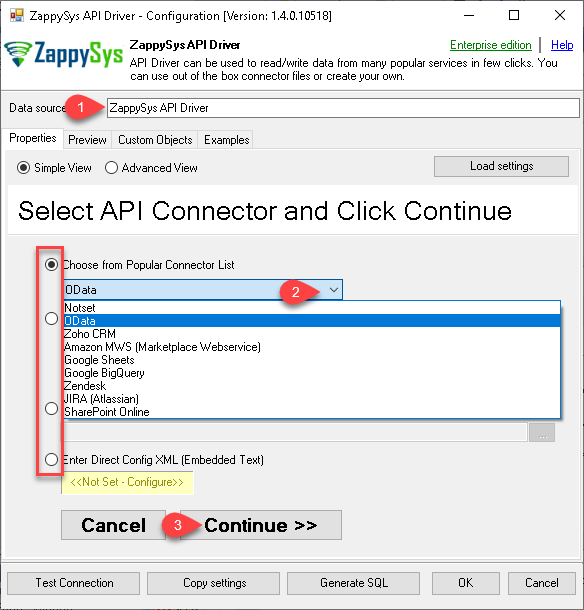
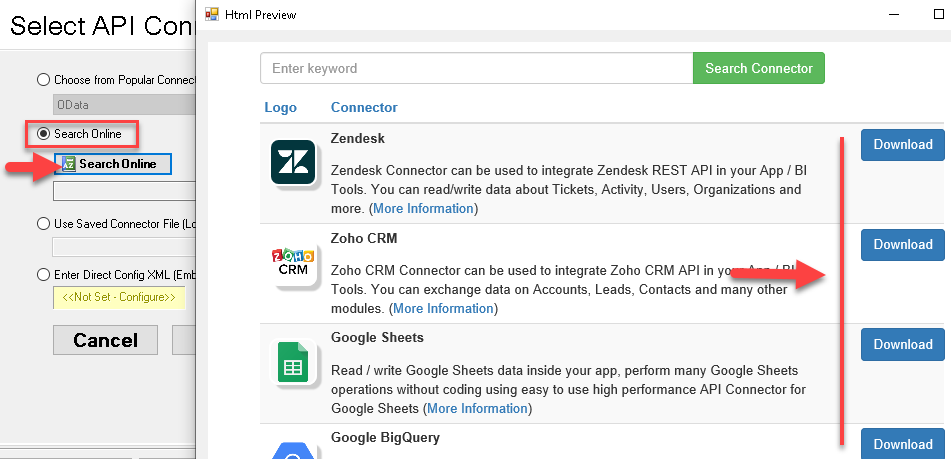
Connector wizard for DSN creation, connector selection, and online connector search
Authentication flows for User Account OAuth and Service Account key-based access
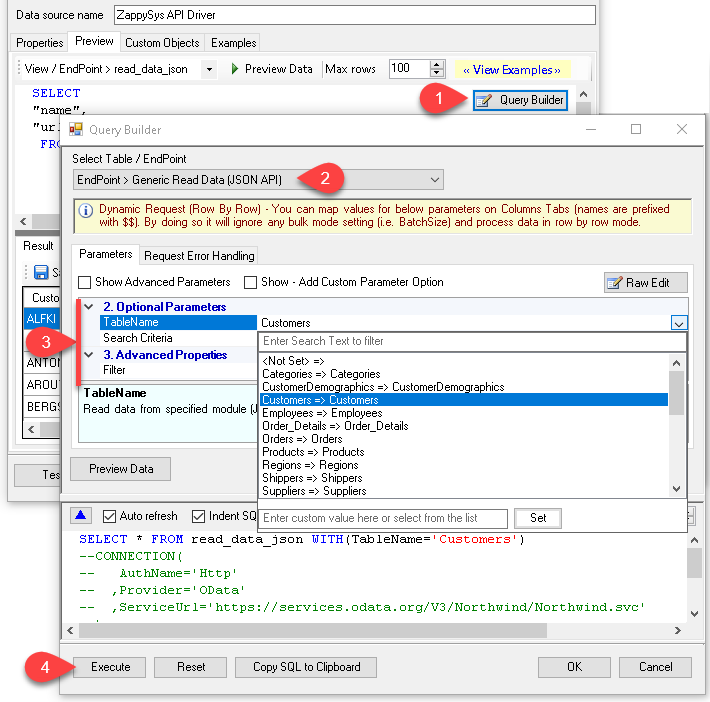
ProjectId and DatasetId-driven query context with preview before execution
#DirectSQL execution for BigQuery tables inside ODBC-compliant tools
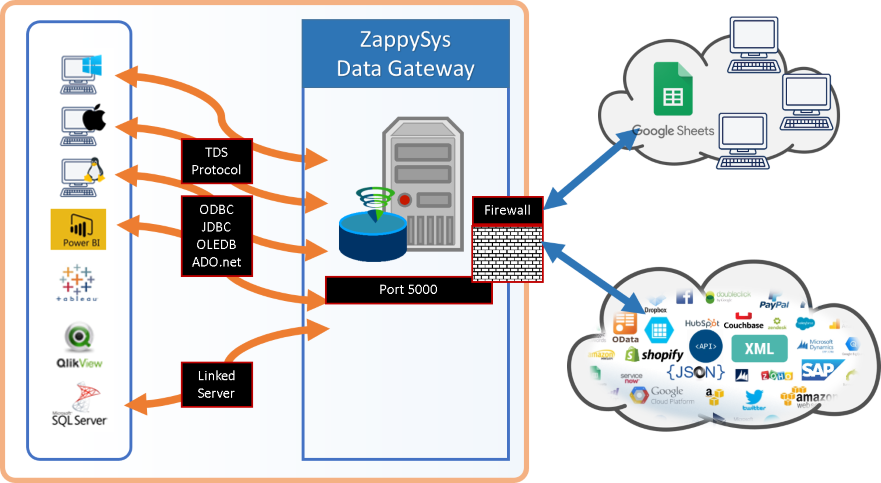
Data Gateway mode for single-point setup and centralized access control
💡 Common Use Cases
Use ODBC SQL clients to query BigQuery datasets for reporting and ad-hoc analysis
Configure shared DSN access once and distribute through Data Gateway for multi-user scenarios
Preview and validate API-backed BigQuery queries before embedding them in production pipelines
Run resilient cloud queries using retry settings for transient throttling and timeout responses
🎯 Summary
Google BigQuery ODBC Driver lets teams configure once, query with SQL, and operationalize BigQuery data across reporting, ETL, and custom apps while keeping authentication and access control manageable.
Trusted by Developers & IT Teams Worldwide
Built for ODBC Workloads:
One driver model across BI, ETL, databases, and custom code.
Expert Technical Support:
Engineers help with DSN setup, SQL queries, and performance tuning.
Proven Enterprise Scale:
Teams worldwide rely on ZappySys for API and cloud connectivity.