Query and update Gmail using standard SQL over ODBC from tools your team already uses.
Gmail ODBC Driver helps you configure DSN authentication, browse connector actions, and execute read/write API endpoints through SQL views from SQL Server, Power BI, Excel, Python, and other ODBC clients.
Part of ZappySys ODBC PowerPack (30+ drivers).
Recommended starting point
Pro Tip: Configure one DSN and reuse it across dashboards, ad-hoc analysis, and scheduled jobs.
Compatibility: Windows ODBC (32/64-bit) | Works with SQL Server, BI tools, and custom apps | Data Gateway for centralized shared access
⚡ Key Benefits
- SQL-First Connectivity — Query Gmail endpoints with familiar ODBC query patterns
- Guided DSN Setup — Configure auth and connection settings through connector-aware UI
- Action-Driven Queries — Execute connector operations from SQL views without custom API code
- Cross-Tool Reuse — Use one DSN across SQL Server, Excel, Power BI, Python, and apps
- Centralized Sharing — Publish governed access via Data Gateway for team-wide consumption
📸 Visual Overview & Setup
1. Pick Gmail Connector 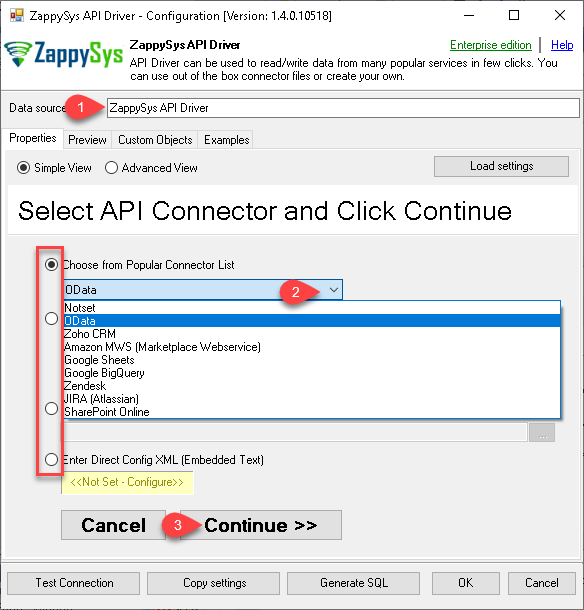 |
2. Search Connector Online 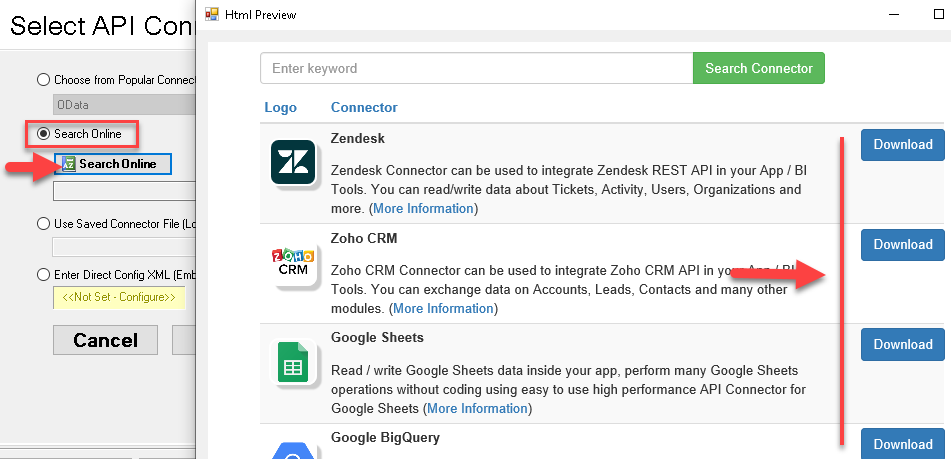 |
3. Build Query in Wizard 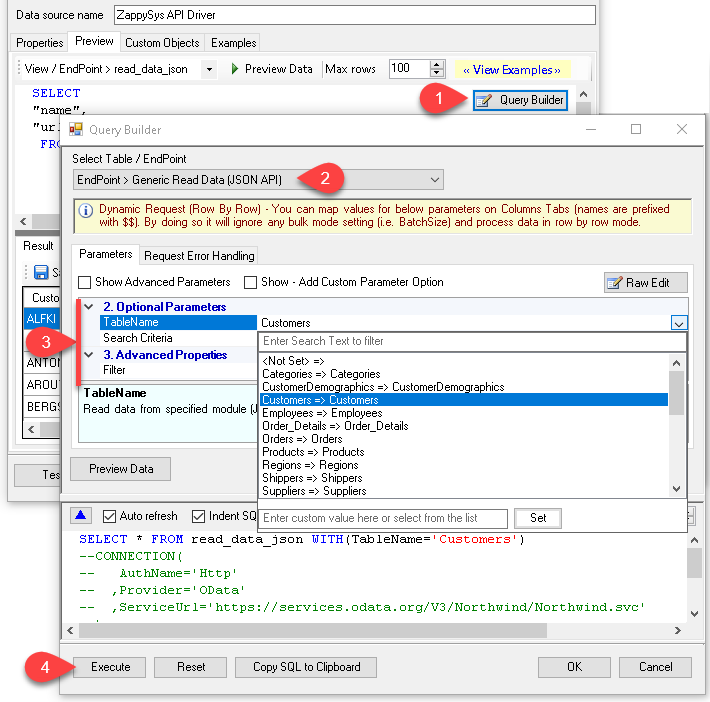 |
4. Load Data into Excel 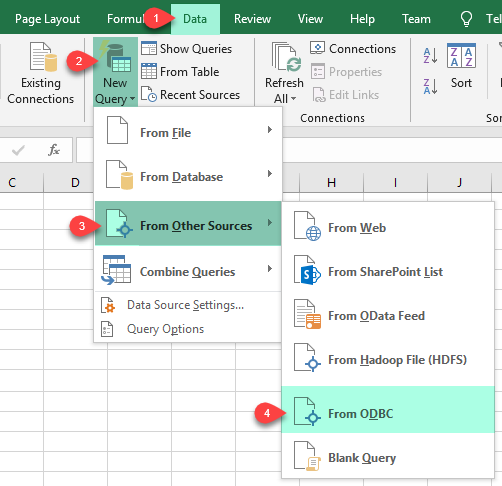 |
5. Connect from Power BI 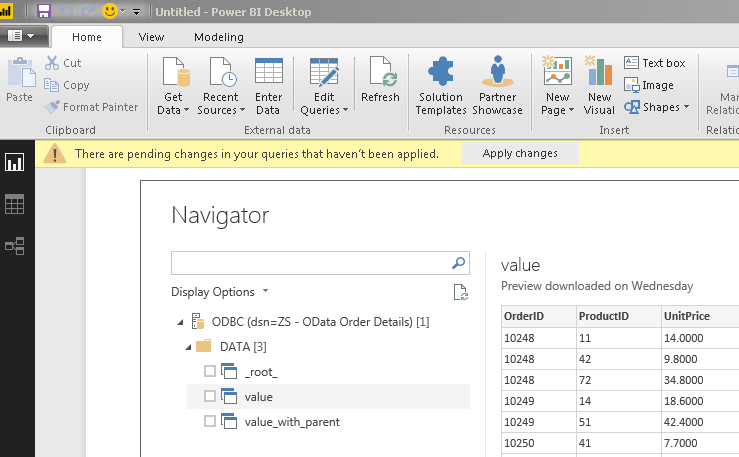 |
6. Share via Data Gateway 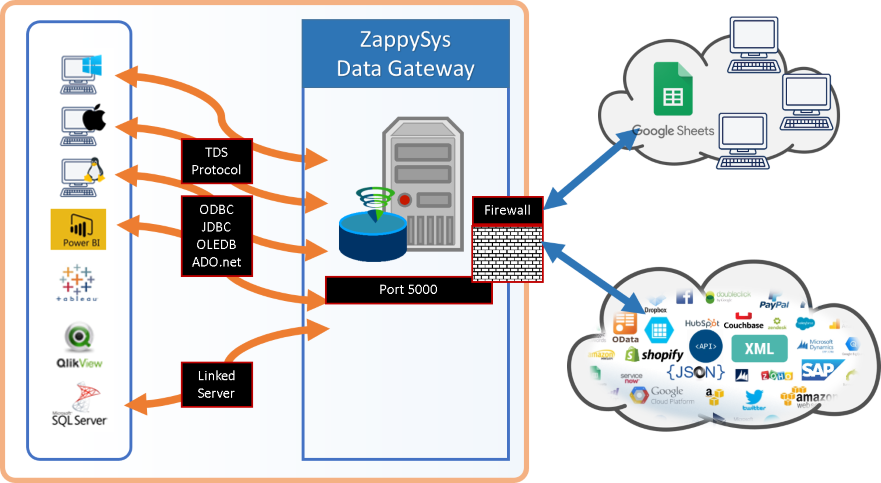 |
🔗 Seamless SQL Query Integration
Works with REST, OData, files, and databases
-- Query Gmail data via SQL
SELECT *
FROM download_message_attachments
WITH(
  Search='subject:(daily report for July-2024)',
  SaveFolder='c:\temp',
  OverwriteFile='True'
)
✔ Query APIs like a database
✔ No ETL or custom scripts needed
✔ Works inside SQL Server, Power BI, Excel
🔧 Key Features
- Connector-driven DSN setup with guided authentication and query configuration
- SQL-based read/write support for API endpoints exposed as SQL views
- Query Builder for endpoint selection, parameterization, and preview before execution
- ODBC compatibility for SQL Server, BI tools, ETL jobs, and custom applications
- Data Gateway support for centralized, secure, shared access management
💡 Common Use Cases
Typical scenarios for Gmail ODBC Driver in reporting and integration workflows:
- Operational analytics: Query messages, labels, and threads for analytics and mailbox monitoring.
- Warehouse integration: Download attachments to landing folders for downstream processing.
- Self-service BI: Use one DSN in SQL Server, Power BI, Excel, and automation scripts.
- Team-wide governed access: Centralize and secure shared access using Data Gateway.
🎯 Summary
Gmail ODBC Driver brings connector-based API access into SQL-first workflows with minimal setup. Configure DSN once, query from familiar tools, and scale governed access with Data Gateway.
Trusted by Developers & IT Teams Worldwide- Built for ODBC Workloads: One driver model across BI, ETL, databases, and custom code.
- Expert Technical Support: Engineers help with DSN setup, SQL queries, and performance tuning.
- Proven Enterprise Scale: Teams worldwide rely on ZappySys for API and cloud connectivity.
| ODBC PowerPack Includes Gmail ODBC Driver  Read reviews on Capterra → |
Ready to start querying? Install the full ODBC PowerPack to unlock all drivers and start your free trial. | |

