Connect to Apache Derby through standard ODBC by configuring the ZappySys JDBC Bridge Driver without Java coding.
Configure your DSN with Derby JDBC URL, driver class, local JAR path, and credentials, then run SQL from BI, ETL, and developer tools without custom API code. The bridge relays SQL directly to the JDBC driver and supports the same workflow shown in the Apache Derby setup guide.
Part of ZappySys ODBC PowerPack (30+ drivers).
Recommended starting point
Pro Tip: Install Java 8+ (Java 21 recommended), download Derby JDBC files from the official Apache Derby JDBC release page, and point the DSN to the local JAR path. Use User DSN for designer tools and System DSN for service accounts; match 32-bit vs 64-bit ODBC Administrator to the host process. If Java is not found, validate JAVA_HOME / PATH (or install Corretto).
Compatibility: Windows ODBC (32/64-bit) | Works with Visual Studio, .NET, BI tools |
Data Gateway for SQL Server, JDBC, and non-Windows access
⚡ Key Benefits
- Pass-through SQL — Queries are relayed directly to the Derby JDBC driver without SQL rewriting
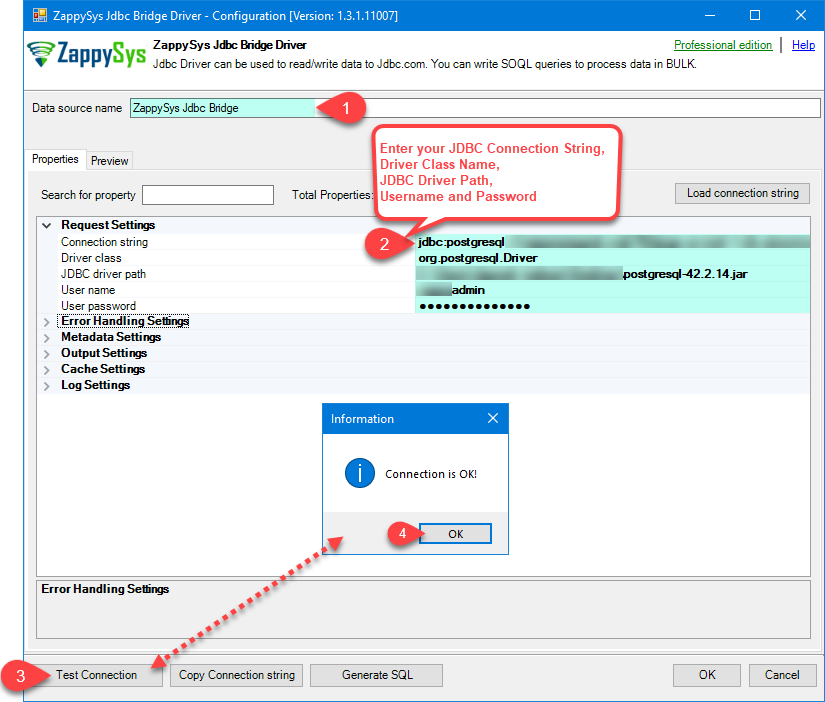
- Low-code DSN setup — Configure JDBC URL, Derby driver class, JAR file, credentials, and connection parameters in one wizard
- Built-in validation — Use Test Connection and preview query steps before wiring client tools
- Service-ready deployment — Use User DSN for interactive sessions and System DSN for Windows service workloads
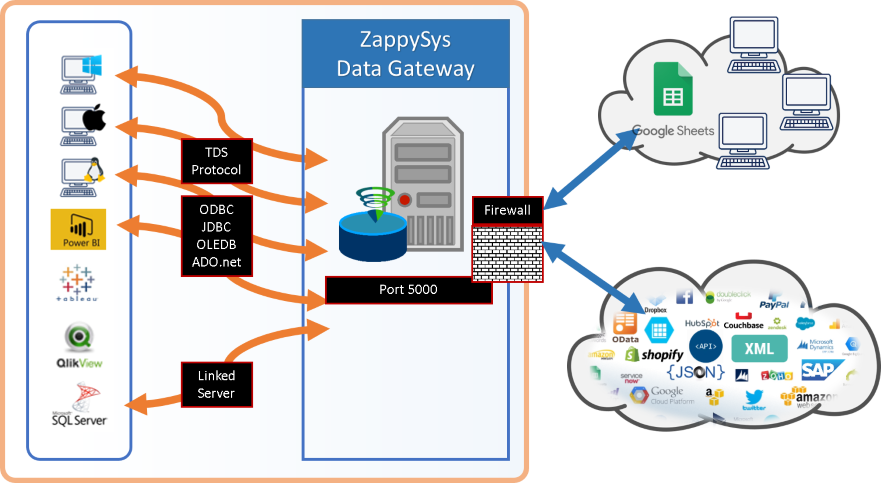
- Centralized access option — Publish once through Data Gateway for shared remote access and central control
📸 Visual Overview & Setup
|
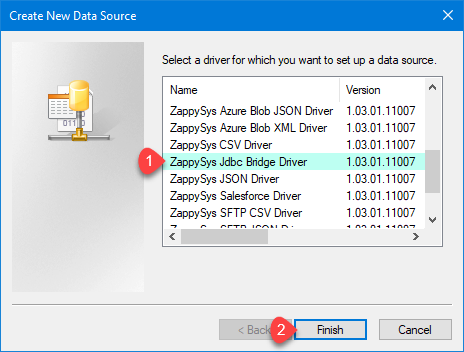
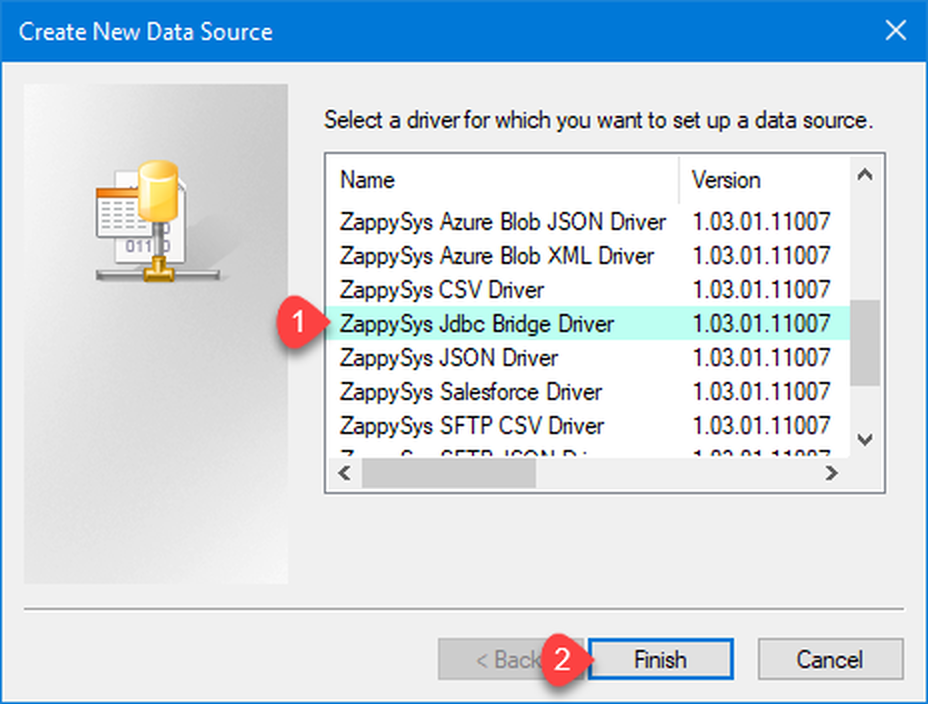
1. Choose JDBC Bridge Driver Type
|
2. Enter Full Path for *.jar file (i.e. JDBC driver file)
|
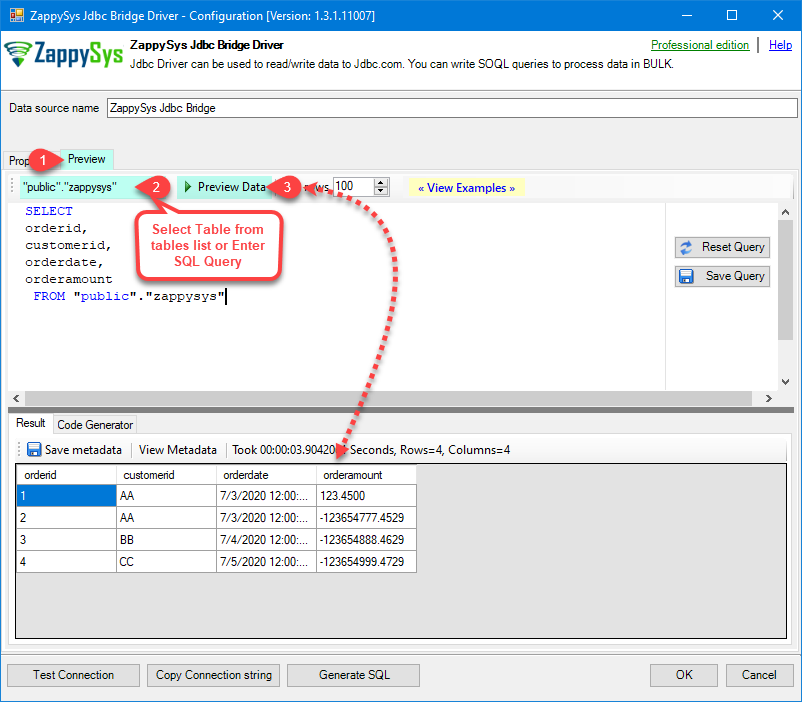
3. Preview SQL Query
|
|
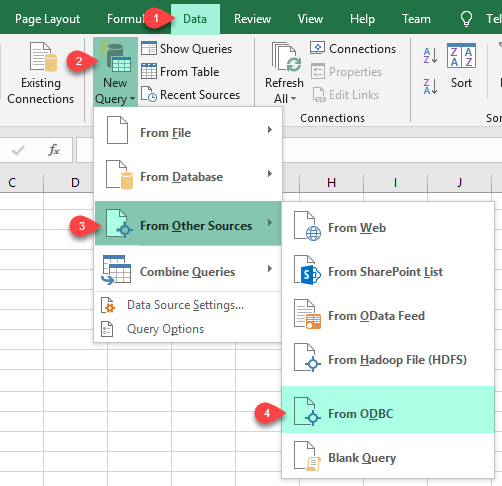
4. Load Apache Derby Rows into Excel
|
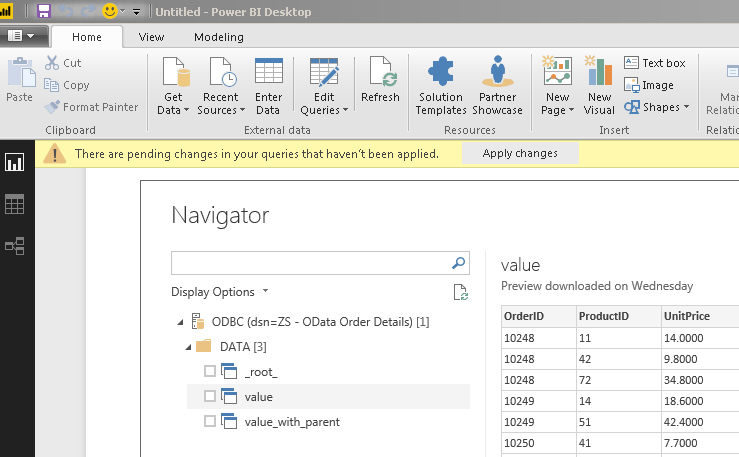
5. Connect from Power BI
|
6. Share via Data Gateway
|
🔗 Seamless SQL Query Integration
Works with REST, OData, files, and databases
-- SQL preview from Apache Derby JDBC Bridge setup
SELECT *
FROM "APP"."ORDERS"
✔ Query APIs like a database
✔ No ETL or custom scripts needed
✔ Works inside SQL Server, Power BI, Excel
🔧 Key Features
Read & Query
- Run Derby SQL from any ODBC client after DSN configuration
- Use the DSN preview area and Select Table dropdown for quick validation
- Follow JDBC SQL examples linked from the same setup guide for advanced patterns
JDBC Bridge Configuration
- Set connection string such as
jdbc:derby://hostname:1527/mydatabase for client/server mode
- Set driver class
org.apache.derby.jdbc.ClientDriver (or org.apache.derby.jdbc.EmbeddedDriver for embedded mode)
- Provide JDBC file path (for example
D:\Apache\derby\lib\derbyclient.jar) and keep extra properties in Connection parameters (e.g., [])
- Use Test Connection before connecting Power BI, Excel, SQL Server, or services
Writes, Limits, and Reliability
- The JDBC Bridge forwards SQL unchanged; INSERT/UPDATE/DELETE support depends on the underlying JDBC driver
- For shared server access, copy DSN settings to Data Gateway, apply firewall rules, and restart the gateway service after updates
- Use guide-provided troubleshooters for Java not found, SSL/cert issues, multi-JAR classpath setup, logging, and local host connection errors
💡 Common Use Cases
Typical scenarios for the Apache Derby ODBC Driver:
- Desktop analytics over Derby: Connect Excel and Power BI to Derby using one reusable DSN.
Example: validate table output with SELECT * FROM "APP"."ORDERS".
- Service-based integration jobs: Run scheduled data pulls with a System DSN under Windows services.
Example: nightly sync into SQL Server staging tables.
- Client/server or embedded Derby: Switch JDBC URL and driver class based on Derby deployment mode.
Example: jdbc:derby:c:\apache\derby\databases\mydatabase for embedded setups.
- Centralized access via gateway: Host the connection once and serve multiple users securely through Data Gateway.
Example: remote apps connect through ODBC Driver for SQL Server to the gateway host.
🎯 Summary
Bring Apache Derby into the ODBC tools your team already uses.
Configure JDBC Bridge once, validate with Test Connection and query preview, then reuse the DSN across BI tools, SQL Server integrations, and centralized gateway deployments.
Trusted by Developers & IT Teams Worldwide
- Built for ODBC Workloads — One driver model across BI, ETL, databases, and custom code.
- Expert Technical Support — Engineers help with JDBC URLs, Java installs, and gateway networking.
- Proven Enterprise Scale — Thousands of teams worldwide rely on ZappySys for API and cloud connectivity.
|
ODBC PowerPack
Includes Apache Derby ODBC Driver

Read reviews on Capterra →
|
Ready to query Apache Derby over ODBC?
Install the full ODBC PowerPack to unlock all drivers and start your free trial.
| |