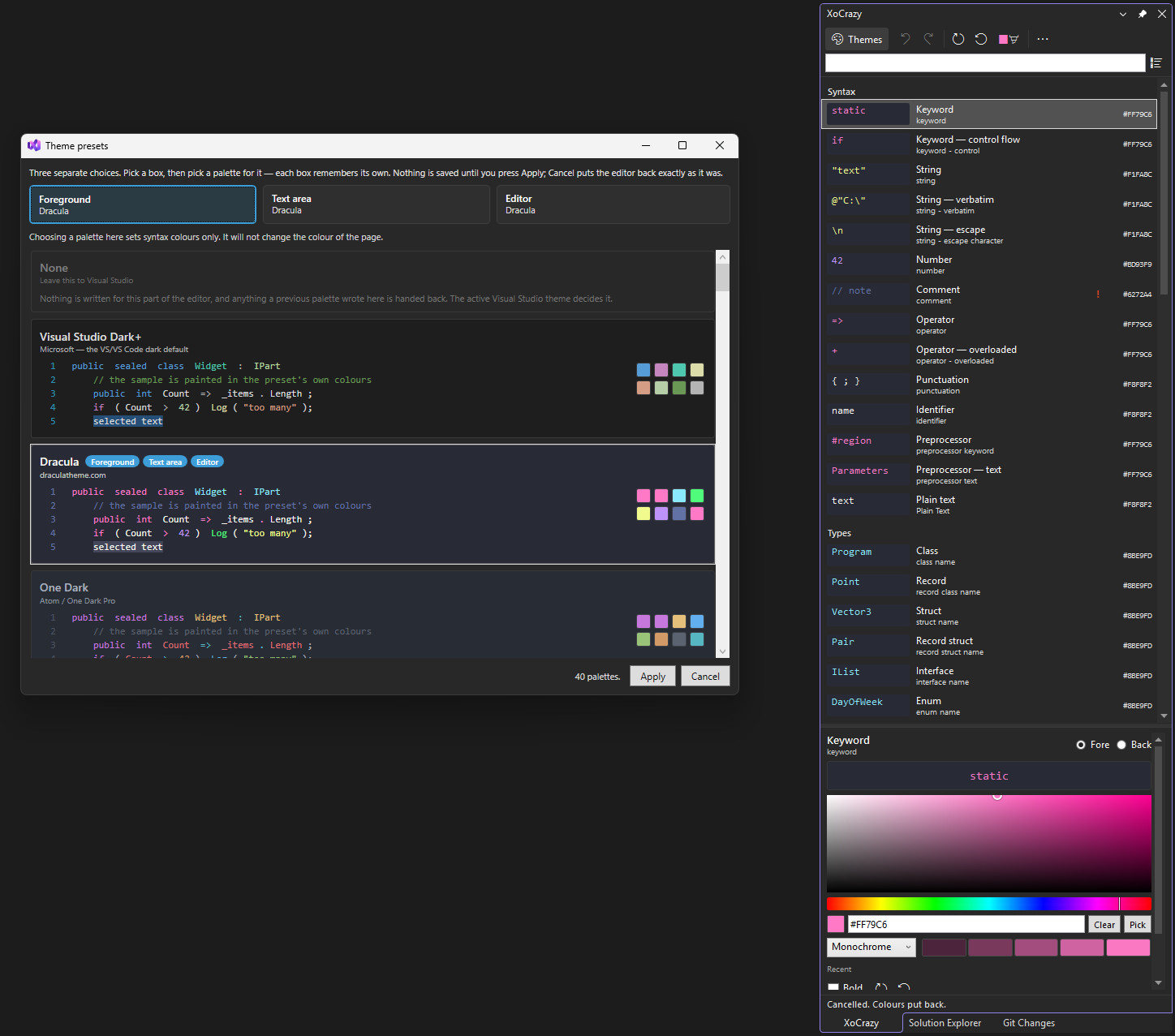
XoCrazyLive editor color editing for Visual Studio. Pick a color and the editor repaints instantly - no OK button, no 400-item list, no "Default" placeholders. Put the caret on a token and XoCrazy tells you which classification actually paints it. Other theme extensions ship you some... |

XoCrazyNo more Theme switching and changing colors one by one!Recolour Visual Studio while you watch.
Pick a colour. The editor repaints as you drag. The pitchVisual Studio's Tools → Options → Fonts and Colors makes you guess. You scroll a few hundred alphabetical rows, click a colour, press OK, and only then find out what you did. XoCrazy is a normal tool window that sits open beside your code. Change something and the code behind it changes. That's the whole idea.
What you get🎨 Live. Drag the picker, watch 🎯 Stop scrolling. Put the caret on any token and press Ctrl+K, Ctrl+;. The window jumps straight to the thing that painted it. 🌈 50+ themes built in. Dracula, Nord, Gruvbox, Monokai, Solarized, Catppuccin, Tokyo Night, One Dark, GitHub, Ayu, Rosé Pine, Everforest, Kanagawa and many more. Hover a card and your actual code previews it. Cancel puts everything back. 🧩 Mix them. Syntax from one theme, background from another, margins from a third. Three independent slots, because liking Dracula's keywords doesn't mean liking its grey. 👁 Real colours, not "Default". Themed values are decoded to their actual RGB and shown with
an 💧 Proper picker. HSV field, hex box, screen eyedropper, harmony generator, recent colours, and a live WCAG contrast readout against the background actually behind the text. ↩️ Undo that works. Ctrl+Z per change, or Revert all to jump back to how things looked when you opened the window. 💾 It sticks. Your theme is saved and re-applied on restart — including for the items Visual Studio itself refuses to persist. InstallGrab it from the Visual Studio Marketplace, or download the Works with Visual Studio 2026, Community and up. Then open it from the editor:
|