QaCockpit for Azure DevOpsInstalled for the organization, enabled only when you chooseAzure DevOps installs Marketplace extensions at the organization level. QaCockpit access is off by default, so installing it does not make QaCockpit visible to your teammates. After installation, enable QaCockpit only for yourself in User settings > Preview features. Other users will not see it unless they enable it themselves or an administrator enables it for the organization. Installation does not start the evaluation, run or change pipelines, or modify Azure DevOps data. Questions before installing? Contact us. See one quality picture across the Azure DevOps projects and pipelines you can access. QaCockpit connects pipeline health, run and queue trends, automated test results, evidence gaps, recurring failures, and private regression reports, with every signal linked to its exact Azure run. Start with the Quality Board, then use Pipeline Intelligence to see where pipeline time goes, where queues add delay, and where test evidence is missing. Azure DevOps remains the source of truth and your team owns the release decision. Enable QaCockpit after installationOpen User settings > Preview features and turn on QaCockpit access for yourself, then refresh Azure DevOps. An organization administrator can turn it on for everyone. Each user can still turn it off for themselves. Open the activation guide for the personal and organization steps.
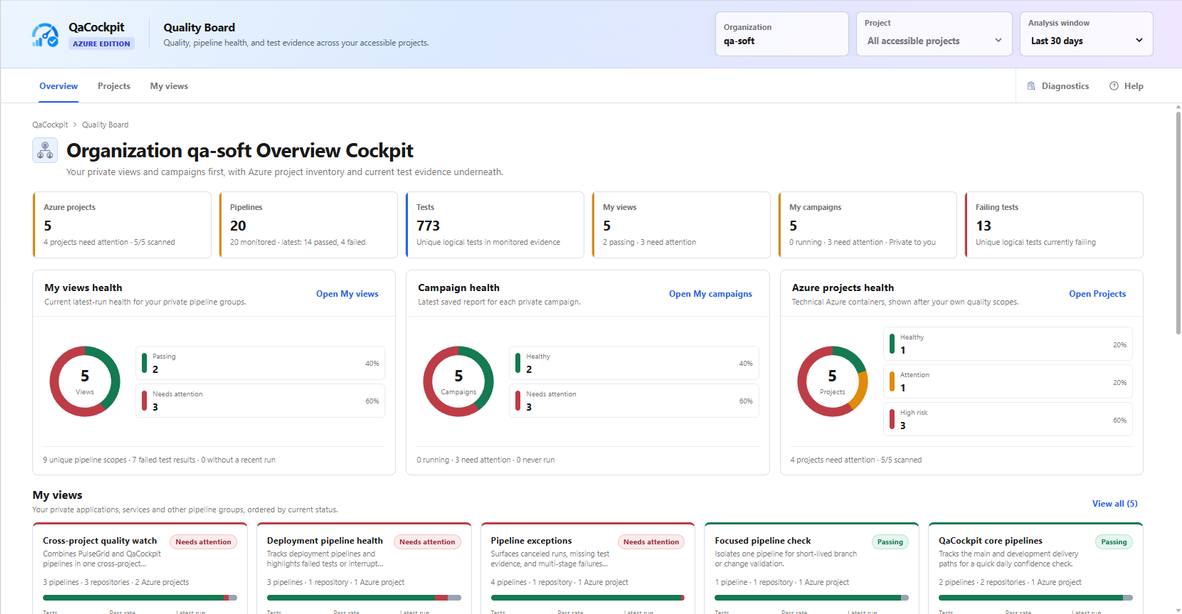
Start with one quality picture across the Azure DevOps projects and pipelines you can access. See the quality picture, then open the evidence
Every summary remains connected to its source, pipeline, run, branch, commit, and available test results. A completed pipeline, published test report, test outcome, and complete release scope remain separate facts. See where pipeline time and evidence go
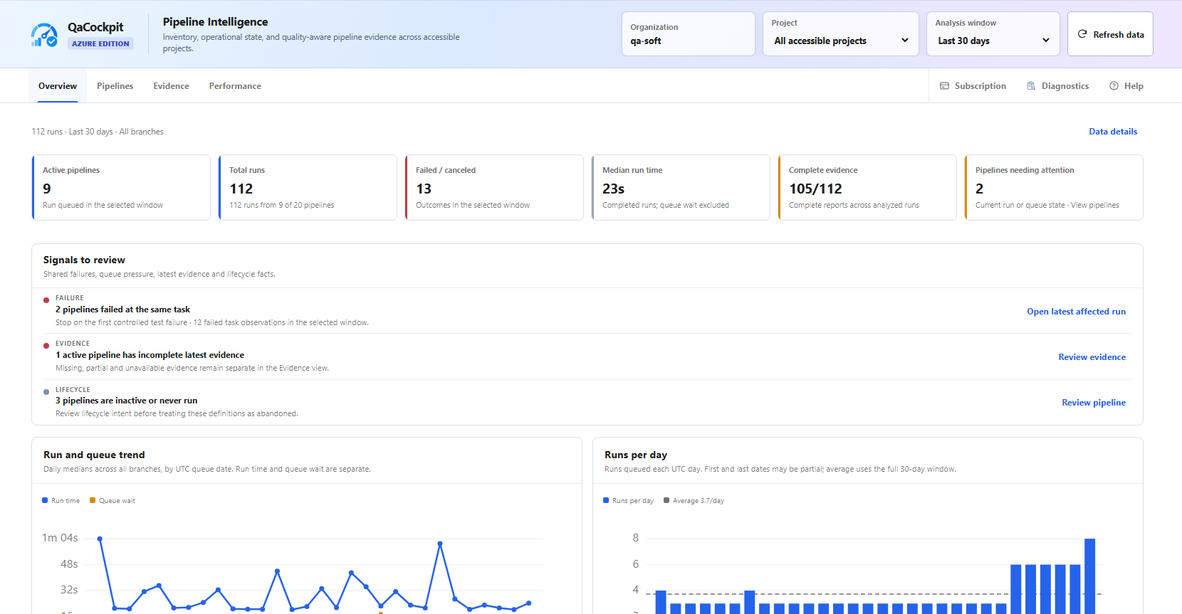
Review the available retained history for 7, 14, or 30 days across the Azure DevOps projects you can access.
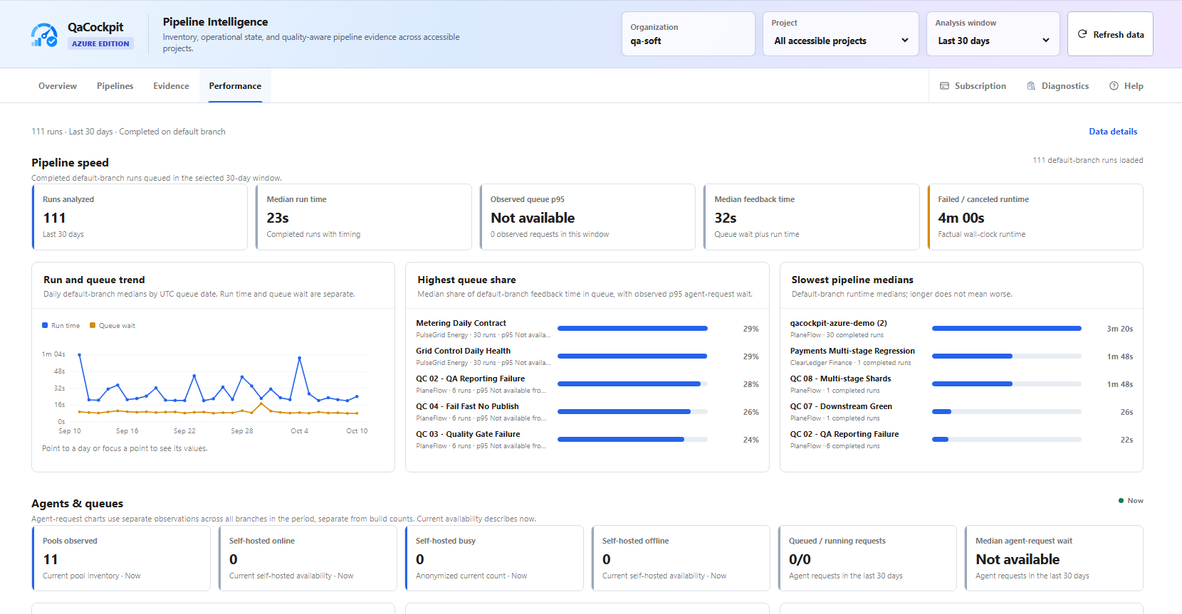
Separate run time from queue wait, compare pipeline medians, and open the exact run behind a timing signal. Overview uses all branches queued in the selected window. Performance uses completed default-branch runs, so its count can be lower. Agent-request timing appears only when Azure Analytics returns it; unavailable observations stay explicit rather than becoming zero.
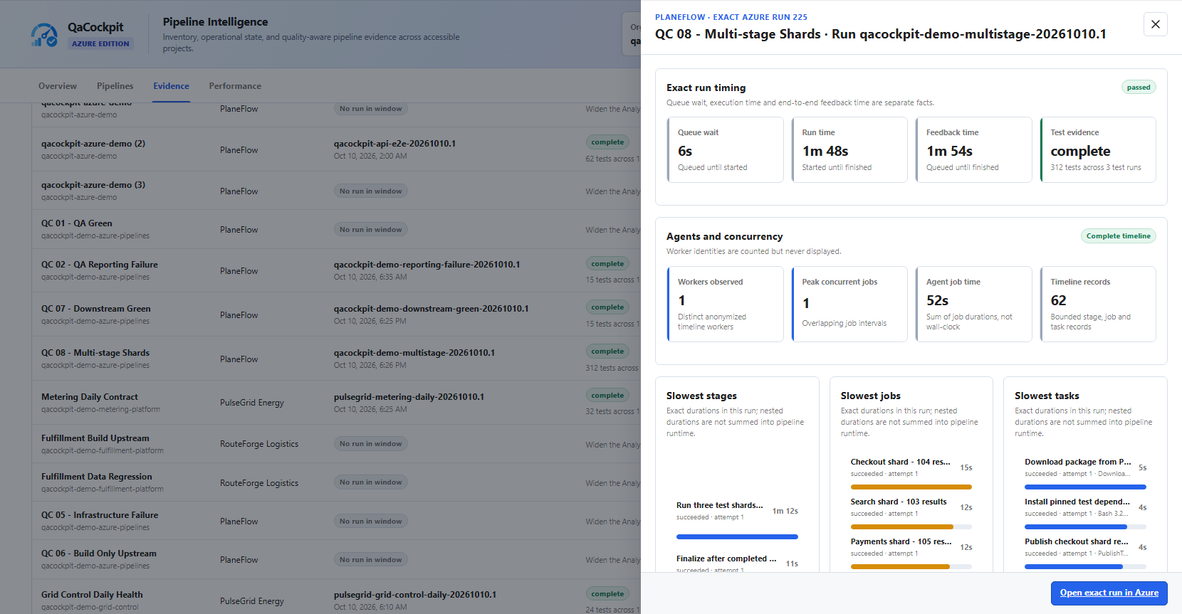
Open one exact Azure run to inspect its timing, test evidence, concurrency, and bounded stage, job, and task facts. Organize the scope around your applications and services
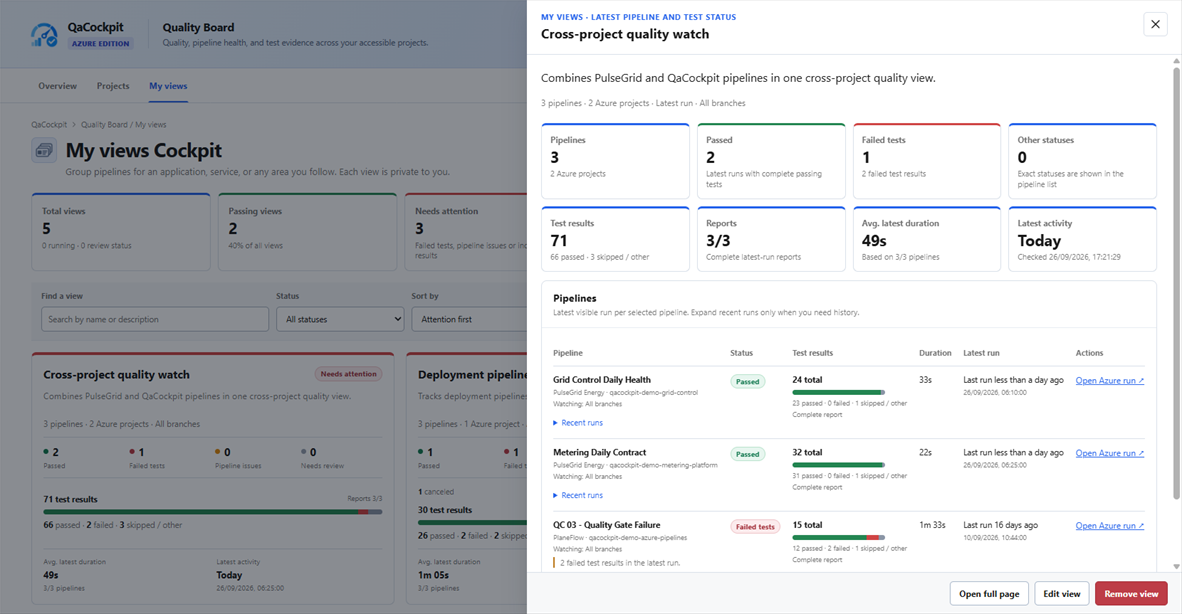
Group pipelines into an application, service, release scope, or any other area you follow—even when the evidence spans accessible Azure DevOps projects. Investigate failures without losing the Azure evidence
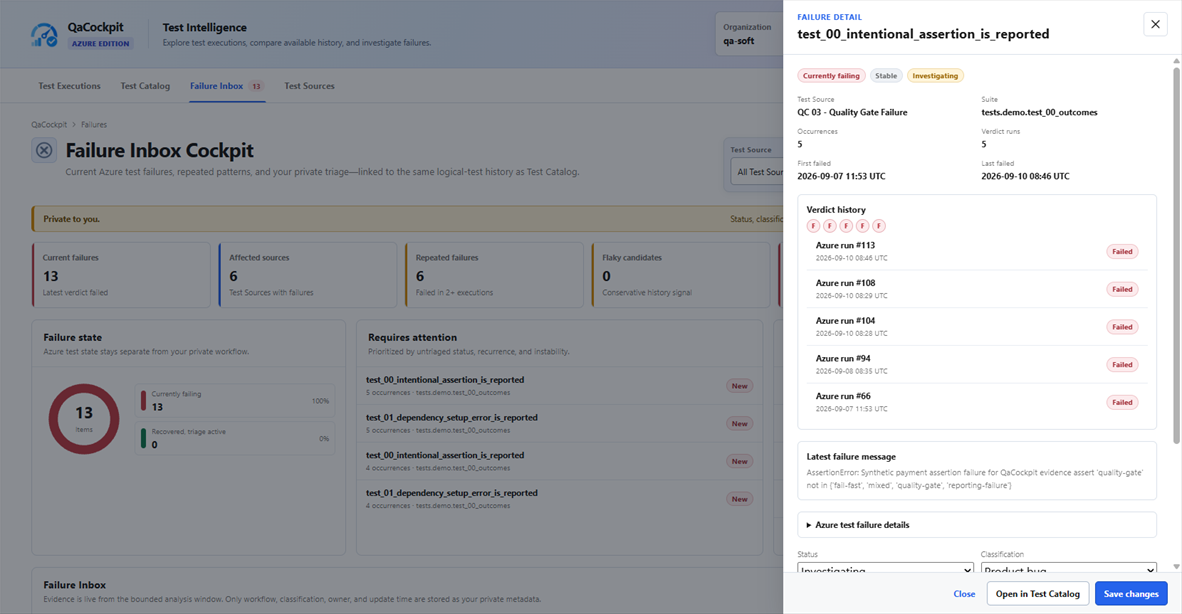
Follow one recurring failure across exact Azure runs, inspect its latest message, and keep your investigation context together. Build the scope that matches your workYou choose which Test Sources to monitor, which pipelines belong in a view, and which exact executions support a campaign report. QaCockpit helps organize those choices and points to missing, stale, partial, or failed evidence. It does not automatically approve a release, certify readiness, or replace your team's scope and risk decisions. Campaign reports use completed executions by default. Run pipeline is an explicit per-source choice and follows the signed-in user's Azure permissions. QaCockpit does not orchestrate dependent stages; keep execution dependencies in Azure Pipelines.
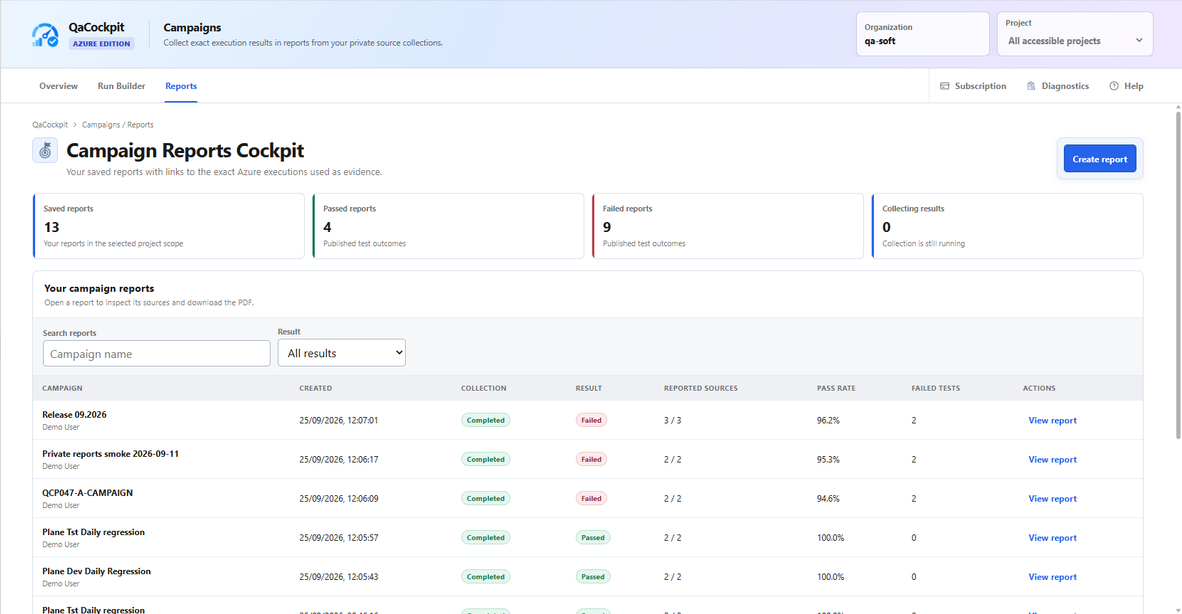
Keep private regression reports connected to the exact executions selected as evidence. Access, storage, and retentionThe extension uses your Azure DevOps identity without a separate QaCockpit Cloud workspace or personal access token. Extension scopes and native project, pipeline, repository, Analytics, and agent-pool permissions constrain every read, queue request, and cancellation. Pipeline Intelligence adds three read-only scopes. My views, My campaigns, report records, and Failure Inbox Status, Classification, and Owner use personal Extension Data storage and are labelled Private to you. They are not a shared team workflow in this release. Azure DevOps remains the system of record for pipeline and test evidence. QaCockpit reads Azure Test Run and Result APIs, with bounded recovery from compatible retained JUnit artifacts. Reports keep exact execution IDs, so reopening a report or exporting its PDF depends on current Azure permissions and retention. A PDF is a local export, not a permanent online archive or Cloud sharing link. A narrow QaCockpit service processes the Azure organization identifier, evaluation contact and consent, entitlement state, and later minimum billing state. On first open it also records the organization, extension version, and identity fields Azure DevOps supplies for the current user so support can identify and contact an interested organization. Azure DevOps does not provide a verified installer identity, so QaCockpit labels this person as the first observed user. Missing display name, login, or email values retain an explicit availability reason. The service does not receive project names, pipeline names, test names, test results, or interaction analytics. Initial Marketplace accessThe release provides a fixed 60-day evaluation for each Azure DevOps organization. No payment method is required and no subscription starts or renews automatically. Paid sales are disabled and are planned separately at USD 49 per organization per month. QaCockpit for Azure DevOps supports Azure DevOps Services at |