Quick Class MapVisualize C# class and interface relationships in an interactive DGML diagram. Generate maps from a project, folder, or file, and explore related types upward or downward to understand unfamiliar code faster, assess code quality, and make better design decisions. |

Visualize C# class and interface relationships in an interactive DGML diagram. Generate maps from a project, folder, or file, and explore related types upward or downward to understand unfamiliar code faster, assess code quality, and make better design decisions.
Requirements
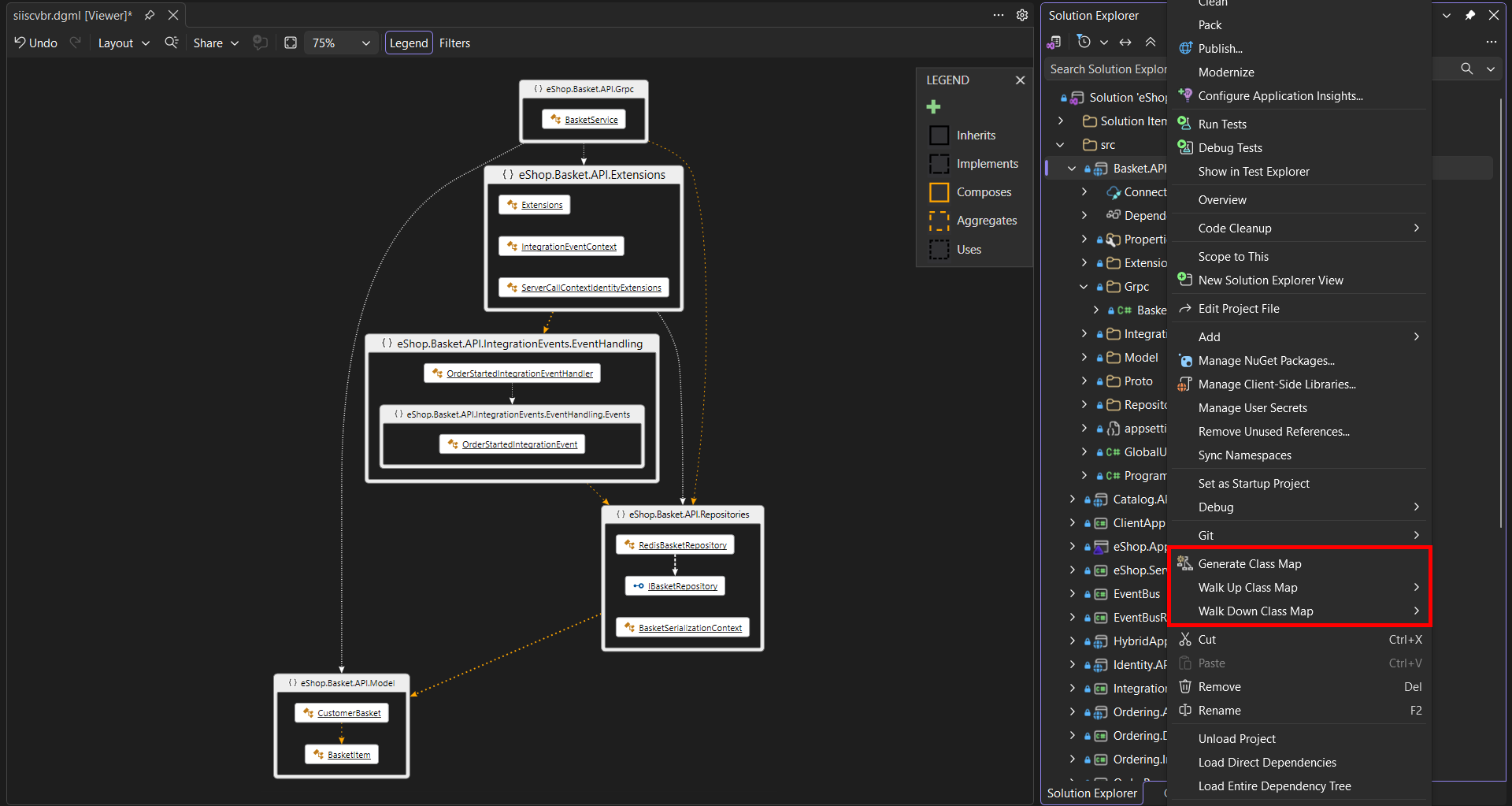
How to UseGenerate Class MapIn Solution Explorer, select one or more files or folders, or a single project. Open the context menu and select Generate Class Map. The extension generates a DGML diagram showing relationships between classes in the selected items. Limitation: The analysis is currently limited to one project at a time. Walk Up and Walk DownWalk Down Class Map follows relationships to discover the dependencies of the selected classes. Walk Up Class Map follows relationships in reverse to discover classes that depend on the selected classes. In Solution Explorer, select one or more files or folders, or a single project. Open the context menu, choose the desired command, and select a traversal depth. Available depths are 1, 2, 3, 5, or 8 levels. To limit map growth, the extension stops following Uses relationships after the first collaborator level. Relationship TypesThe extension uses heuristics to identify five relationship types:
Limitation: To balance speed and accuracy, Composition and Aggregation relationships may not be detected reliably and may instead be reported as Uses. |