VeoWork Timesheets for Azure DevOpsMake time tracking yours. VeoWork brings time entry, approvals, budgets, and reporting into Azure DevOps. Engineers track time on work items. Managers review complete timesheets, and finance gets the records it needs for invoicing and cost reporting. Enter time in calendar and timesheet views, or connect an AI assistant to help with routine entry and reviews. Start free with up to five users, or try a paid plan free for 31 days in your own Azure DevOps organization. Agents handle the routine. Your team sets the rules.Ask your AI assistant to find relevant Azure DevOps work items, help complete your timesheet, review submissions for entries that need attention, or prepare reports for finance. For example:
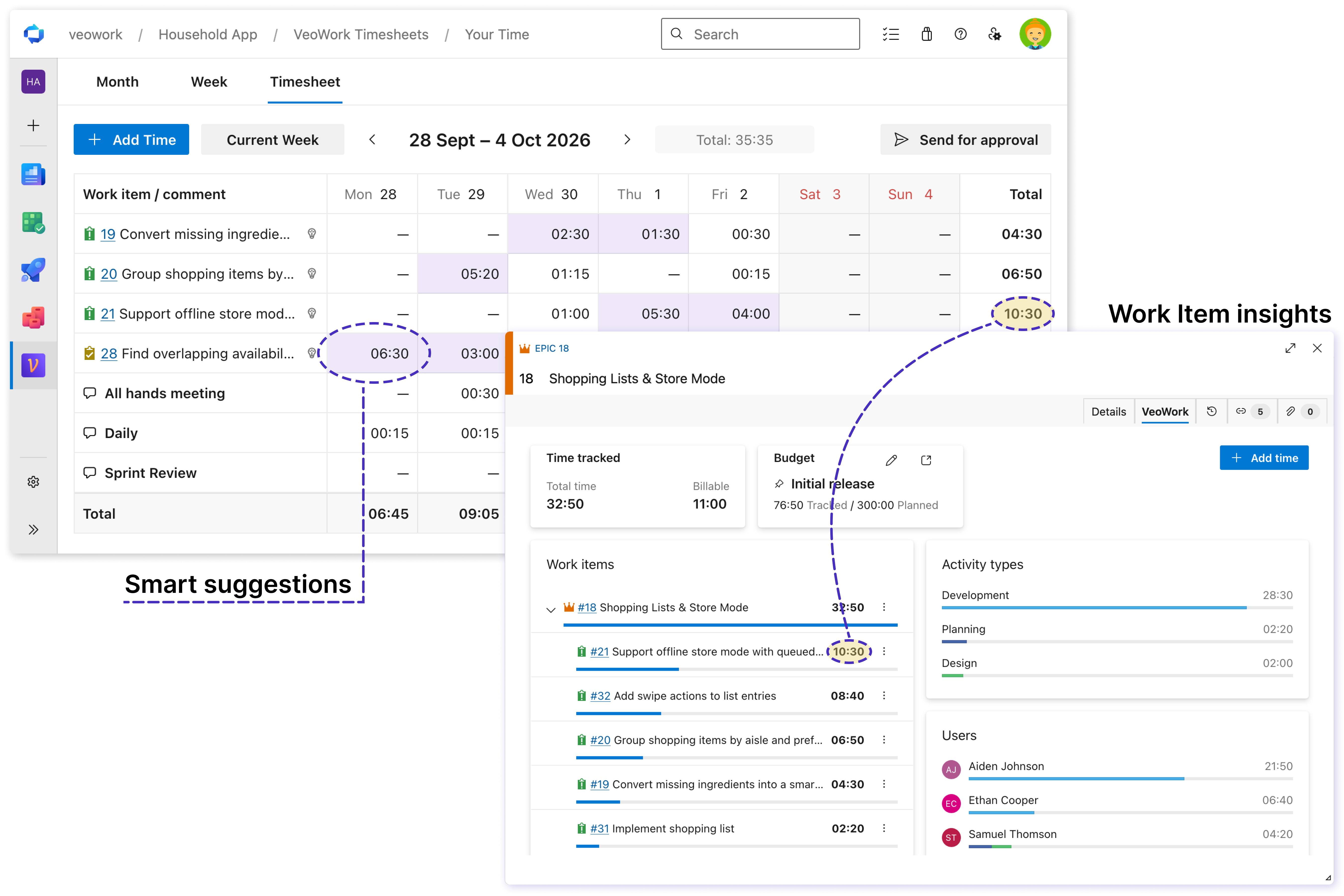
Connect your assistant to VeoWork through Model Context Protocol (MCP). Save personal preferences and shared organization instructions so your assistant can follow your team's entry and review rules. It uses work-item context and the hours you provide; the same VeoWork access and approval permissions apply. Connect your assistant or see the workflows in action. Track time where work happensAdd time directly from an Azure DevOps work item, or use calendar and timesheet views to complete your day or week. Keyboard navigation keeps entry quick, whether you're recording one task or catching up on several days. Keep hours connected to their work items, with comments and activity types that explain the work. Daily and weekly totals help you spot gaps before you submit your timesheet.
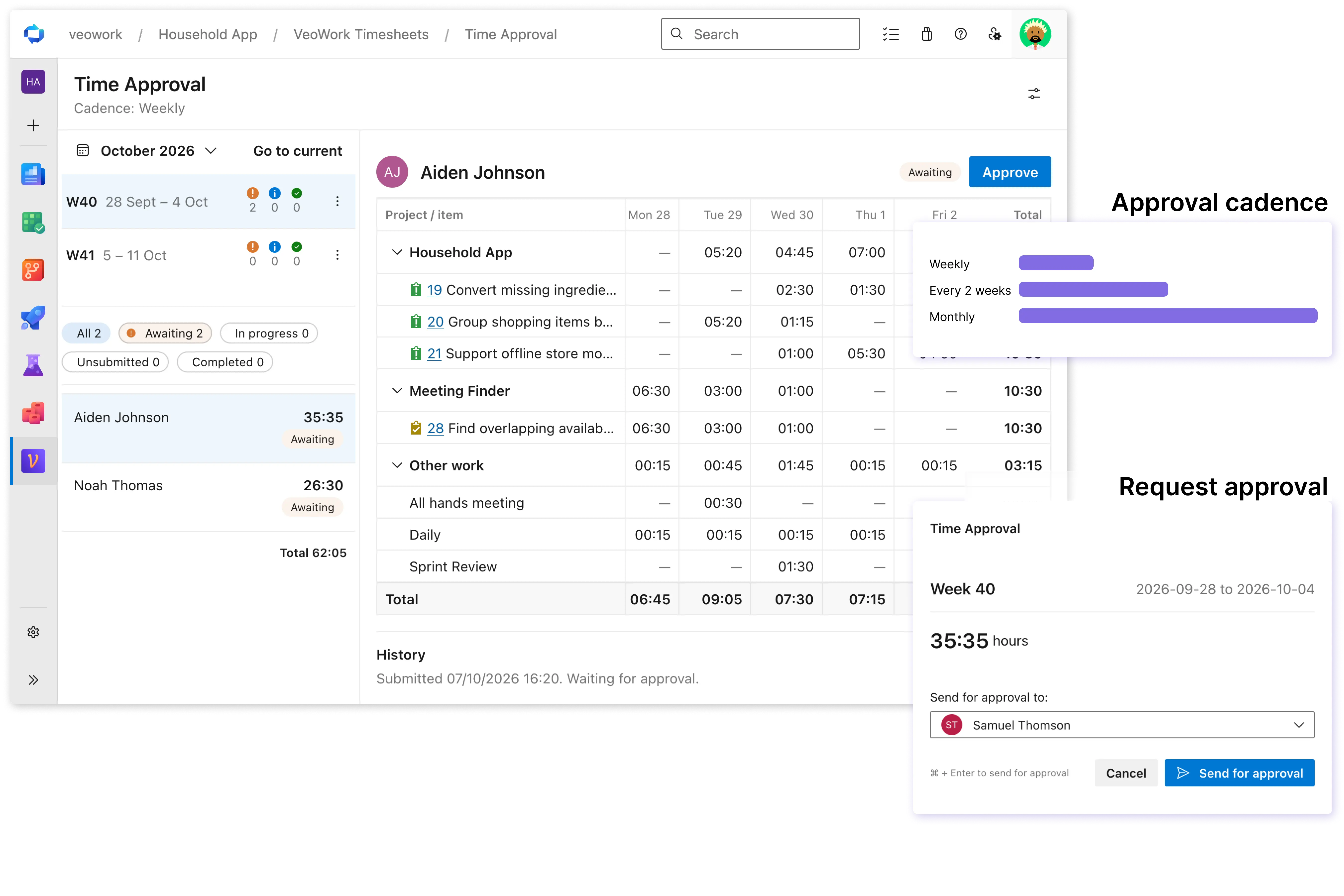
Approve on your team's scheduleChoose weekly, two-week, or monthly approval periods to match your team's process. See whose time is ready for review and who still needs to submit. Review entries, approve submitted timesheets, or reopen them when changes are needed. Close a completed period to prevent further edits. Keep a clear handoff between the people recording time, the managers reviewing it, and the teams using those records.
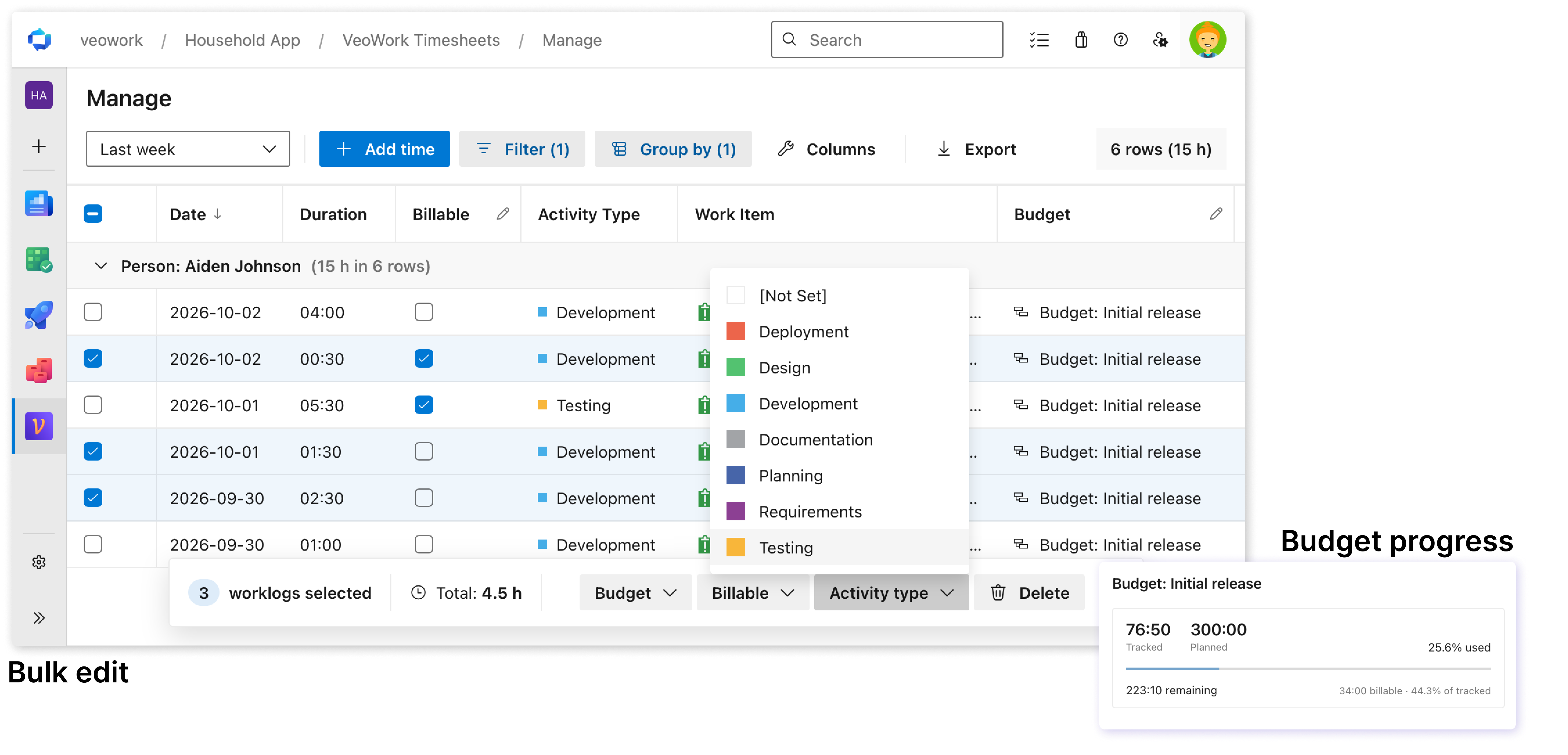
Understand time and budgetsSee how recorded hours compare with planned hours, and follow the work items behind each budget. Separate billable and non-billable time, and use activity types to understand how effort is distributed. Filter and group worklogs by person, project, activity, or budget. Managers can correct entries and update billing, activity types, or budget assignments in bulk, spending less time maintaining records before they reach finance.
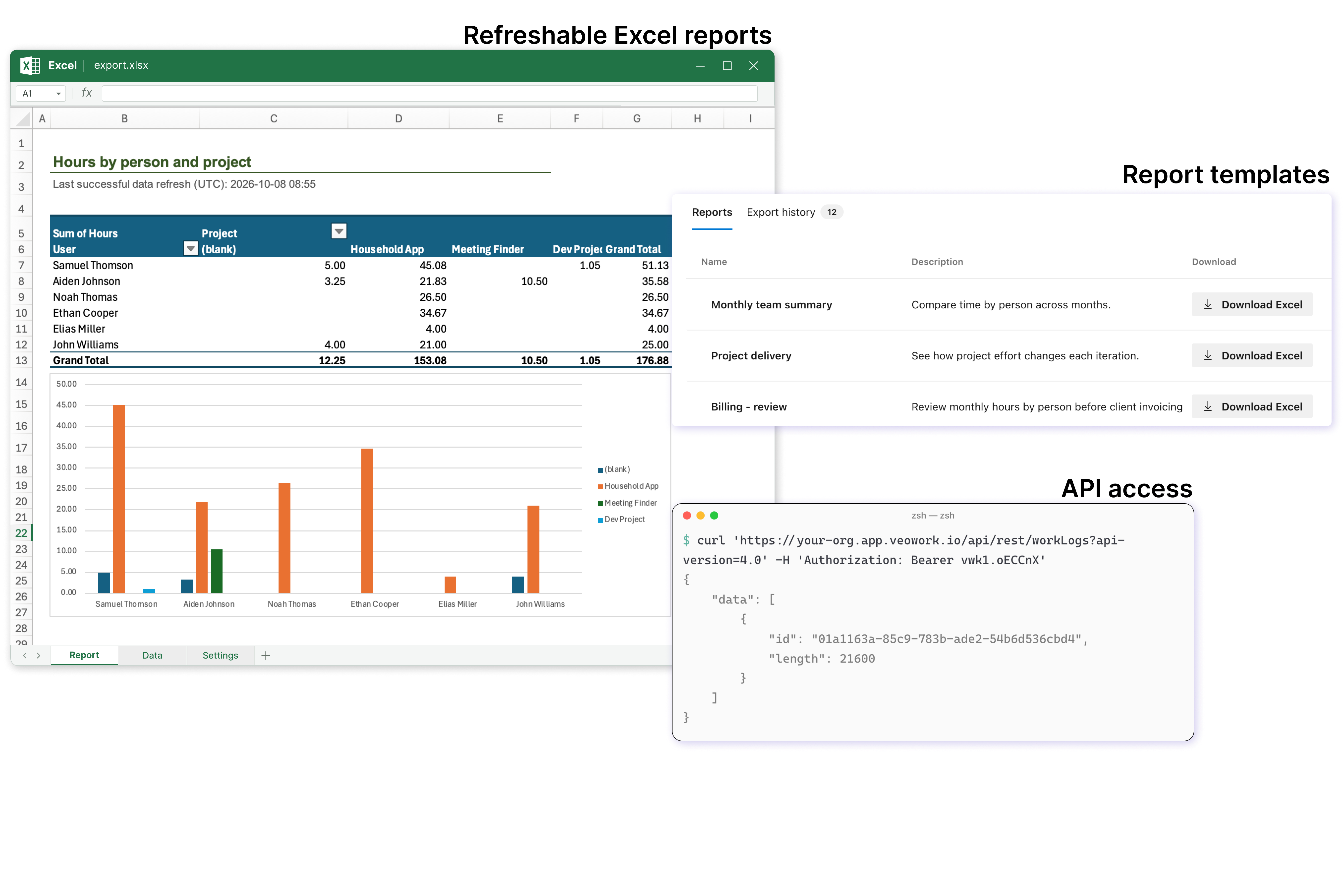
Create reports and connect your toolsCreate Excel reports with source data and pivot tables. Refresh the data in the same workbook when you need updated figures, without rebuilding the report. Review billable hours before invoicing, compare effort across projects, or prepare engineering time records for R&D and CapEx/OpEx reporting. Export filtered worklogs for further analysis or sharing, or use the REST API to feed time data into your own dashboards, reporting tools, and automations.
Start with confidenceVeoWork is built by a founder with years of experience developing time-tracking software for Azure DevOps. Its interface uses Azure DevOps controls and terminology, with time entry, approvals, and budgets available from your project's navigation. VeoWork uses a modern architecture focused on speed, reliability, and data security. Each Azure DevOps organization uses isolated data storage. Bring your time-tracking history with you. VeoWork's built-in import can bring over users, activity types, budgets, and time entries. Review the result before finalizing; your source data stays unchanged. Our team can help assess your source tool, history, and existing integrations before you move. Visible history depends on your plan; see plans and limits. See migration guidance and API setup and documentation, or contact us to plan your move. Install VeoWork in your Azure DevOps Services organization. Start free with up to five users, or try a paid plan free for 31 days. |