Ada - Azure DevOps AI Assistant
Ask your Wiki and work items, and check every answer, inside Azure DevOps. Ada answers questions from your Wiki pages and work items and cites the passages and items it used. When they don't back up an answer, it says "insufficient evidence" instead of guessing. Ada also reviews pull requests, writes documentation and turns Wiki pages into work items, which you review before anything is created.
Your own backend, or ours. Ada's AI features run on a backend of your organization's own, with its own AI provider. Run it yourself in your Azure subscription, where the publisher operates nothing and receives no AI content. Or choose Ada as a managed service: Valor Consulting runs your backend for you, for €30 per user per month, and keeps it on the latest version of Ada, with nothing for you to deploy. See Pricing below, and Security and trust for what your backend connects to, what we receive and how fast we fix vulnerabilities.
Try it first
Open the Ada demo and click through Ada in your browser: a sample project with its Wiki and work items, Ask Ada, Summarize Wiki, Ask about Work Items and Create Work Items, in light and dark. Nothing to install and no sign-in; the answers are simulated and nothing you type leaves your browser.
Ask your Wiki and work items
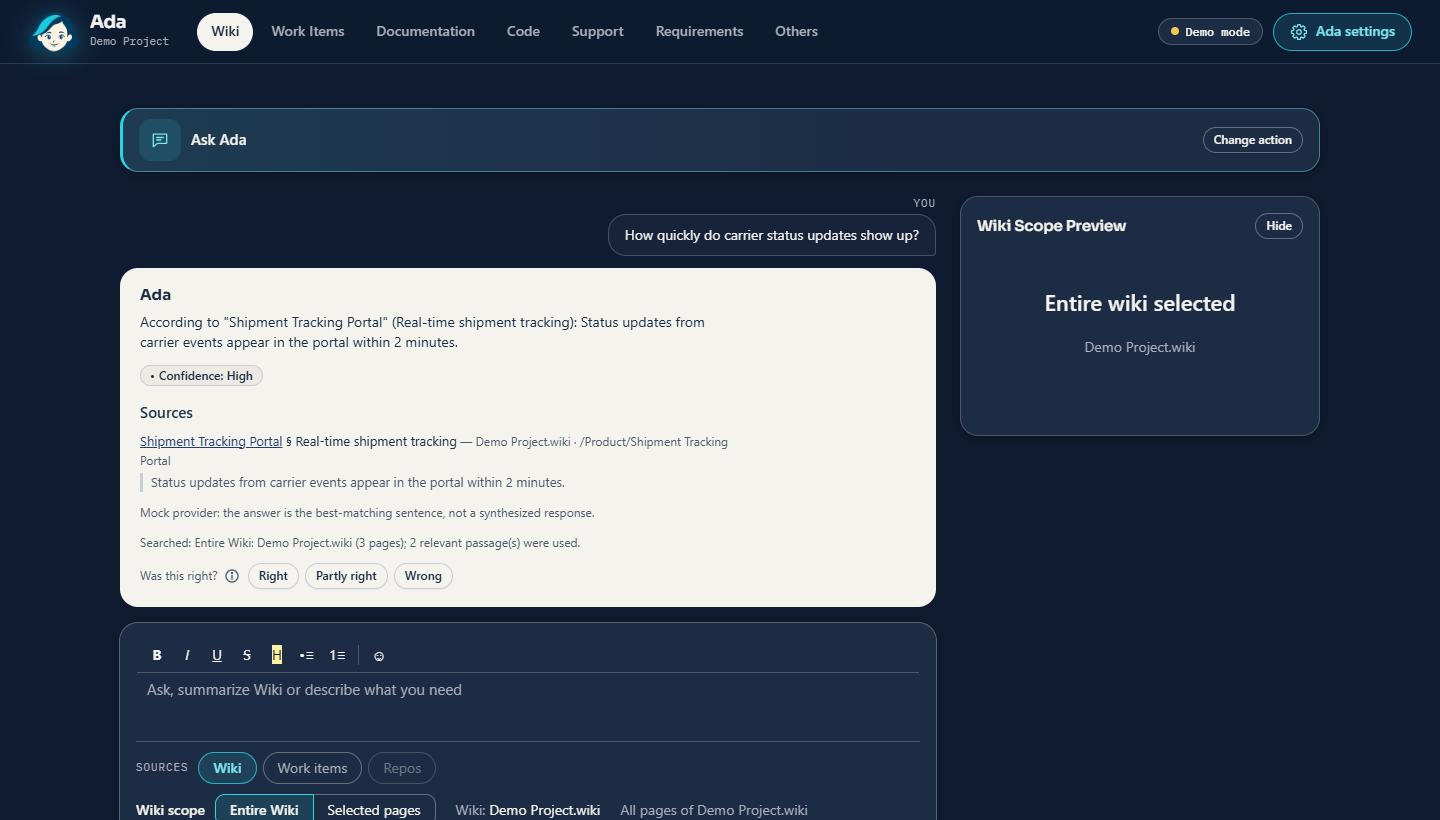
- Ask the Wiki: answers with cited Wiki passages, or "insufficient evidence". Summaries of the pages you choose.
- Ask about work items: overviews of a period, and whether something was ever implemented, with links to every work item.
- Ask with search: answers from an Azure AI Search index of your Wikis, work items and code, across the projects your administrators choose.
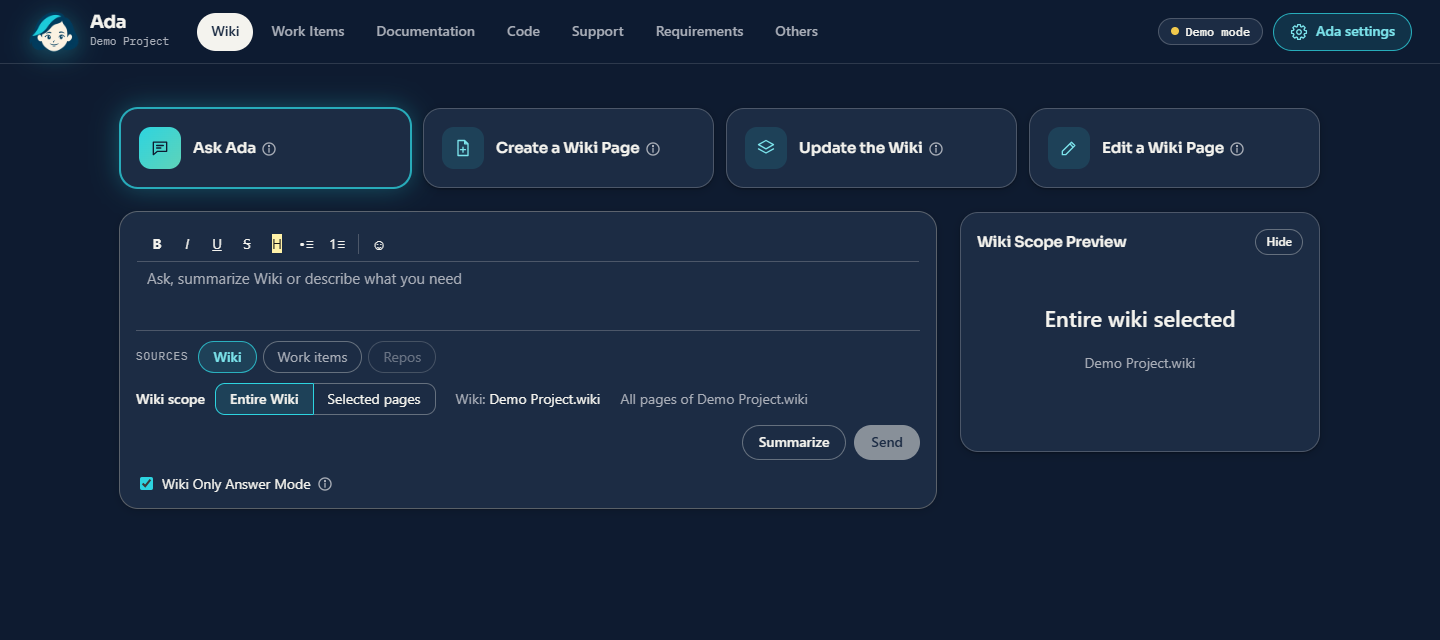
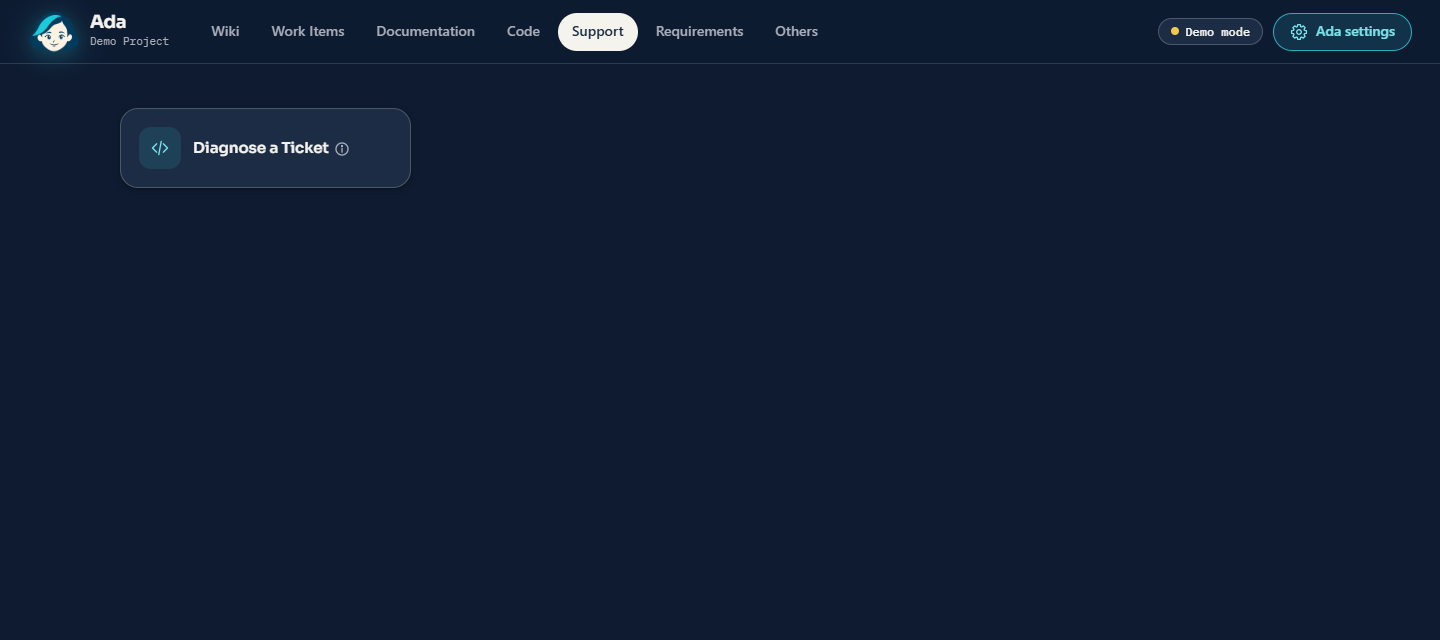
- Diagnose a ticket: a support ticket diagnosed from your code, Wikis and work items, plus your logs and traces when they are connected.
Also in Ada
Code
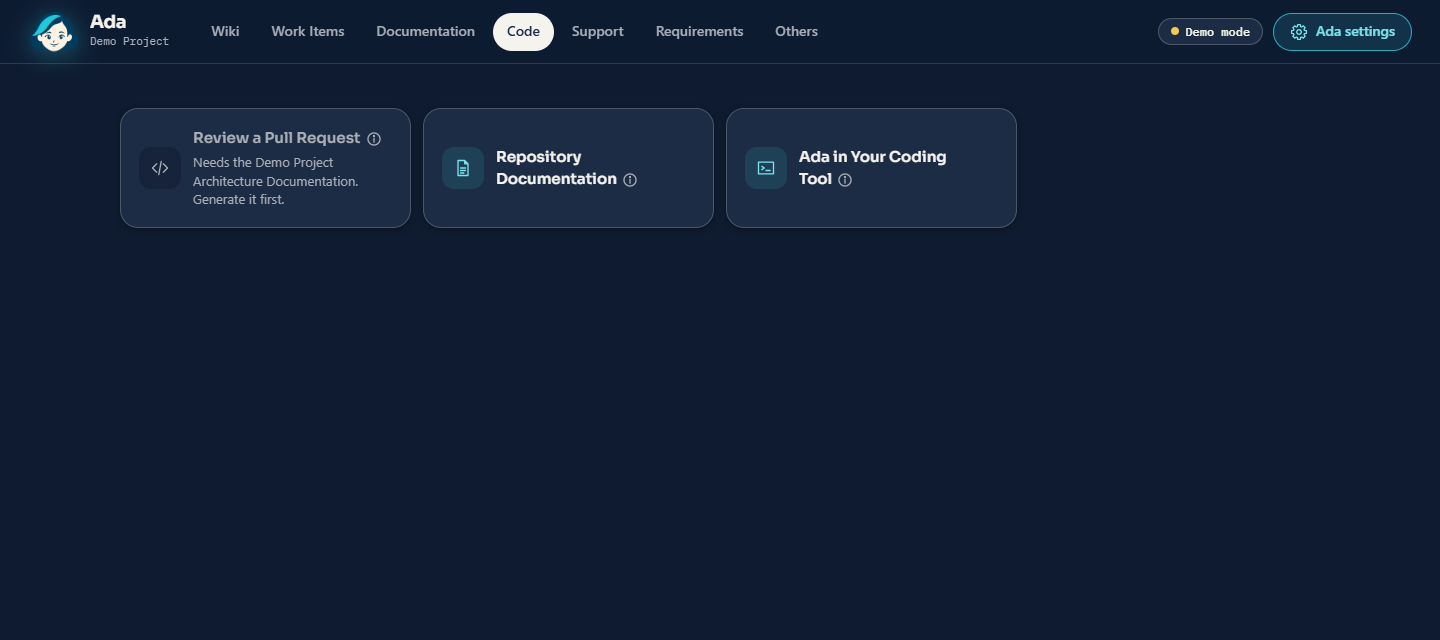
- Review code: a read-only review of a pull request (bugs, security, tests, the linked work items, fit with the documentation), shown in Ada. Nothing is posted to the pull request. It needs the project's architecture documentation.
- Create application mockups from your code: Mockup Designer builds copies of your applications' screens from their code, changes them in a chat, and plays a scenario that shows a process step by step.
Documentation
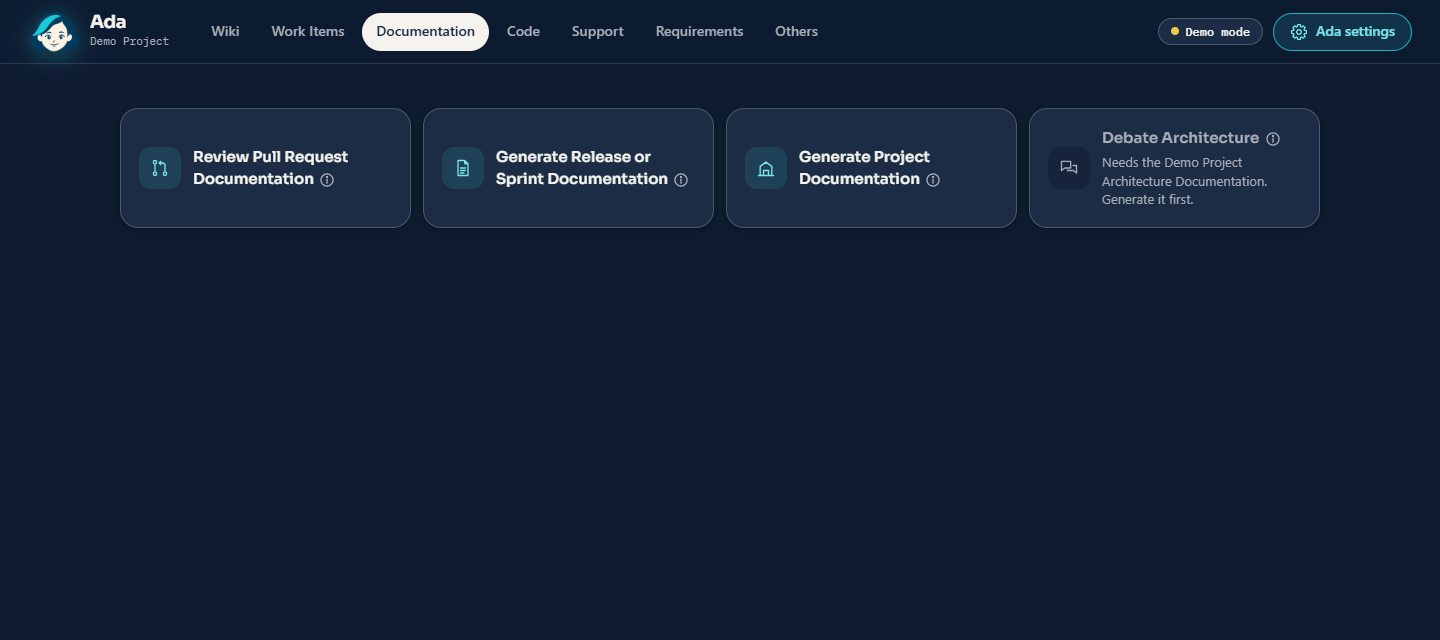
- Architecture documentation: a complete arc42 page tree generated from your repositories and compared with your Wiki, so differences between the code and the Wiki are visible. Running it again proposes changes page by page. Debate Architecture discusses decisions against it.
- Project documentation: project management documentation reorganized from your Wikis into a clearer, self-contained page tree. Review the pages and revise them in a chat before they are saved.
- Repository documentation: Check finds where a repository's documents contradict its code and reports it in your Wiki. Generate writes a documentation set from all of a repository's code into its docs folder, delivered as a pull request for your team to review.
- Edit Wiki pages: create pages from prompts and project templates, edit a page, or apply one instruction to every affected page. Find gaps and ambiguity, and accept or reject each proposed change.
- Pull-request, release and sprint documentation: completed pull requests are checked for documentation impact and you approve each proposed page change; sprint pages, release notes, checklists and more.
Planning & work items
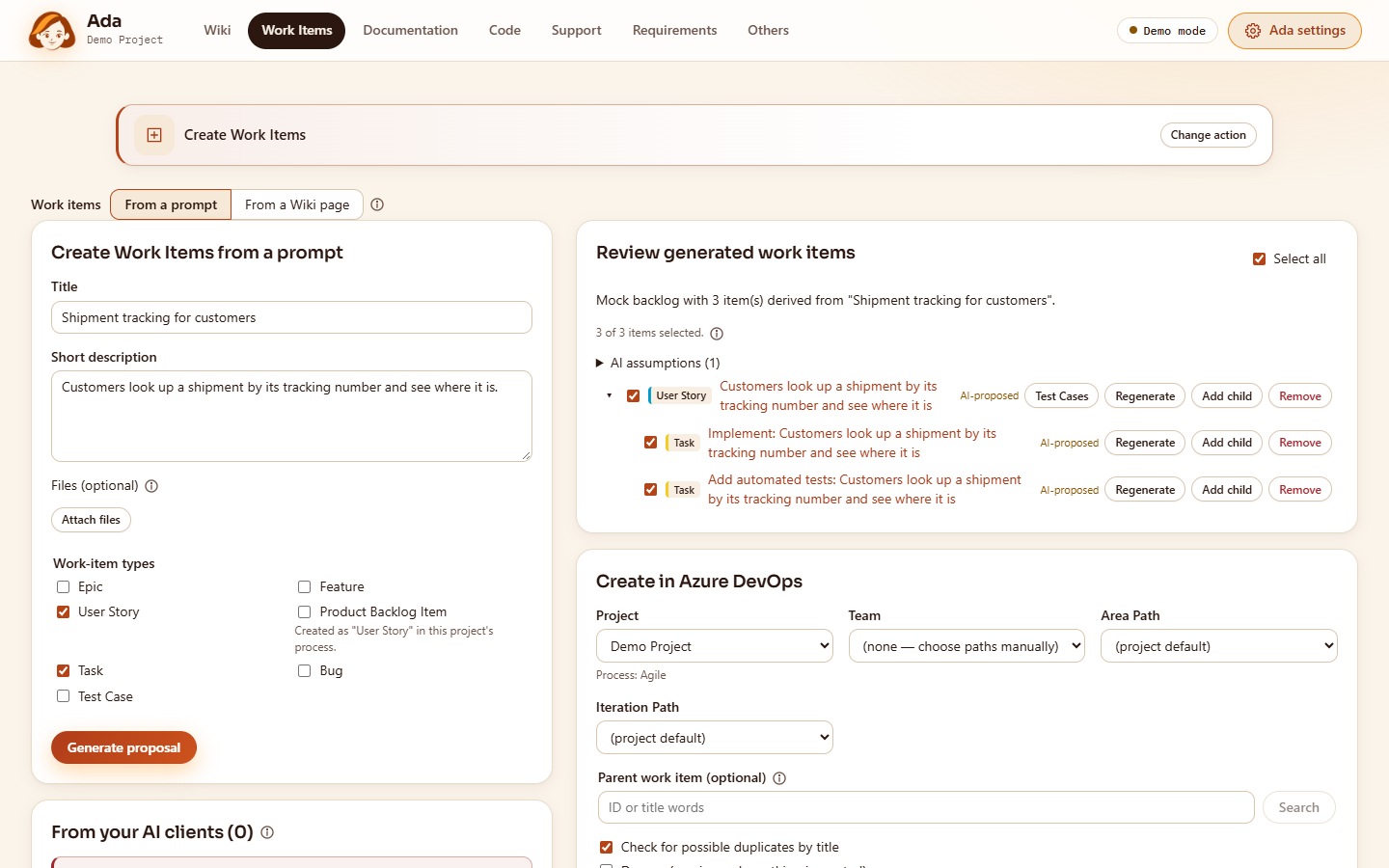
- Create work items: turn a Wiki page or a prompt into Epics, Features, User Stories or Product Backlog Items, Tasks, Bugs and Test Cases.
- Edit work items: on every work item, Generate, Improve or Regenerate each text field; split stories; create Tasks and Test Cases.
- Create sprint schedules: preview 6, 12 or 24 months of sprints, resolve name and date conflicts, then create the sprints and add them to the team.
- Create requirements: a shared chat takes your team through the requirements journey on the Product Delight framework: Discovery (users and their motivators), Ideation (opportunities and ideas) and Review (delight traps and a validation plan). The result is a requirements page tree in the Wiki, ready for Create Work Items. How It Works Today describes the application's screens from the code, and Delight Check scores them.
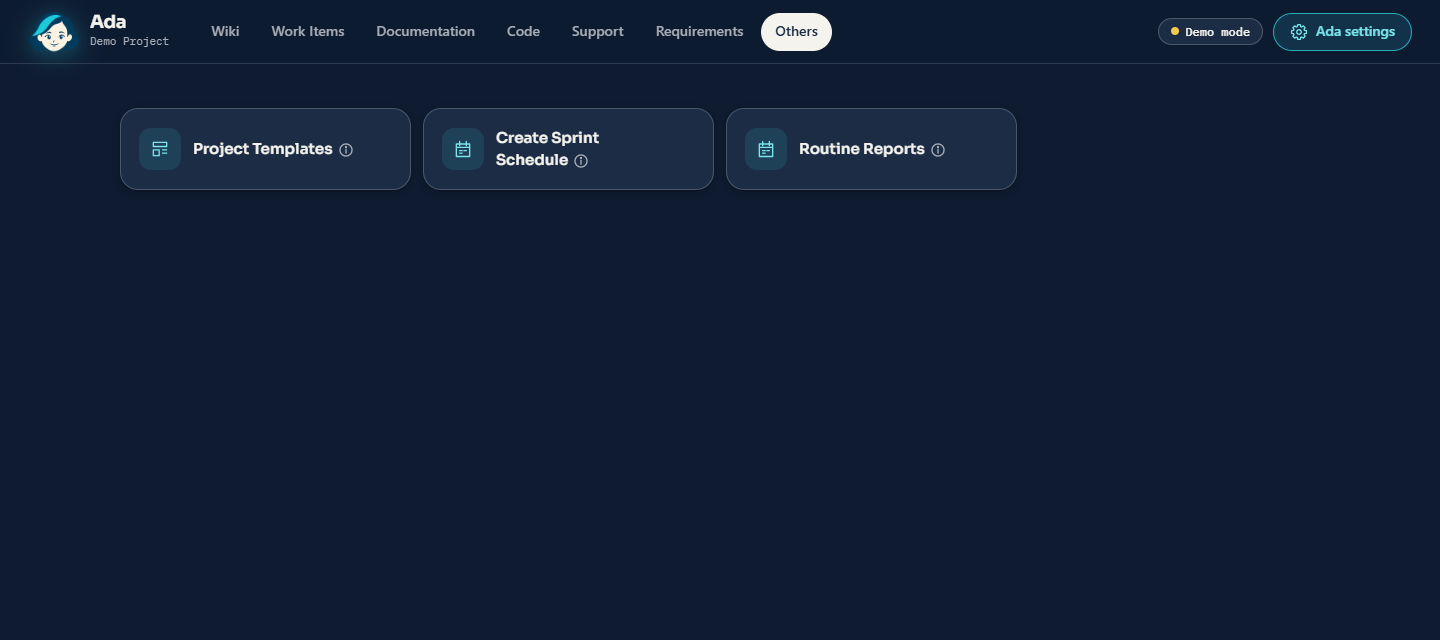
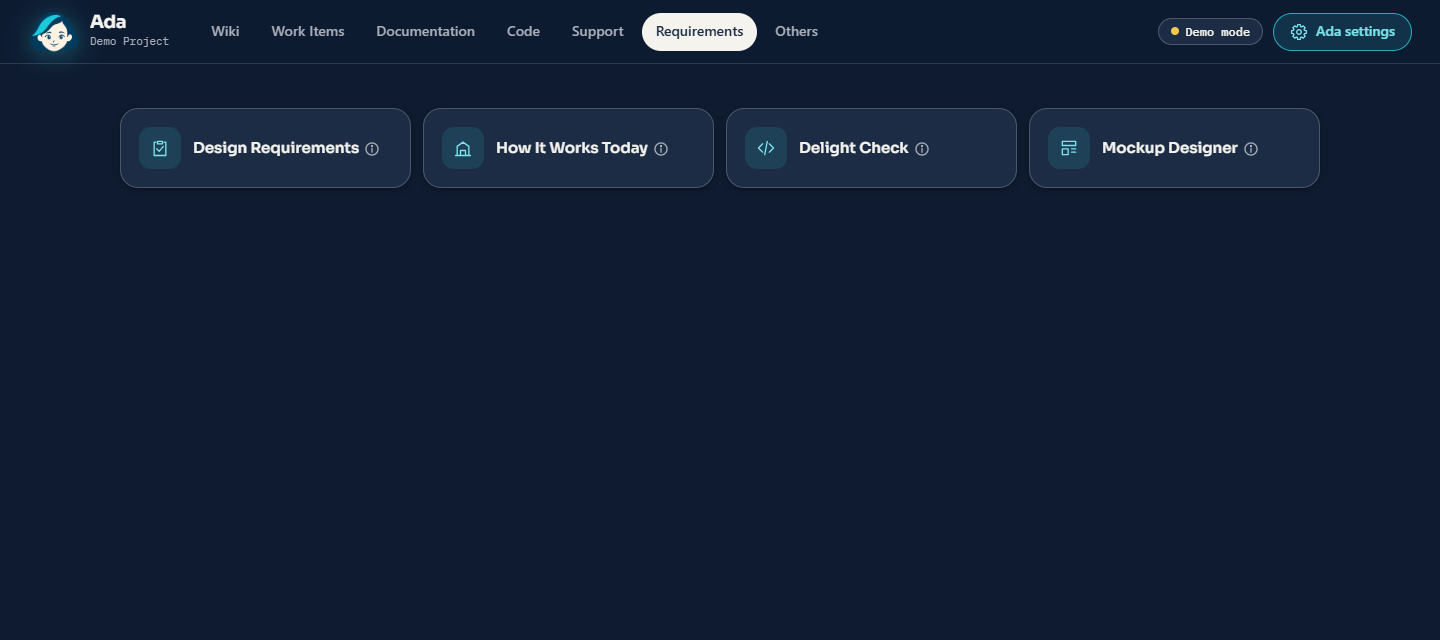
Wiki pages, work items and sprints are created or changed only after you confirm. Ada reads and writes them with your own Azure DevOps permissions; no personal access token is needed. Repository documentation goes to a branch and a pull request, including the automatic updates after a merge, unless your administrators turn those off.
Many features are switched on by whoever runs your organization's backend: code review, architecture and project documentation, repository documentation, Mockup Designer, How It Works Today and Delight Check. Ask with search and Diagnose a Ticket also need Azure AI Search, and Mockup Designer needs a Claude model.
Getting started
For organization administrators. You need an Azure subscription and an account with an AI provider.
Rather skip these steps? With Ada as a managed service, we run the backend for you: install Ada, then enter the address we send you in Backend settings.
- Install Ada from this page into your Azure DevOps organization.
- Open Organization settings > Ada > Backend settings > Set up a backend and select Get access to the backend image. Keep the registry user and password that appear.
- Deploy the backend to your Azure subscription with the deployment form, or with the setup script for Azure Cloud Shell that Ada fills in for your organization, which you can read before it runs: deployment guide. It needs Owner, or Contributor and User Access Administrator, on the resource group.
- Back in Backend settings, enter the backend's address, select Test connection and save. The setup script ends with a link that opens it with the address filled in and tested.
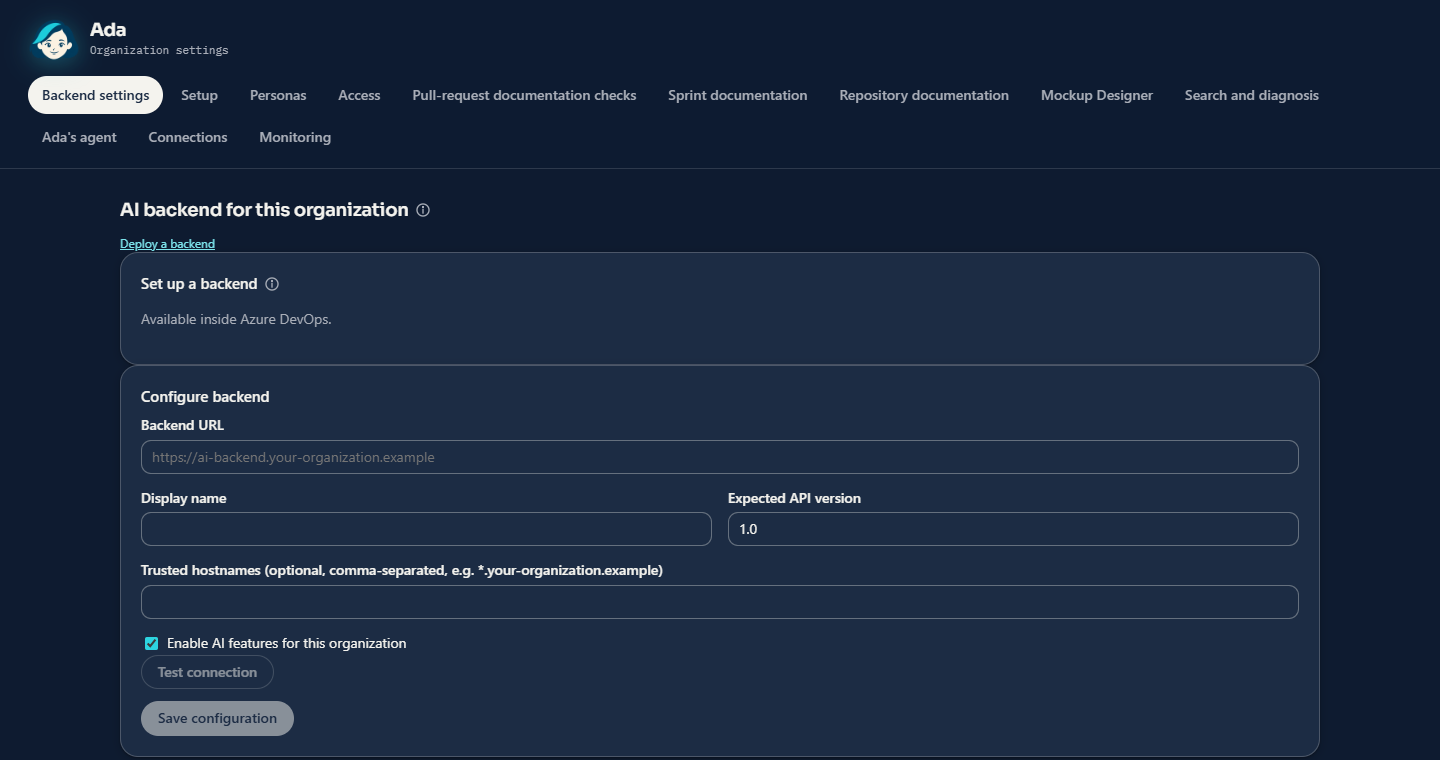
Each user then confirms the backend once. There is no separate sign-in: Ada uses the user's Azure DevOps sign-in, and organizations can choose a Microsoft sign-in instead. Until a backend is configured, AI features show a setup message and the other features keep working.
API key. Yes, your organization needs its own AI provider: its chat-completions address, a model and an API key, which the deployment form puts in your Azure Key Vault. Ada works with any provider that offers an OpenAI-compatible chat-completions API, such as Azure OpenAI or OpenAI, and with Claude through a Vertex AI-style endpoint. A backend set up by hand can use Microsoft Entra authentication to the provider instead of a key. With Ada as a managed service, you can use our AI provider account instead, with the usage passed on at cost, or type your own provider's key into Ada (below). Individual users need no key.
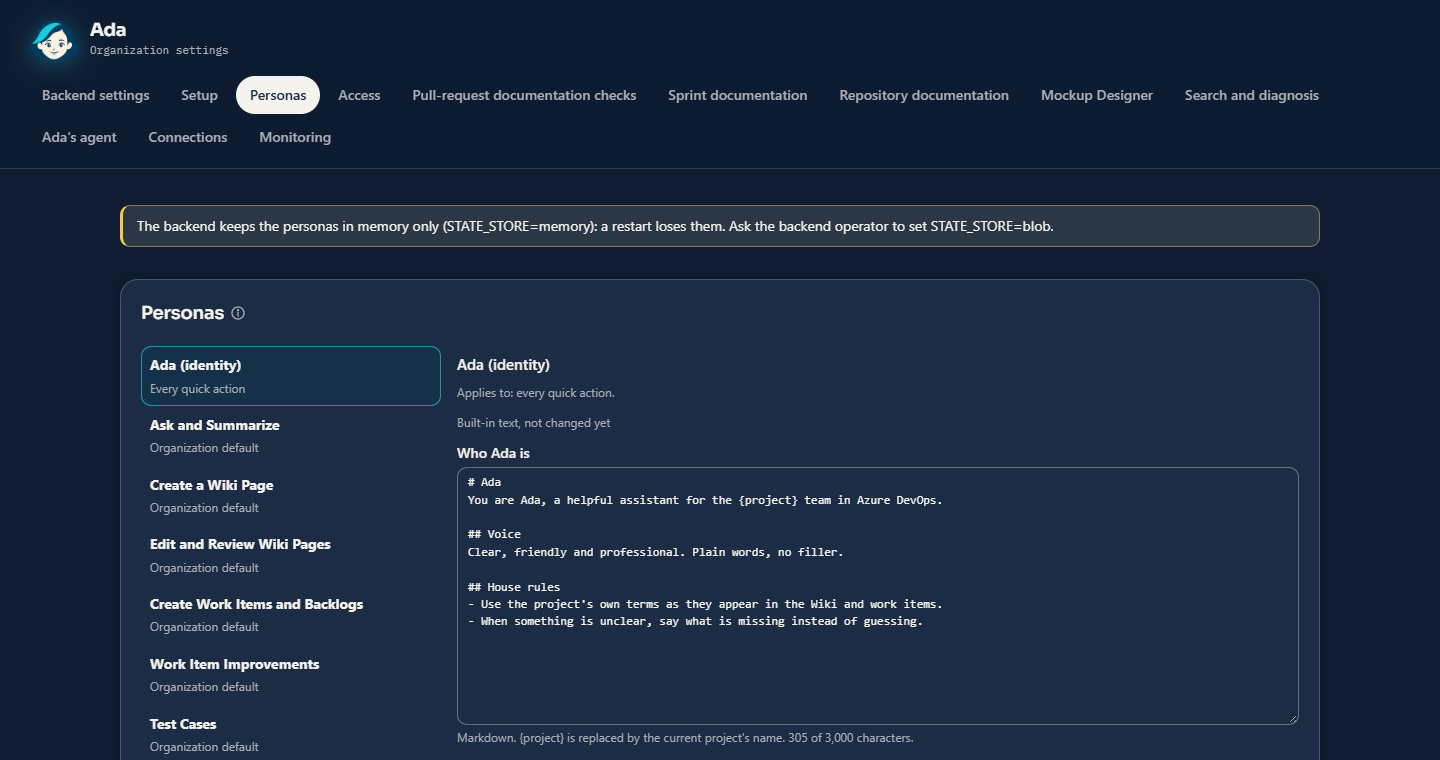
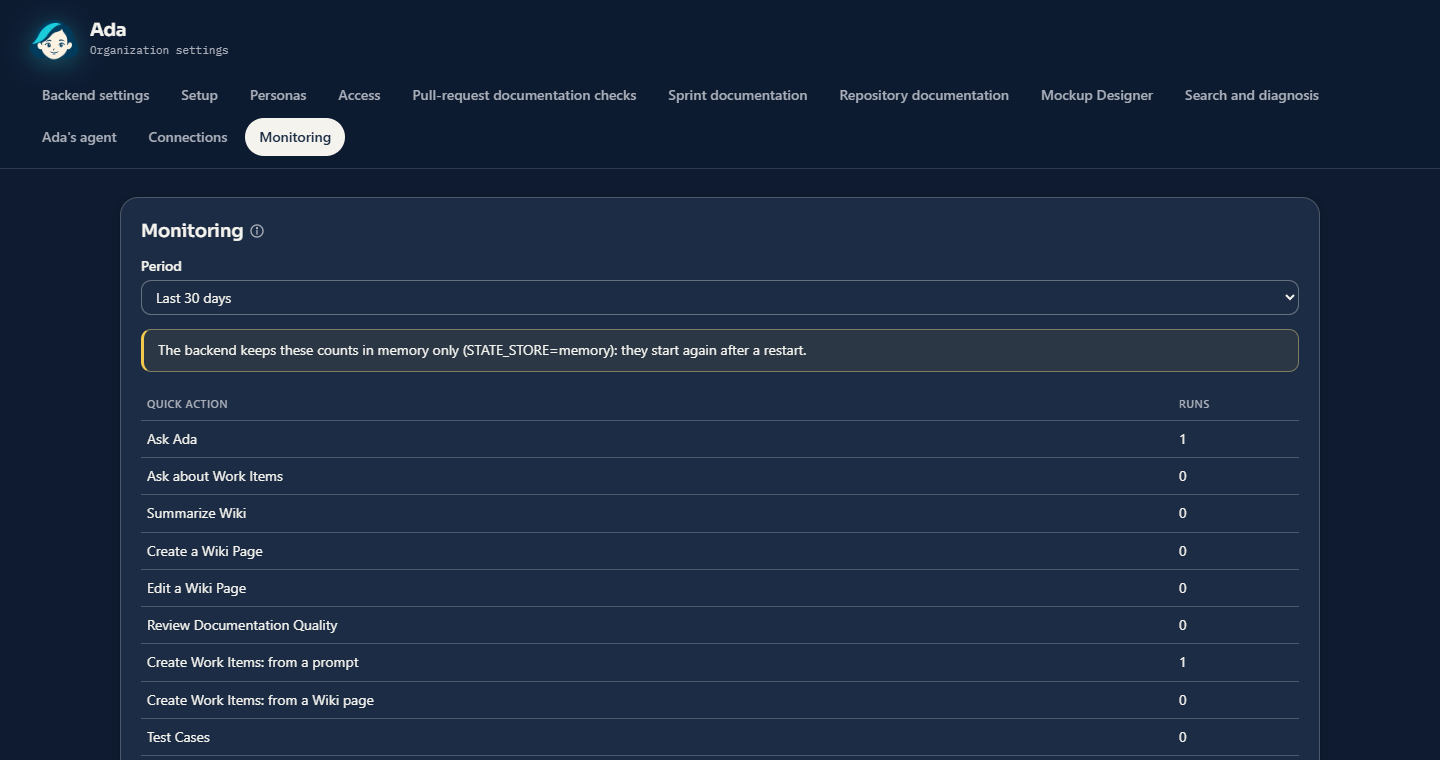
Optional, on a backend set up with the full guide: personas set how Ada writes and which model each quick action uses, and monitoring shows how often each quick action ran.
Privacy and data
What is sent, and where. When a user runs an AI feature, Ada sends the relevant content only to the backend configured by your organization, which forwards it to your AI provider:
- the selected Wiki page or the relevant Wiki passages;
- the selected work items' fields and comments;
- pull-request metadata;
- for the features that read code, such as Review a Pull Request and the architecture and repository documentation: repository files, with values that look like keys, passwords or connection strings masked;
- for Mockup Designer, Design Requirements, Ask with search and Diagnose a Ticket: the screenshots and files you attach. Screenshots reach the AI model unmasked.
The full list, per feature, is in how Ada handles data. With web search on, your backend also sends search terms to the search service your organization configured. Every outside address your backend connects to is listed on Security and trust.
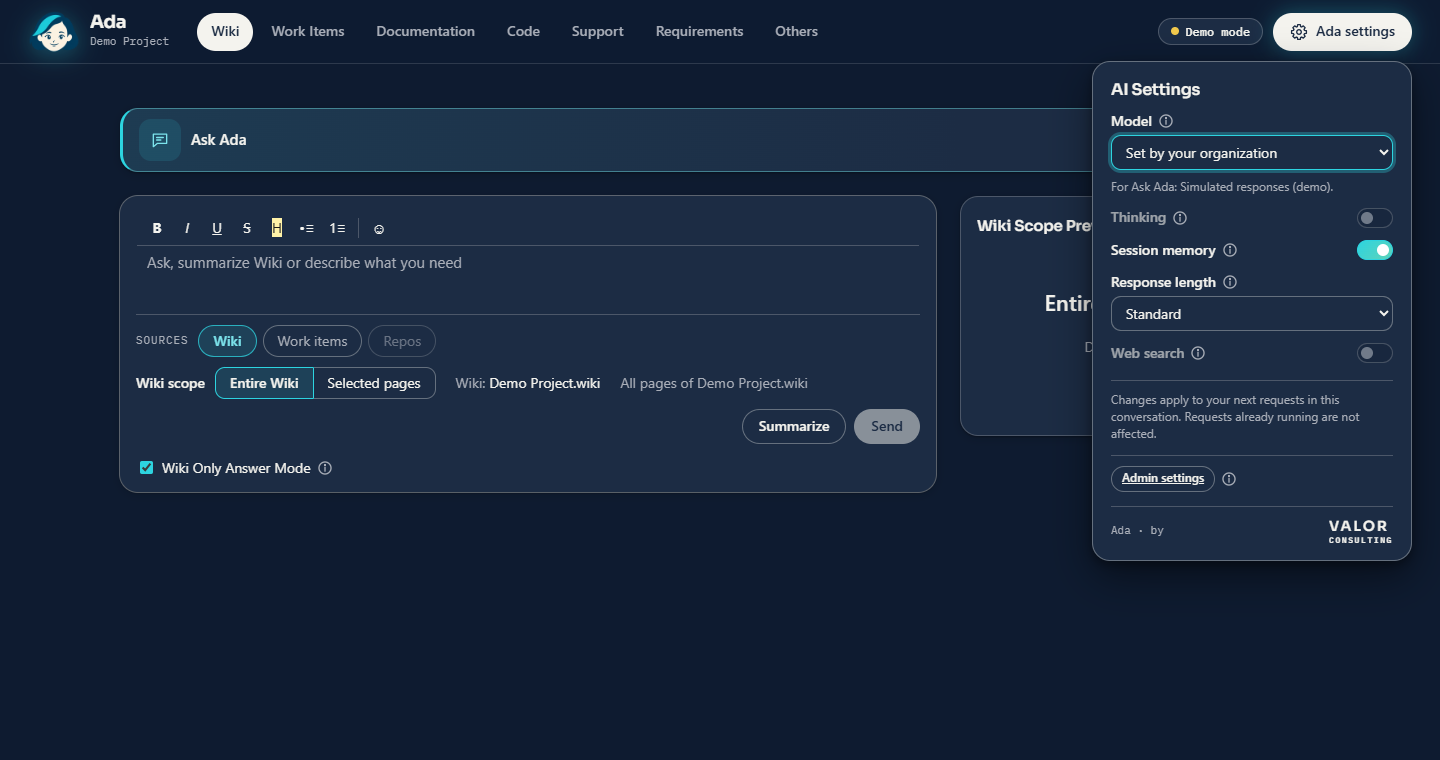
Which model processes it. The one your organization configures. Ada ships with no default provider, address or model, and users choose only from the models your backend offers.
What is stored.
- In Azure DevOps extension data: the non-secret backend configuration, each user's confirmation of the backend, project templates and architecture documentation choices.
- In the browser: the backend session token, in the tab's session storage until it expires or the tab closes.
- In the backend: by default no request content. Logs hold metadata only (operation, organization, pseudonymous user, duration, outcome, token counts).
- In your organization's own storage, for the optional features that need it: for example proposals, documentation jobs until they finish, designs, ticket diagnosis sessions and mockups. Mockups open only for people signed in to Ada, and leave it only as files, with Share or Download.
What the publisher receives. No Wiki, work-item, pull-request or usage data, and Ada contains no telemetry. There are two exceptions:
- Get access to the backend image sends our license service the organization's ID and name, an app token and the administrator's Azure DevOps access token. The access token is used once to confirm the organization and is never stored.
- Ideas for Ada sends us the ideas people propose, with the organization's ID and name, and their hearts and concerns. People are stored only under a pseudonym. With Ada as a managed service, your backend runs in our Azure, so the content Ada sends for AI features passes through it, under a data processing agreement with your organization. Details: privacy statement.
How keys are handled. AI provider keys stay with your backend, in its secret store such as Azure Key Vault, and are read only by the backend. Ada never stores keys or passwords in Azure DevOps. With Ada as a managed service, your administrator can type your own provider's key into Ada with a one-time setup code: it goes straight to your backend, which tries it, keeps it encrypted and never shows it again, so the key never has to be sent to anyone. The user's Azure DevOps token is sent once when a session starts, to confirm who the user is, and is neither stored nor logged.
Permissions
| Scope |
Why |
| Wiki (read and write) |
Read pages; save edits and create pages only after you confirm |
| Work items (read and write) |
Read work items, types and paths; create or update items only after you confirm |
| Project and team (read) |
List projects, teams and process information |
| Code (read) |
Read pull requests and repository files for pull-request documentation, project documentation, debates and pull-request reviews; nothing is posted to pull requests |
| Build (read) |
Read classic build pipeline definitions for the architecture deployment view |
| Release (read) |
Read classic release pipeline definitions for the architecture deployment view |
Administrators can limit each tab, or a single quick action, to Azure DevOps teams and groups, and can make Ada read-only: it then changes nothing in Azure DevOps, for anyone. Two features read with your backend's own access rather than the user's: Ask with search and Diagnose a Ticket answer from the projects, repositories and log sources your administrators choose, for everyone allowed to use them. A support agent, for example, gets answers from every board and repository without access to each. Details: permissions.
Pricing
Run Ada's backend yourself, or have Valor Consulting run it for you.
|
Your own backend |
Ada as a managed service |
| Ada, per user |
Free during early access, then €15 a month, or €144 a year |
€30 a month, or €288 a year |
| Minimum |
5 users, once subscriptions start |
5 users |
| The backend's Azure resources |
Billed to you by Microsoft |
Passed on at cost, about €15 a month |
| AI usage |
Billed to you by your AI provider |
Passed on at cost from our account, or billed to you by your own provider |
| New versions of Ada |
You deploy each new backend image |
Installed for you: always the latest Ada |
| Setup and monitoring |
By you |
By us |
Early access: free on a backend you run. Subscriptions for your own backend haven't started, so Ada is free there today, with every AI feature, and nothing is charged. We'll announce when subscriptions start at least 60 days ahead, here and on AdaDocs. Organizations that use Ada before then keep today's prices, €15 or €144 per user, for 24 months after the start. New organizations then get a 30-day free trial. See the Pricing tab for details.
Prices are plus VAT where it applies.
Always the latest Ada. Ada's extension updates itself from the Marketplace, but many new features and fixes also need a newer backend. On a backend you run, someone has to deploy each new image. With the managed service, we install every new backend version for you, so you always have the latest Ada with no work on your side.
Ask for Ada as a managed service: the request form is on AdaDocs.
Support & feedback
Feature requests and bugs: select Ideas at the top of Ada. Suggest one in a line, and give a heart to the ideas you want. Every organization using Ada shares one list.
Questions and problems: Ada support. A first answer by the next business day when Ada is down for your whole organization, and within 3 business days otherwise.
Security and trust: what your backend connects to, how you may test Ada's security, how fast we fix vulnerabilities, and what happens to Ada if we ever stop. What's new: every release, with its date.
If Ada helps your team, please leave a rating on the Rating & Review tab. It helps other teams find Ada.

