Reqs for Azure DevOpsSee, link and review the requirements behind every work item. Reqs for Azure DevOps connects your organization to Reqs, Ultraist's requirements tool, so requirements live in Reqs, work lives in Azure Boards, and the two stay in step.
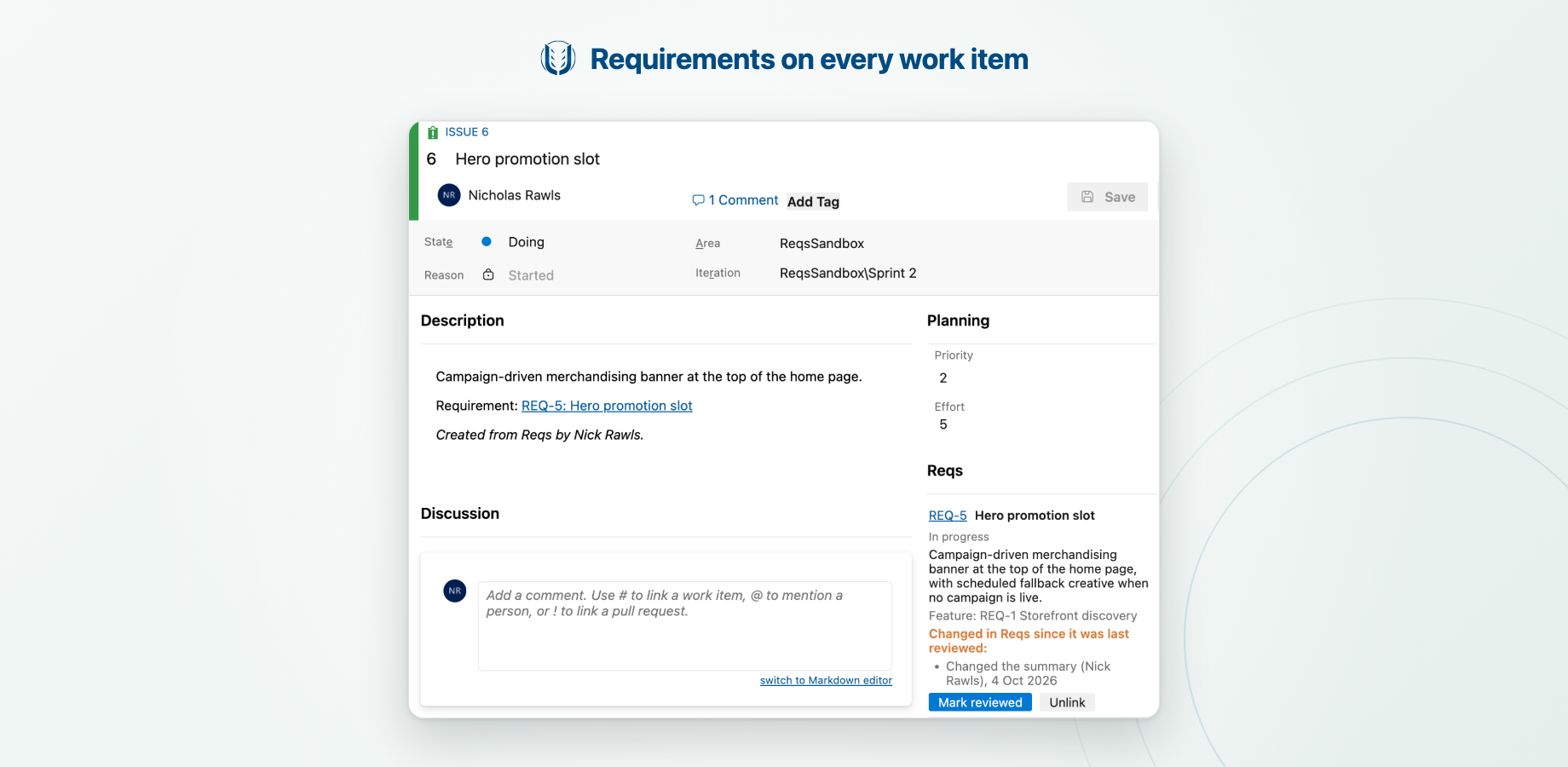
Requirements on every work itemA Reqs group on the work item form shows the requirements a work item delivers: their status, summary and acceptance criteria. Search and link a req in a couple of clicks, and unlink it just as easily. Know when a requirement changesWhen a linked requirement changes in Reqs, the work item flags it with exactly what changed, and gets a comment with the diff so everyone following it hears about it. Mark it reviewed once you've taken it into account.
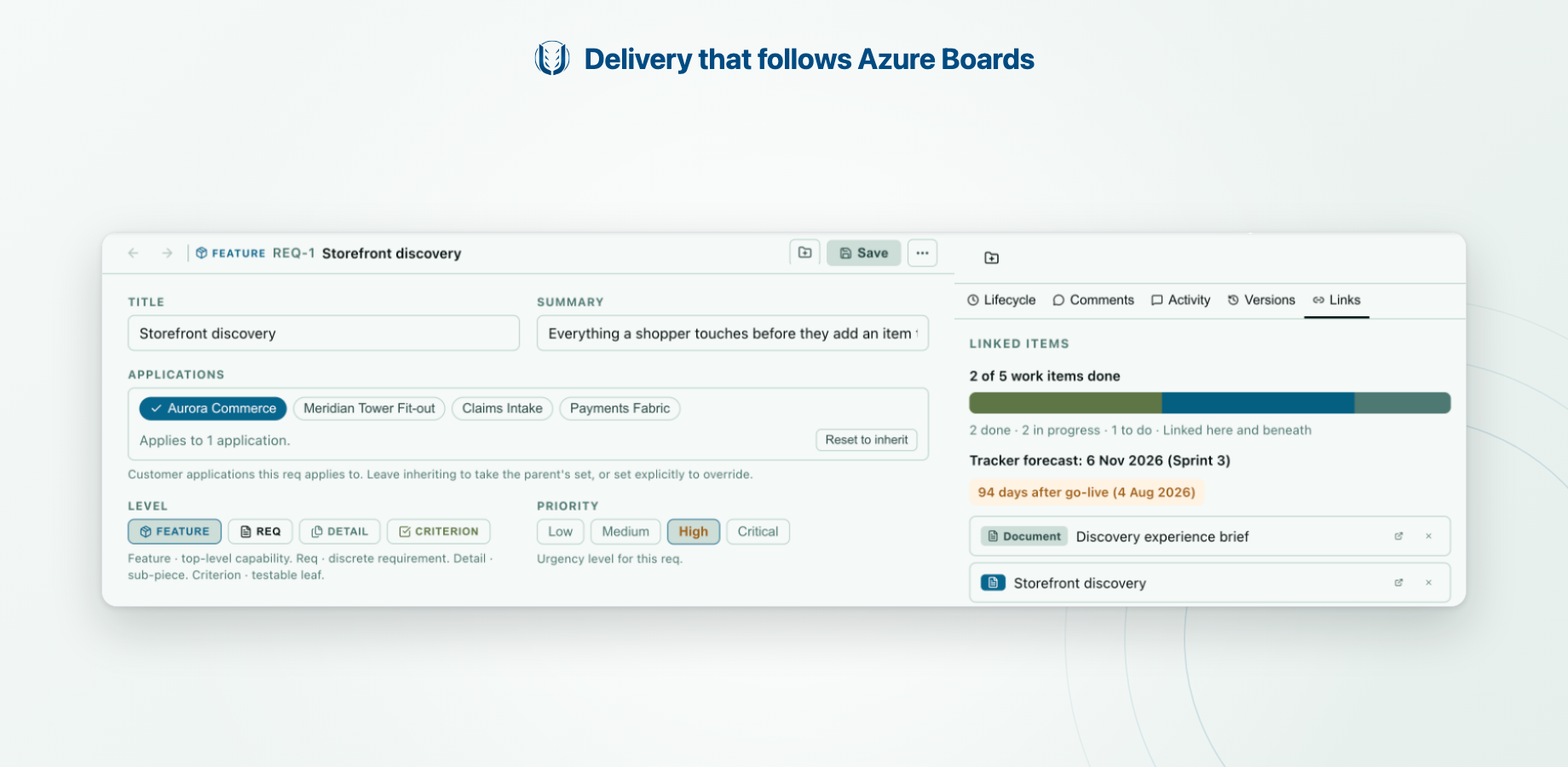
Delivery that follows Azure BoardsState, assignee, iteration and target date changes flow back to Reqs as they happen, so each Feature in Reqs shows how much of its work is done, in progress and still to do, and when it will land from the sprints its open work is planned into.
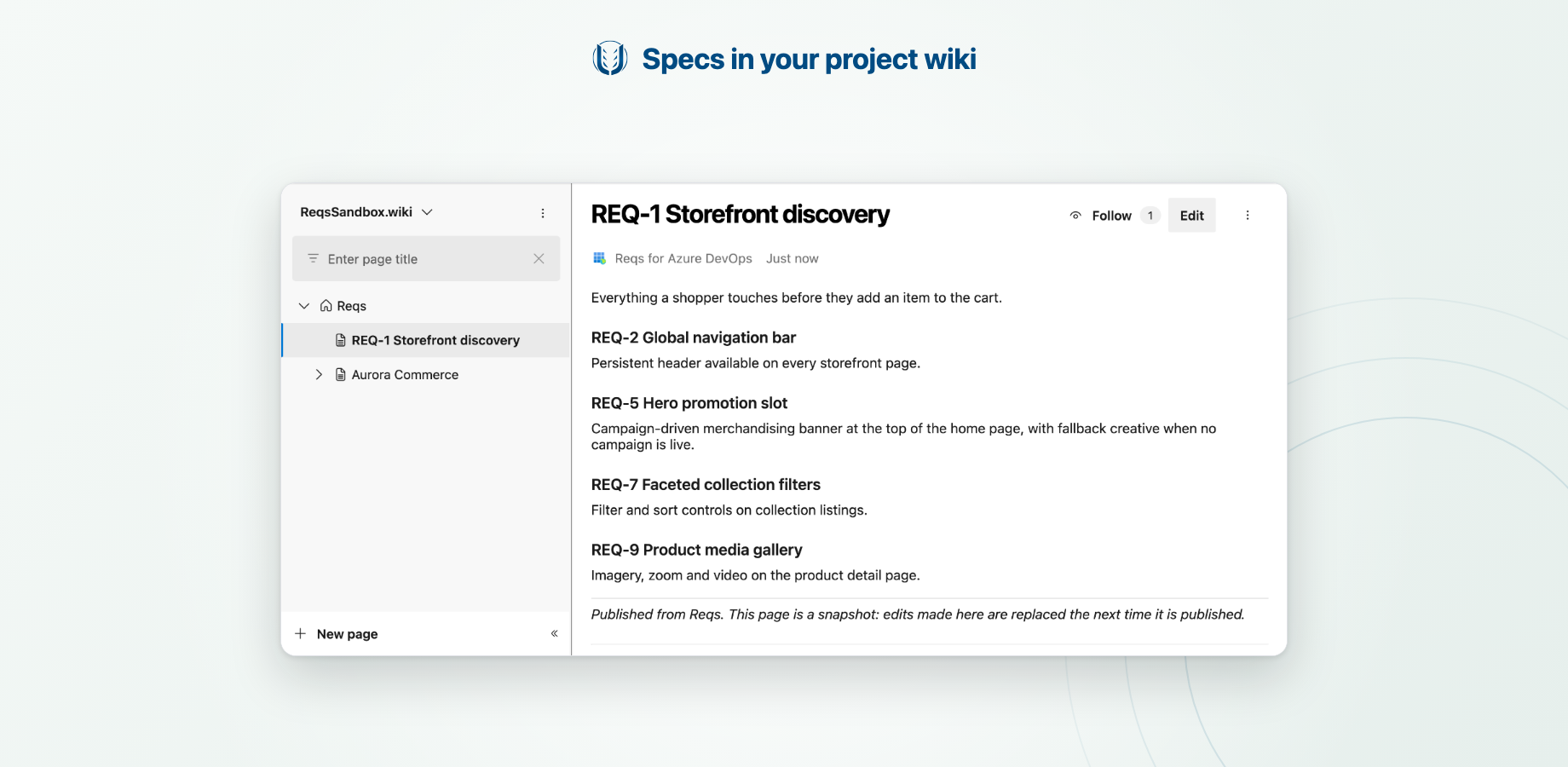
Work from ReqsFrom Reqs, create work items for requirements (or a parent with an item for each requirement beneath a Feature), link existing work items, and publish spec pages to your project wiki.
Get started
Full setup and usage: Reqs for Azure DevOps documentation. Privacy and securityThe integration sends Reqs only what it needs about the work items you link: their title, type, state, project, iteration, target date and assignee's name. It never reads descriptions, comments or attachments, and never sends email addresses. Microsoft Entra connections use your own tenant's consent, so we store none of your credentials. See our Privacy Policy and Security pages. SupportEmail support@ultraist.dev or use our contact page. Report security issues to security@ultraist.dev. |