SQL Enlight Code Quality for Azure DevOps
SQL Enlight Code Quality for Azure DevOps brings advanced T-SQL static code analysis directly into Azure DevOps Services and Azure DevOps Server pipelines. It helps teams detect SQL code quality issues early, enforce quality standards with configurable quality gates, and review SQL issues directly in builds and pull requests.
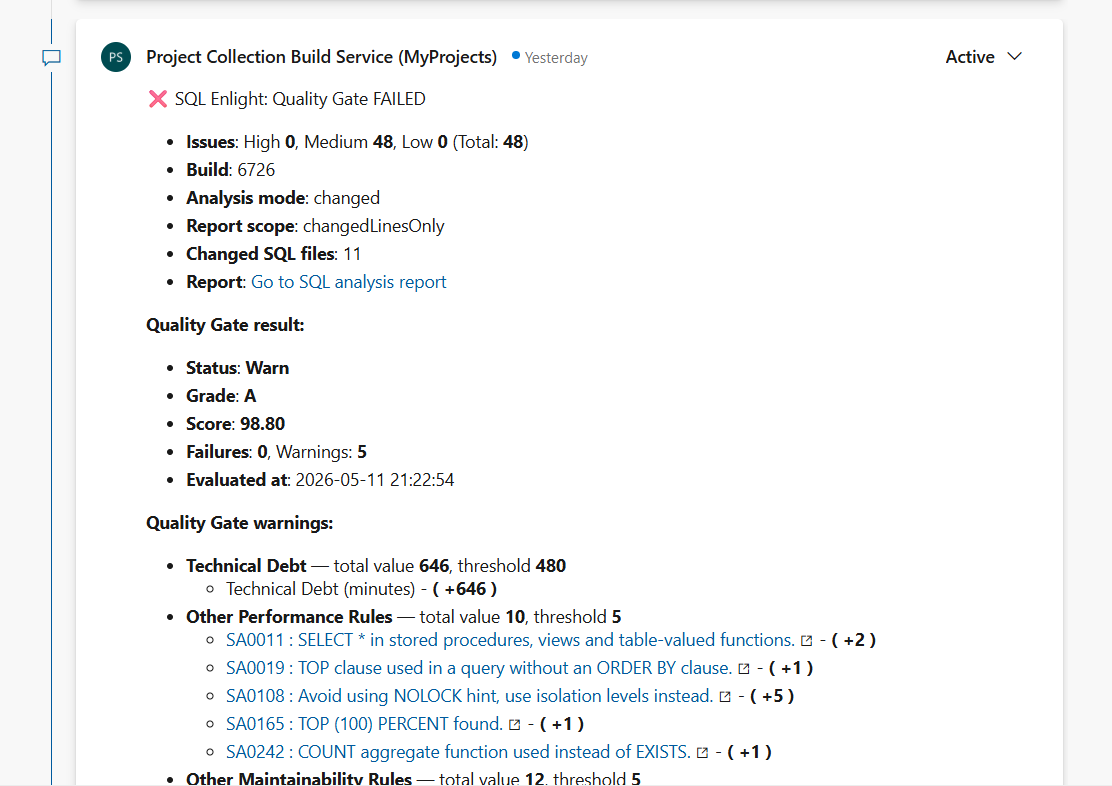
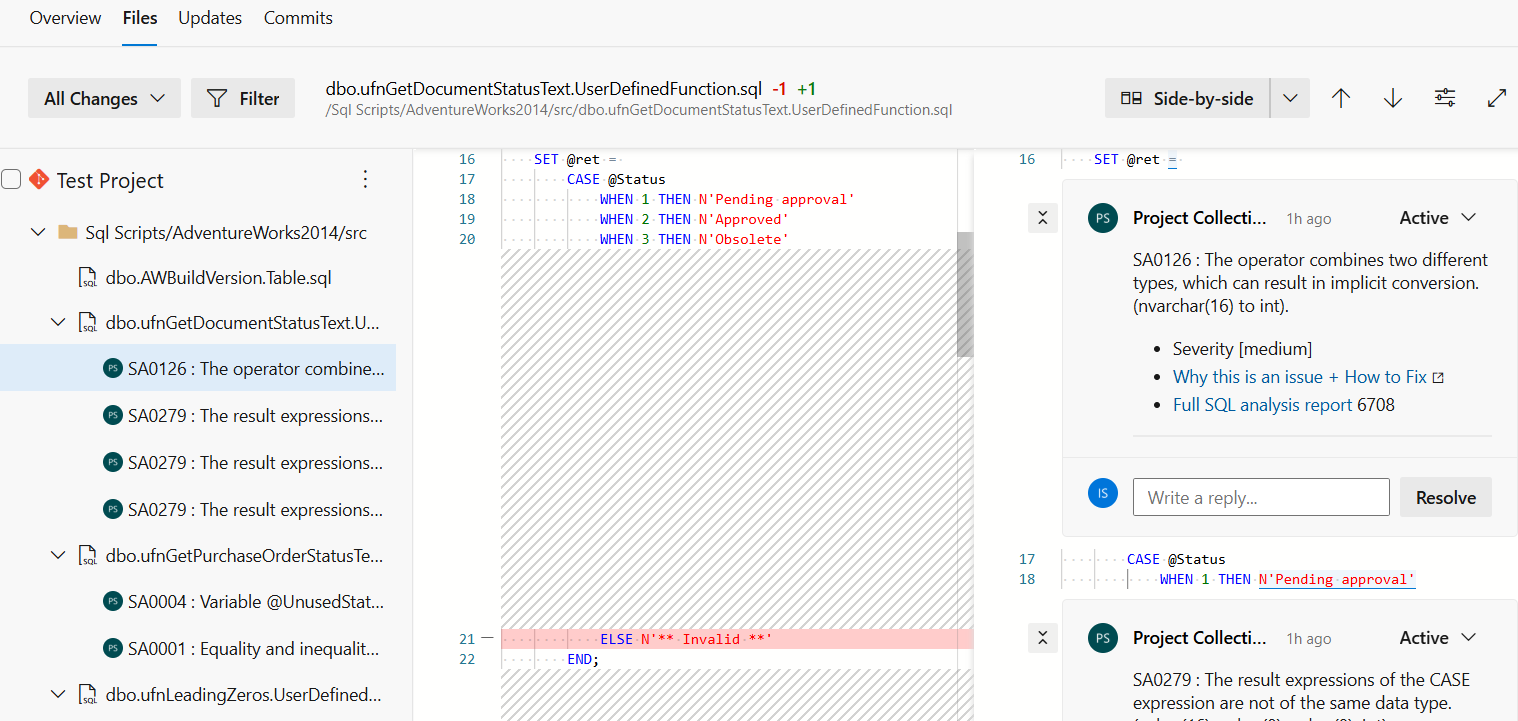
The extension adds a dedicated SQL Enlight experience inside Azure DevOps, including a pipeline task, project-level report and settings hubs, a SQL Analysis build tab, and pull request decoration with status checks, summary comments, and inline comments on changed SQL lines.
Key Features
- Analyze T-SQL files in Azure DevOps pipelines using 300+ built-in SQL analysis rules.
- Detect performance, maintainability, correctness, security, naming, and best-practice issues.
- Configure reusable analysis profiles for pull request, CI, and custom workflows.
- Manage analysis templates with configurable rules, severities, and rule parameters.
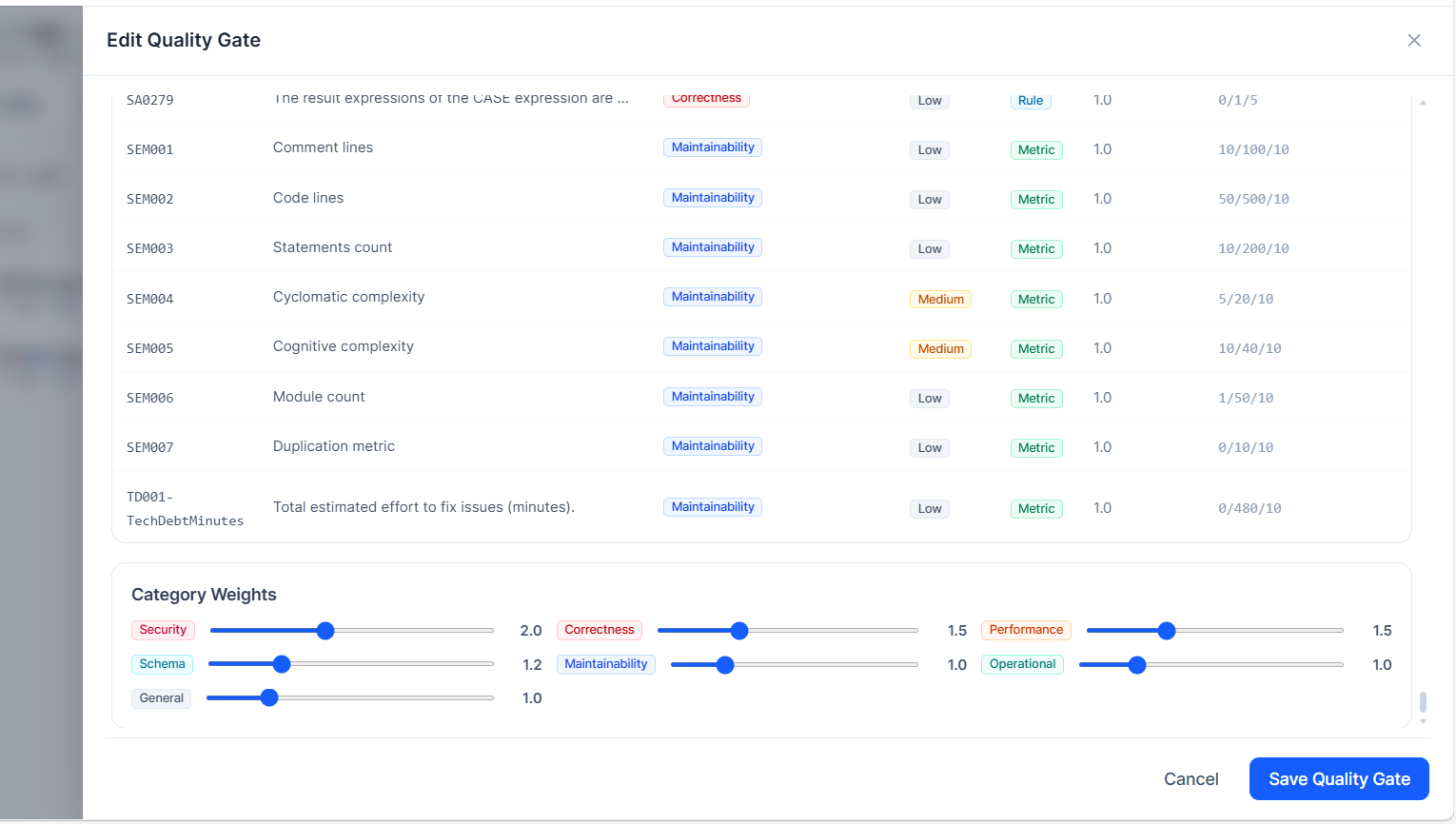
- Define and enforce quality gates using metrics, policies, thresholds, and category weights.
- Analyze all SQL files, only changed files, or let the task choose automatically based on the build context.
- Limit reports to all issues in analyzed files or only issues found on changed lines.
- Enrich analysis with database metadata using an analysis context file or SQL Server connection string.
- Publish results to a dedicated SQL Analysis build tab and project-level Analysis Report hub.
- Decorate pull requests with status checks, summary comments, and optional inline issue threads.
- Automatically resolve fixed SQL Enlight inline PR threads when issues are no longer reported.
- Execute tSQLt unit tests directly in the pipeline and publish results to Azure DevOps.
- Activate and manage SQL Enlight licenses directly from the Azure DevOps Settings hub.
- Supports Azure DevOps Services and Azure DevOps Server installations.
Azure DevOps Integration
After installation, the extension adds a SQL Enlight hub group to each Azure DevOps project.
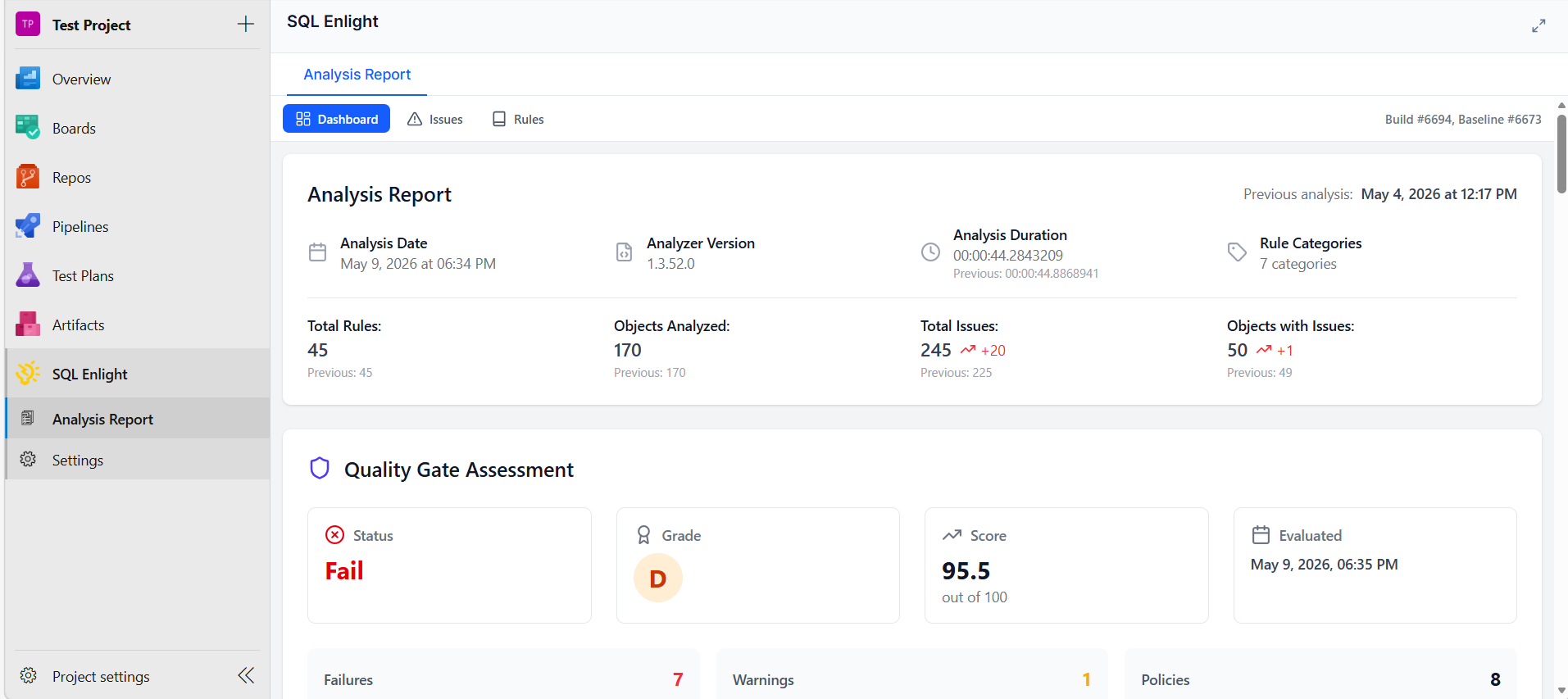
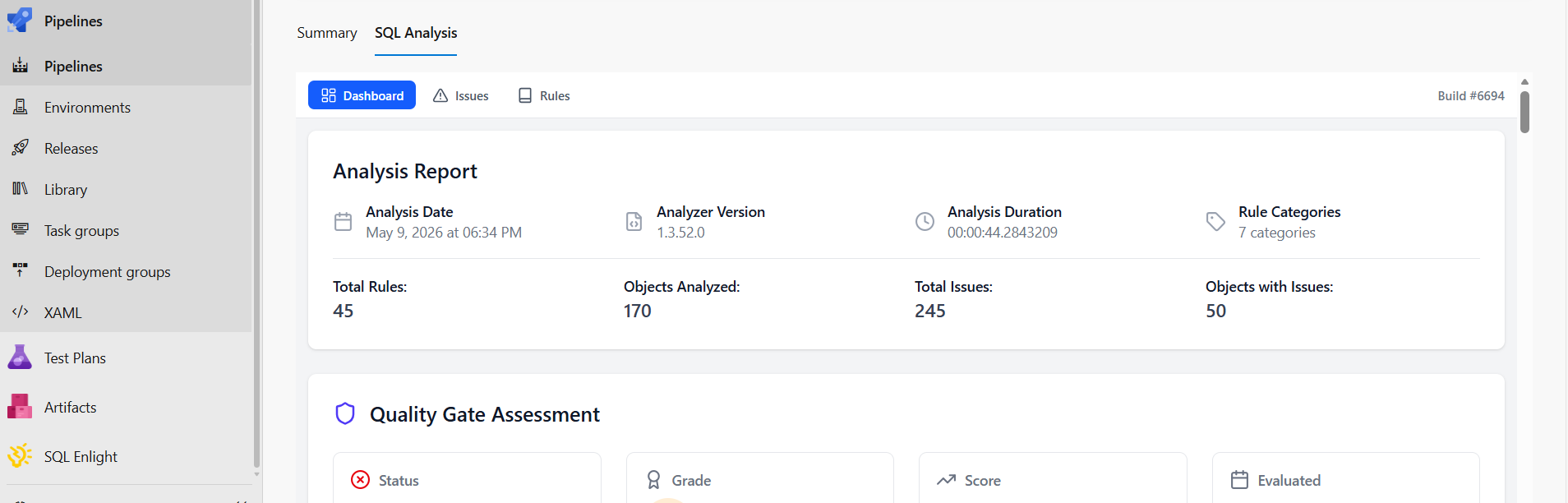
The Analysis Report hub lets teams review the latest SQL analysis results from inside Azure DevOps. Reports include summary information, quality gate results, issue lists, affected files, and rule details.
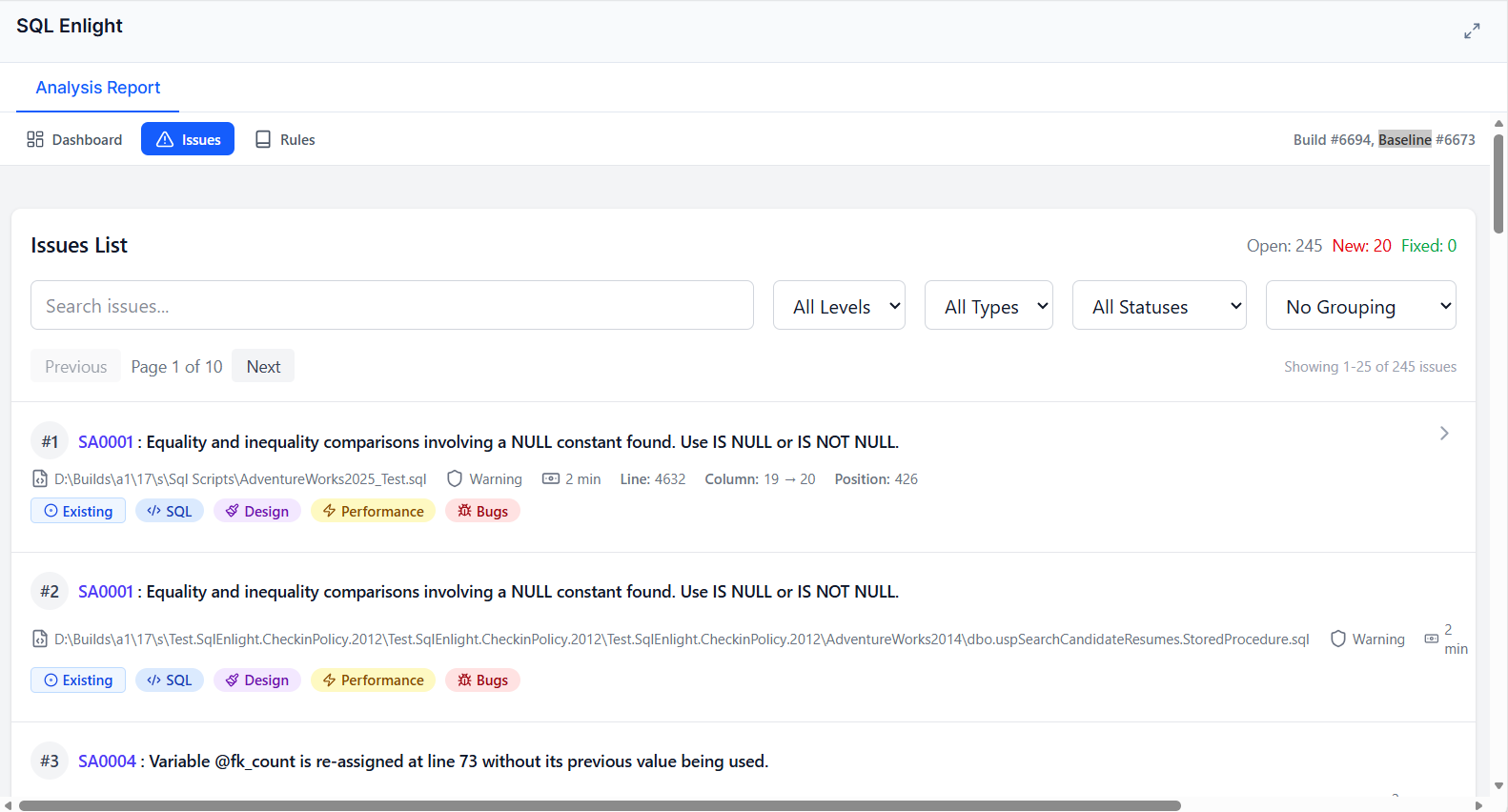
The extension also adds a SQL Analysis tab to build results, so developers can review analysis results without downloading artifacts or searching through build logs.
Pipeline Task
For new pipelines, use the enhanced task:
steps:
- task: sqlEnlightAnalyze@1
  displayName: 'SQL Enlight Code Analysis'
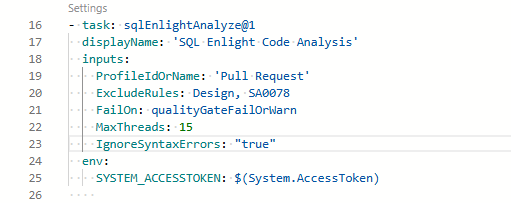
The sqlEnlightAnalyze@1 task runs SQL Enlight analysis, evaluates the configured quality gate, publishes the analysis report, and can decorate pull requests. It can be configured entirely from project-level settings or overridden per pipeline where needed.
Task Configuration Highlights
The v1 task supports:
- profile selection by profile ID or name;
- include and exclude file patterns;
- include and exclude rule filters;
- analysis context file or SQL Server connection string;
- custom analysis template file;
- custom quality gate file;
- custom report properties;
- fail conditions: never, quality gate fail, quality gate warn or fail, or any issue;
- analysis modes: auto, full, or changed files;
- report scope: all issues in analyzed files or changed lines only;
- optional syntax error suppression;
- PR status, summary comment, and inline comment publishing;
- minimum inline comment severity;
- maximum inline PR threads per run;
- automatic resolution of fixed SQL Enlight inline issue threads.
Running tSQLt Tests
In addition to static code analysis, SQL Enlight provides a dedicated task to execute tSQLt unit tests directly in your pipeline, allowing you to validate database logic alongside code quality checks.
steps:
- task: sqlEnlightTestRunner@0
  displayName: 'Run SQL Enlight tSQLt Tests'
  inputs:
    connectionString: 'Server=myServerAddress;Database=myDataBase;User Id=myUsername;Password=myPassword;'
    publishVsTestResults: true
    failOn: 'anyTestFail'
The sqlEnlightTestRunner@0 task executes tSQLt tests against a target database and provides flexible configuration options:
- SQL Server Connection String: Required to connect to the database where the tSQLt tests are executed.
- Test Filtering: Execute all available tests, or filter by a specific
Test Class Name, Test Name, or a regular expression Test Filter Pattern.
- Publishing Results:
- Publish test results: Publishes test execution outcomes directly to the Azure DevOps test results tab, enabling test pass/fail tracking in the pipeline.
- Integrate with SQL Enlight Analysis Report: Appends the test execution results to the SQL Enlight analysis report.
- Task Fail Conditions: Choose to never fail the task regardless of test outcomes, or fail the pipeline if any test fails.
Pull Request Integration
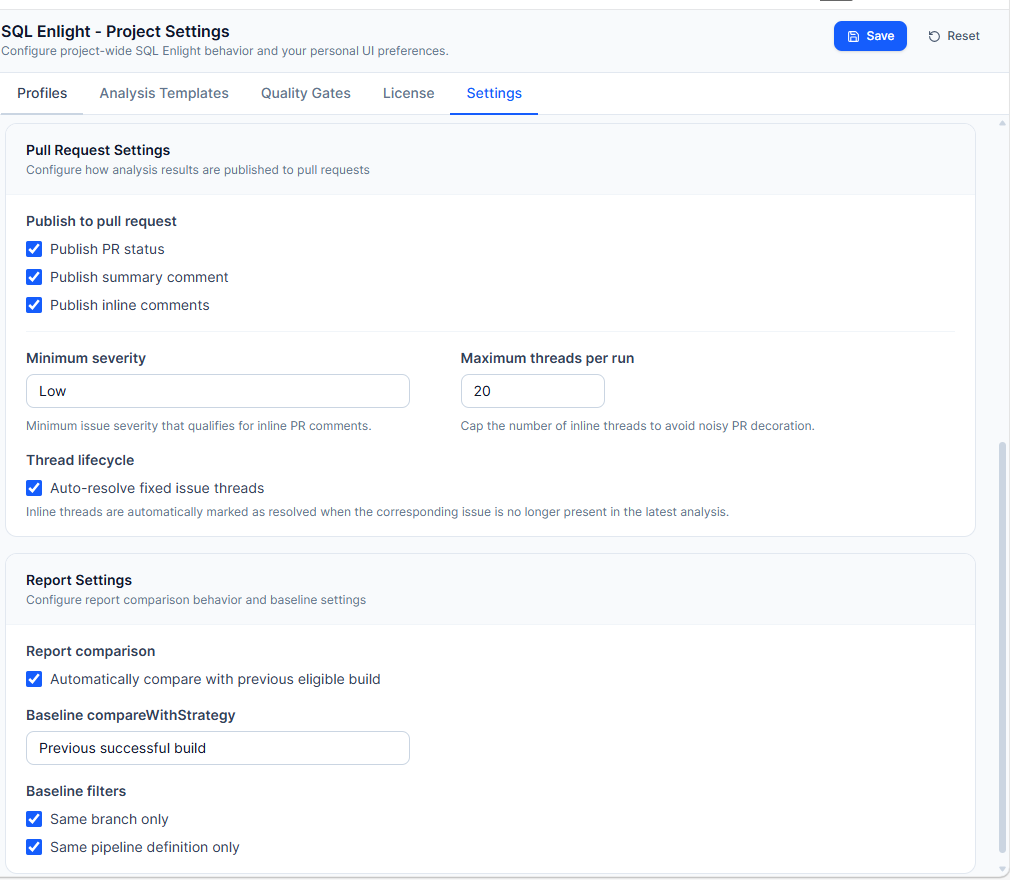
When the task runs in a pull request build, SQL Enlight can publish code quality feedback directly to the pull request.
Supported PR decoration features include:
- PR status check — shows the SQL Enlight quality result on the pull request.
- Summary comment — posts an overview of the analysis result, issue counts, and quality gate outcome.
- Inline comments — creates comments directly on changed SQL lines where issues are detected.
- Severity filtering — controls which issues are important enough to appear as inline comments.
- Thread limit — prevents large pull requests from being flooded with comments.
- Auto-resolve fixed issues — resolves SQL Enlight issue threads when the corresponding issue disappears in a later run.
To enable PR publishing in YAML pipelines, expose the Azure DevOps system access token to the task:
steps:
- task: sqlEnlightAnalyze@1
  displayName: 'SQL Enlight Code Analysis'
  env:
    SYSTEM_ACCESSTOKEN: $(System.AccessToken)
Profiles
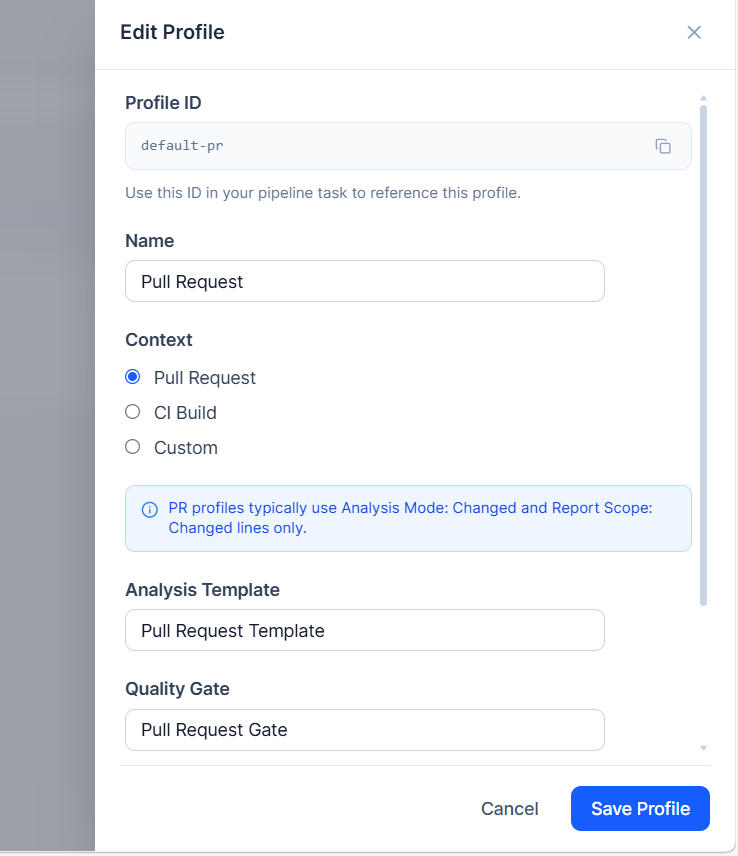
Profiles make it easy to use different analysis behavior for different pipeline scenarios. A profile combines an analysis template, a quality gate, and a context such as Pull Request, CI Build, or Custom.
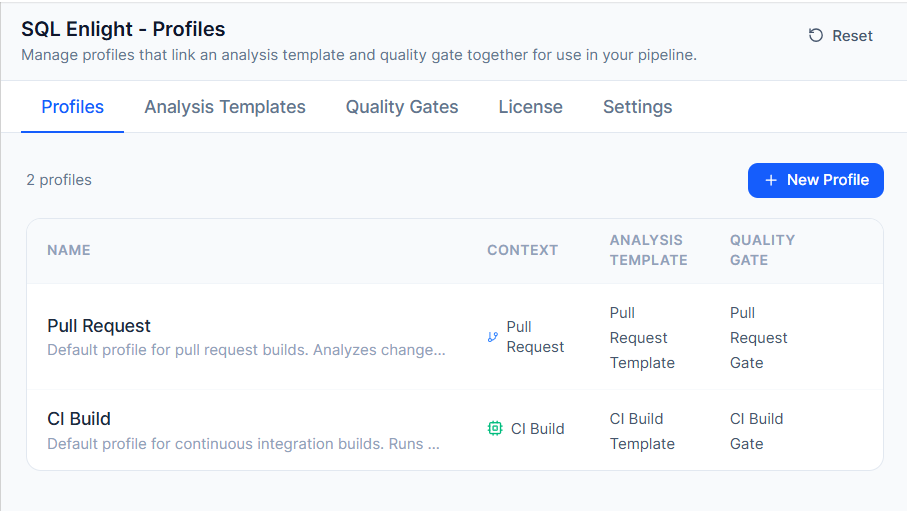
Typical profile setup:
- Pull Request profile — analyze changed files and report only issues on changed lines.
- CI profile — analyze the full SQL codebase and enforce broader quality gate thresholds.
- Custom profile — use a dedicated rule set or quality gate for a specific pipeline or branch strategy.
Analysis Templates
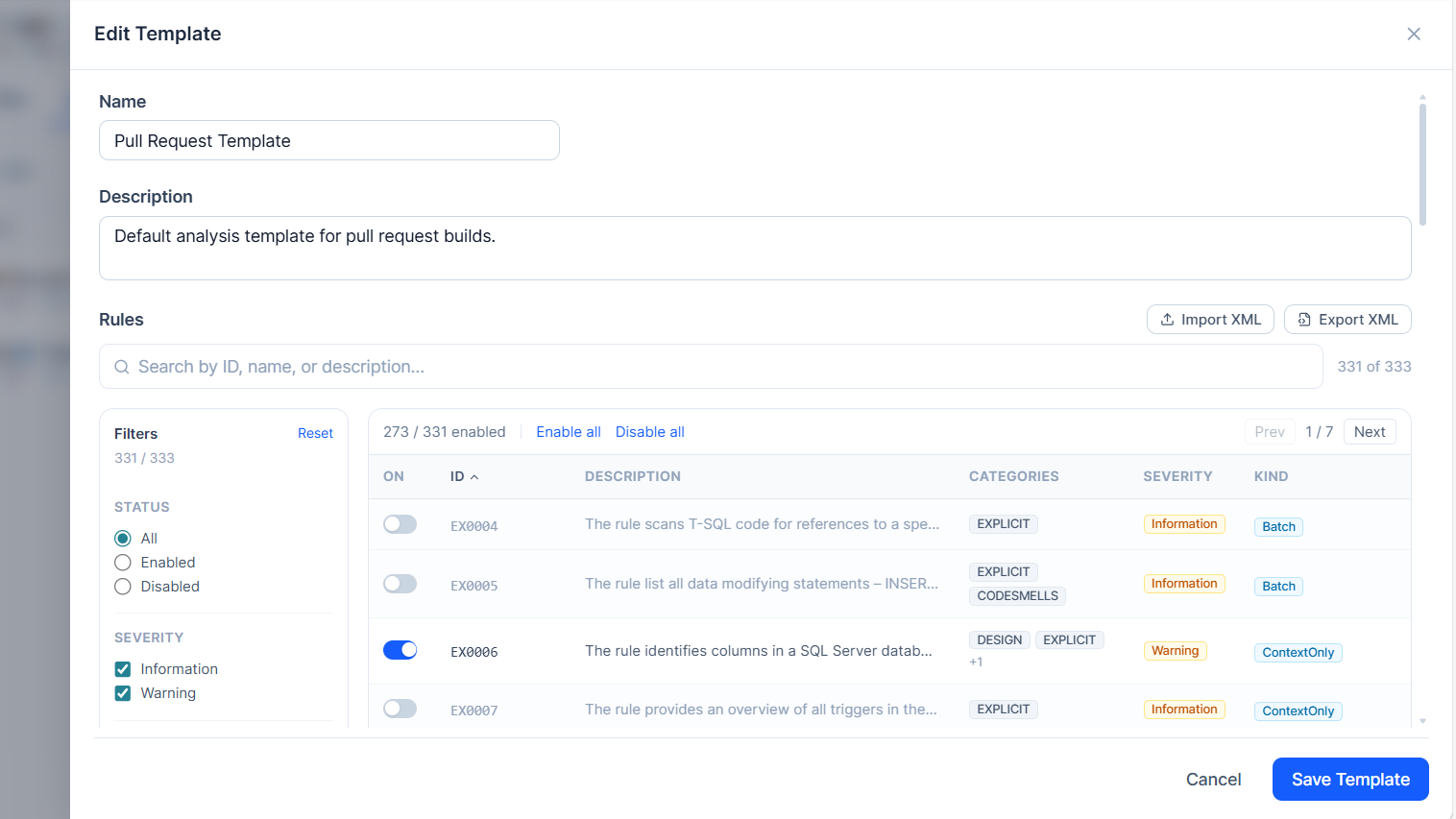
Analysis templates define which SQL Enlight rules are enabled and how they are configured. Teams can maintain different templates for strict production checks, lightweight pull request reviews, or specialized database projects.
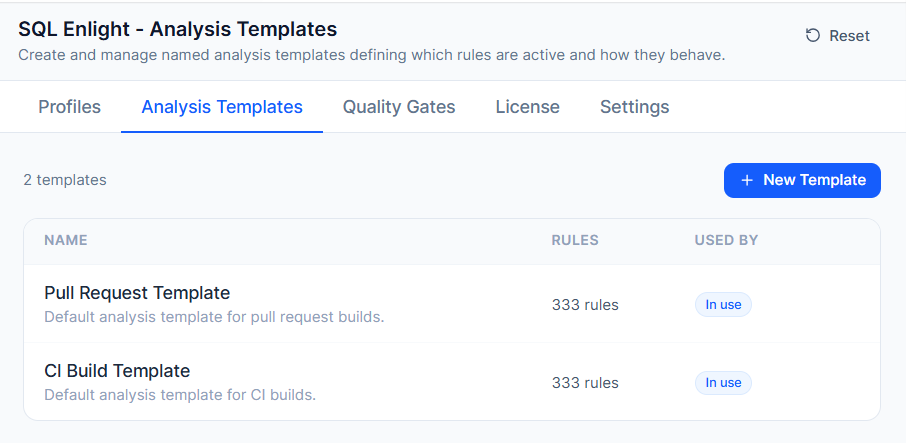
The template editor supports rule filtering, rule enable/disable controls, rule severity configuration, rule parameter editing, and XML import/export.
Quality Gates
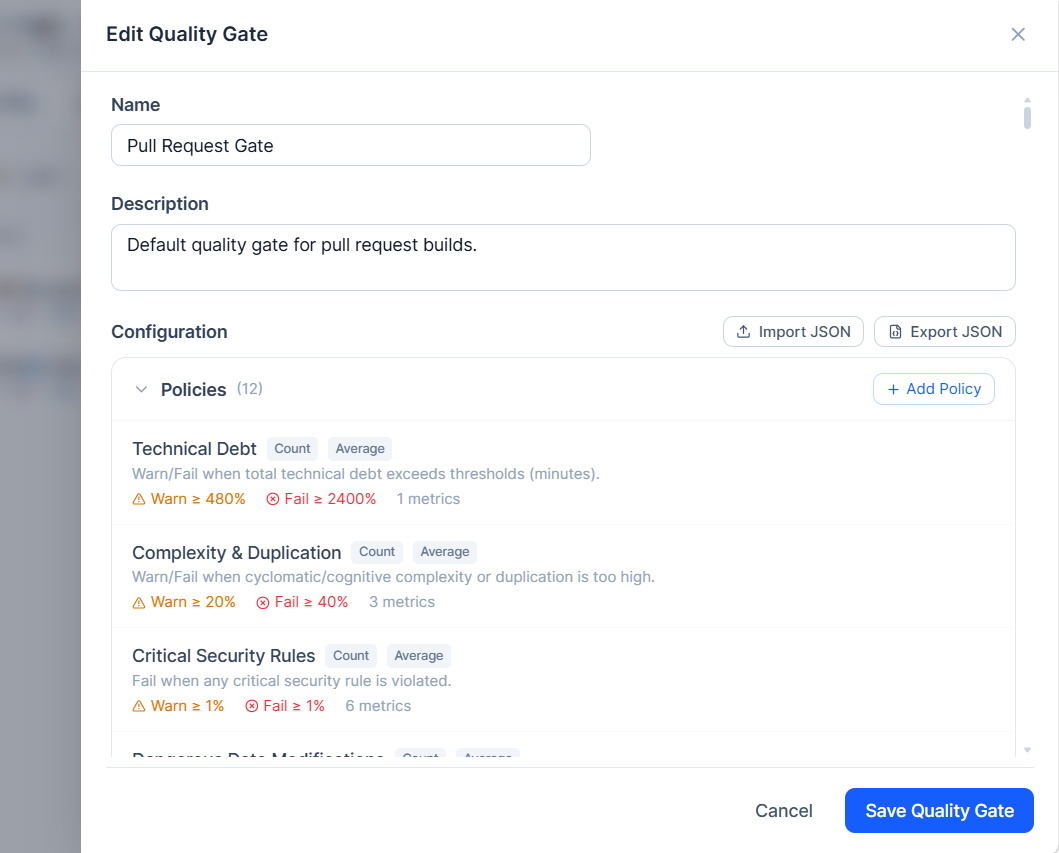
Quality gates define the conditions that SQL code must satisfy before a build is considered acceptable. They can be used to warn or fail builds based on issue counts, severities, categories, rule kinds, and other metrics.
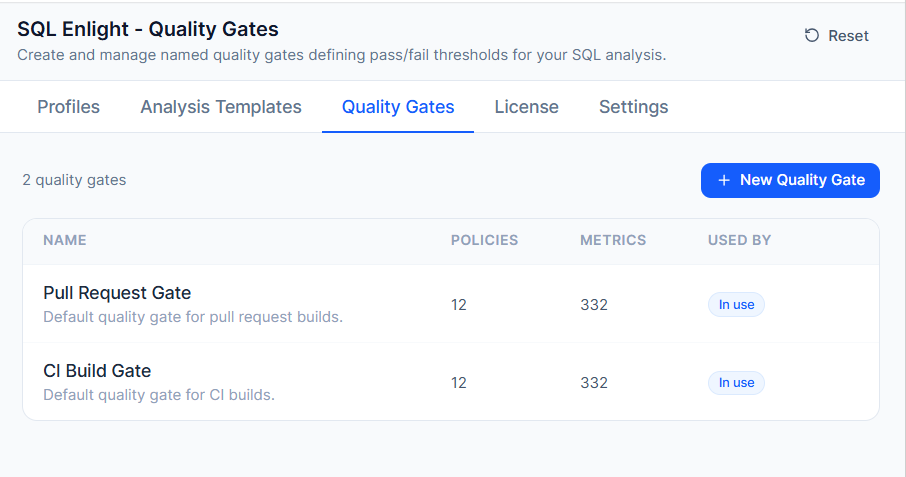
A quality gate can include:
metrics;
policies;
warn and fail thresholds;
metric importance values;
category weights;
JSON import/export for sharing or backup.
Policies
Metrics and Weights
Project Settings
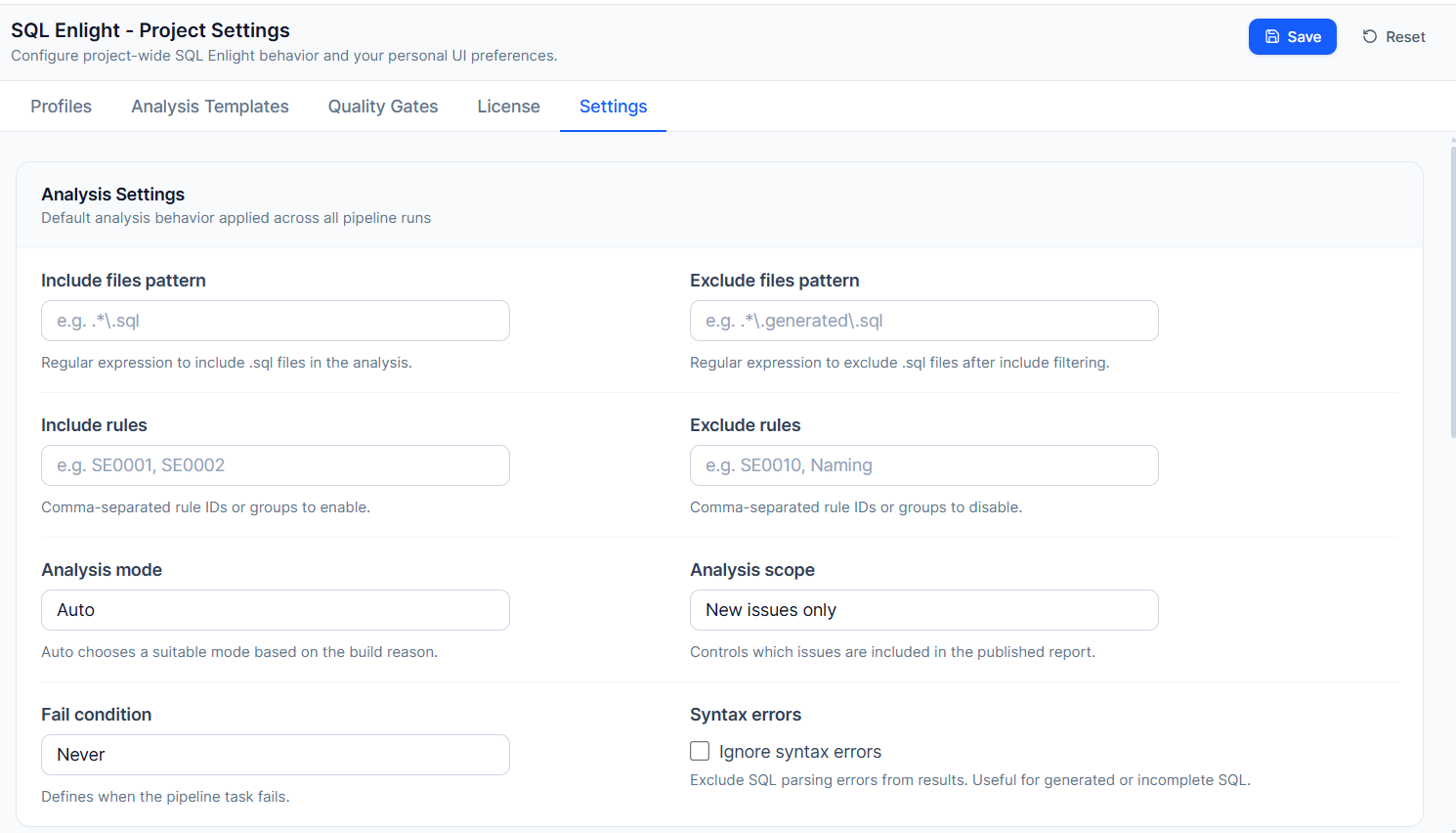
The Settings hub provides centralized configuration for the whole Azure DevOps project.
Project-level settings include:
- analysis profiles;
- analysis templates;
- quality gates;
- shared analysis settings;
- pull request settings;
- report comparison settings;
- license activation and license user management.
Shared settings define default behavior for file patterns, rule filters, analysis mode, report scope, syntax error handling, fail conditions, pull request publishing, inline comment behavior, and report comparison.
Project Settings - Analysis
Project Settings - Pull Request
Reports
SQL Enlight reports help teams understand the current state of SQL code quality.
Reports can show:
- analysis summary;
- quality gate result;
- issue counts by severity and category;
- affected files;
- individual issue details;
- rule information;
- comparison with a previous eligible build when configured.
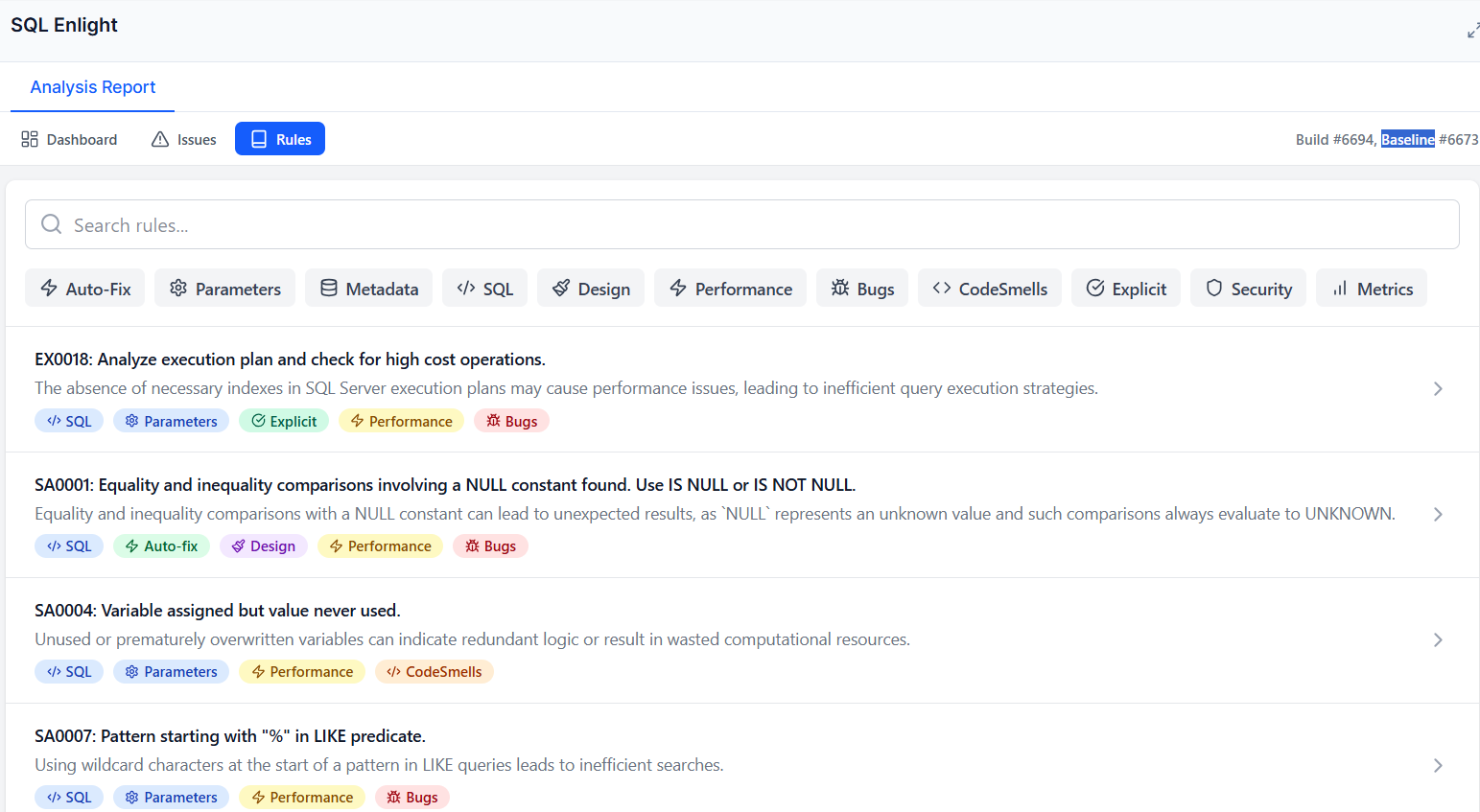
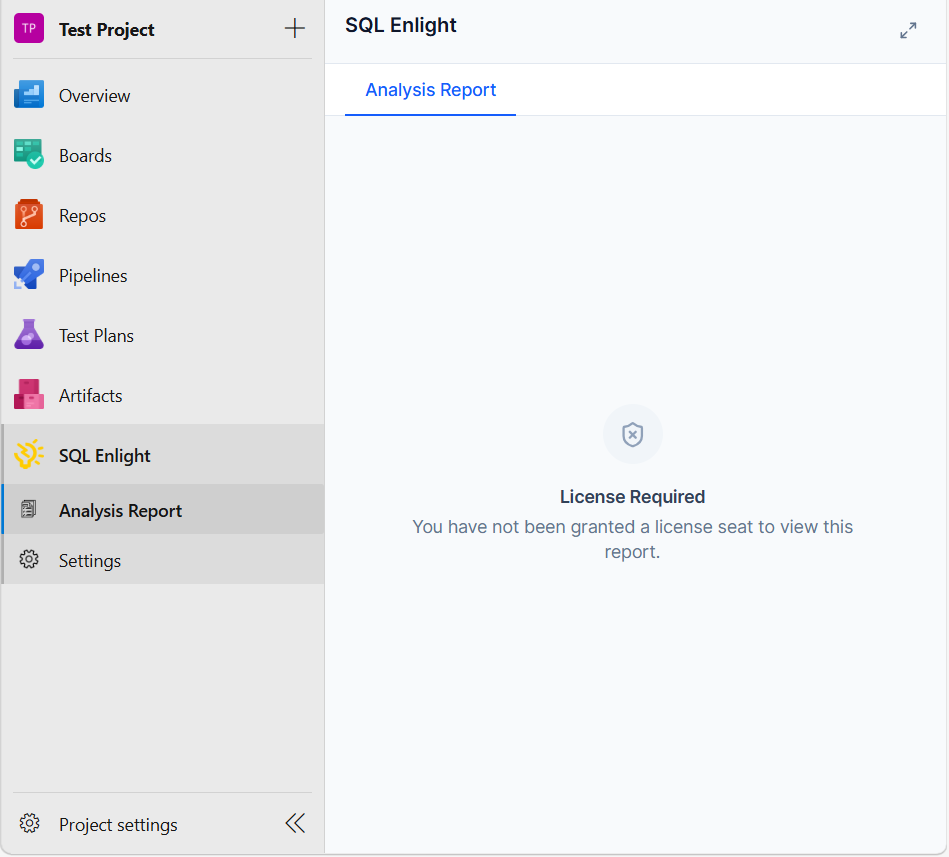
If report access requires a valid license, the report hub displays a clear license-required message.
License Management and Trial Activation
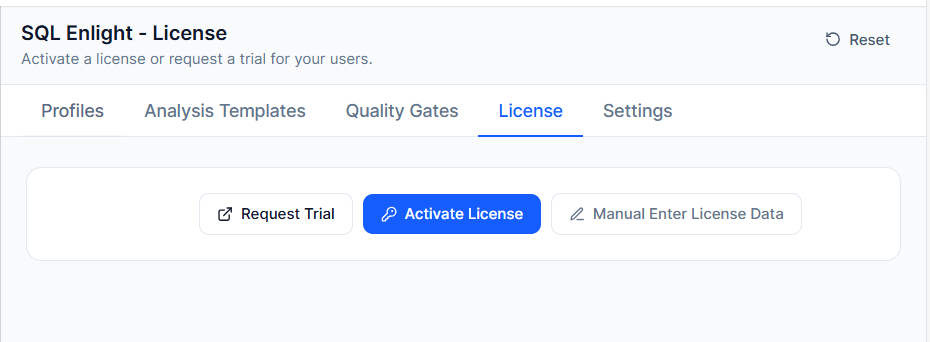
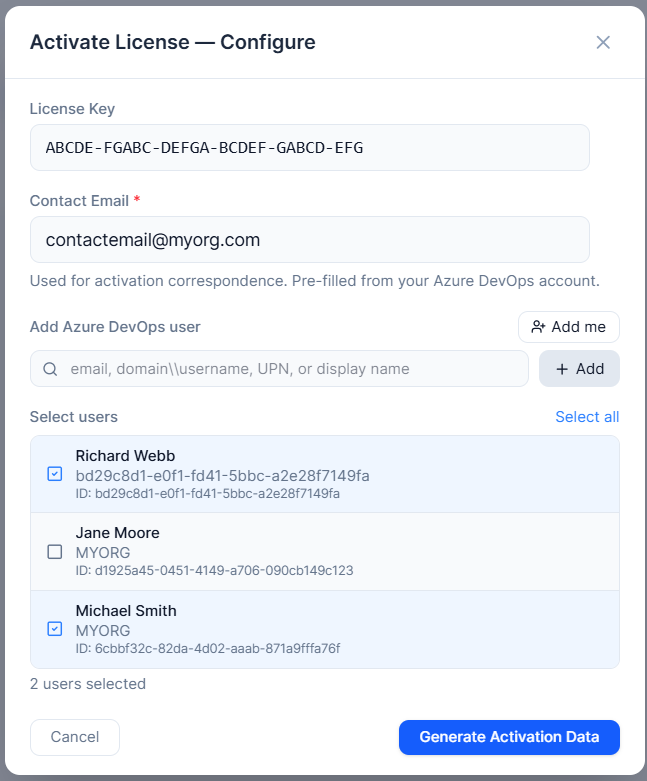
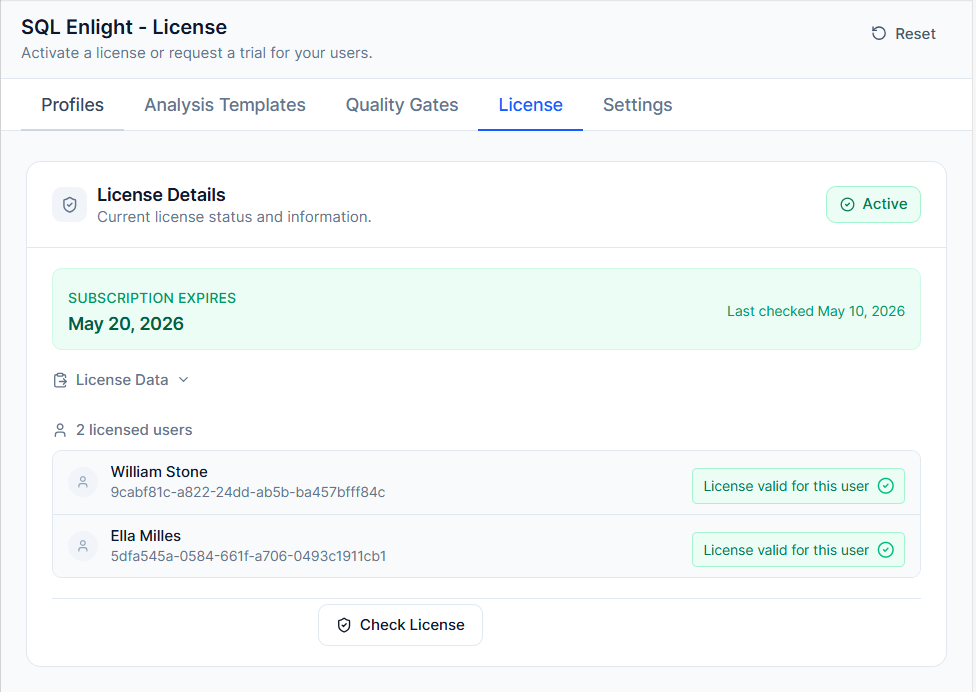
The extension includes built-in license management in the Settings hub. Administrators can activate a license, request a trial, manage licensed Azure DevOps users, paste license data manually, and check license status.
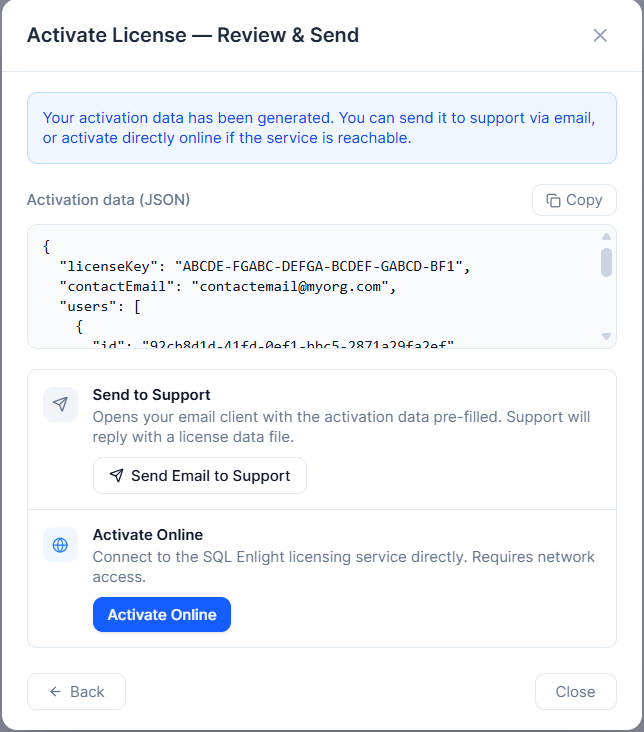
Supported activation workflows include:
- online activation;
- manual activation through support when direct network access is not available;
- manual license data entry;
- trial license request and activation;
- license status verification;
- licensed user management.
License settings
License activation
License activation review step
Check license
Analysis Context
Some SQL analysis rules can produce more accurate results when SQL Enlight has access to database schema metadata. You can provide this metadata in either of these ways:
- an SQL Enlight analysis context XML file;
- a SQL Server connection string that allows metadata to be loaded during analysis.
This is useful when rules need to understand database objects, columns, types, dependencies, or schema-aware relationships.
Recommended Workflow
A practical adoption workflow is:
- Install the extension.
- Open SQL Enlight > Settings.
- Request or activate a license.
- Review the default analysis template and quality gate.
- Create separate profiles for CI and pull request builds.
- Add
sqlEnlightAnalyze@1 to the pipeline.
- Optionally, add
sqlEnlightTestRunner@0 to execute tSQLt tests and ensure database logic changes are validated.
- Start with reporting-only mode if the project has existing technical debt.
- Enable PR status and summary comments.
- Enable inline comments for high-severity issues.
- Tighten quality gate thresholds over time.
Task Versions
sqlEnlightAnalyze@1 — recommended for new pipelines. Includes quality gates, build tab reporting, project settings integration, pull request status, summary comments, and inline comments.sqlEnlightAnalyze@0 — compatibility task for existing pipelines that use the earlier analysis workflow.sqlEnlightTestRunner@0 — runs tSQLt unit tests on a SQL Server database. Supports test filtering by class or name, publishing results to the Azure DevOps test tab, and integrating test outcomes into the SQL Enlight analysis report.
Installation
Azure DevOps Services
Install the extension from the Visual Studio Marketplace and add the SQL Enlight Code Analysis task to your pipeline.
Azure DevOps Server
Install from the Marketplace when supported by your server configuration, or upload the VSIX package through Azure DevOps Server extension management.
The pipeline task requires a Windows build agent with .NET Framework support.
Privacy
SQL Enlight Code Quality for Azure DevOps is designed to run analysis in your Azure DevOps pipeline environment. Analysis results and extension settings are stored in your Azure DevOps project space. For full details, see the SQL Enlight privacy policy.
Learn More