Skip to content
| Marketplace
Sign in
Azure DevOps>Azure Boards>Aging WIP
Aging WIP

Aging WIP

Tomasz Zelezny

|
2 installs
| (0) | Preview
Aging WIP chart for Azure Boards: how old every open work item is and how long it has been in its current state.
Get it free

Aging WIP

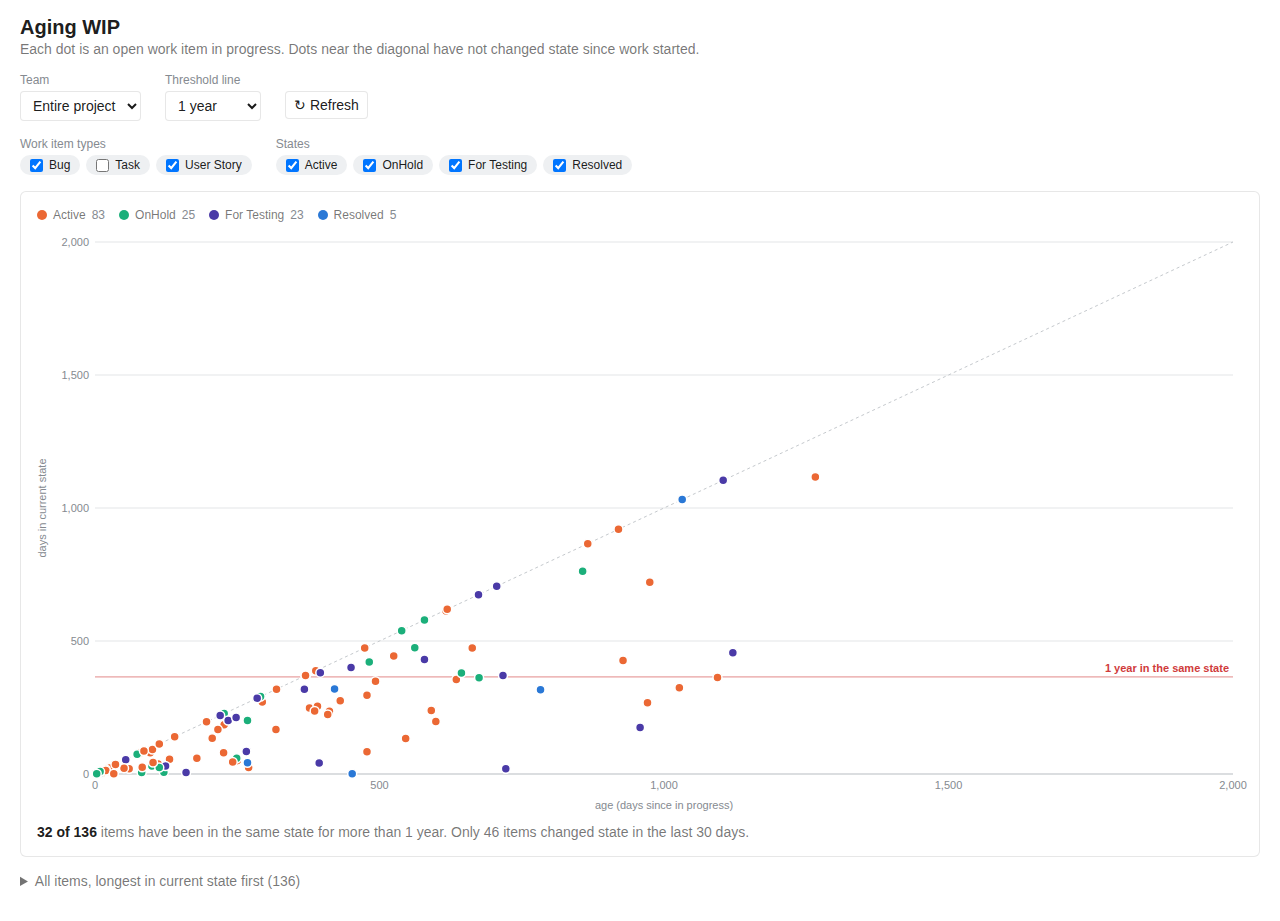
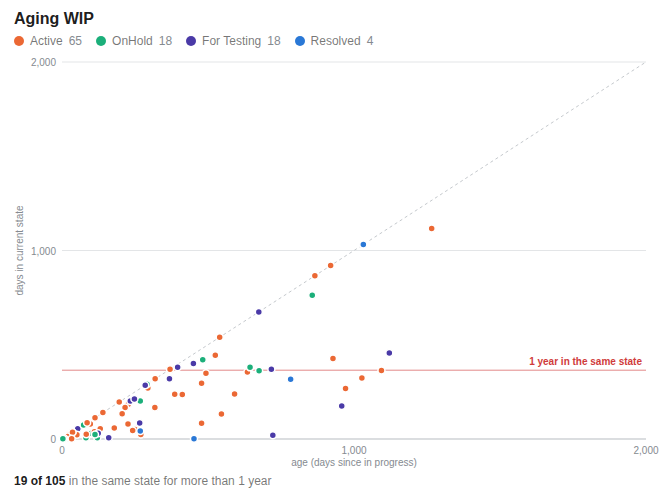
See at a glance which work items are getting old and which are stuck. Each dot is an open work item: the horizontal axis shows how long ago work on it started (days since it first entered an in-progress state), the vertical axis how many days it has spent in its current state.

Aging WIP hub

  • Dots near the dashed diagonal have not changed state since work started.
  • Dots above the red line have been in the same state for longer than the chosen threshold (a year by default).
  • Hover a dot for details, click it to open the work item.

Where to find it

  • Boards → Aging WIP: pick a team, work item types, states and threshold. The legend shows counts per state (click to hide one), and a table lists every item, longest in its current state first.
  • Dashboard widget: add Aging WIP from the widget catalog, in sizes from 2×2 to 6×4, and configure team, types, states and threshold.

Aging WIP dashboard widget

Works with Agile, Scrum, CMMI, Basic and inherited processes: states are read from your process, and only states in the In Progress and Resolved categories are offered.

Privacy

The extension only reads work items with your own permissions and never writes to Azure DevOps. It has no backend and sends no data anywhere. See the privacy policy.

Support

Questions and bug reports: GitHub issues.

  • Contact us
  • Jobs
  • Privacy
  • Manage cookies
  • Terms of use
  • Trademarks
  • Your Privacy Choices
  • Consumer Health Privacy
© 2026 Microsoft