Skip to content
| Marketplace
Sign in
Azure DevOps>Azure Boards>GovOps Audit Evidence
GovOps Audit Evidence

GovOps Audit Evidence

TRKSSoftware

| (0) | Free
Automate SOX and SOC 2 compliance evidence gathering. Export audit reports natively from Azure DevOps without backend access.
Get it free

GovOps: Compliance Audit Evidence

Automated SOX/SOC2 Audit Evidence Generator for Azure DevOps

GovOps is an enterprise-grade extension designed to automate the painful process of gathering compliance and audit evidence for SOX and SOC 2 audits.

Currently, compliance teams spend weeks manually correlating production deployments with their underlying Pull Requests, branch policies, and business requirements. GovOps solves this by automatically generating a complete, tamper-evident audit report for any given date range and environment directly within your organization.

Privacy First: Your data is completely secure. GovOps processes everything natively within your Azure DevOps environment, ensuring complete data privacy with no external servers involved.


📸 Screenshots

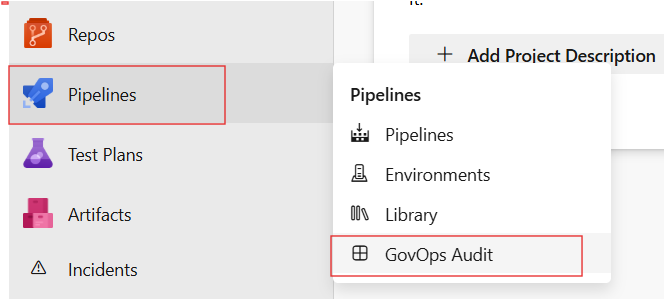
Access the GovOps Dashboard

Easily accessible from the standard Azure DevOps Pipelines sidebar. GovOps Hub Navigation

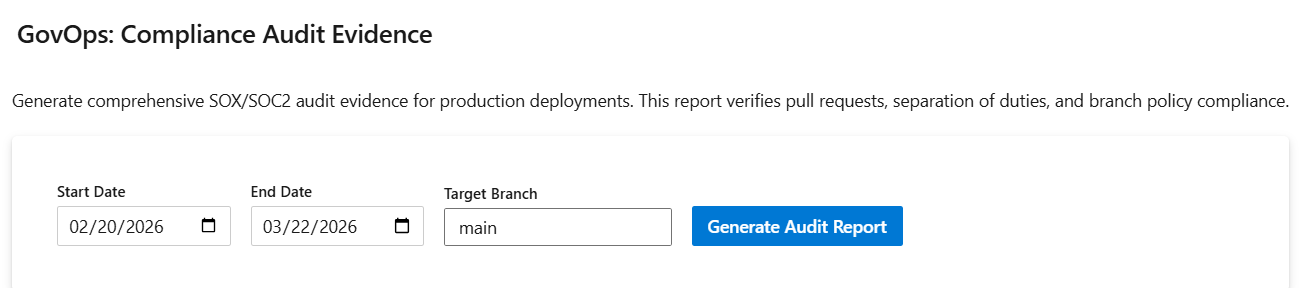
Intuitive Dashboard

Simply select your date range and target branch to begin generating evidence. Generate Audit Report Dashboard

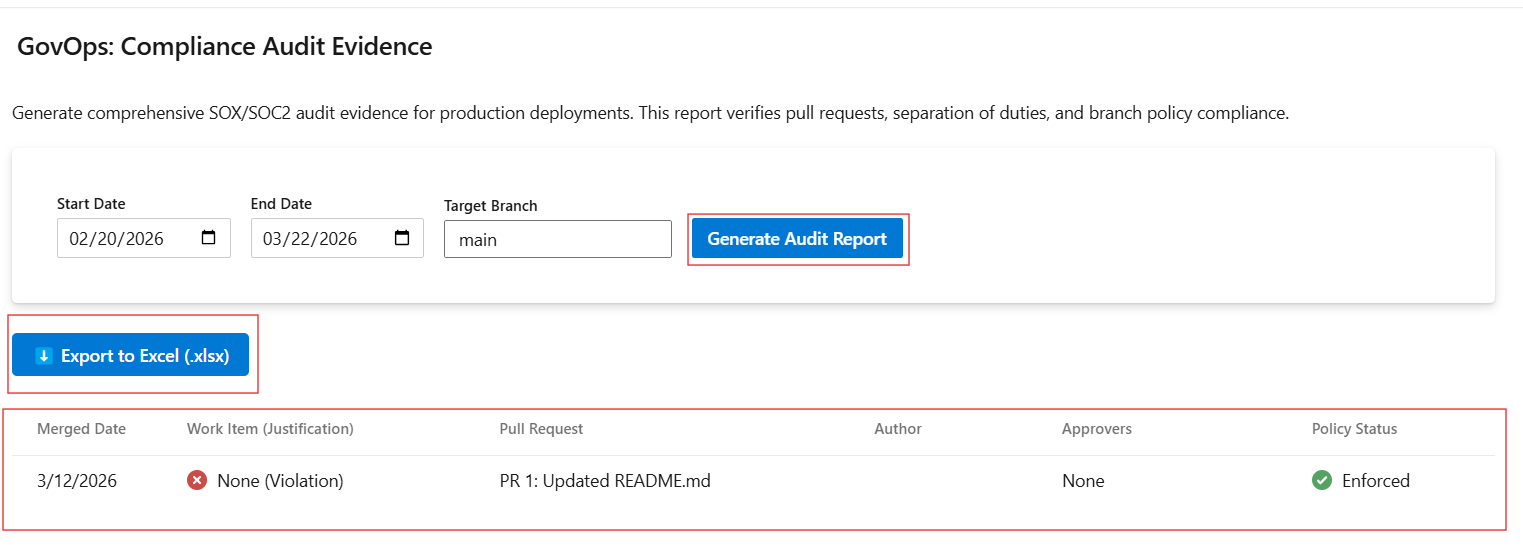
Export Ready Evidence

Instantly generates a rich compliance matrix that can be downloaded to Excel format .xlsx for your external auditors. Export to Excel


🚀 Key Features & Audit Rules

This extension automatically evaluates your Azure DevOps environment against standard enterprise audit controls:

  • 🔒 Branch Policy Enforcement: Verifies that required policies (e.g., Minimum Reviewers, Successful Builds) were strictly enforced and not bypassed.
  • 👥 Separation of Duties (SoD): Analyzes the PR Author vs. the PR Approvers to ensure nobody approved their own code.
  • 🛑 Direct Push Detection: Identifies commits deployed to production that bypass the Pull Request process entirely.
  • 📝 Business Justification: Verifies that every merged PR is linked to a valid Jira or Azure DevOps Work Item.

📥 Installation

  1. Navigate to your Azure DevOps Organization Settings.
  2. Under "Extensions", select Browse marketplace to find GovOps.
  3. Click Get it free (or buy) and follow the prompts to install it to your organization.
  4. Navigate to the Pipelines or Project sidebar in your project, and click the new GovOps Audit section.
  • Contact us
  • Jobs
  • Privacy
  • Manage cookies
  • Terms of use
  • Trademarks
© 2026 Microsoft