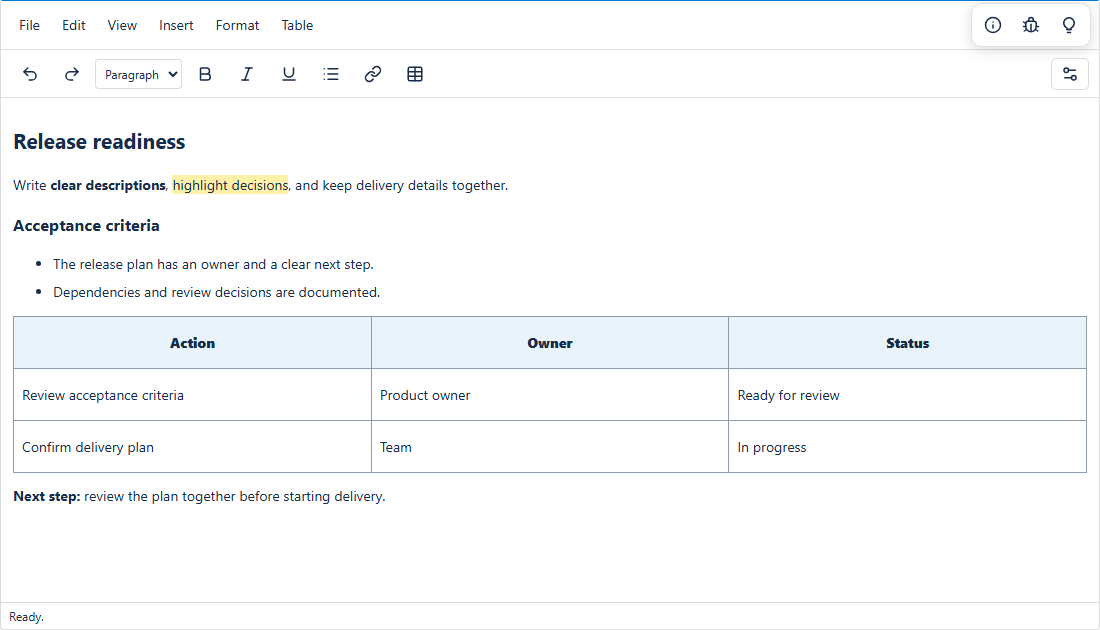
Better EditorEdit Azure DevOps work-item fields such as Description and Acceptance Criteria with rich-text formatting, tables, and Markdown preview. |

Better Editor from Smaller ChunksEdit Description, Acceptance Criteria, and other rich-text fields inside Azure DevOps—with a visual editor or Markdown. Use the rich-text toolbar to add headings, colors, highlights, links, and tables, or write Markdown and preview the result. Your content stays in the existing work-item field.
Write in the mode that fits the work
Set it up once in your processBetter Editor is an Azure DevOps work-item field control, not a dashboard widget or browser plug-in. After installation, an administrator adds it to an inherited process layout:
Definition, Options, and Layout are Azure DevOps's standard custom-control configuration tabs. Field creation uses Azure DevOps's separate New field dialog. See Microsoft's custom-control setup guide. If Options says No configuration is needed, update the extension to a version with the field-selector fix, refresh the browser, and reopen the control configuration. An earlier package omitted the selector from the control properties. If the Layout tab looks misaligned (oversized empty boxes), update to a version that uses the compact setup frame during process configuration, hard-refresh the browser, and reopen Add custom control. Installing the extension does not automatically replace every editor. The content stays in the existing Azure DevOps field; no migration or separate database is required. Plain-text fields and the Discussion/comments feed are not supported by this control. Both editing modes save HTML to the configured rich-text field. Standard Markdown cannot retain colors, highlights, table structure, alignment, or other HTML-only formatting. Rich HTML is normalized by the editor; review imported content before editing. You can download a copy of your draft before converting or reloading. About Smaller ChunksSmaller Chunks builds focused tools that make complex work clearer, more visible, and easier to manage. Our approach is to break work into understandable pieces and connect planning, delivery, and team conversations where the work already happens. Better Editor SaaS uses BYOL. Smaller Chunks may grant $0 access or offer paid access; current terms are described in the Pricing tab. Installation does not authorize future charges.
Learn more at www.smallerchunks.com. Access and privacyBetter Editor uses your current Azure DevOps permissions to read and update the configured work-item field. It does not send work-item content to a Smaller Chunks server, use a licensing service, or include analytics. Content remains inside the Azure DevOps form until you save it there. Links and images in your content may load their own external destinations. Third-party component notices are included in the extension package. SaaS licensingThis is the new SaaS/BYOL listing. Installation does not purchase a subscription. Access may be granted at $0 or under a paid license; see the Pricing tab for current availability and terms. |