GitHub Copilot Customizations (Unofficial)
A Visual Studio extension that gives you a UI for authoring and managing
GitHub Copilot customization files: workspace instructions, file-based
instructions, prompt files, custom agents, agent skills, and hooks.
GitHub Copilot's customization UI (for managing instruction files, prompts,
agents, and skills) is available in VS Code, but unfortunately it is not
available in Visual Studio. This extension fills that gap by bringing the
same file-management experience directly into Visual Studio.
Disclaimer
This is an independent, community-built tool. It is not affiliated with,
endorsed by, or sponsored by GitHub, Inc. or Microsoft.
"GitHub" and "GitHub Copilot" are trademarks of GitHub, Inc.; used solely
to describe the customization file formats this extension edits (nominative
fair use).
Screenshots
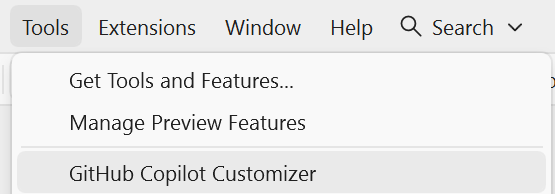
Tools menu entry — open the GitHub Copilot Customizations tool window from the VS Tools menu.
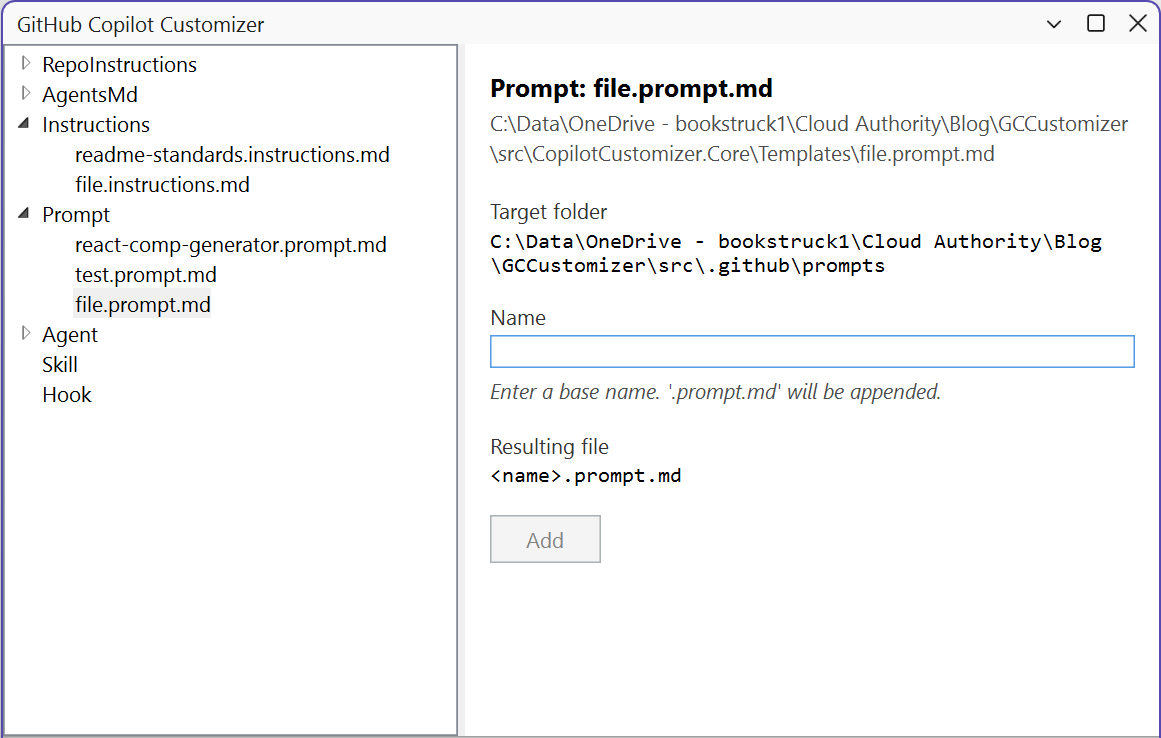
GitHub Copilot Customizations tool window — select a category on the left, enter a name, and click Add to create the file in the correct .github subfolder.
What It Manages
| Kind |
Path pattern |
Active in VS today |
| Workspace instructions |
.github/copilot-instructions.md, AGENTS.md, CLAUDE.md |
Yes |
| File-based instructions |
**/*.instructions.md (commonly .github/instructions/) |
VS Code only |
| Prompt files |
.github/prompts/*.prompt.md |
VS Code only |
| Custom agents |
.github/agents/*.agent.md |
VS Code only |
| Agent skills |
.github/skills/<name>/SKILL.md (+ supporting files) |
VS Code only |
| Hooks |
.github/hooks.json (+ scripts) |
VS Code only |
Visual Studio's GitHub Copilot today only consumes
.github/copilot-instructions.md at runtime. The other file types are
runtime-active only in VS Code, but this extension lets you maintain them
from Visual Studio so your VS Code teammates' customizations stay in sync.
Features
- Dockable GitHub Copilot Customizations tool window (available from the Tools menu)
- Tree grouped by Kind, backed by a file-system watcher
- Name-based file creation: enter a base name and click Add — the correct suffix and
.github subfolder are chosen automatically
- JSON-Schema validation surfaced in the status bar
- Workspace-wide validator command
- Options page under Tools → Options → GitHub Copilot Customizations
Version History
- 0.3.0
- Renamed the product from GitHub Copilot Customizer to GitHub Copilot Customizations
- Renamed enum values:
RepoInstructions → CopilotInstructions, Agent → CustomAgent, AgentsMd → Agents
- Fixed deletion so removing a skill deletes the full
.github/skills/<name> folder from disk
- Fixed file deletion behavior from Visual Studio Solution Explorer
- 0.1.0
- Initial release with authoring support for workspace instructions, file-based instructions, prompts, custom agents, skills, and hooks
- Added YAML frontmatter editing, JSON schema validation, tool window UI, and solution-level commands
For full release details, see CHANGELOG.md.
Requirements
- Visual Studio 2022 17.9 or later, or Visual Studio 2026
Author
Created by Siddhesh Prabhugaonkar — Microsoft Certified Trainer & AI Consultant
License
MIT

