Easy Markdown ReviewReview Markdown like a Word doc in Azure DevOps: comment on rendered prose in pull requests, render Mermaid diagrams, see what changed, and browse every doc. Git stays the source of truth. |

Easy Markdown ReviewReview Markdown like a Word doc.
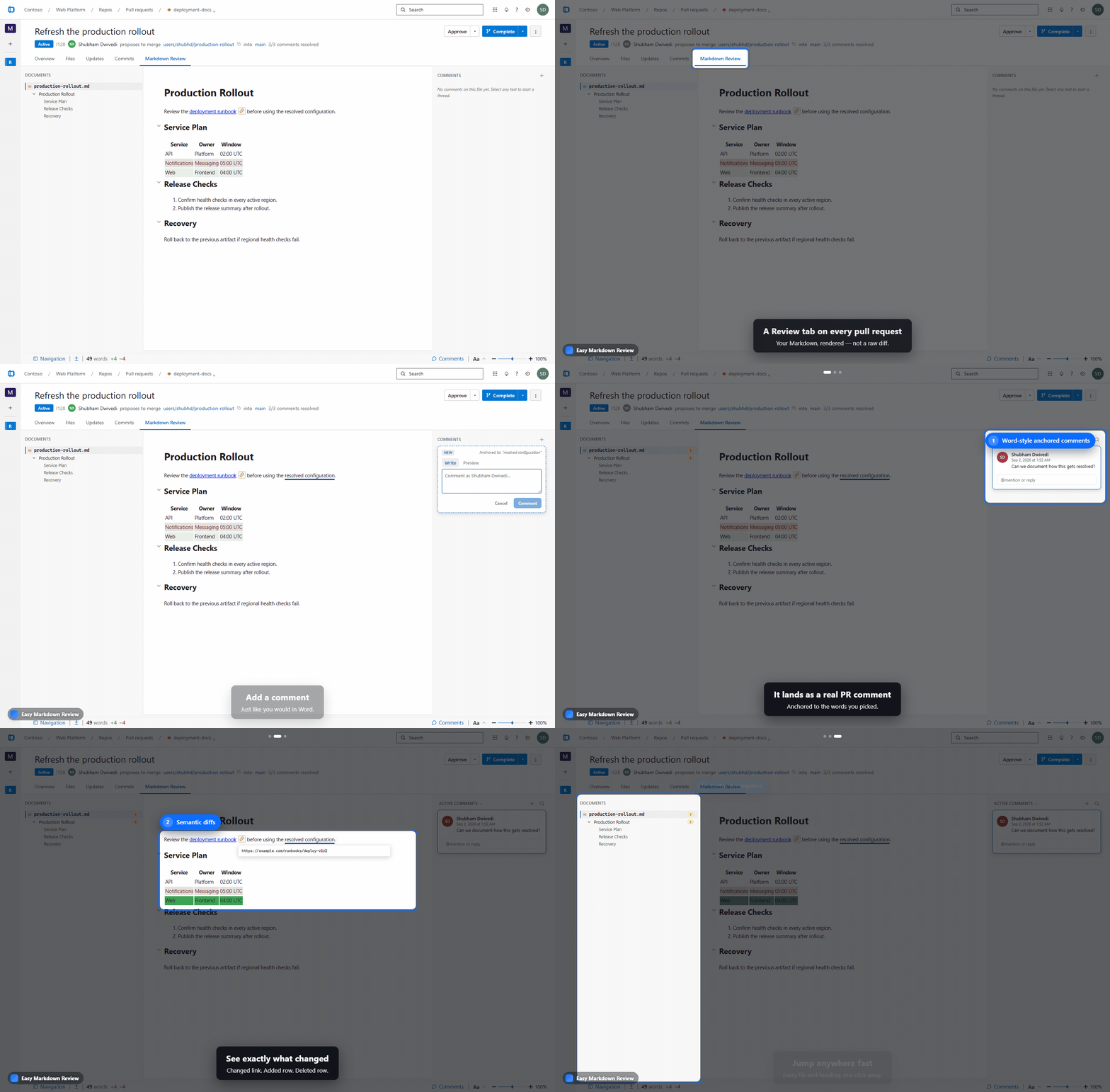
Markdown is perfect for docs that live next to your code: diff-friendly, auditable, and version-controlled. Its plain-text structure also makes it easy for AI agents to retrieve the right context and ground their answers in your actual documentation. But reviewing it in Azure DevOps means squinting at raw source in a diff view. Word and Loop have beautiful review UX, but your content drifts out of source control. Easy Markdown Review gives you the best of both: a polished, rendered review experience on top of the Markdown that already lives in your repo. ✍️ Comment on the rendered page, not the raw diffA Markdown Review tab appears on every pull request that touches a The commenting model is intentionally document-style: comments sit in the margin next to the prose they're about, the way they do in Word, Google Docs, and the Office apps — not stacked at the bottom of a diff. It's review UX your team already knows.
📊 Rich rendering out of the box
🔍 See exactly what changedThe review tab highlights added, modified, and removed content right on the rendered page, so reviewers focus on the diff that matters instead of scrolling raw text.
📚 Your repository is the wiki — the Documents hubUse the top-level Documents hub as a repository-native replacement for Azure DevOps Wiki. There is no wiki to create, separate repository to configure, or parallel hierarchy to maintain: the hub automatically presents the Markdown that already exists across your project repositories, with fast repo, folder, and document navigation. You can also comment directly on a document without manually opening a pull request. Comments route to the most recent completed PR that changed that document, keeping the discussion in Azure DevOps and connected to the document's real source history. |