
MermaidScope by Shipwright — Free Mermaid .mmd File Preview & Visual PR Diff100% Free Mermaid (.mmd & .mermaid) file preview for Azure Repos & Pull Requests, visual PR diagram diff, 1-click syntax auto-fixer, and SVG/PNG export. |

MermaidScope by Shipwright — Free Azure Repos Mermaid (
|
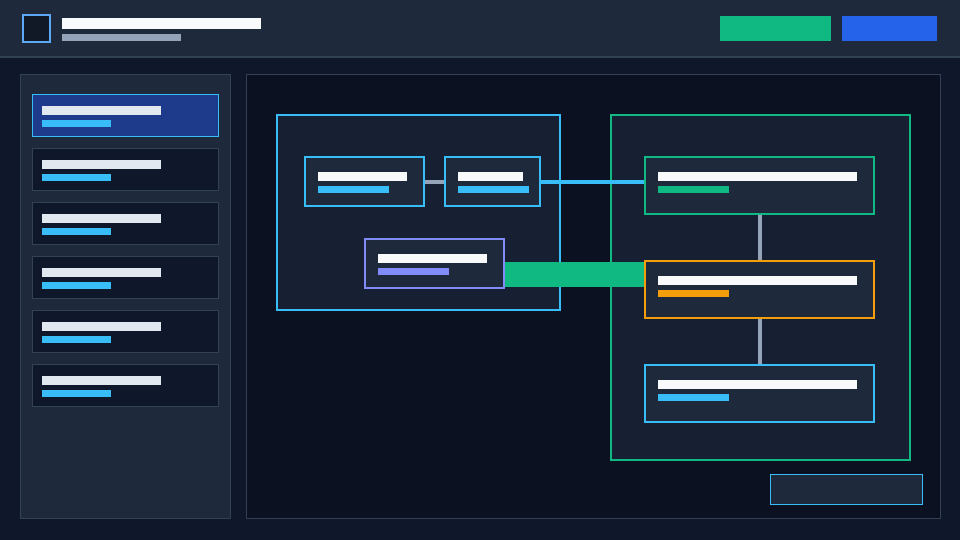
| Contribution | Location in Azure DevOps | Description |
|---|---|---|
.mmd & .mermaid File Previewer |
Repos -> Files -> Select any .mmd or .mermaid file -> Preview |
Zero-chrome interactive diagram canvas rendered directly inside the native Azure Repos file viewer. |
MermaidScope Diagram Diff PR Tab |
Repos -> Pull Requests -> Open PR -> MermaidScope Diagram Diff |
Visual architecture diff comparing target branch (main) vs. PR source branch (+ Added, ~ Modified, - Removed nodes & edges). |
MermaidScope Studio Hub |
Repos -> MermaidScope |
Multi-repository diagram explorer, side-by-side live Split View editor, 1-click syntax auto-fixer, and SVG/PNG exporter. |
Shipwright: MermaidScope Repo Diagram Health |
Overview -> Dashboards -> Add a widget |
2x2 / 2x3 Project Dashboard Widget tracking repository Mermaid diagram inventory and syntax/Wiki compatibility health. |
Security, Privacy & Read-Only OAuth Scope (Zero External Data Egress)
MermaidScope is engineered for security-conscious enterprise teams. It operates with $0.00 cloud hosting and zero external servers:
- Zero External Network Calls: Diagram source code is parsed and rendered 100% locally in your browser iframe. No data is ever sent to
mermaid.inkor external APIs. - Strictly Read-Only Repository Access: MermaidScope only requests read-only code access and never commits, writes, or modifies your repositories.
| Azure DevOps Scope | Access Level | Justification |
|---|---|---|
vso.code |
Read-Only Git Repositories & Pull Requests | Required strictly to read .mmd, .mermaid, and .md diagram files in your repositories and fetch base vs. target branch versions for Visual Pull Request Diagram Diffs. |
Quick Start (60 Seconds)
- Click Get it free above to install MermaidScope by Shipwright into your Azure DevOps Organization.
- To preview a diagram file: Open Repos -> Files, click any
.mmdor.mermaidfile, and select the Preview tab. - To review PR diagram changes: Open any Pull Request in Repos -> Pull Requests and click the MermaidScope Diagram Diff tab.
- To browse all diagrams across repos: Open Repos -> MermaidScope in the left navigation sidebar.
100% Free Forever — Built by Shipwright
MermaidScope is 100% Free Forever for all teams and enterprises — with no license key required, no user caps, and no feature paywalls.
Looking for enterprise governance across the rest of your Azure DevOps organization? Explore the full Shipwright suite on the Visual Studio Marketplace:
- EnvMatrix by Shipwright — Multi-Environment Variable Group Diff, Cloner, Azure Key Vault & Entra ID OIDC Expiry Radar
- PolicyGuard by Shipwright — Cross-Repo Branch Policy Enforcer, Entra ID
CODEOWNERSSync & AI-Assisted PR Governance - EngPulse by Shipwright — Zero-Egress DORA 4-Keys, 5-Pillar SPACE DevEx, AI Copilot ROI Radar & ASC 350-40 FinOps
Trademark Notice: "Mermaid" is a trademark of Mermaid Chart Inc. MermaidScope by Shipwright is an independent Azure DevOps extension and is not affiliated with or endorsed by Mermaid Chart Inc. or the core Mermaid.js maintainers.