Skip to content
| Marketplace
Sign in
Visual Studio>Tools>Copy File Name
Copy File Name

Copy File Name

Shemeer Shamsudeen

|
11 installs
| (0) | Free
Adds a 'Copy File Name' context menu item to document tabs and Solution Explorer items.
Download

Copy File Name

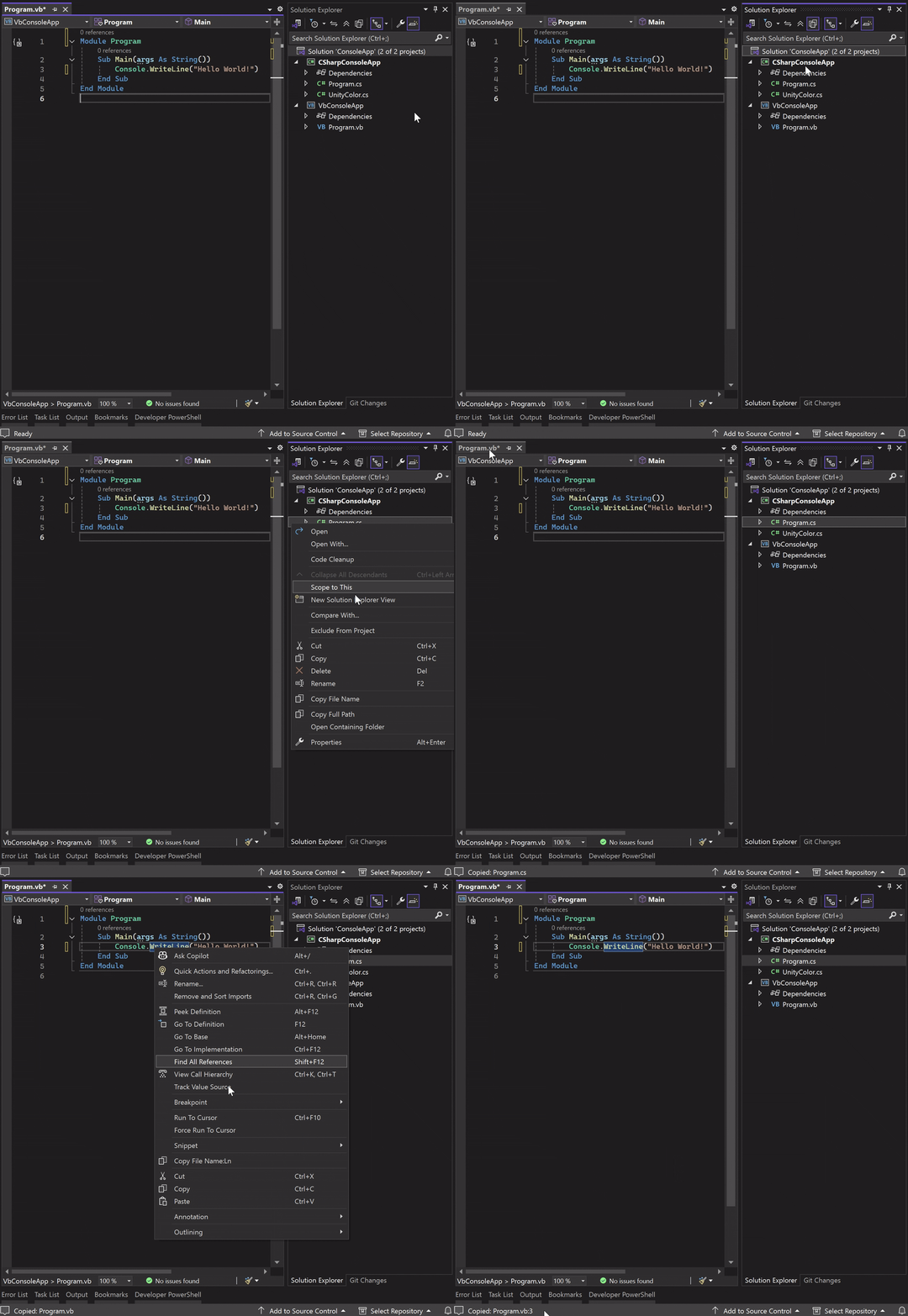
Copy File Name is a lightweight Visual Studio extension that allows you to quickly copy the file name of the selected item to the clipboard from multiple locations in the IDE.

It works consistently across the Solution Explorer, Document Tab, and Code Editor context menus, helping you save time when sharing file references, writing documentation, or communicating during code reviews.

🔗 Plugin Home | Review

CopyFileName.gif

Support

If you find this extension useful, please consider leaving a review on the Marketplace. Your feedback helps improve and maintain the tool.

Key Features

  • Copy file name with a single right-click
  • Available in:
    • Solution Explorer (all nodes)
    • Document Tab context menu
    • Code Editor (Code Window) context menu
  • Works across all supported file types
  • No configuration required
  • Lightweight and performance-friendly

Supported Context Menus

  • Solution Explorer
    • Files
    • Folders
    • Project items
    • Document Tabs
    • Code Editor (Code Window)

Why use Copy File Name?

  • Share file references quickly in chats or emails
  • Paste file names into commit messages or documentation
  • Avoid manually typing or navigating file paths
  • Works uniformly across the Visual Studio UI
  • Lightweight & Safe - No background processes, No telemetry or data collection.
  • Contact us
  • Jobs
  • Privacy
  • Manage cookies
  • Terms of use
  • Trademarks
© 2026 Microsoft