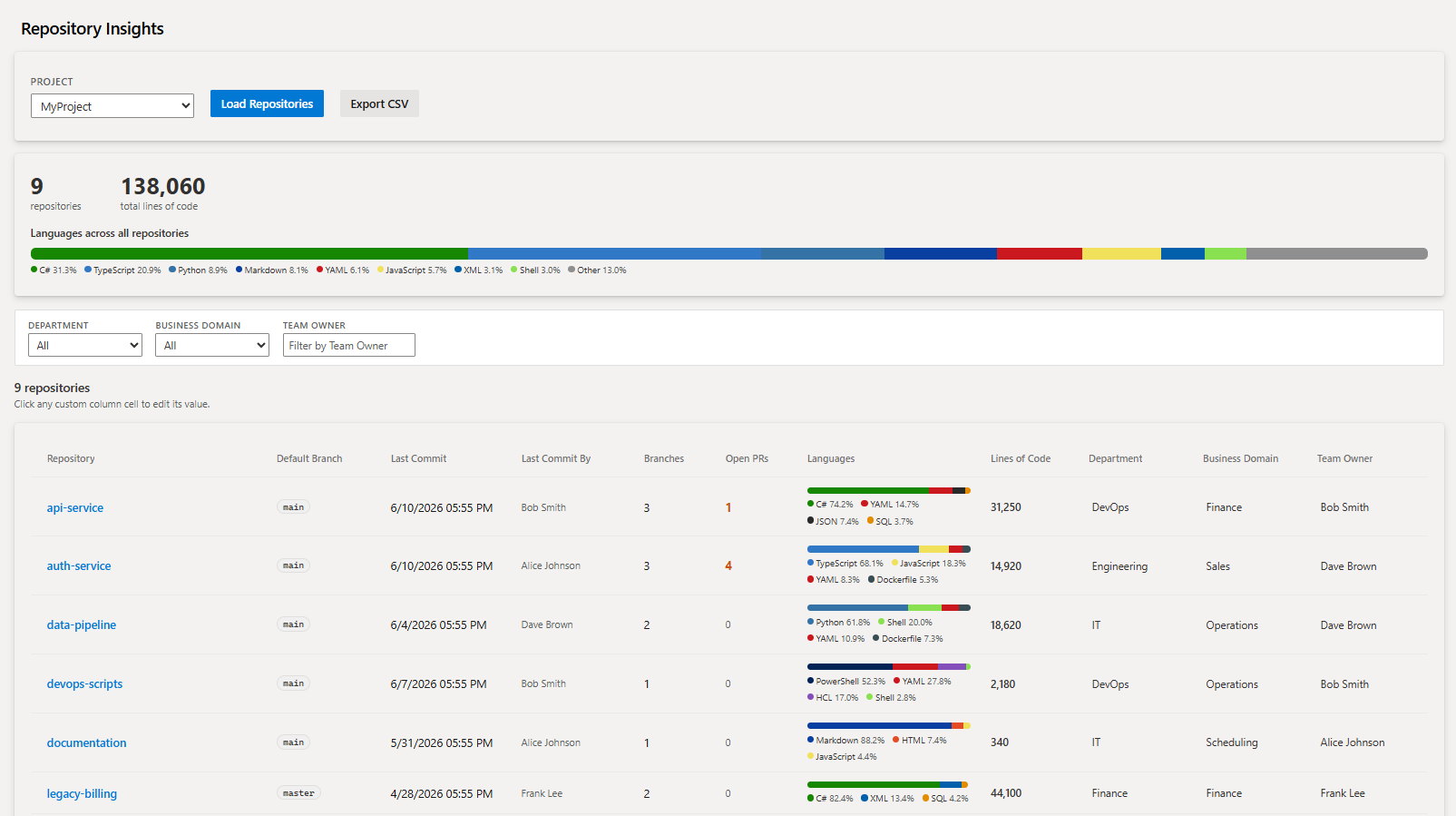
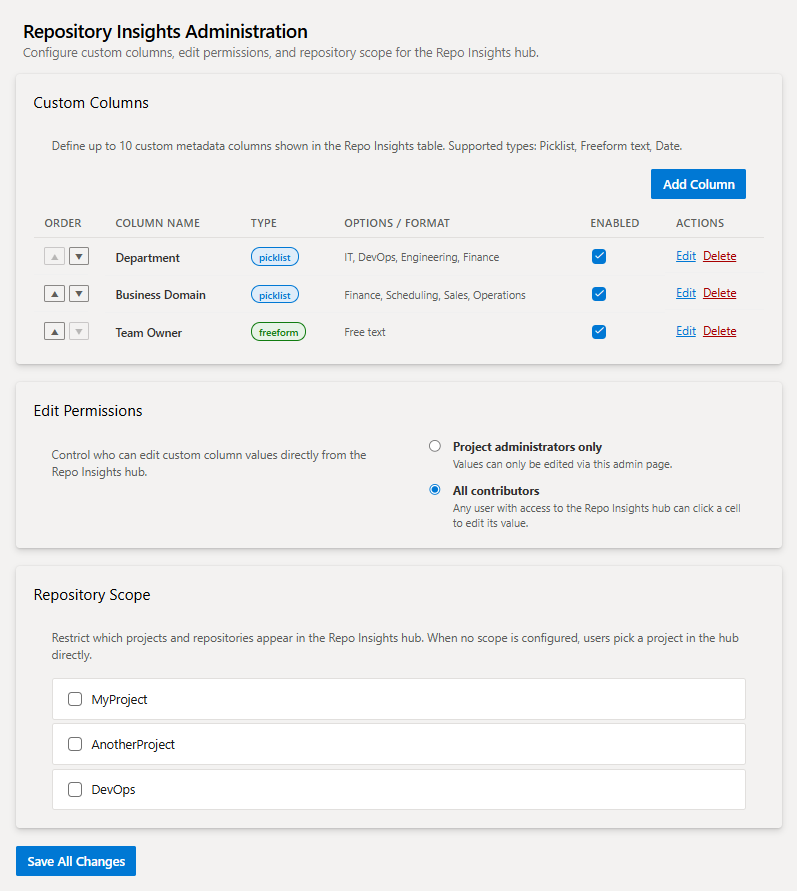
Fulcrum Repository InsightsRepository overview with GitHub-style language breakdown, LOC metrics, and up to 10 configurable custom metadata columns. |

Fulcrum Repository InsightsAdds a Repo Insights hub to the Azure Repos section and a Repo Insights Admin page to Project Settings. Get a full-picture view of every repository in your project — language breakdown, lines of code, last commit details, and up to 10 custom metadata columns your team defines. Repository TableSelect a project (or configure a multi-project scope) and a sortable table loads automatically, showing every repository with:
All columns are sortable. Custom picklist columns also support filtering via the filter bar above the table. A summary card above the table shows aggregate repository count, total lines of code, and a combined language breakdown bar across all repositories.
Custom Column ValuesIf the administrator has set edit permissions to All contributors, any user can click a custom column cell and edit the value directly in the hub. Values are stored per-repository in the ADO extension data service and persist across sessions. Administration (Project Settings → Repo Insights Admin)Project administrators access the admin hub under Project Settings to:
Language Analysis & LOCLanguage data is derived from the repository file tree using file-extension to language mapping (compatible with GitHub Linguist). Lines of code are computed by fetching code files in batches (up to 100 per repo) and counting newlines. Both values are cached for 24 hours in the extension data service to avoid repeated API calls. ExportClick Export CSV to download the full table — including all custom column values — as a CSV file. |