Planning PokerLive planning poker on the work item form. Vote as a team, reveal together, save the estimate with one click. |

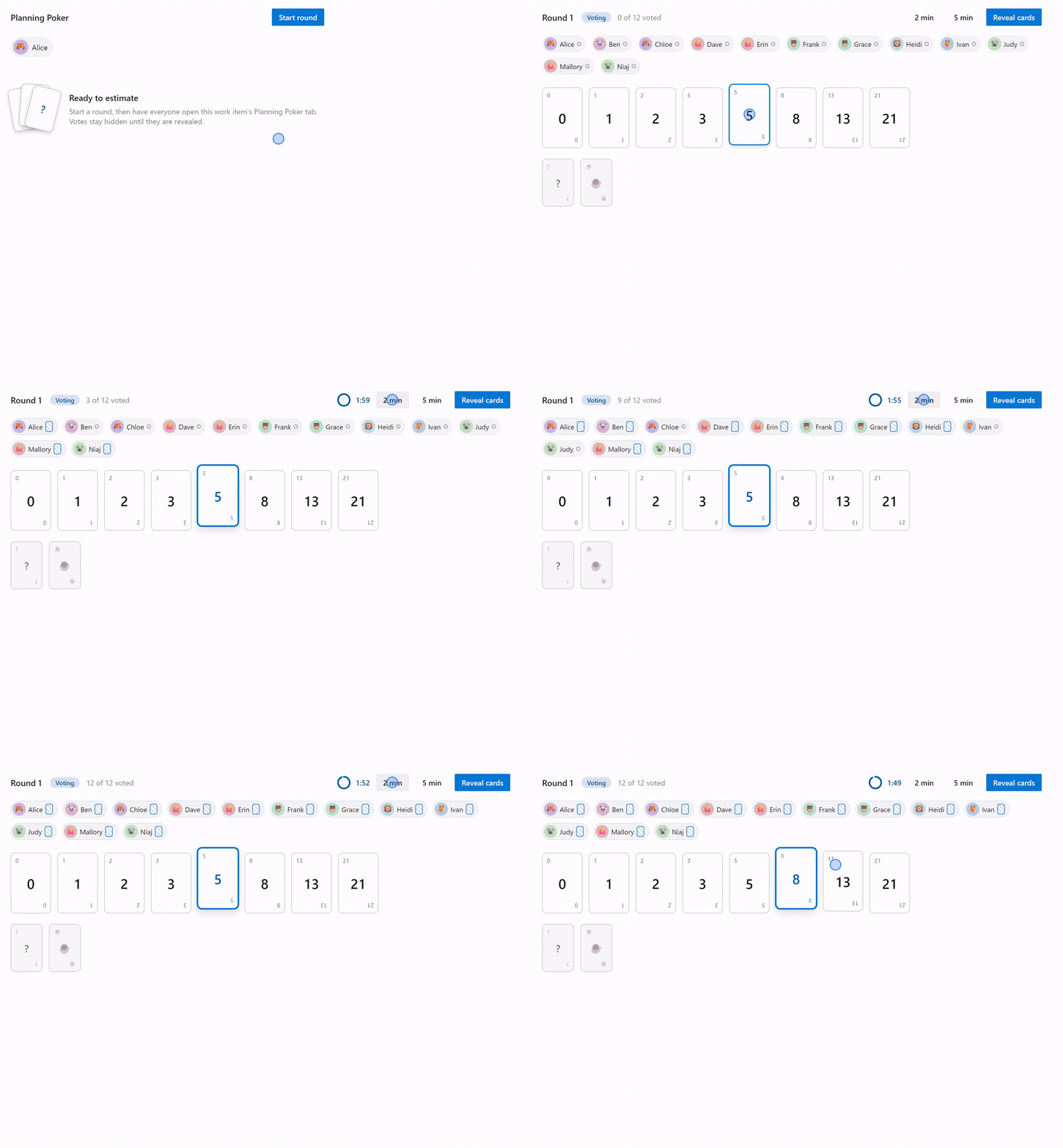
Planning PokerEstimate story points together, live, without leaving the work item. Open any work item, switch to the Planning Poker tab, and vote as a team on real cards. Votes stay hidden until everyone is ready. Reveal together after a shared countdown, discuss the spread, and save the agreed estimate with one click. No backend, no accounts, no data leaving your organization. Vote as a team, without anchoringEveryone sees who has voted. Nobody sees the values. A live counter shows how many teammates are still thinking, and each voter's chip gets a small face-down card the moment they pick.
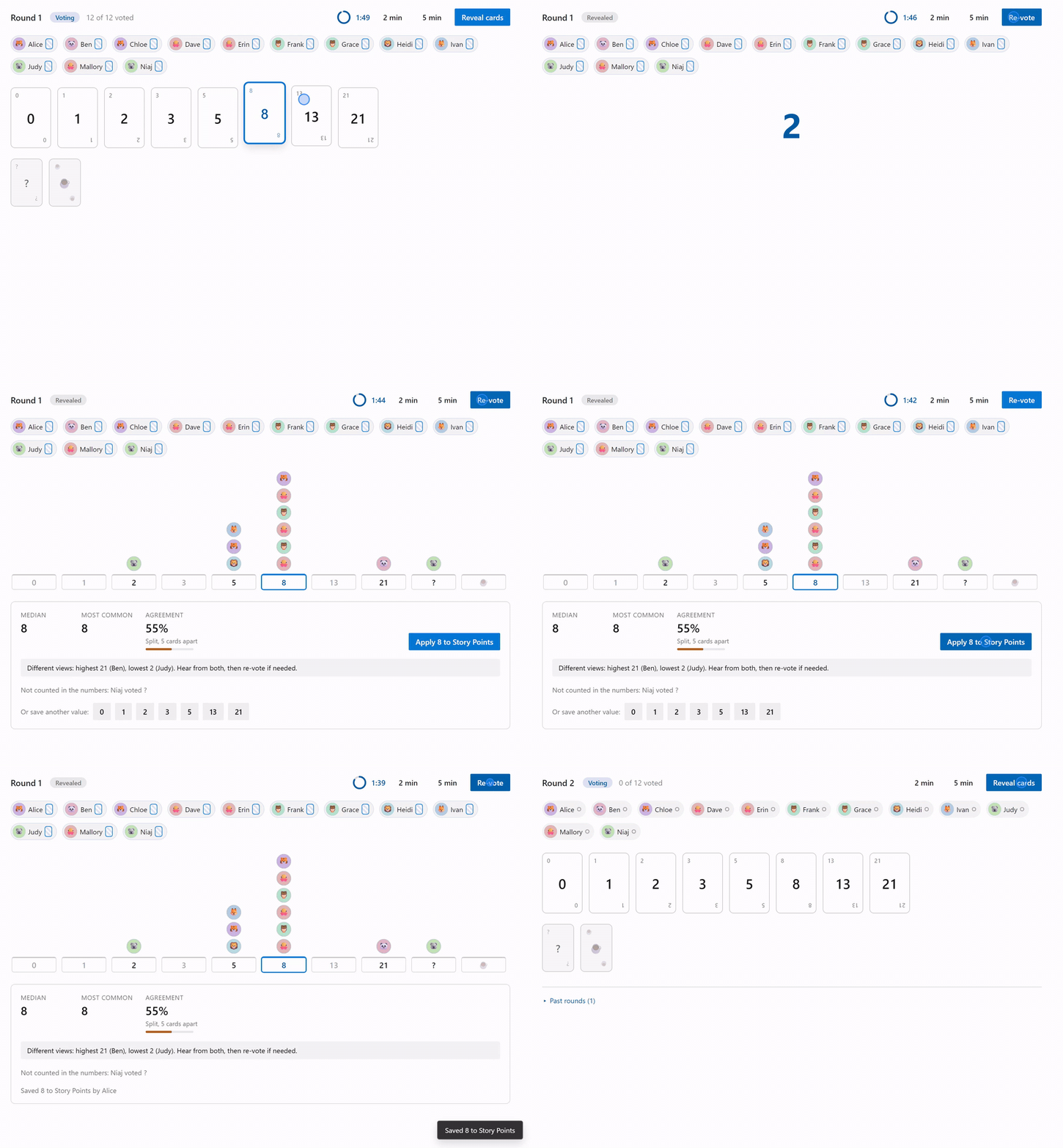
Reveal together, read the room at a glanceAfter a shared 3-2-1 countdown, results render as a dot plot over the card scale. Every voter's avatar stacks above their card, the most common value is highlighted, and honest statistics follow: median, most common, and an agreement meter with a plain reading such as "Strong, all within one card". When views differ, a neutral prompt invites the highest and lowest voters to speak first.
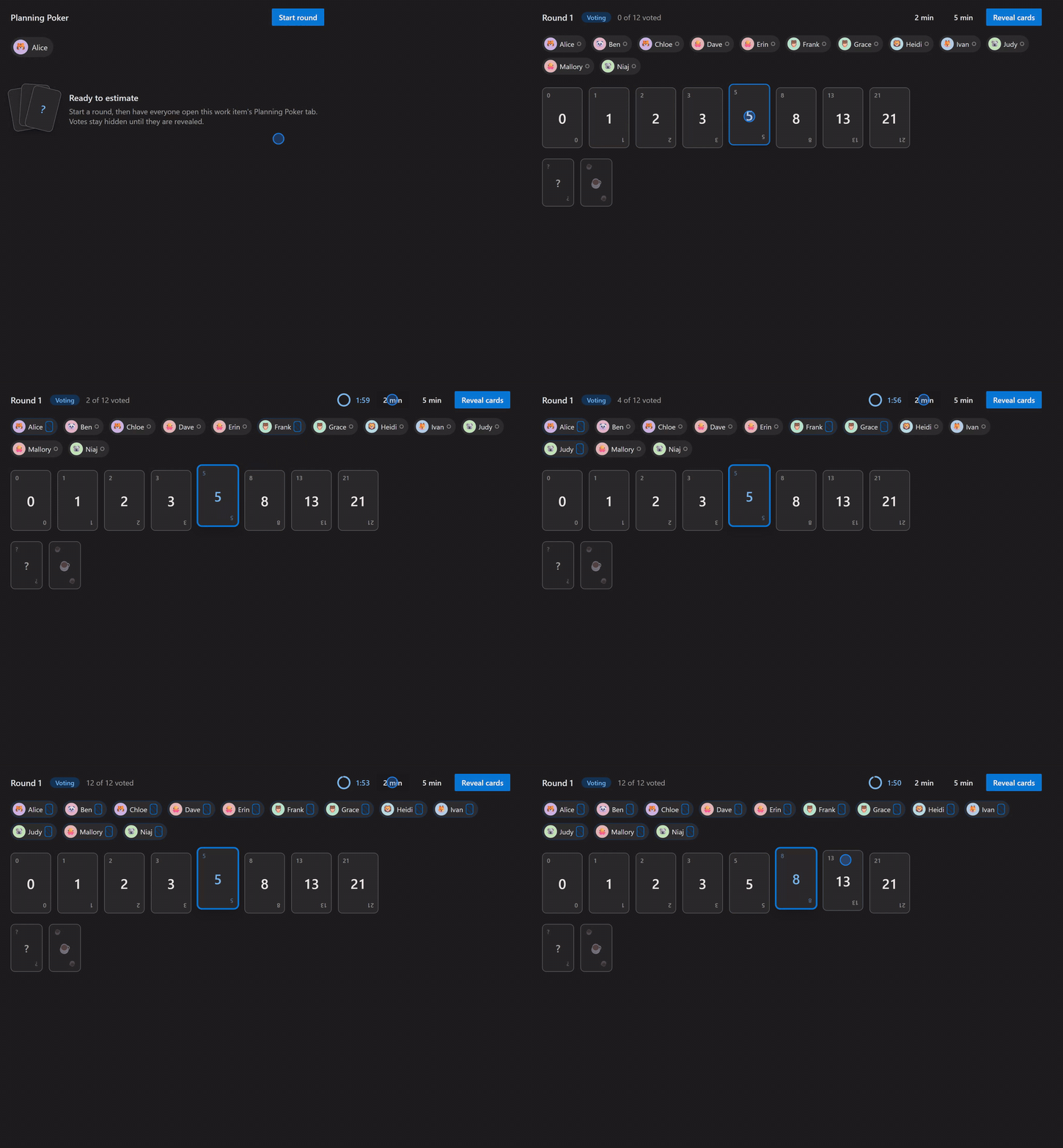
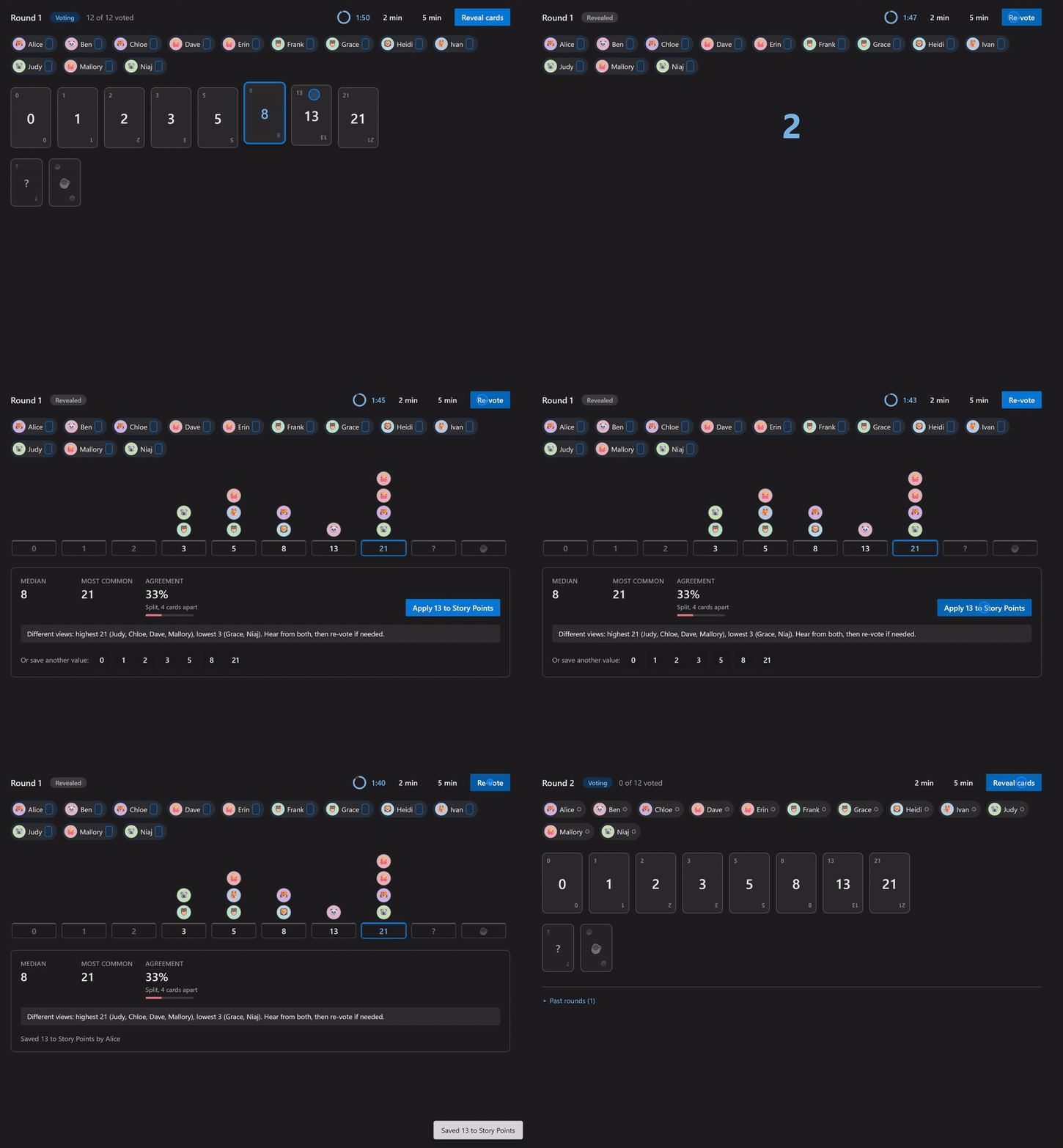
One-click save to the right fieldThe agreed value goes to Story Points, Effort, or Size. The correct field is detected automatically for Agile, Scrum, and CMMI process templates. Round history stays on the work item, and a timer ring keeps discussions time-boxed. Light and dark, automaticallyThe whole experience follows your Azure DevOps theme, including high contrast.
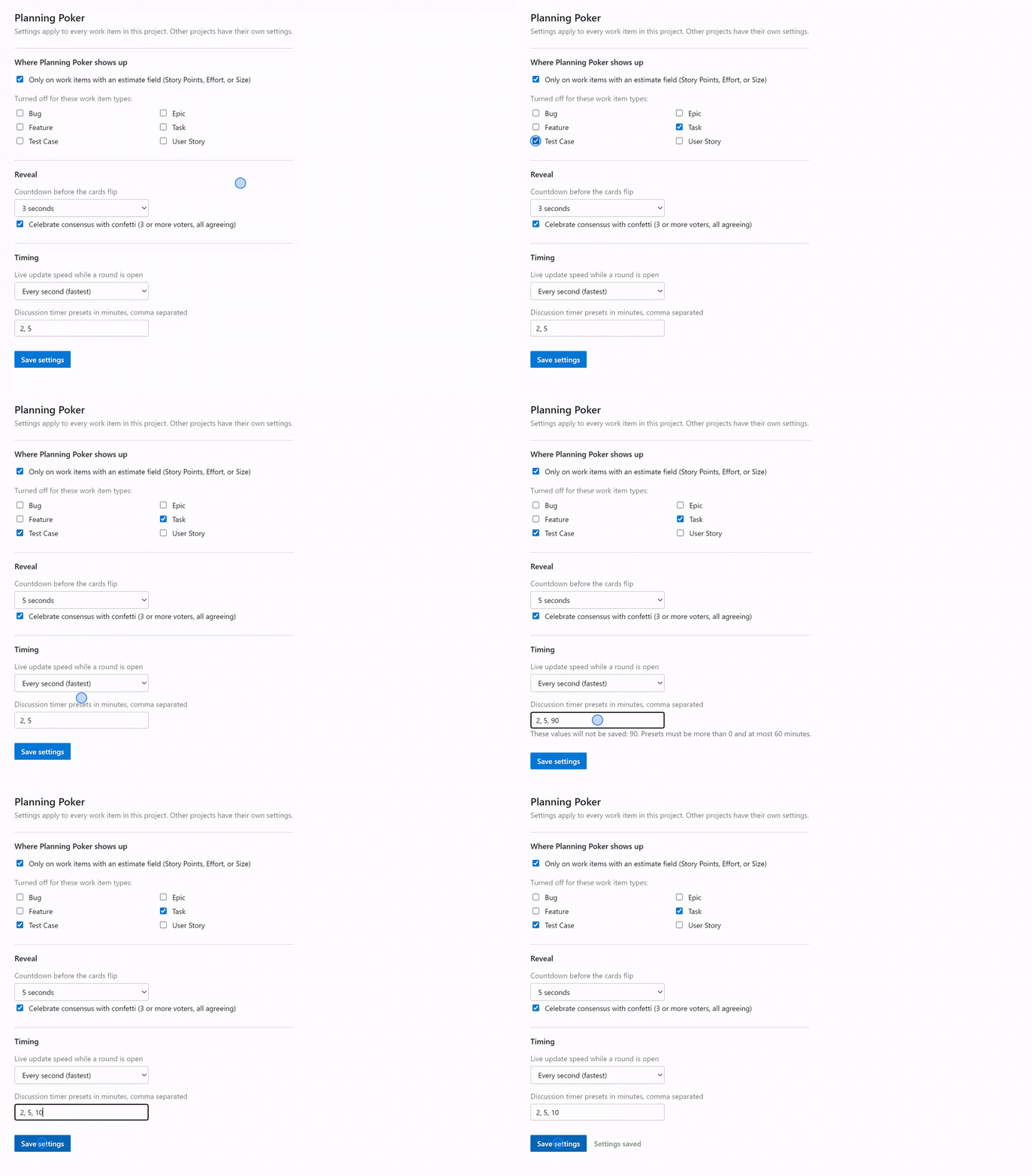
Configurable per projectOpen Boards, then Planning Poker, or Project Settings, then Planning Poker:
How a round works
Private by designThere is no backend service. Votes, history, and settings live in the Azure DevOps Extension Data Service inside your own organization. Nothing ever leaves it, and there is nothing external to host, license, or review. Failed writes are retried and always reported, never lost silently. AccessibleFull keyboard support on the card deck (one tab stop, arrow keys, Space to vote), screen reader announcements for round events, color-independent status indicators, and reduced-motion support. |