
CodeNav
Visual Studio extension to show the code structure of your current document

✨ Features
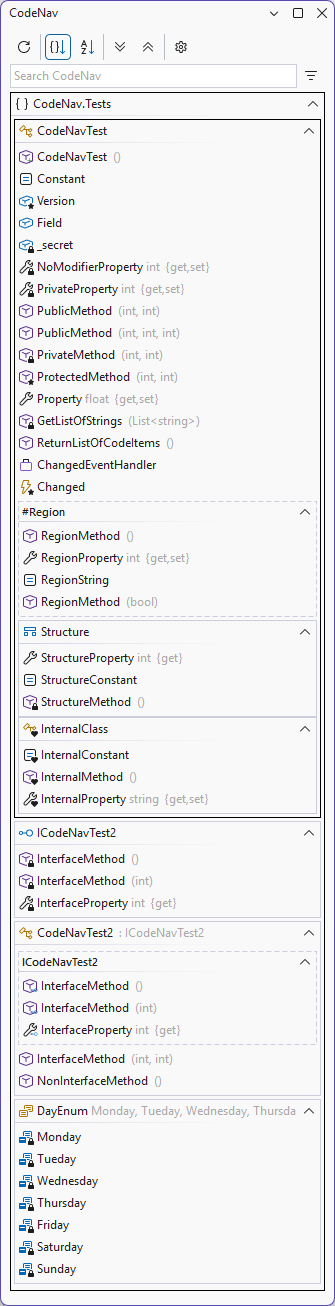
- Quickly see all the important methods and properties in your document
- Never get lost during a refactoring of a super long document
- Clicking on an item in the list will take you to that location in the document
- Double-clicking on an item in the list will move the caret to that location in the document
- Show/Dock as a separate tool window.
- Cursor position will be reflected by highlighting the current method in the list
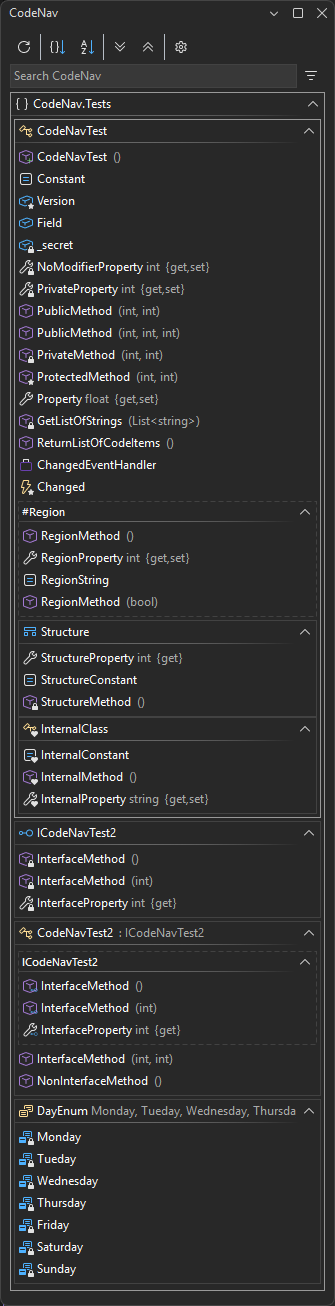
- Light/Dark theme support
- Collapse/Expand all ranges
- History/edit indicators
- Sort by file order or by name
- Regions
- Filter/search items by name
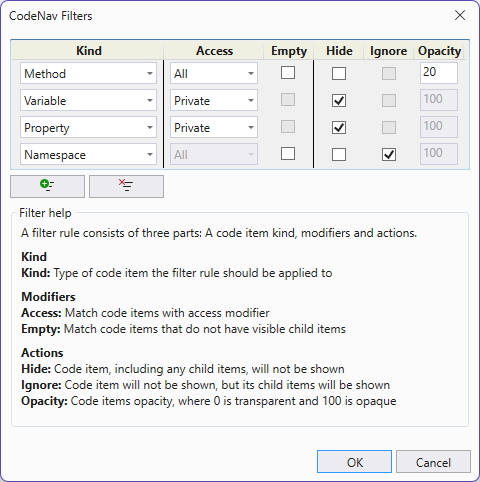
- Hide, ignore or change opacity of items based on item kind (method, property), access (public, private), empty state
- Customizable fonts
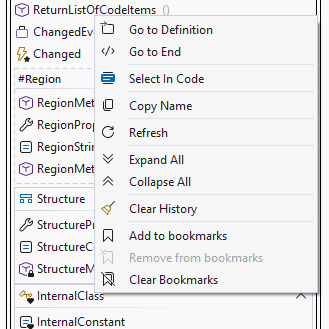
- Bookmarks
- Synced collapsing/expanding outline regions
- Option to hide the tool window for unsupported files and files without code items
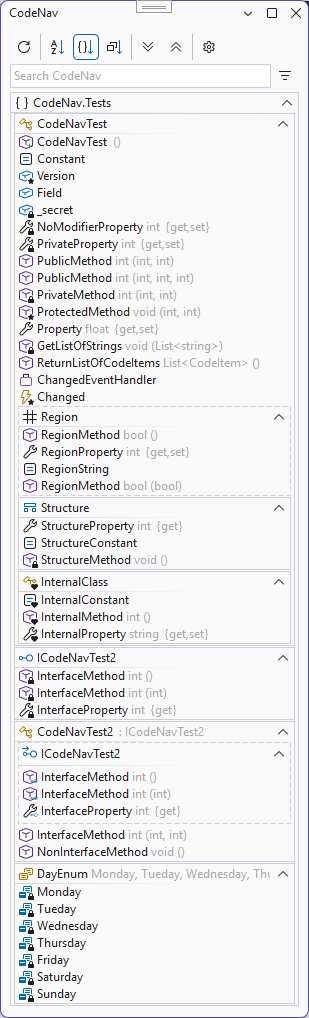
- Compact mode with less spacing optimizing screen real estate
- Pin a document to keep the CodeNav window open for that document even when switching to other documents
- Open a second CodeNav window, to navigate multiple documents
💻 Supported Visual Studio versions
- Visual Studio 2022 (Untested)
- Visual Studio 2026
🔤 Language support
- C#
- Visual Basic (enable it in the CodeNav settings)
- TypeScript (enable it in the CodeNav settings)
⬇️ Installing
Visual Studio Marketplace
GitHub Releases
Open VSIX Gallery
🤲 Usage
The CodeNav tool window can be opened via the entries in the Extensions menu.
🖼️ Screenshots
Filter window
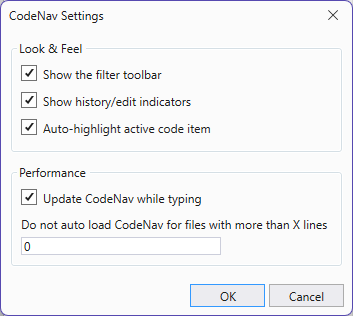
Options window
Bookmarks
Compact mode
📄 Documentation
Looking for more info? Read the full Documentation with links, guides, troubleshooting, and tips.
| |


