Skip to content
| Marketplace
Sign in
Visual Studio>Tools>AI Assistant
AI Assistant

AI Assistant

Ruben Ribeiro

|
7 installs
| (0) | Free
Codex and Claude, right inside Visual Studio. Chat about your code and review changes without leaving the IDE.
Download

AI Assistant

Codex and Claude, right inside Visual Studio.

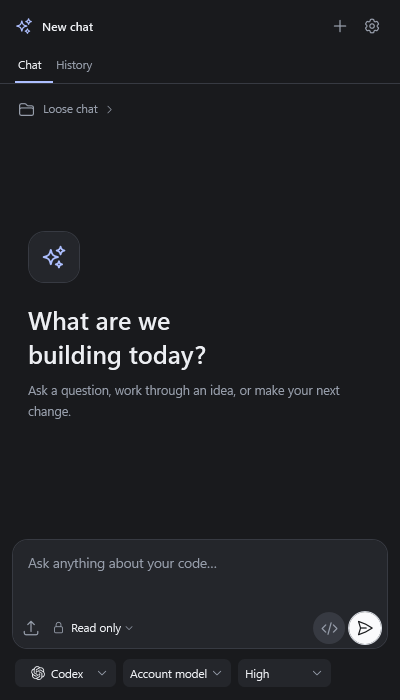
Work with your AI assistant from a dedicated sidebar in Visual Studio 2022 and 2026. Ask questions, make changes, and review the results without leaving your IDE.

  • Your account, your models. Connect your existing Codex or Claude Code account and choose your model and reasoning effort.
  • Context that matters. Work with project files and optionally include your active editor file or selected code.
  • Files and images. Attach references, screenshots, and documents to your requests.
  • Conversations that stay with you. Save, search, and continue previous chats.
  • Review changes clearly. Open changed files in Visual Studio’s native diff editor.
  • Stay in control. Choose permissions, queue follow-ups, and steer an active Codex response.
  • Follow delegated work. View Codex agents and their activity from the sidebar.

The sidebar opens on first use. You can reopen it anytime from View > AI Assistant.

Requires access to Codex or Claude Code. Available models, features, and usage limits depend on your provider and account.

AI Assistant is an independent extension and is not affiliated with OpenAI or Anthropic.

download.png

  • Contact us
  • Jobs
  • Privacy
  • Manage cookies
  • Terms of use
  • Trademarks
  • Your Privacy Choices
  • Consumer Health Privacy
© 2026 Microsoft