Skip to content
| Marketplace
Sign in
Azure DevOps>Azure Boards>Release Management Hub
Release Management Hub

Release Management Hub

Repryl

|
3 installs
| (2) | Free
Release Management Hub simplifies release tracking with centralized dashboards, product-based organization, work item traceability, state management, smart filtering, and Azure DevOps integration.
Get it free

Release Management Hub

Visualize. Track. Ship.

Release Management Hub simplifies release tracking with centralized dashboards, product-based organization, work item traceability, state management, smart filtering, and Azure DevOps integration.


Key Benefits

  • Centralized Release Visibility — See all releases across products and services in a single view
  • Seamless Azure DevOps Integration — Works with your existing Area Paths, Iterations, and Work Item Types
  • Full Work Item Traceability — Instantly see what's included in each release
  • One-Click State Management — Update release states directly from the dashboard
  • Smart Filtering & Search — Filter by type, status, assignee, tags, and more

Key Features

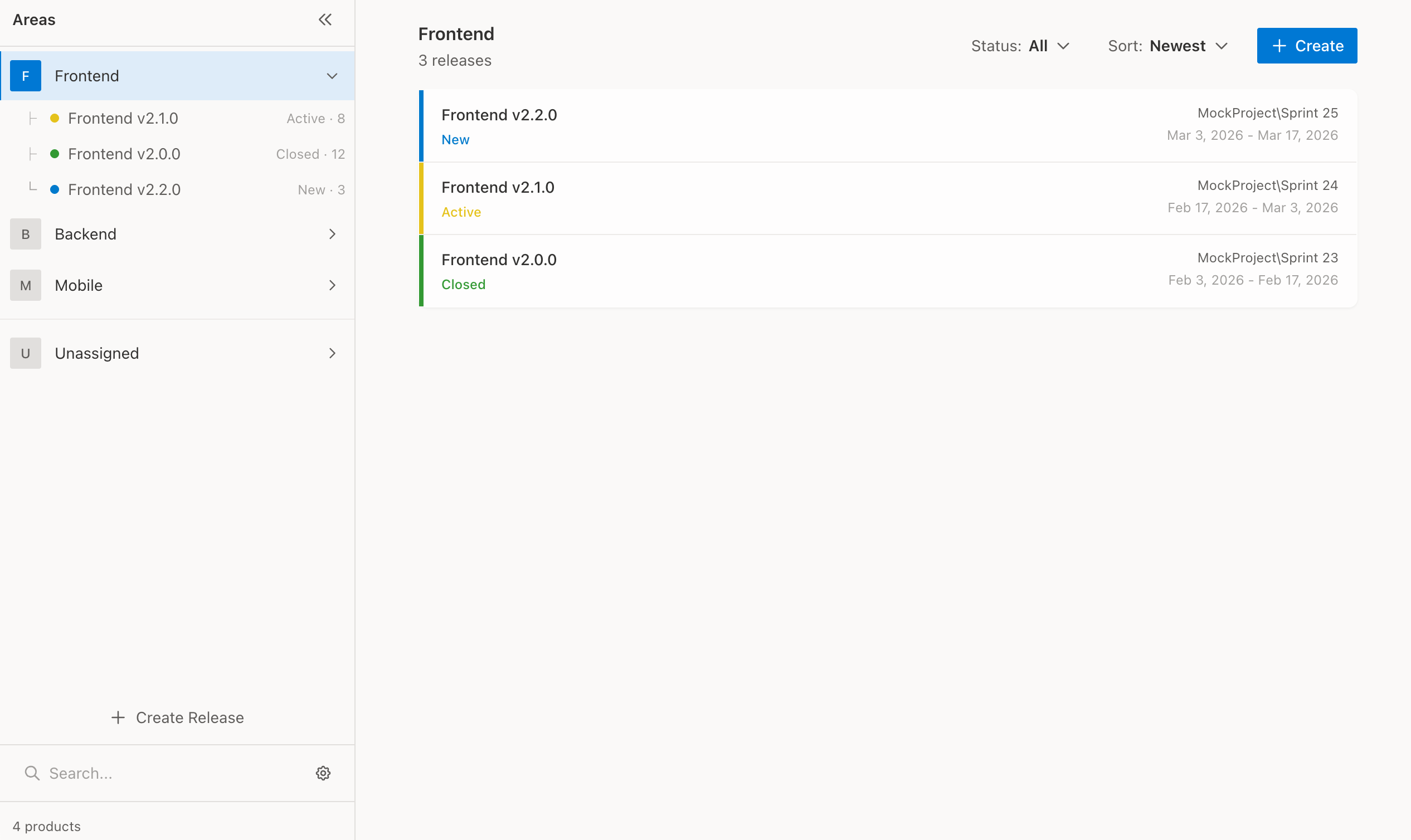
Release Dashboard

Organize releases by product using Area Paths. View release counts, states, and quickly navigate between products.

Release Dashboard

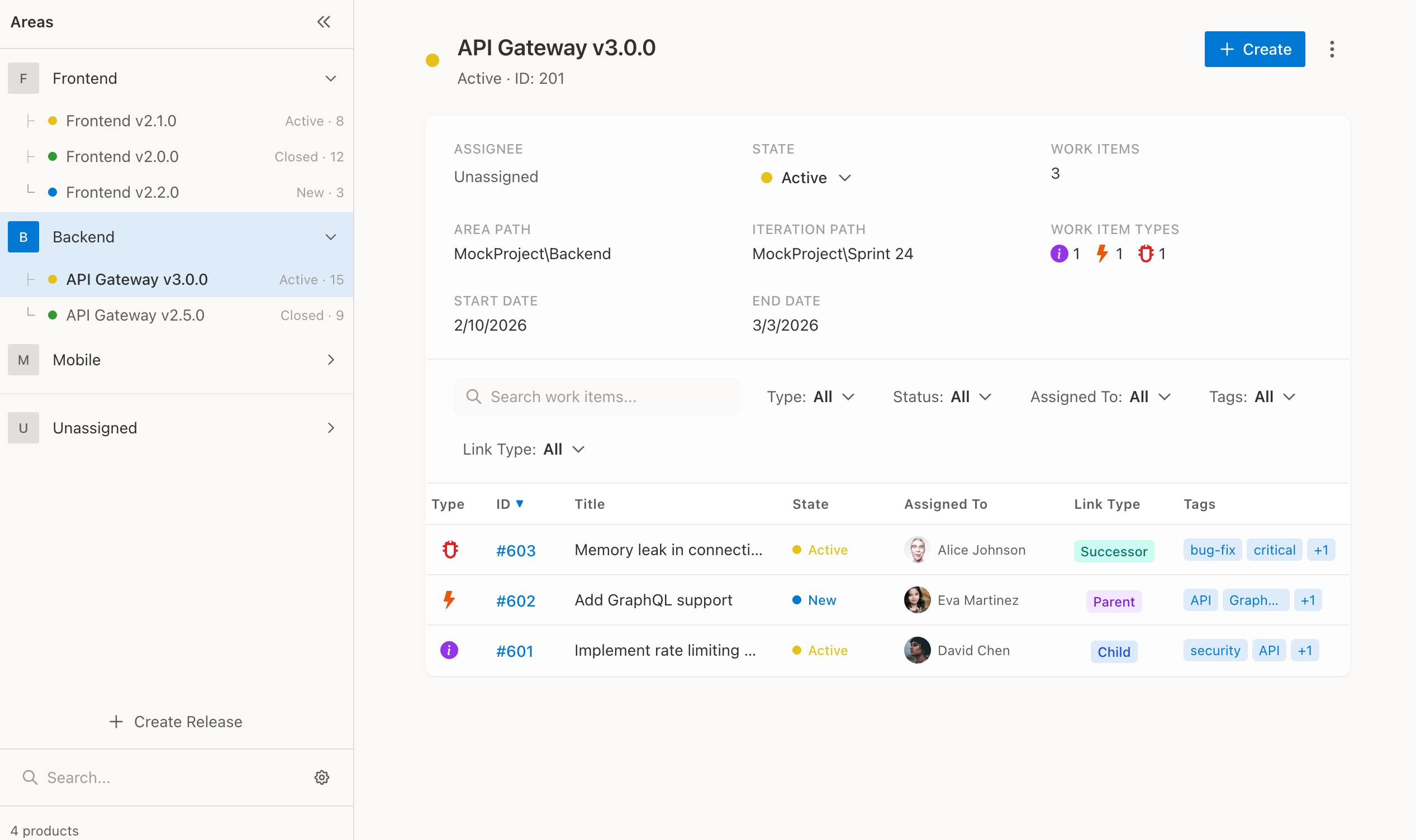
Release Detail & Work Items

See all work items linked to a release with advanced filtering, sorting, and search capabilities.

Release Detail

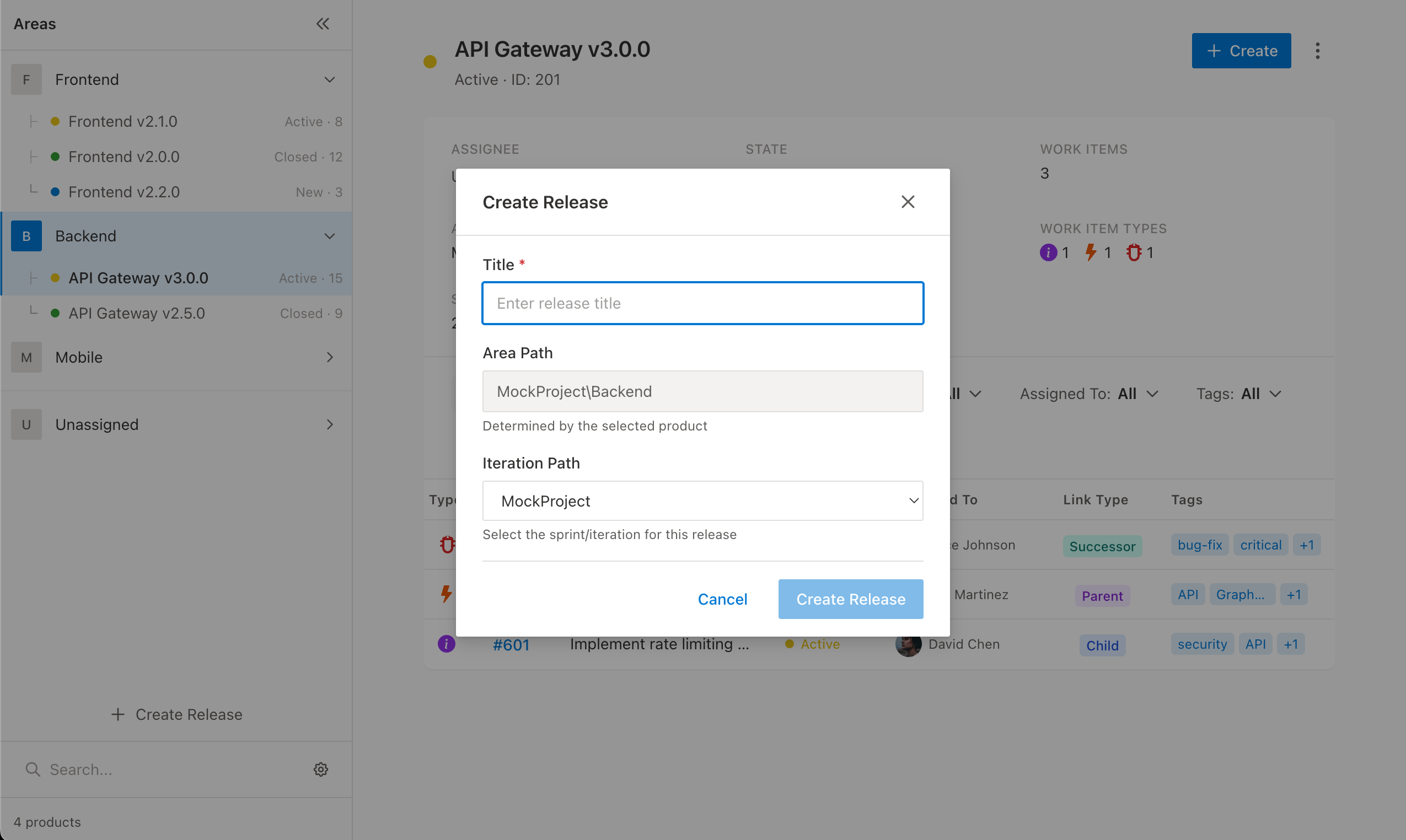
Create Releases

Quickly create new releases with the correct Area Path and Iteration pre-selected.

Create Release

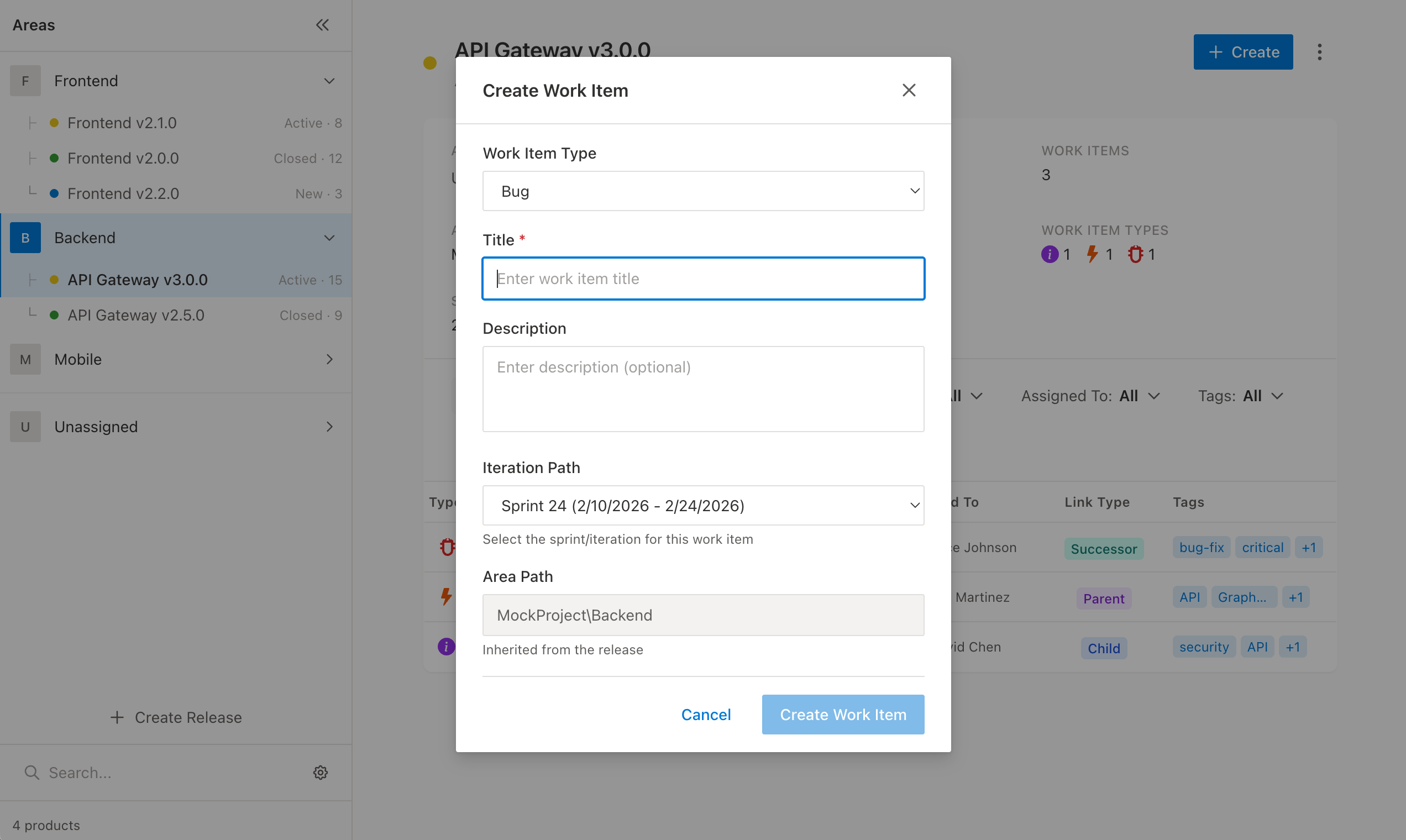
Add Work Items

Create and link new work items directly to your releases without leaving the hub.

Create Work Item

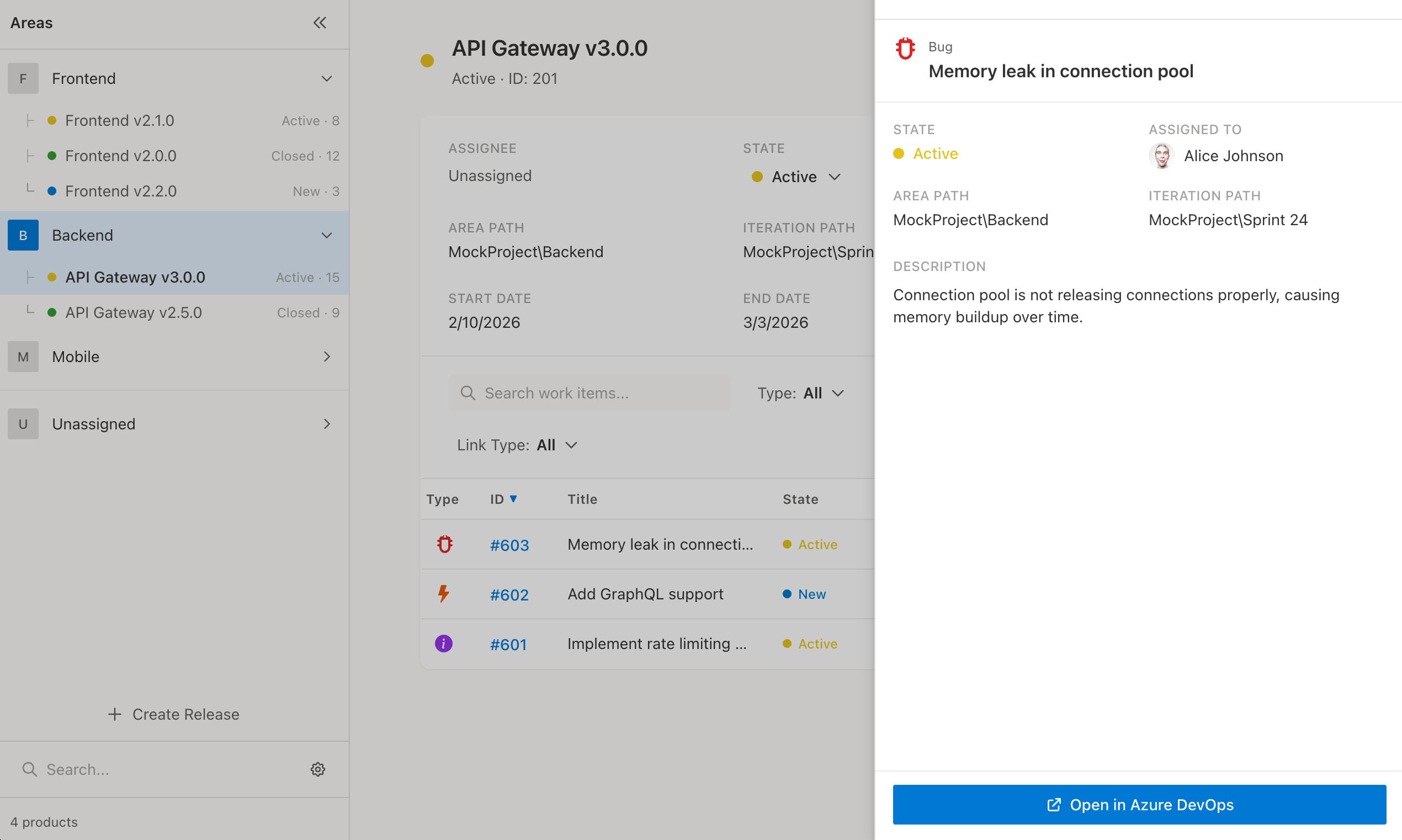
Quick Work Item Preview

View work item details in a side panel without navigating away from your release.

Work Item Panel


Getting Started

  1. Install the extension from the Azure DevOps Marketplace
  2. Navigate to Boards > Releases in your Azure DevOps project
  3. Configure settings — Click the settings icon to select:
    • Which Work Item Type represents your "Releases" (e.g., Feature, Epic, or custom)
    • The Area Path depth level for product grouping
  4. Start tracking releases — Your releases will automatically appear organized by product

Support

For questions, issues, or feature requests, please contact Repryl.

  • Contact us
  • Jobs
  • Privacy
  • Manage cookies
  • Terms of use
  • Trademarks
© 2026 Microsoft