Visual Studio 2026 Extension for Team Foundation Version Control (TFVC) Source Control Explorer
This extension enhances the Source Control Explorer window with additional features for Azure DevOps, formerly Team Foundation Server (TFS), 2010/2012/2013/2015/2017/2019/2022.
✨ Features
Drag & Drop Support: Drag files from the file list to folders in the folder tree. Left mouse button performs Move, right mouse button opens context menu with Move, Branch, and Copy options.
Move to Folder: Move multiple files to a new location while keeping filenames unchanged.
Branch to Folder: Create branches for multiple files to a new location.
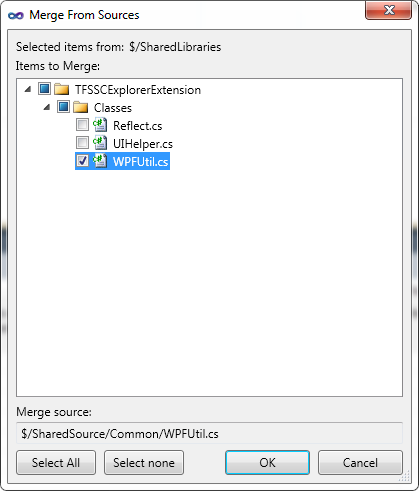
Merge from Sources: Merge changes from branched sources back to the selected folder.
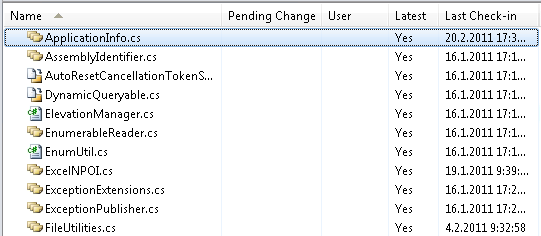
File Icon Changes: Branched files display with modified icons to indicate branch relationships.
Destroy: Permanently remove files or folders from source control, including deleted items.
Undo Changes to Unchanged Files: Revert pending changes for files that haven't been modified.
Show/Hide Deleted Items: Toggle visibility of deleted items in the source control explorer.
Filter Folders by Folder Mapping: Filter the folder tree to show only mapped folders in the current workspace.
Advanced Merge Options: Force merge and merge discard options.
Error Reporting: Improved error handling and reporting.
Icon Changes for Branched Folders: Icons update for branched folders as well.
Multiple Selection Support: Many operations support selecting multiple files/folders.
Baseless Merge Support: Support for merging without a common ancestor.
File Date Handling: Get operations set file dates to check-in dates (similar to Visual Source Safe).
Read-Only Attribute Removal: New files added to source control are made editable.
Pending Changes Refresh: Forces refresh after file renames.
📸 Screenshots
Move to Folder
Branch to Folder
Merge from Sources
📄 File List with Icon Changes
📖 Usage
After installation, the new features appear in the context menus of the Source Control Explorer window. Access them by right-clicking on files or folders.
📋 Version History
v1.0.203.33 (February 3rd, 2026)
Fixed extension initialization failure caused by incorrect assembly reference when loading image resources.
v1.0.203.32 (February 3rd, 2026)
Fixed UI hangs during file rename operations.
Fixed UI hangs when TFS server is unreachable during background file operations.
Fixed UI hangs when adding new files to source control.
v1.0.202.27 (February 2nd, 2026)
Fixed potential deadlocks when Quick Actions or other refactorings trigger pending changes.
v1.0.131.26 (January 31st, 2026)
Performance improvements.
v1.0.131.25 (January 31st, 2026)
Added support for arm64.
v1.0.613.38 (June 13th, 2026)
Fixed support for arm64.
🙏 Credits
This extension is based on the original work by Holan Jan from h2net (www.h2net.cz).


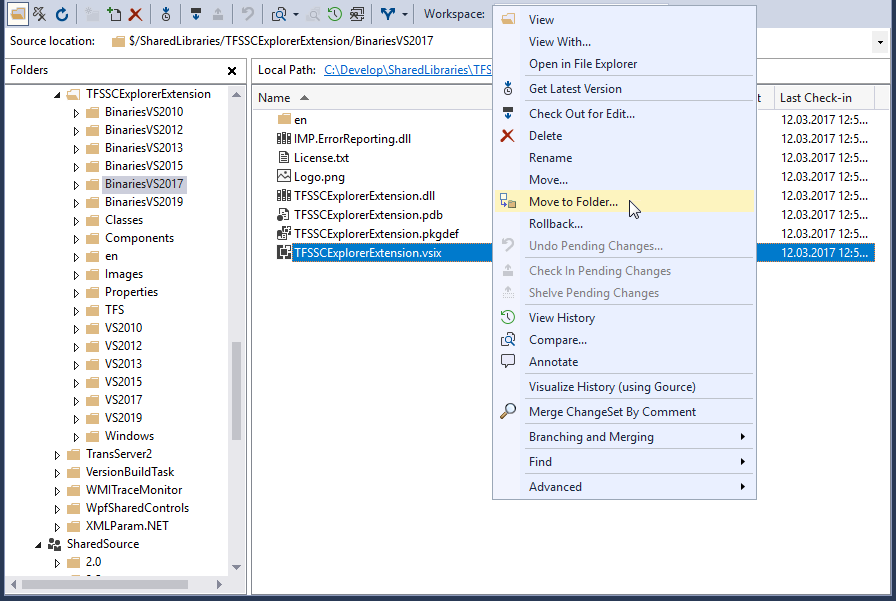
 Move to Folder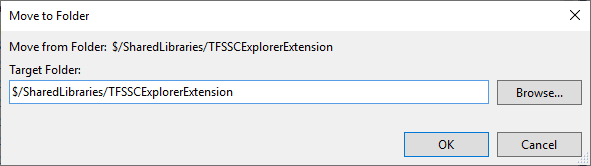
 Branch to Folder
 Merge from Sources