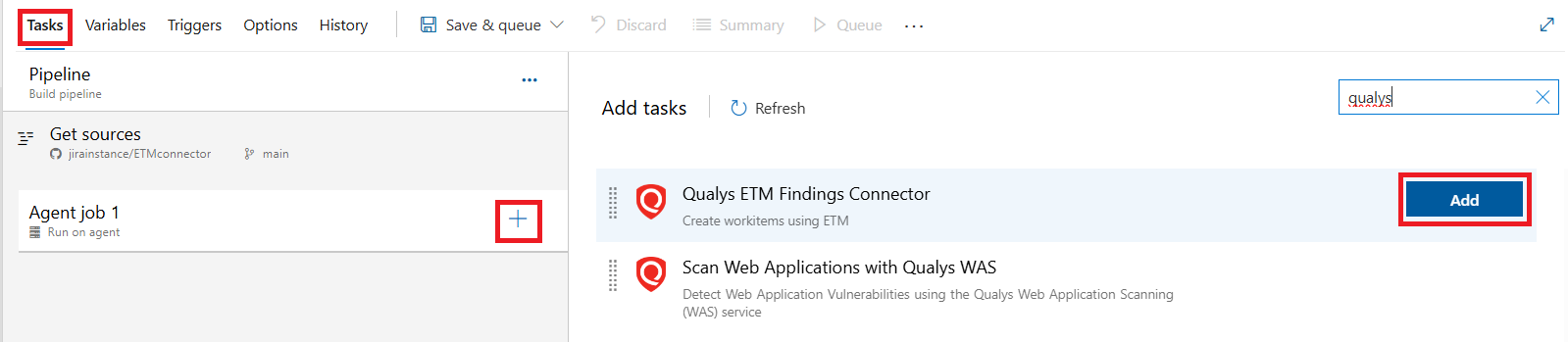
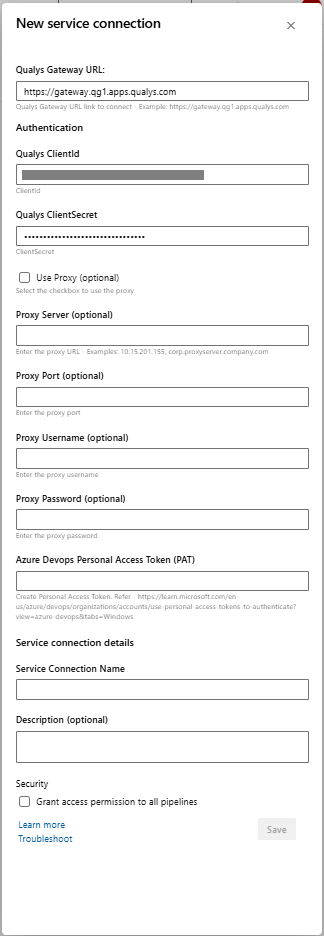
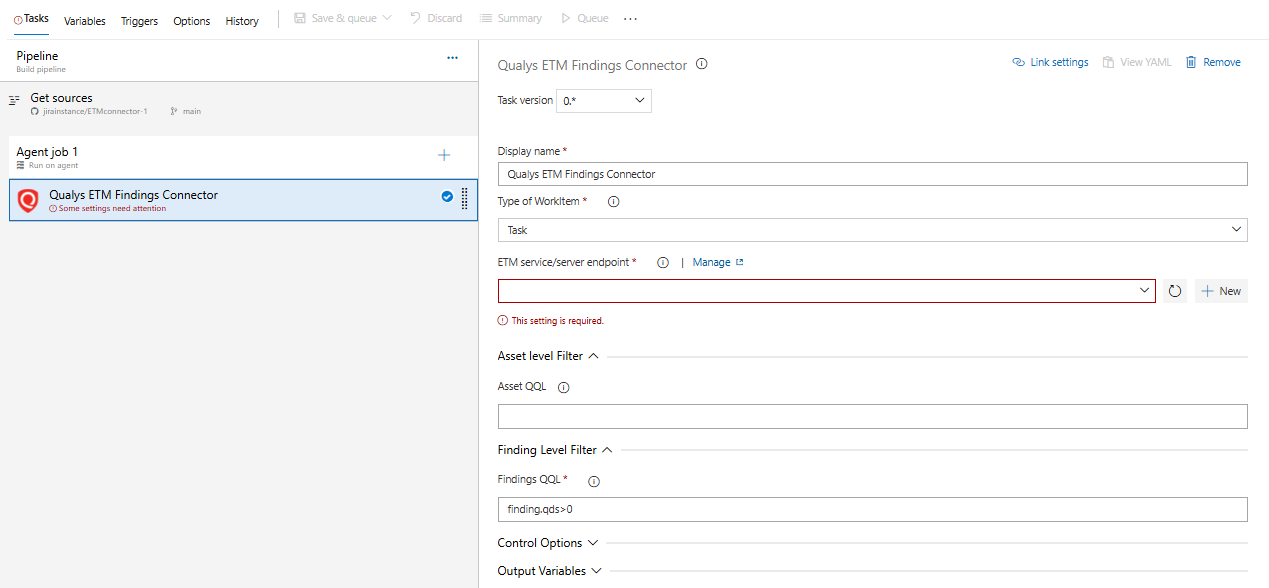
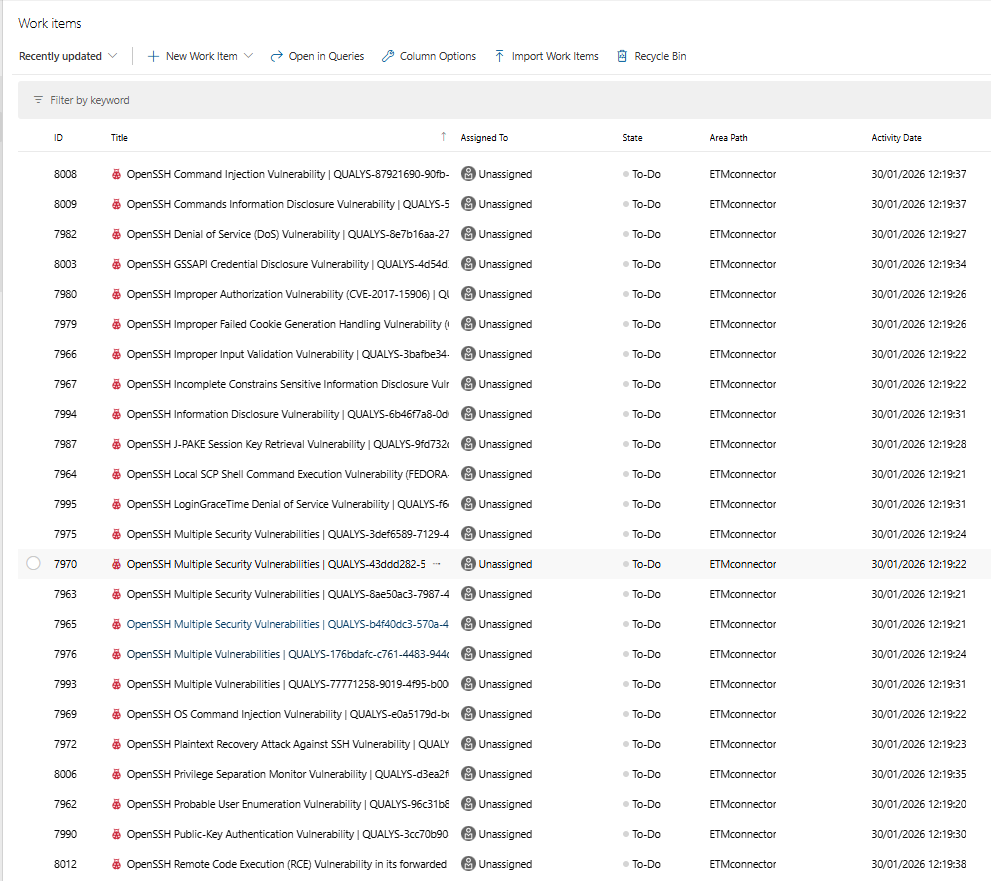
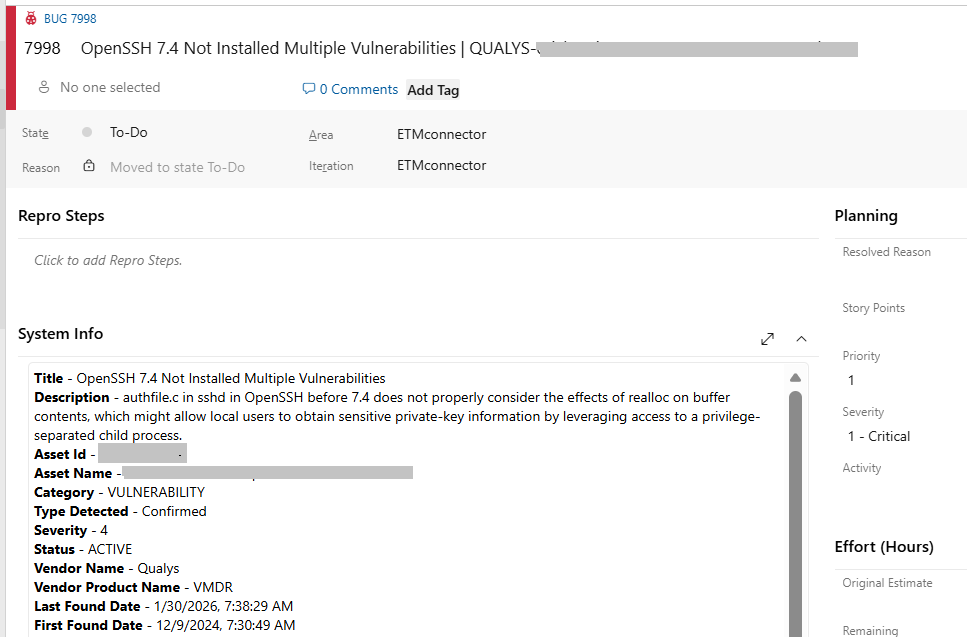
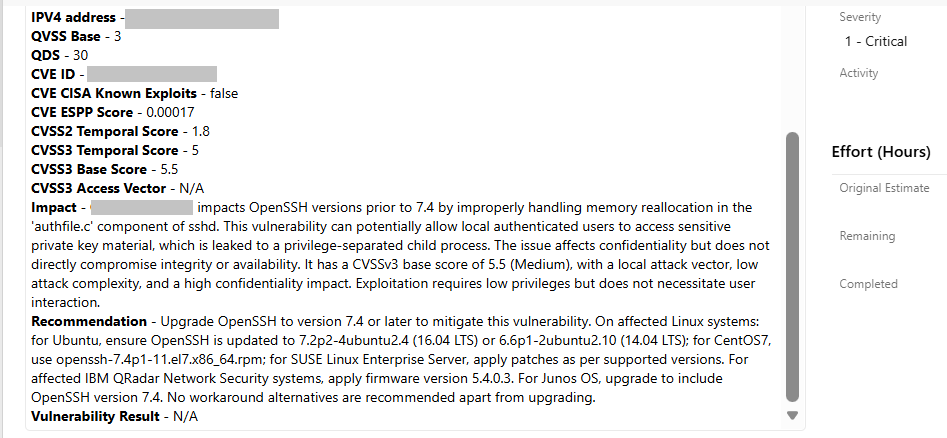
Working & BehaviourThe Enterprise TruRisk Management (ETM) extension enables seamless integration between ETM and Azure DevOps by automatically exporting and updating security findings from ETM into Azure DevOps as work items. ETM acts as the single source of truth for vulnerability data, ensuring that any changes to findings in ETM are always reflected in Azure DevOps.By keeping findings up to date as work items, development and security teams can manage vulnerabilities within their familiar Azure DevOps workflows, prioritize fixes, and align remediation efforts with sprint and release management. This extension supports cloud-based Azure DevOps setups and provides a reliable, one-way flow of data from ETM to Azure DevOps. Add "Qualys ETM Findings Connector" task to pipelineInstall the Qualys ETM Findings Connector extension into your Visual Studio Team Services account and search for the task in the available tasks. The task will also appear in the Utility section of the task list. Add it to your build pipeline. Task ConfigurationQualys Configuration using Service Connection Create a new service connection to connect to the Qualys Gateway server. You need to provide the Qualys API Gateway URL, Qualys ClientID , Qualys ClientSecret and Azure DevOps Personal Access Token (PAT). If your Azure DevOps instance does not have direct Internet access and a proxy is required, click the "Use Proxy Settings" check box, and enter the required information. Configure Filters to get specific Findings- Asset QQL: You can configure the asset-level query here and multiple assets can be configure using a comma-separated format (for example: asset.assetID=12345,34563). If the query is not configured, it will pull detections for all assets. Finding QQL: Finding QQL is a required field. At least one QQL must be configured to detect findings(For example: Finding.qds>50) View Work ItemsTo view the work items/ ticket details, select the work item under Board Section. The Qualys ETM Findings connector automatically creates, or updates work items in Azure DevOps based on Detection from Qualys. As part of this process, it maps specific fields from Qualys such as Finding ID, AssetID, severity, category, CVE ID, QDS score., Asset information, and detection details into the Azure DevOps work item. View Work Item details- Release Notesv1.0.0 -First version of the extension. Reference - User Guide |