PR Assistant – AI-Powered Test Asset Generation from PR Diffs
Generate structured test assets from real pull request diffs and deliver them as Azure Boards / Test Plans–ready work — preferably a native Test Case work item when your process supports it. PR Assistant is the Azure-native QA layer inside Azure DevOps: click Analyze on a PR, get structured preconditions, steps, and edge cases, and create a native Azure Boards work item linked to the PR — without auto-review bots or full-repo access.
View https://qazent.com for more info!
Key Features
- Native Test Case work items in Azure Boards – QA mode creates a Test Case work item when your process supports it, with Task (or another configured type) as fallback — not generic tasks only
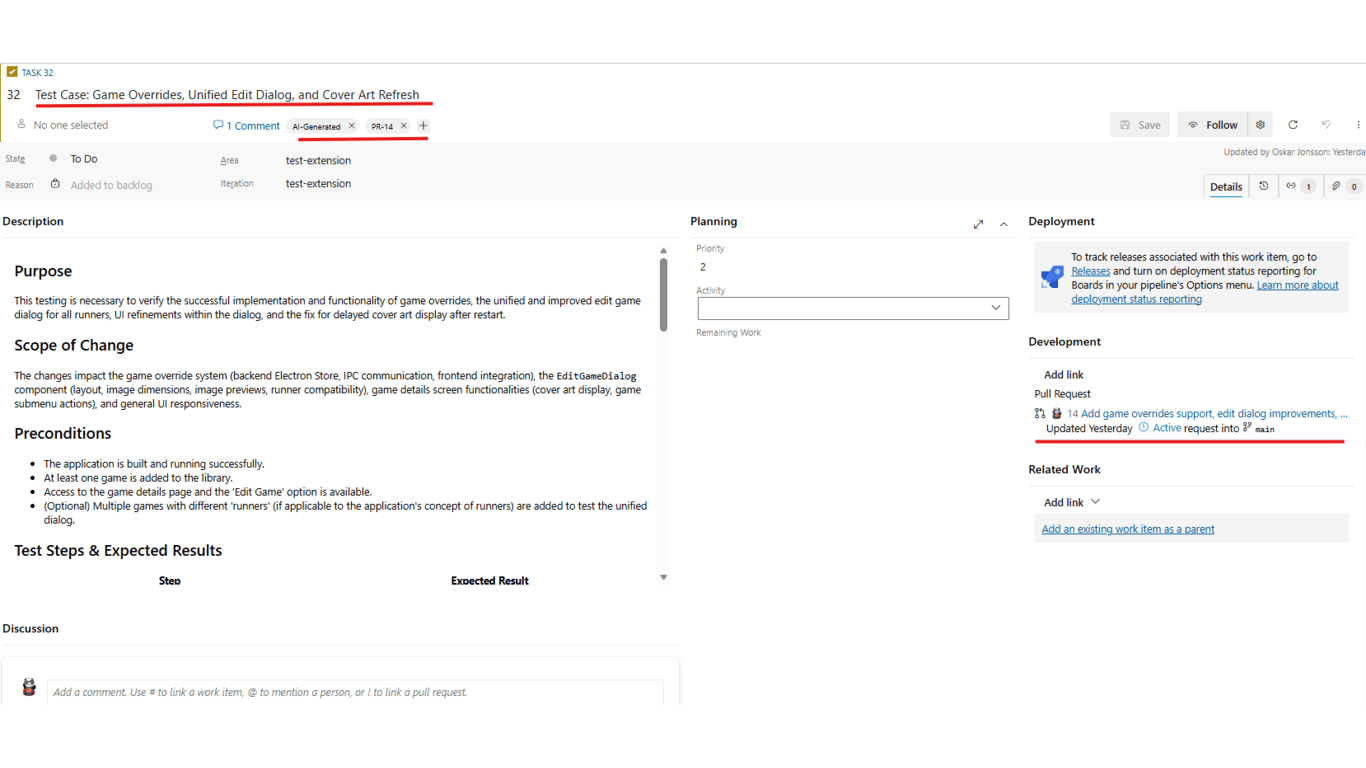
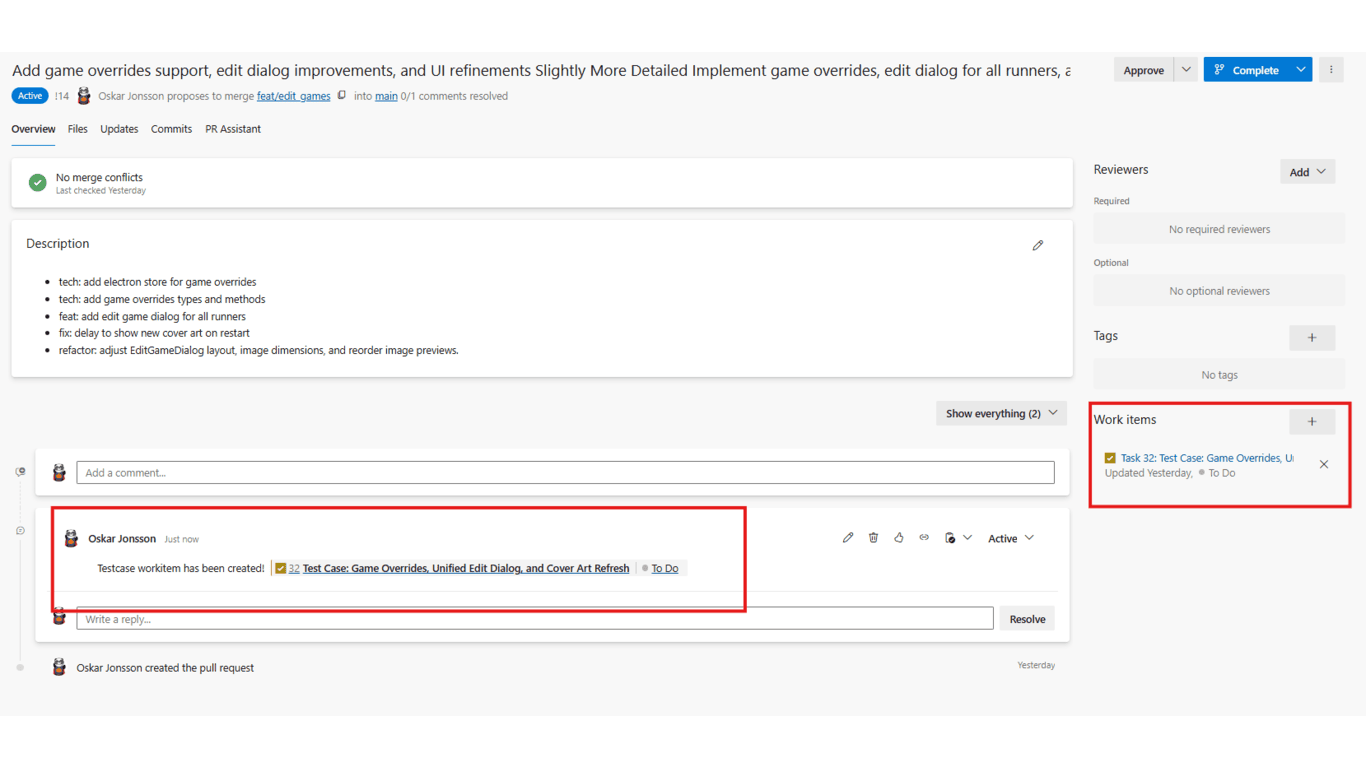
- PR ↔ work item traceability – Every created work item links back to the pull request via Azure DevOps artifact links
- Manual Analyze only – You choose when to run analysis; PR Assistant does not automatically analyze every pull request on create or update
- Structured QA output – Purpose, scope, preconditions, steps, edge cases, and regression areas shaped for Boards and Test Plans
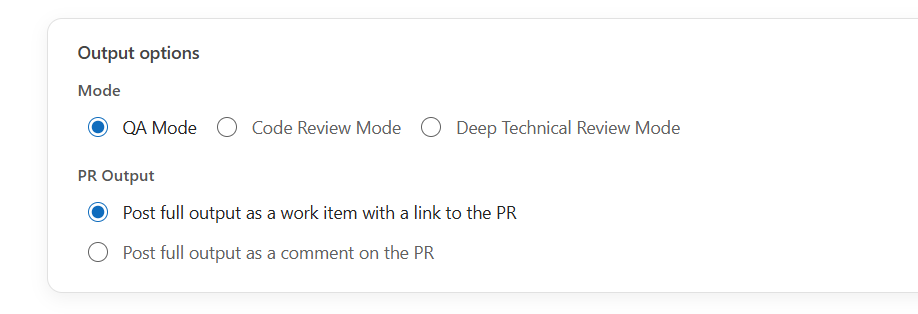
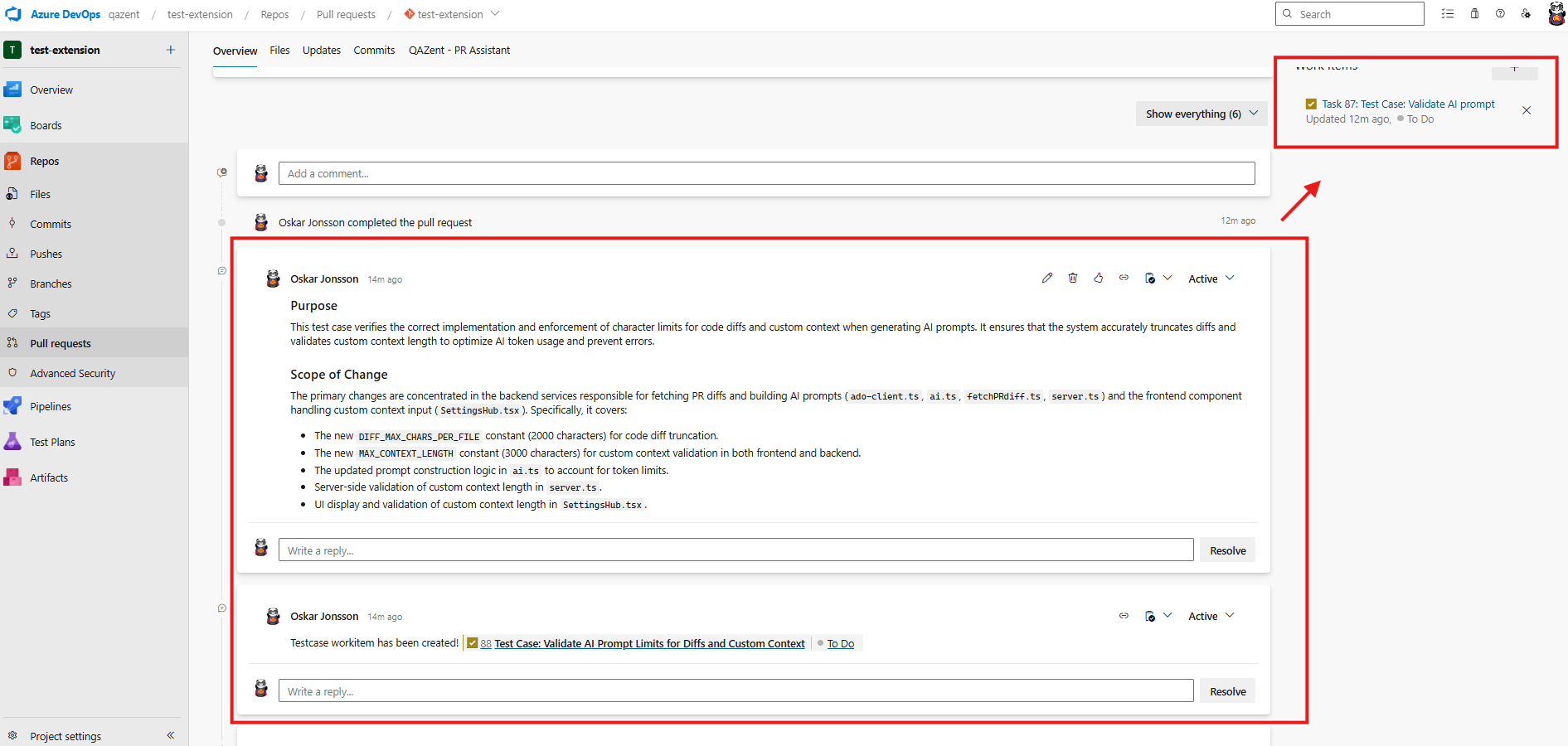
- Flexible PR output – Default: create a Boards work item plus a summary PR comment; alternate: post the full output as a PR comment only
- Optional Code Review mode – Structured review summaries when engineering teams need them; QA mode is the primary wedge
- AI-powered analysis from real diffs – Powered by Google Gemini 3.1 Pro (preview) using PR diffs, metadata, and commit messages
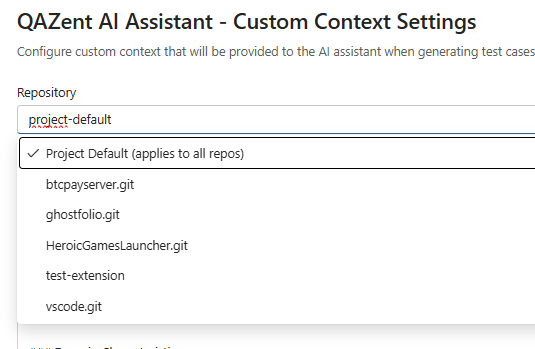
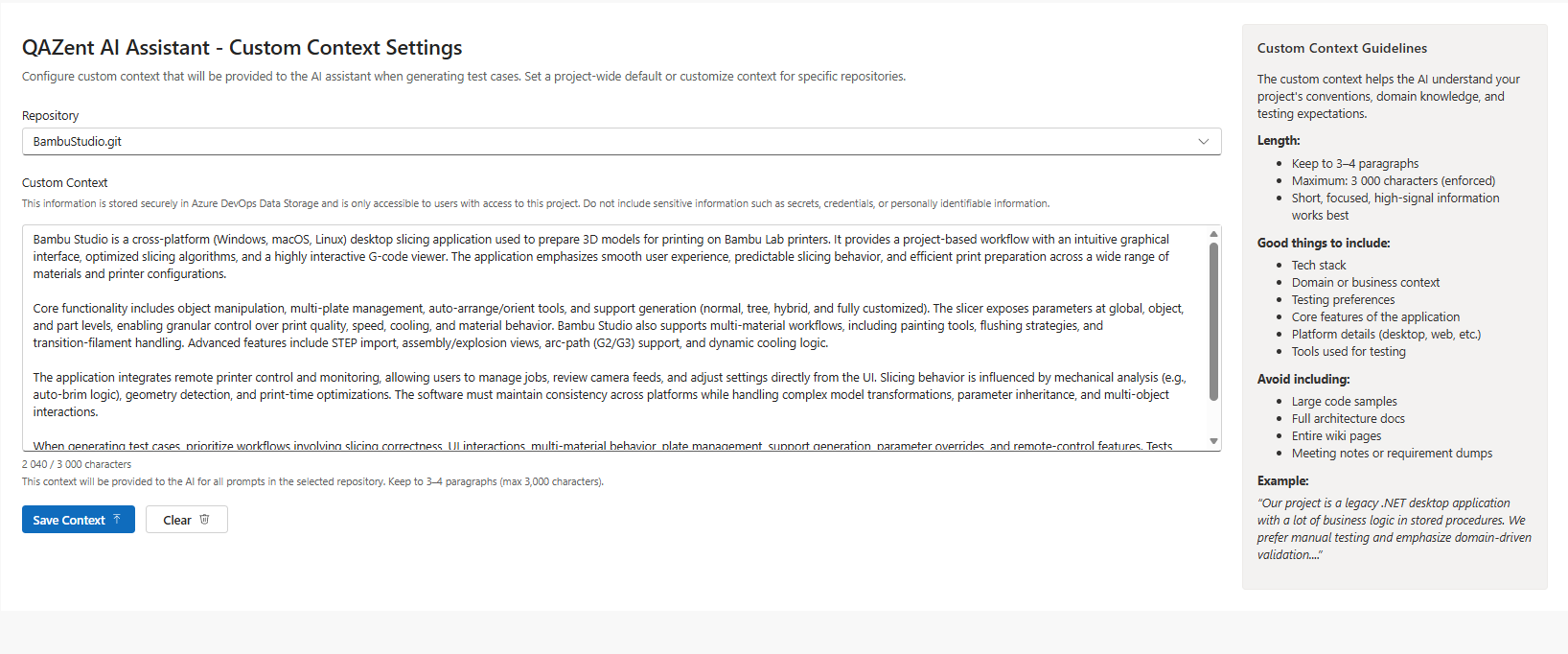
- Custom context – Project default and repository-specific context so output reflects the same signals your QA team would use
- 14-day free trial – Full functionality per organization; licensing and checkout via qazent.com (Lemon Squeezy)
- Privacy-first processing – Sends only PR diffs, metadata, and commit messages needed for analysis; data is processed in memory and not used to train AI models
How It Works
QA mode
Open a pull request
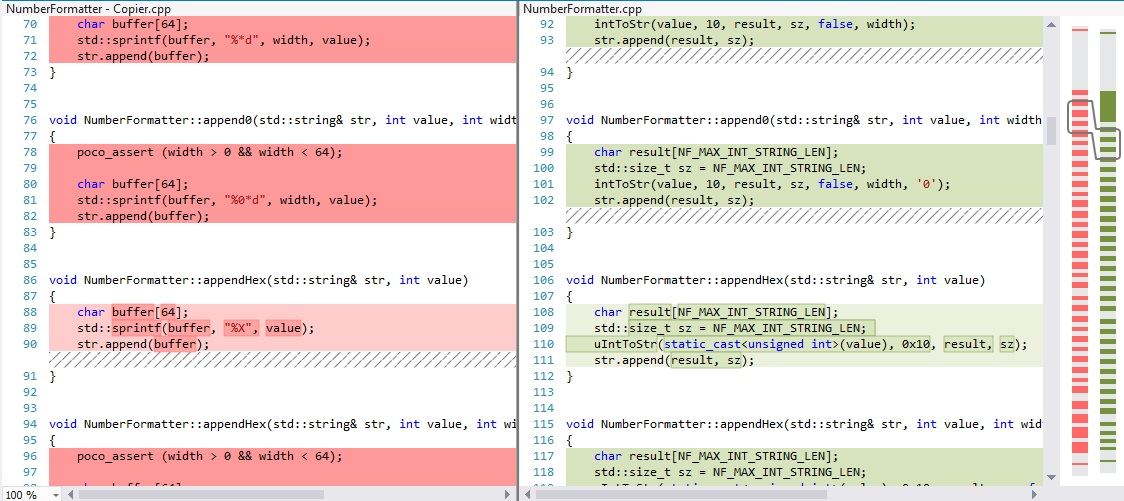
Open any pull request in Azure Repos and go to the Analyze PR tab. QAZent loads your Project Default Context or repository-specific custom context when configured.

Choose QA mode or Code Review mode
Select QA for structured test assets, or Code Review when you need a review summary. Pick how results should be delivered on the PR.
Click Analyze (manual, one-shot)
Click Analyze. The engine inspects added, removed, and modified lines — plus PR title, description, linked work items, and commit messages — to understand intent, risk, and behavioral impact.
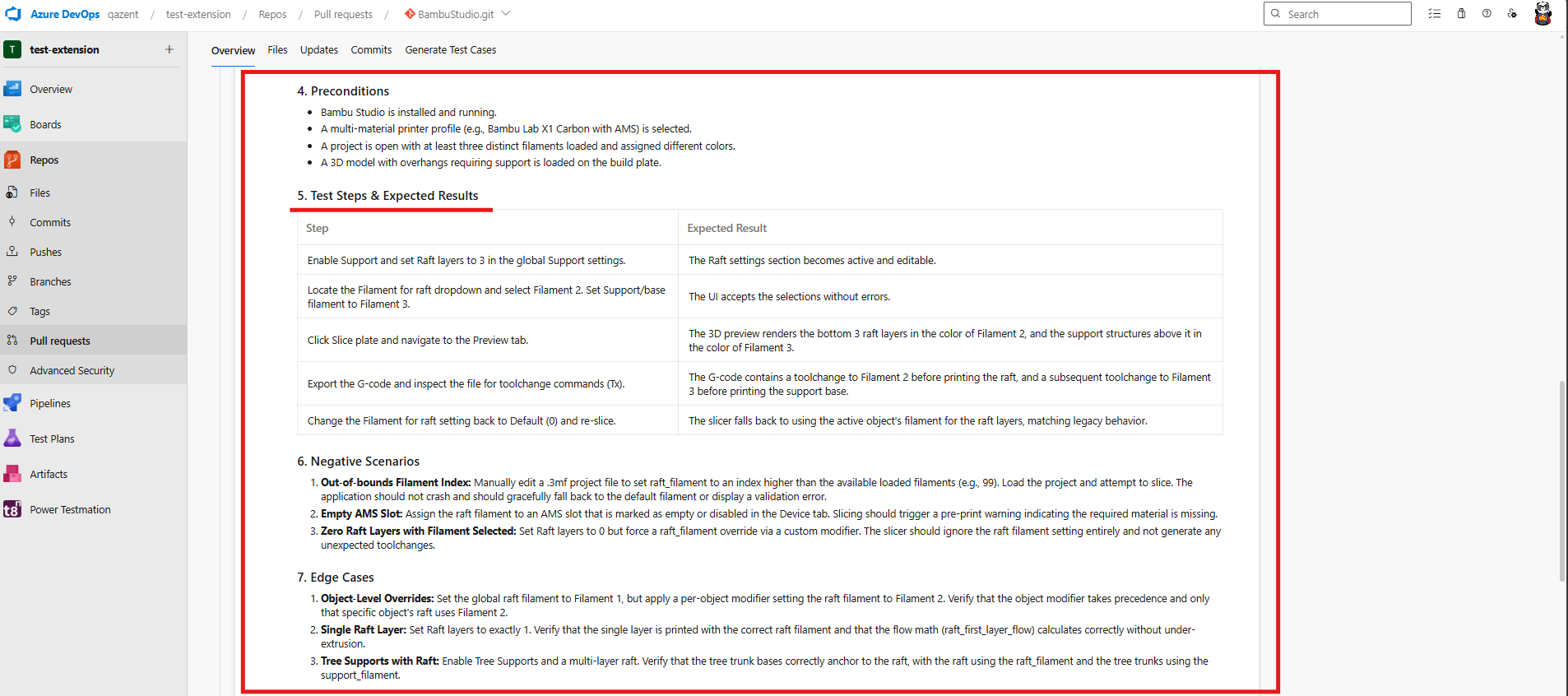
QA mode produces structured output such as:
- Purpose and scope of the PR
- Preconditions required before testing
- Detailed test steps with expected results
- Negative scenarios and edge cases
- Regression areas to verify
- Data requirements and automation notes
Code Review mode produces a structured review summary with actionable findings, highest-risk areas, and an overall verdict (approve / approve with comments / request changes).
Test Case work item in Boards (or PR comment)
Depending on your output choice:
- Default: Create a Test Case work item in Azure Boards (or your configured fallback type) and post a summary comment on the PR
- Alternate: Skip the work item and post the full output as a PR comment only
PR Assistant does not modify your pull request code automatically — all output is reviewable before you act on it.
Give the AI the context a QA engineer would use (recommended)
Configure Project Default Context for org-wide rules and Repository Custom Context where a repo needs extra domain nuance.
Quick Start
- Install PR Assistant from the Azure DevOps Marketplace and go to qazent.com
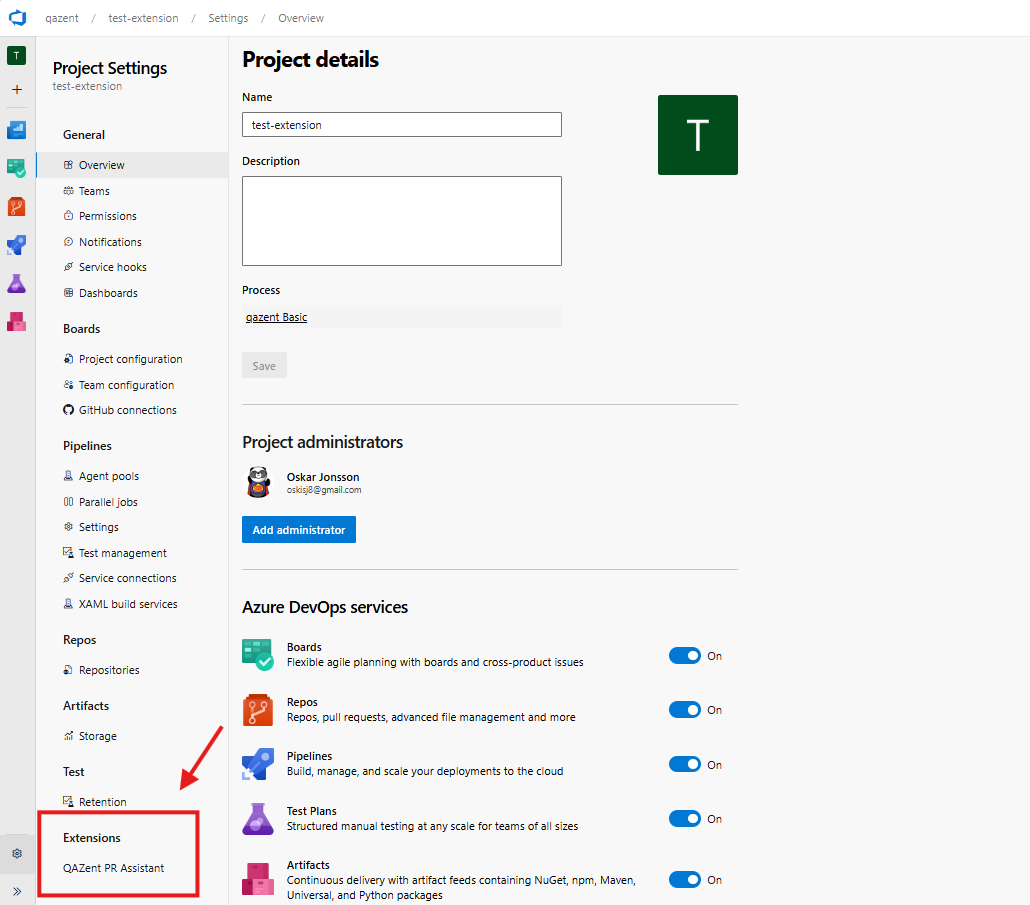
- Start your 14-day free trial (monthly plan) and activate the license under Project Settings → QAZent - License
- Optionally configure QAZent - AI Context Settings (project and repository custom context)
- Open a pull request, choose QA mode, select your PR output option, and click Analyze
- For best results, write a clear PR title, description and commit messages
For detailed setup, licensing, and FAQ, visit qazent.com, changelog, FAQ, license, support
What the AI Takes Into Consideration
PR Assistant generates high-quality, context-aware output by combining several inputs from your pull request and project environment:
- PR title and description
- Commit messages
- Linked work items (if any)
Code diff (diff-level access)
- Changed file names and paths
- Added, removed, and modified logic in the PR diff
- Token-bounded diff detail so analysis stays focused on what changed
- Specific file names, file paths, file extensions give extra points into our internal ranking system for the AI.
This enables the AI to focus on important files instead of several irrelevant markdown files. File paths is taking into consideration. For example, src, core, app, application folders ranks higher than others. And, .cs, .cpp ranks higher than .md and .txt
- Large refactors is ranked higher than small refactors
Analysis uses diff-level data only — not full-repository or whole-file reads beyond what is required to build the PR diff.
PR commit messages
- Commit messages from the PR history (capped for prompt size)
- Helps the AI understand incremental intent behind the change set
Optional: custom context
- Project default context (shared across repositories)
- Repository-specific context (overrides or extends project defaults)
- Business rules, architecture patterns, testing conventions, and domain terminology
What we do not do
- No automatic analyze on every PR – Analysis runs only when you click Analyze; PR Assistant does not automatically analyze every pull request on create or update
- No silent PR changes – Generated content is for review; PR Assistant does not edit your code or merge changes on your behalf
- No permanent storage of PR content – Diffs, descriptions, and custom context are processed ephemerally for generation and then discarded
- No training on your data – Customer data is not used by QAZent for model training; Gemini API usage follows Google's API terms for non-training use
For full details, see the extension privacy policy and qazent.com/privacy.
Why PR Assistant (not another always-on reviewer)
CodeRabbit and similar tools win on continuous automated PR review across every update. QAZent’s bet is different: QA-native Azure DevOps artifacts — native Test Case work items in Azure Boards, PR traceability, and Test Plans–ready structure — with manual Analyze, diff-only access, flat pricing, and no write/manage-code permissions.
- Azure DevOps–native — Works directly inside Azure Repos pull requests and Azure Boards
- QA-first, with optional code review — Structured test coverage is the primary outcome
- Fastest setup on the market — Live in ~5 minutes. No custom pipelines, no elevated permissions, no service accounts, no YAML
- Diff-only data access — Only reads PR diffs, metadata, and commit messages — never your full source tree
- Simple, flat, transparent pricing
- We host all AI infrastructure — Zero cloud-cost anxiety
- Minimal codebase access required — Competitors require write and manage code permissions; we don’t
- Fully in-memory, stateless flow — A design that makes the extension one of the most secure options available
Learn more: QAZent vs CodeRabbit
Benefits
- Boards-ready test assets – Native Test Case work items (or configured fallback) linked to the PR under review
- Agile, streamlined testing – Structured preconditions, steps, and edge cases from real code diffs
- Stronger quality – Catch edge cases and regression areas before changes reach production
- Save time – Automate test-case documentation from PR diffs with one manual Analyze click
- Maintain consistency – Every PR can follow the same structured QA approach
- Enable traceability – Link Test Case work items and comments directly to the pull request
- Shift-left testing
Publisher: QAZent
Categories: Azure Repos, Azure Boards
Website: https://qazent.com
Changelog: https://qazent.com/changelog\
FAQ: https://qazent.com/#faq
| |

