PR Assistant – AI‑Powered Automatic Test Case Generation
Transform your pull request workflow with AI‑powered test case generation that ensures comprehensive testing coverage. PR Assistant analyzes your code changes and generates structured, thorough test cases, helping development and QA teams maintain high quality standards.
Key Features
- AI‑Powered Test Case Generation – Leverages Google Gemini to analyze code changes and generate comprehensive test cases automatically
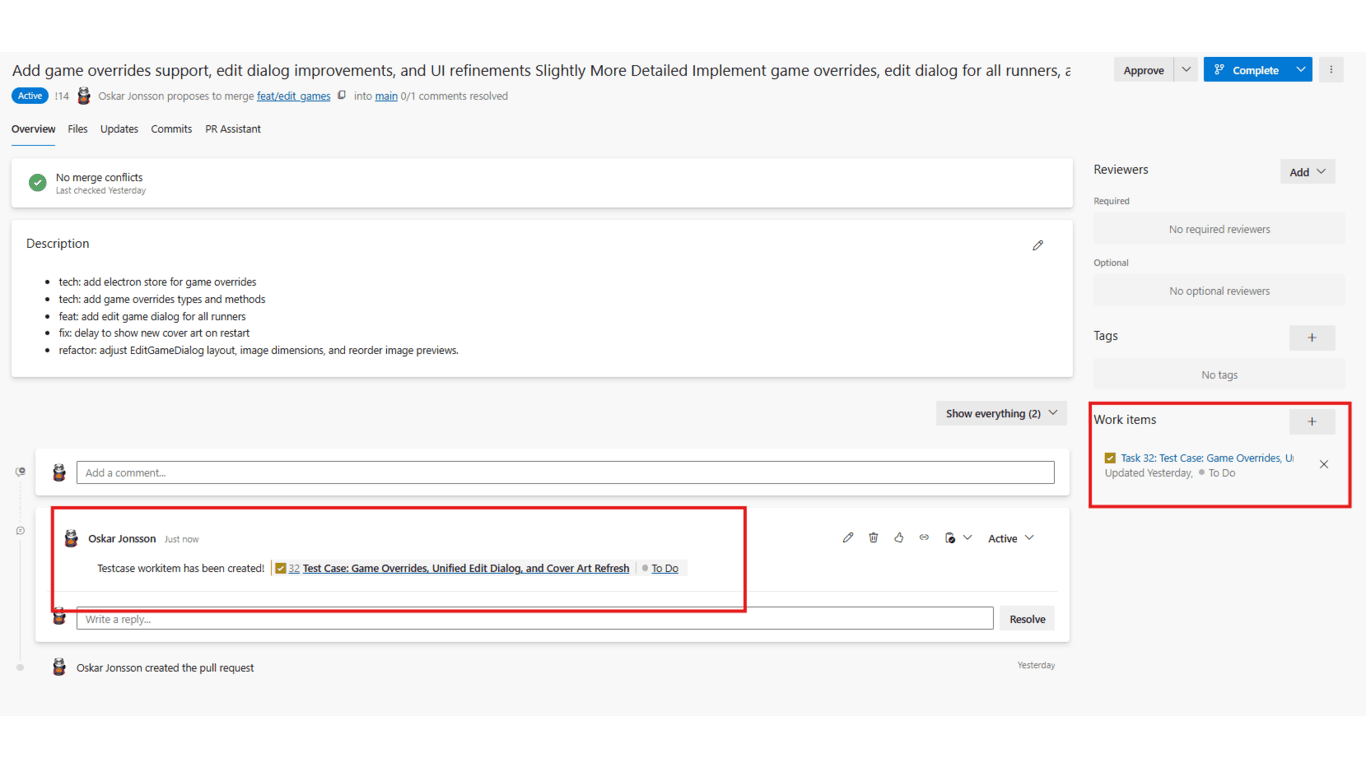
- Instant Work Item Creation – Convert pull requests into Azure DevOps Test Case work items instantly
- Structured Test Documentation – Produces complete test cases with preconditions, test steps, and expected results
- Enhanced Test Coverage – Ensures thorough testing by identifying edge cases and scenarios you might miss
How It Works
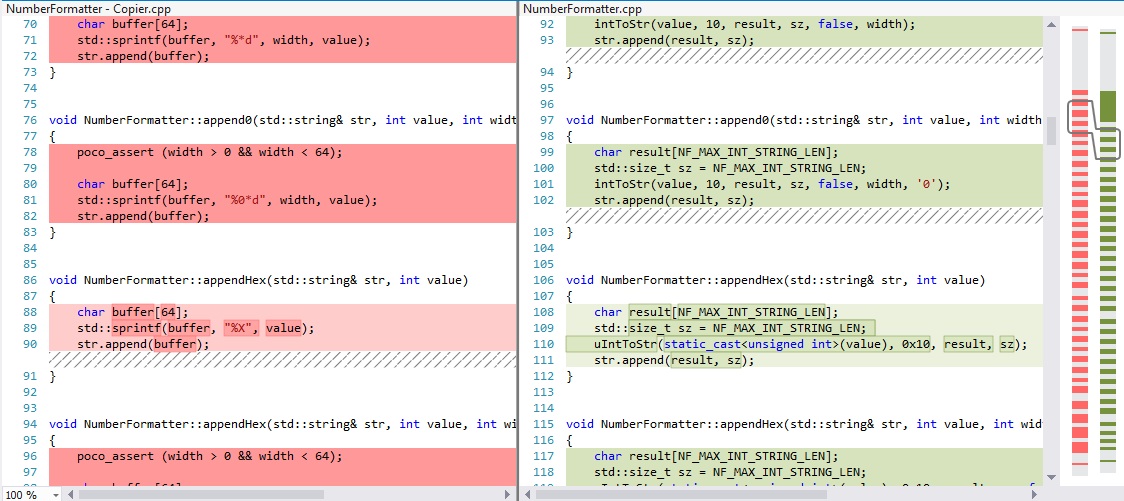
Open a Pull Request
Navigate to any pull request in Azure Repos to activate the PR Assistant tab.
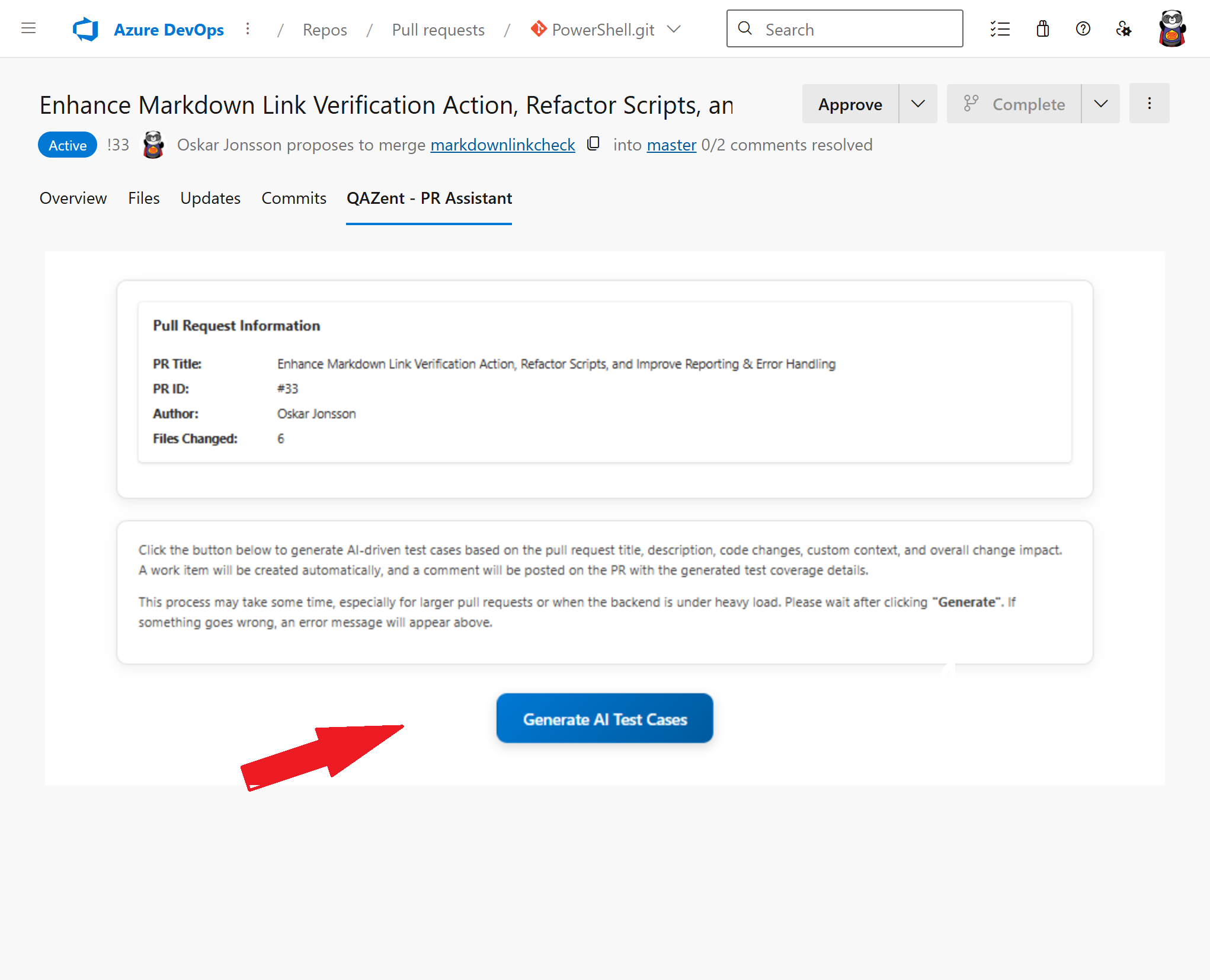
Generate Work Items with one click
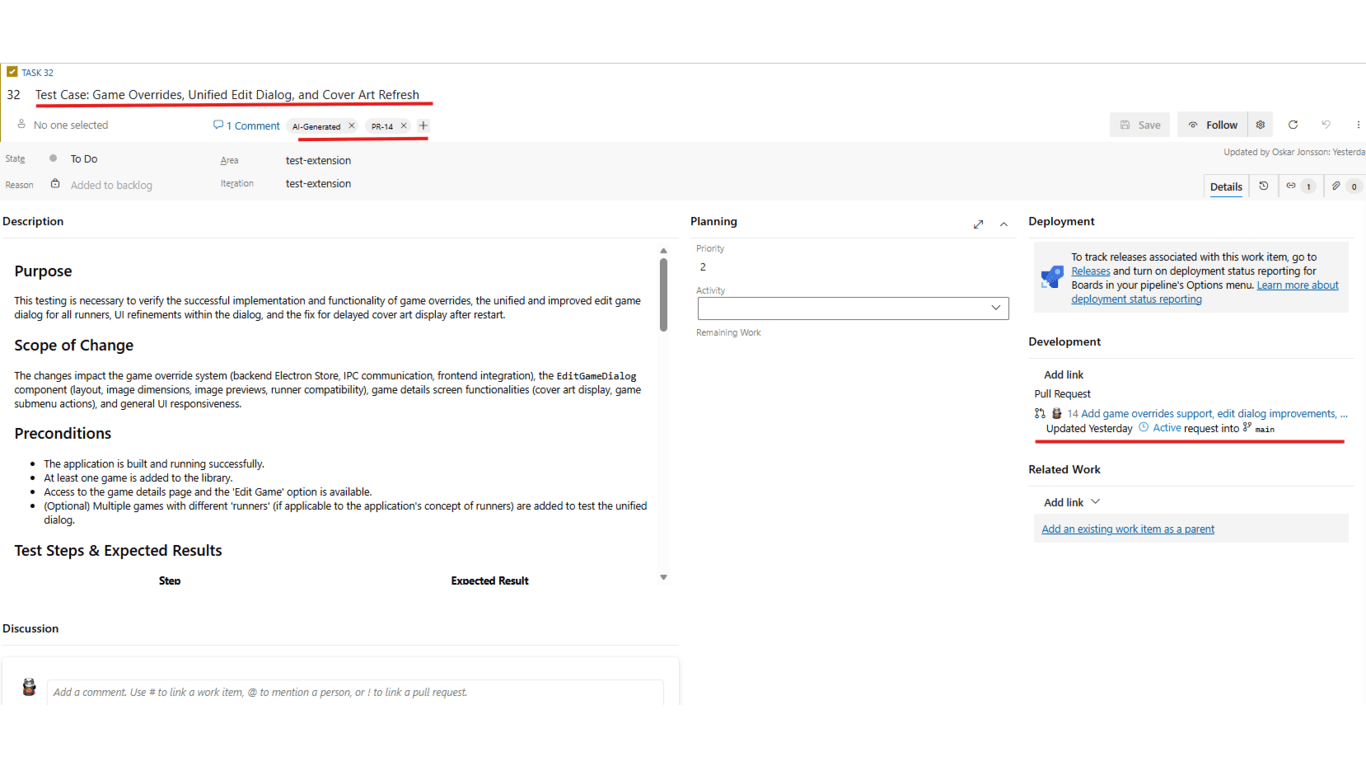
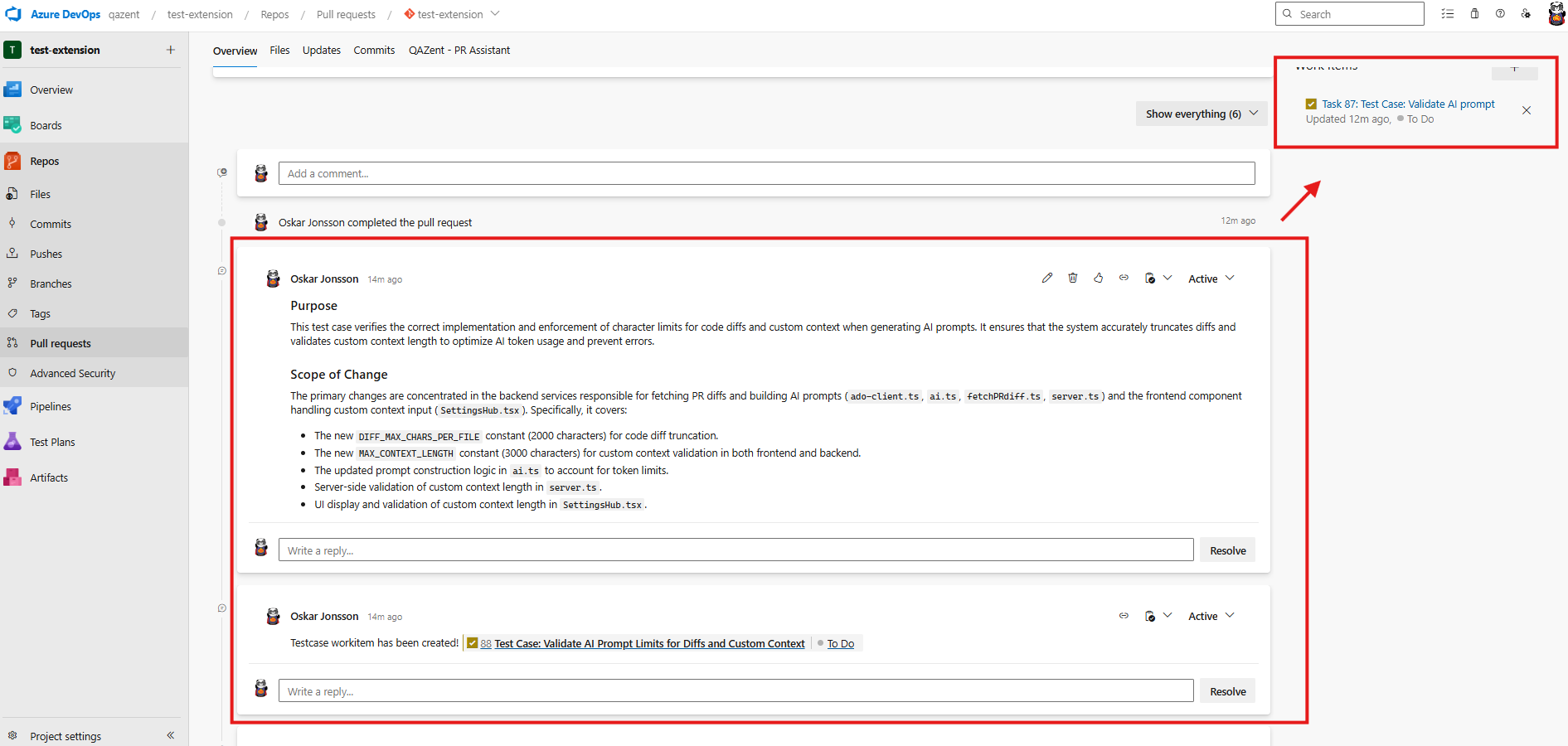
The assistant instantly creates structured work items containing:
- Purpose of the PR
- Scope of change
- Preconditions required before testing
- Detailed test steps with expected results
- Negative scenarios
- Edge cases
- Regression areas to verify
- Data requirements
- Automation notes — including suggestions on how to automate the test, recommended tools, and implementation hints
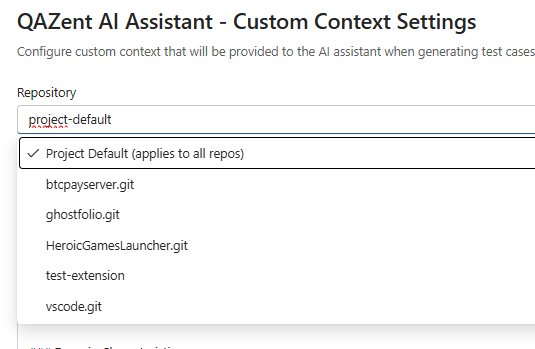
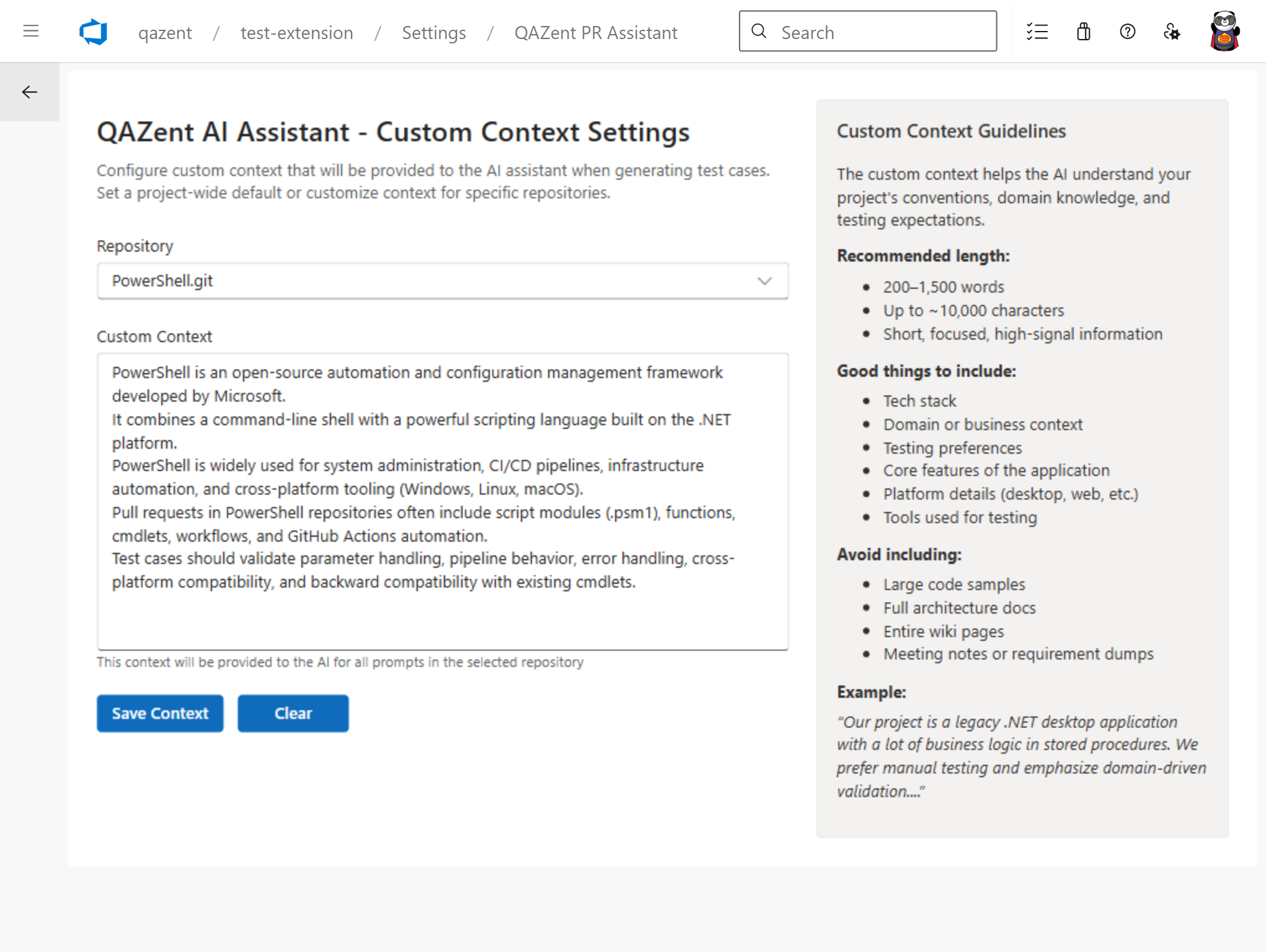
Recommended: Add Custom Context
Provide additional project or domain context to help the AI better understand your codebase and generate more accurate, relevant test cases.
Create Work Items
Convert generated test cases into Azure DevOps Test Case work items by only opening a PR!.
Prerequisites
Before installing PR Assistant, ensure you have:
- Azure DevOps Organization – Active Azure DevOps account with appropriate permissions
Quick Start
- Install the PR Assistant extension from the Azure DevOps Marketplace
- Configure custom context for the project and repositories (if applicable)
- Open a pull request — for best results, provide a clear PR title and description
For detailed setup instructions, visit the full documentation
What the AI Takes Into Consideration
PR Assistant generates high‑quality, context‑aware test cases by analyzing multiple inputs from your pull request and project environment:
System Prompt (Built‑In)
A carefully engineered system prompt guides the AI to:
- Follow structured test‑case formats
- Identify edge cases, negative scenarios, and regression risks
- Produce clear, actionable test steps and expected results
- Maintain consistency across all generated work items
The assistant reads:
- PR title
- PR description
- Linked work items (if any)
This helps the AI understand the purpose, scope, and intent of the change.
Code Diff
The AI analyzes:
- Modified files
- Added or removed logic
- Impacted functions, components, or modules
This ensures the generated test cases are directly tied to the actual code changes.
Full File Context (When Needed)
For more complex changes, the assistant may consider:
- Surrounding code
- Function/class definitions
- Dependencies and interactions
This improves accuracy for integration‑level or multi‑module changes.
- Optional: Custom Context
You can provide additional project‑specific or domain‑specific context, such as:
- Business rules
- Architecture patterns
- Testing conventions
- Domain terminology
This helps the AI tailor test cases to your organization’s standards and workflows.
Benefits
- Agile and Streamlined Testing – Automatic work item creation with detailed information
- Improve Quality – Generate comprehensive test cases that catch issues before they reach production
- Save Time – Automate the tedious process of writing test case documentation
- Maintain Consistency – Ensure all PRs follow the same structured testing approach
- Enable Traceability – Link test cases directly to code changes for better audit trails
Publisher: QAZent
Category: Azure Repos
Website https://qazent.com

