DeepCiderStudioDescription
Deep Cider is a deep blue color theme for Visual Studio.
To achieve the appearance shown in the preview images, some additional color settings need to be configured manually in Visual St |

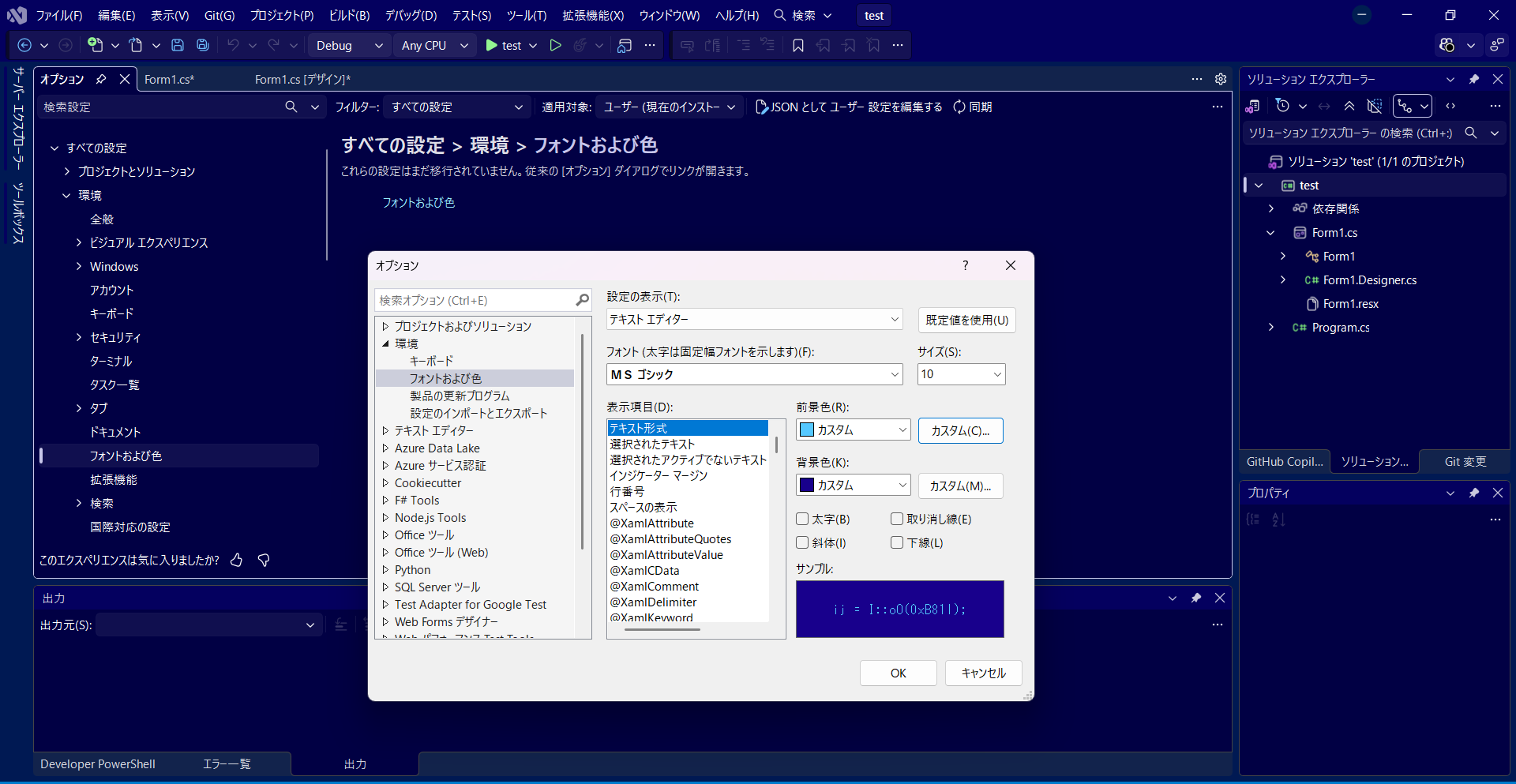
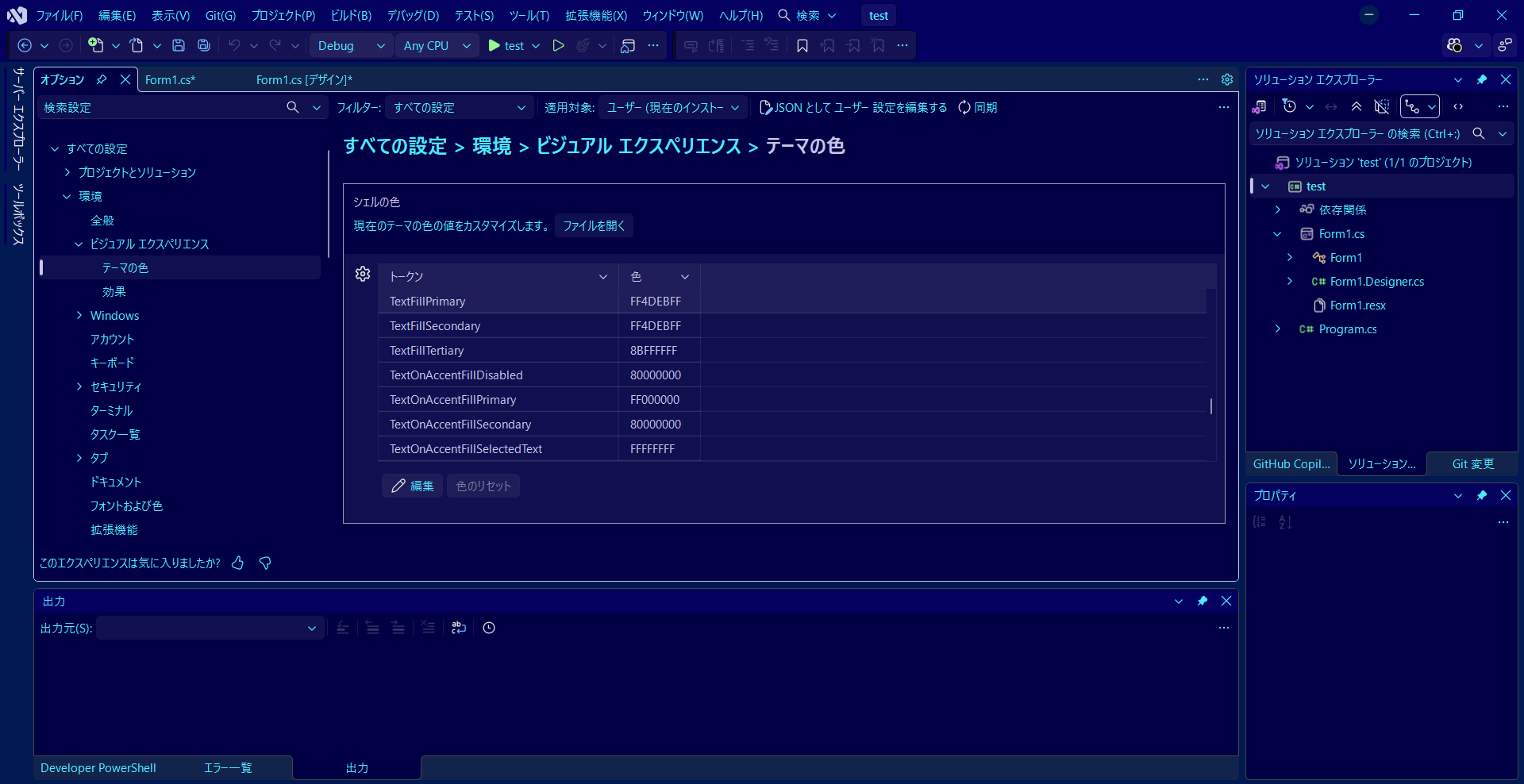
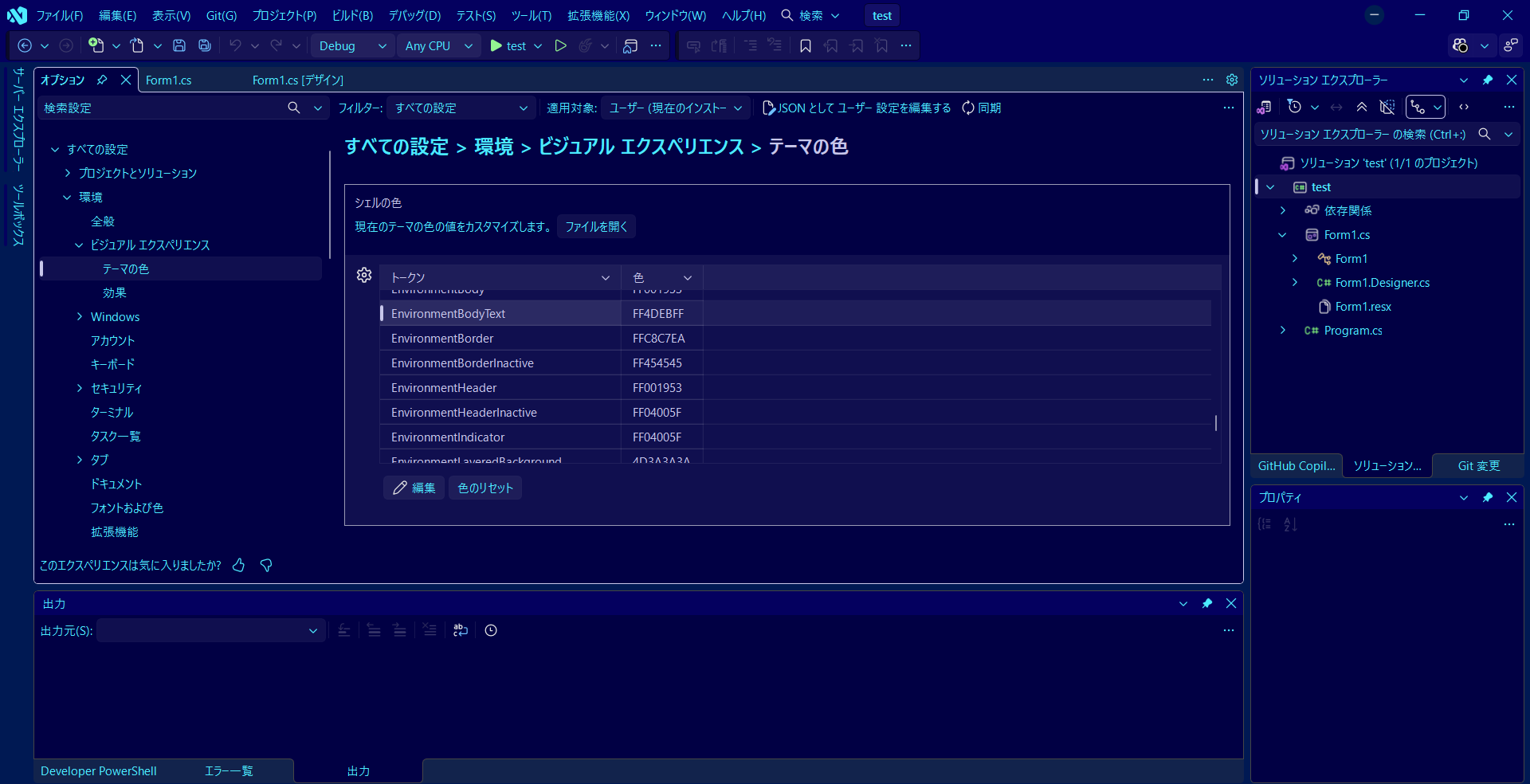
Deep Cider Studio Deep Cider Studio is a deep blue color theme for Visual Studio. It combines a deep blue interface with bright ice-blue text to create a clear and distinctive development environment. Additional Color Settings To reproduce the appearance shown in the preview images, configure the following Visual Studio Photon color settings. Location Tools → Options → Environment → Visual Experience → Theme Colors Change these values TextFillPrimary → FF4DEBFF TextFillSecondary → FF4DEBFF EnvironmentBodyText → FF4DEBFF EnvironmentLogo → FF4DEBFF These settings change the main UI text, secondary text, body text, and Visual Studio logo to the ice-blue color used with Deep Cider Studio. Code Editor Color Customization The code editor colors can also be customized separately in Visual Studio. Location Tools → Options → Environment → Fonts and Colors From there, select the desired display item and adjust its foreground and background colors. This allows you to customize the code editor colors to better match Deep Cider Studio. |