ValueCastValueCast — cast a value model across your Azure DevOps backlog. WSJF, RICE, ICE or your own. Scores write to any ADO field on sync. |

ValueCast — Backlog Prioritisation by Value ScoreValueCast ranks your Azure DevOps backlog by a value model you control — WSJF, RICE, ICE, or your own weighted formula. Scores write directly to any ADO field on sync. Stop arguing about backlog order in meetings. Let the maths decide.
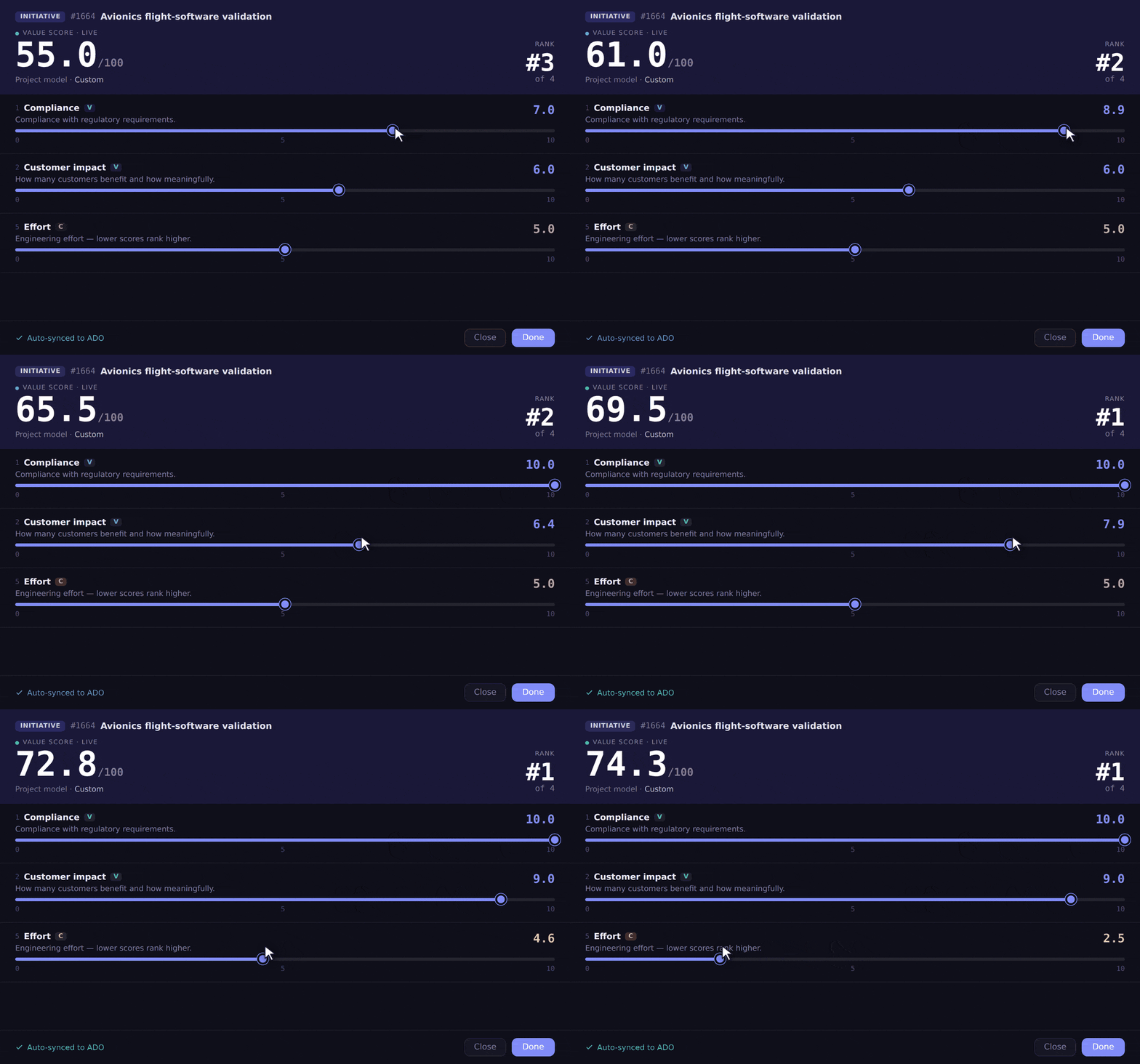
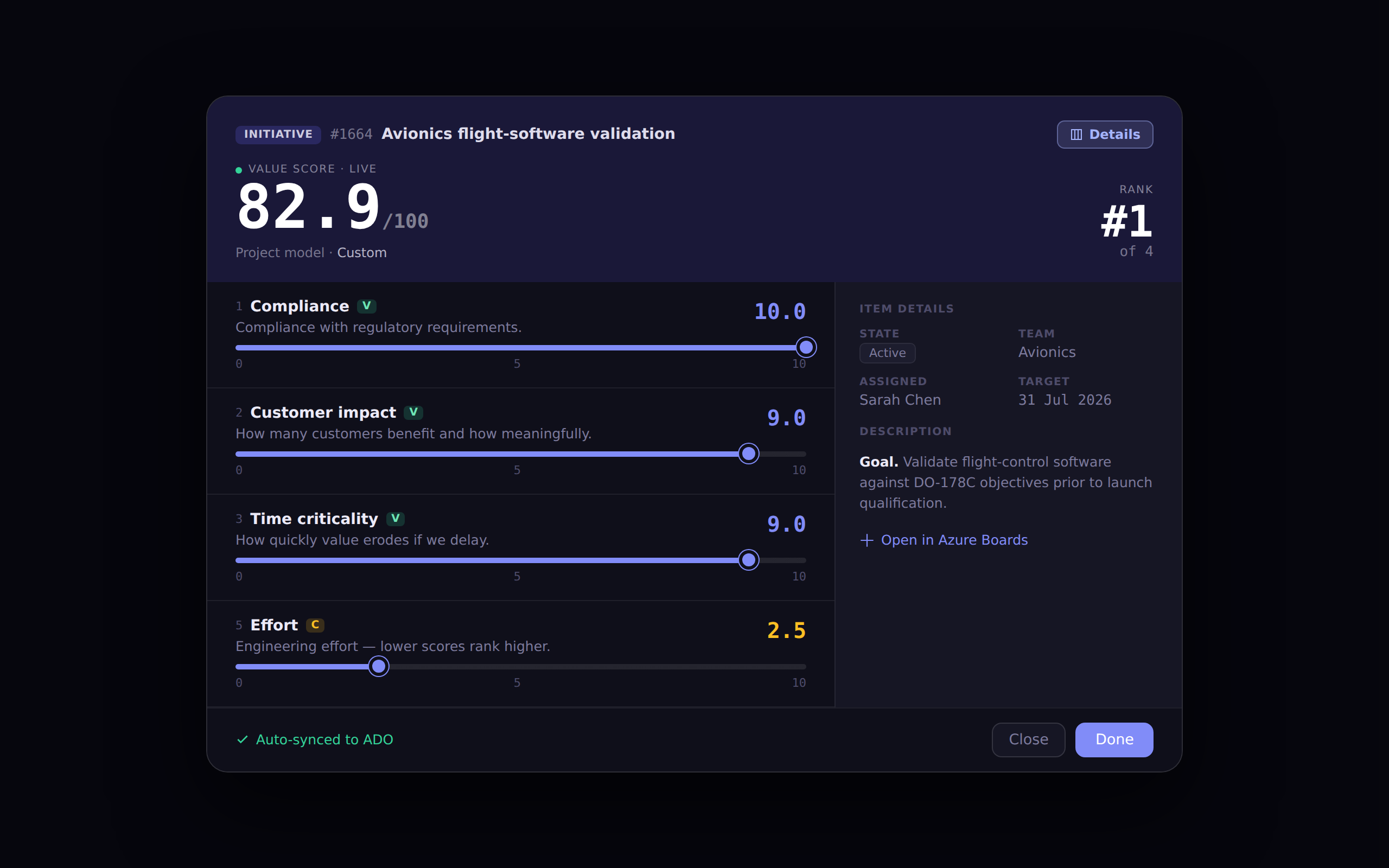
See it in actionScore any work item with sliders and watch the value score and backlog rank update live. With auto-sync on, the score writes straight to your ADO field — no save, no export.
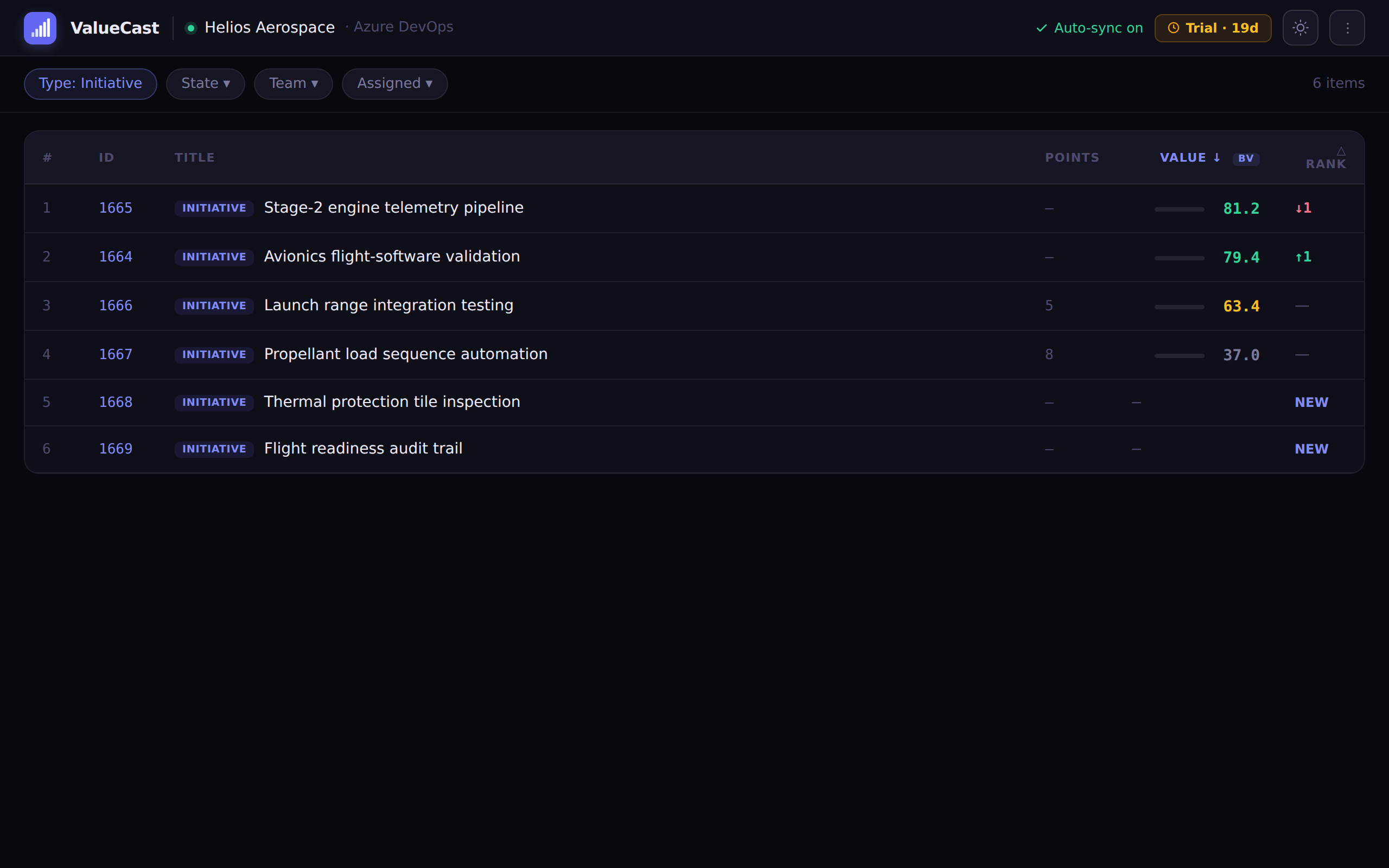
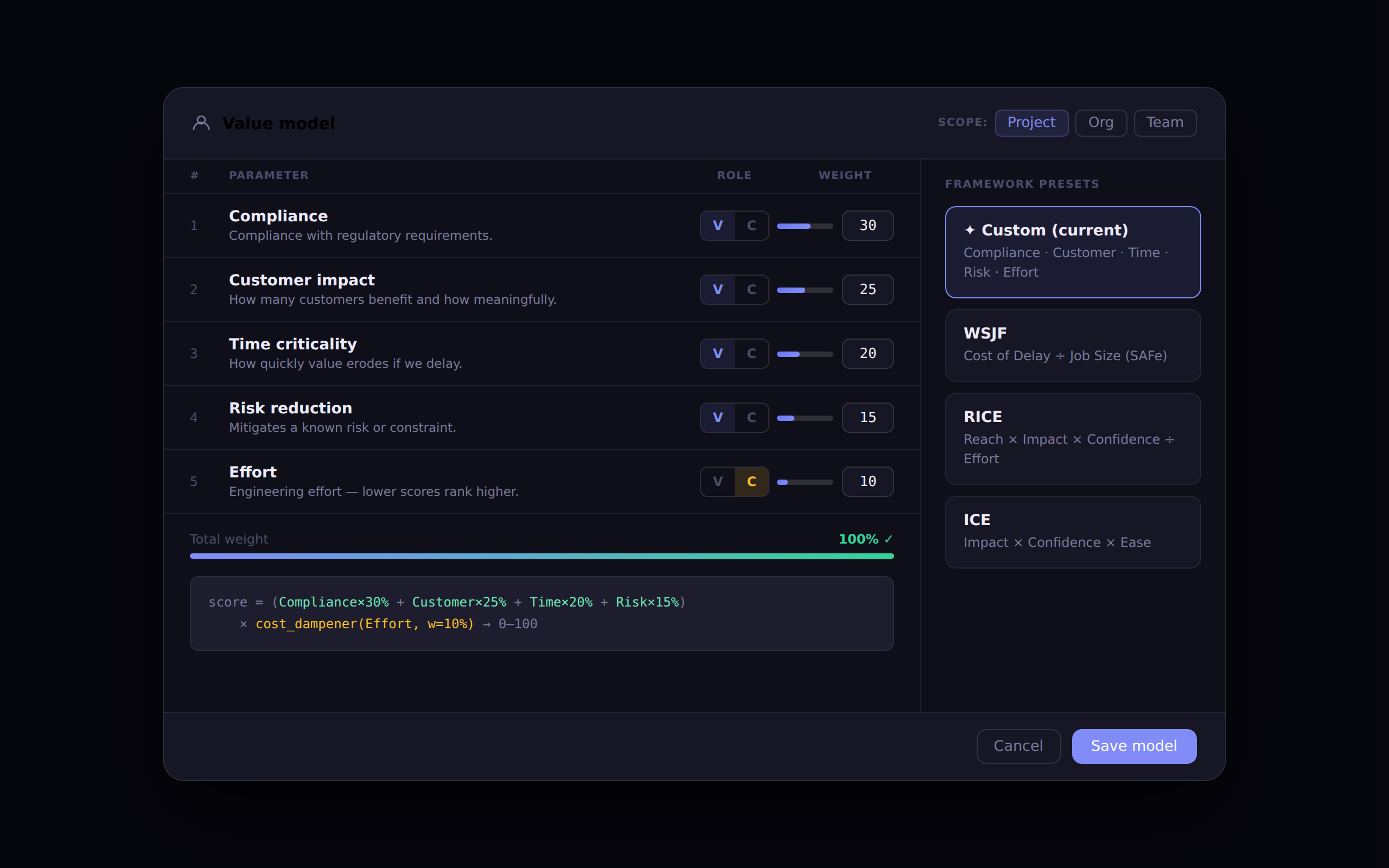
The problem with backlogsEvery team has one. Almost none are ordered by actual value. Items drift to the top because someone was loud in the last sprint review. Technical debt tickets sit at the bottom forever. Nobody can explain why item 47 is ranked above item 12. Portfolio reviews become political rather than data-driven. ValueCast fixes this. It gives every backlog item a score based on criteria your team agrees on — and keeps that score live in ADO so it flows into every report, query, and dashboard you already have. How it works1. Choose your value model
2. Score your items
3. Watch the backlog order itself Value models built inWSJF — Weighted Shortest Job FirstThe SAFe standard. Scores items on Business value, Time criticality, Risk reduction / Opportunity enablement divided by Job size. The canonical framework for scaled agile organisations. RICE — Reach · Impact · Confidence · EffortThe Intercom framework. Great for product teams who want to quantify how many users an item affects, how deeply, with a confidence weight to keep optimistic estimates honest. ICE — Impact · Confidence · EaseThe lightweight three-input model. Fast to score, no denominator complexity. Perfect for teams new to value scoring who want to start in minutes. Value vs EffortThe minimal 2-axis model. Pure signal, minimum friction. Value over Effort — nothing else. Fully customRename any parameter. Change descriptions. Add parameters. Delete parameters. Set any weight. Toggle any parameter between Value and Cost roles. The formula updates live as you edit. Org · Project · Team scopingValue models inherit down the hierarchy — define once at Org level, override at Project level, override again at Team level. Teams with different priorities (regulatory vs product vs engineering) can each have their own model without affecting anyone else. Writes to any ADO fieldBy default, scores write to Change it in Settings in 10 seconds. Filters and columnsFilter the backlog by Type, State, Team, Assigned, or Tags before scoring so you can focus a session — "score all the Regulatory items for the Sensor team" in one pass. Show or hide columns (State, Team, Assigned, Tags, Points, △ Rank) to match your workflow. Auto-sync vs Manual syncAuto-sync (default): every slider move writes to ADO immediately. Scores are never stale. The live rank position updates in real time as you score. Manual sync: batch all writes with a single Sync button. Useful in organisations with strict ADO write policies or where you want to review scores before committing. Switch modes in Settings at any time — no data is lost. Dark and light modeFull dark mode and light mode support, switched in one click. Persisted to your browser so the app opens in your preferred theme every time. Pricing
No credit card required to get started. The trial is issued automatically — just install and go. Requirements
Azure DevOps Server (on-premises) is not supported. PermissionsValueCast requests the minimum scopes needed:
Getting started
First scores take about 2 minutes per item. Once your model is set, re-scoring after a sprint review takes less time than the meeting itself. From the team at outcomemetValueCast is built by the same team behind OutcomeMap — the OKR and portfolio management extension for Azure DevOps. We built ValueCast because prioritisation was the most common request we heard: "OutcomeMap is great for the roadmap, but how do we get the right things into the backlog in the first place?" ValueCast answers that question. Questions? Feedback? support@outcomemet.co.uk |