Pull request analytics for Azure DevOps — built-in dashboard with cycle time, throughput, and reviewer metrics. Includes optional ML predictions and AI insights.
Pull request analytics for Azure DevOps — built-in dashboard with cycle time, throughput, and reviewer metrics.
Previously available via private share to select organizations; now in public preview.
What You Get
Core (works immediately after install)
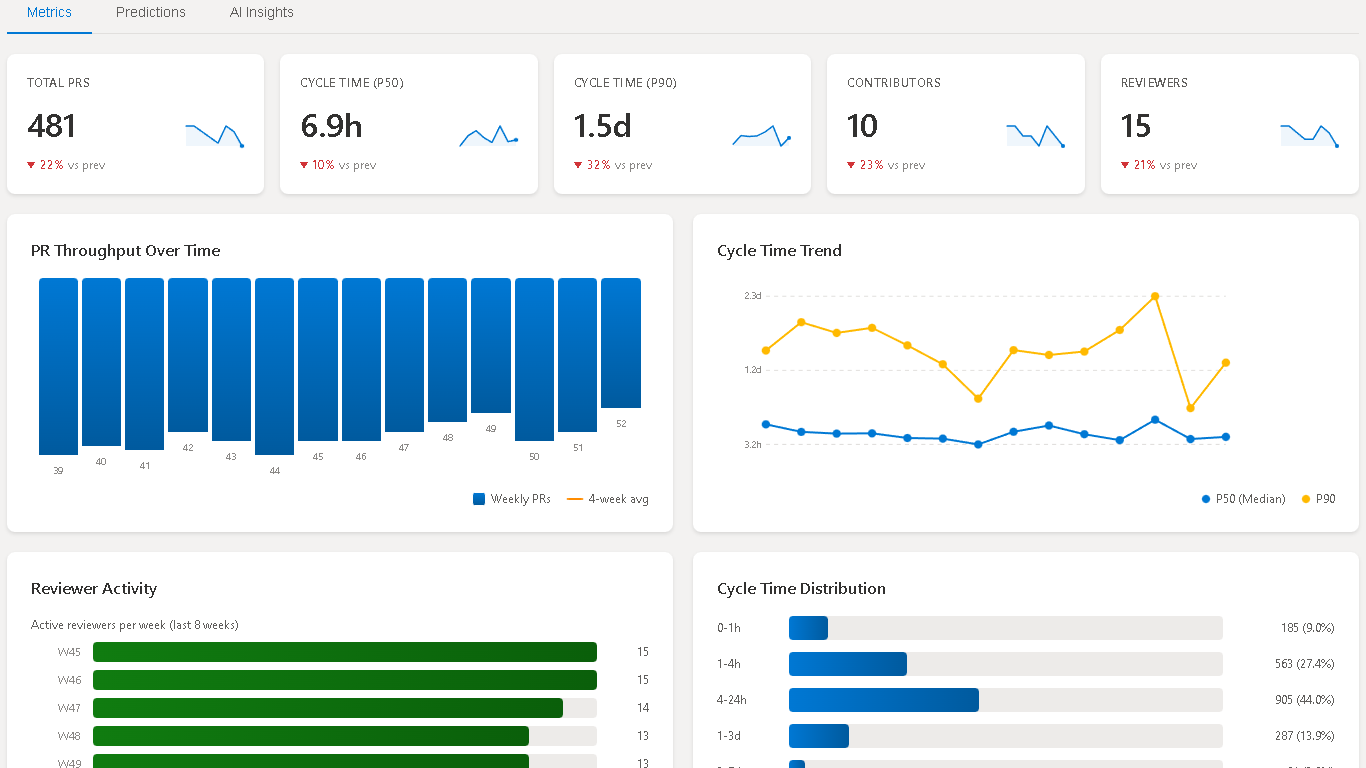
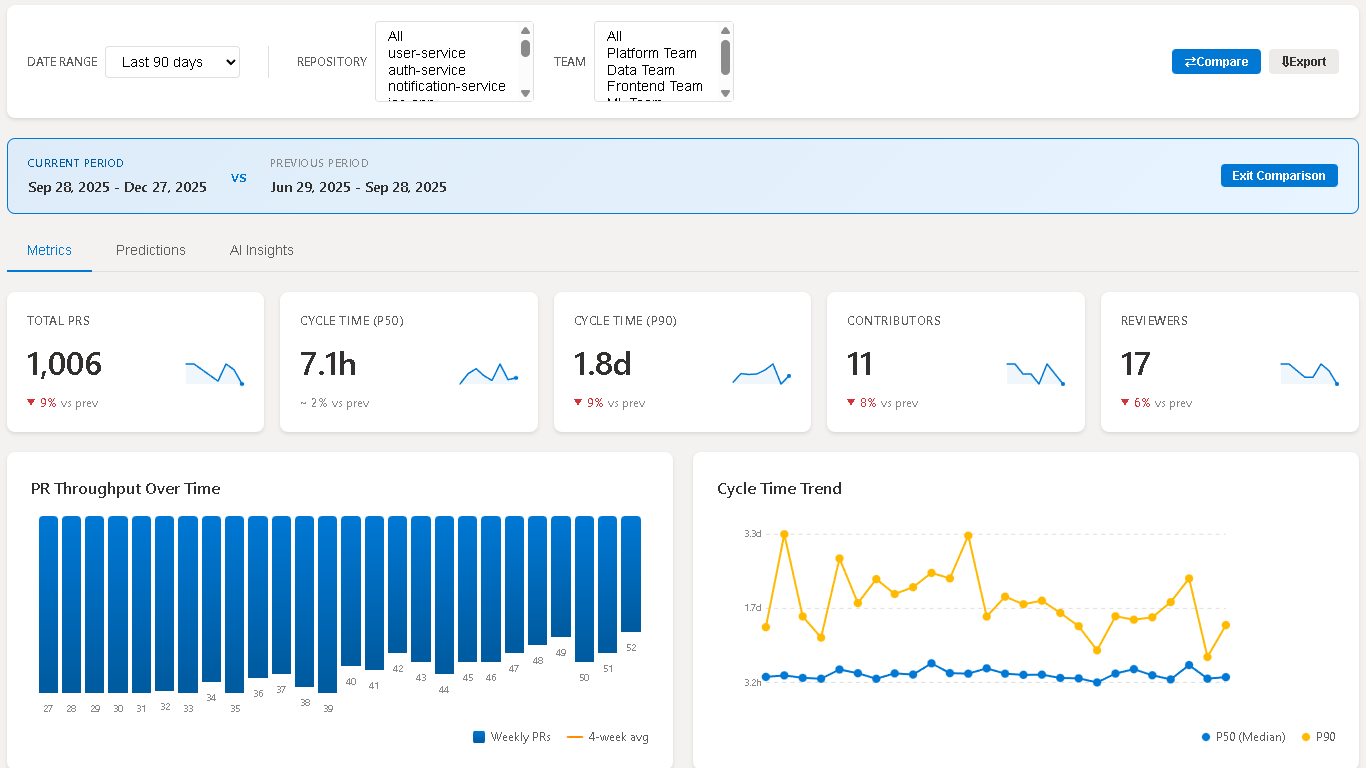
PR Insights Dashboard — Interactive dashboard embedded directly in your Azure DevOps project with cycle time trends, throughput charts, reviewer activity heatmaps, and distribution analysis
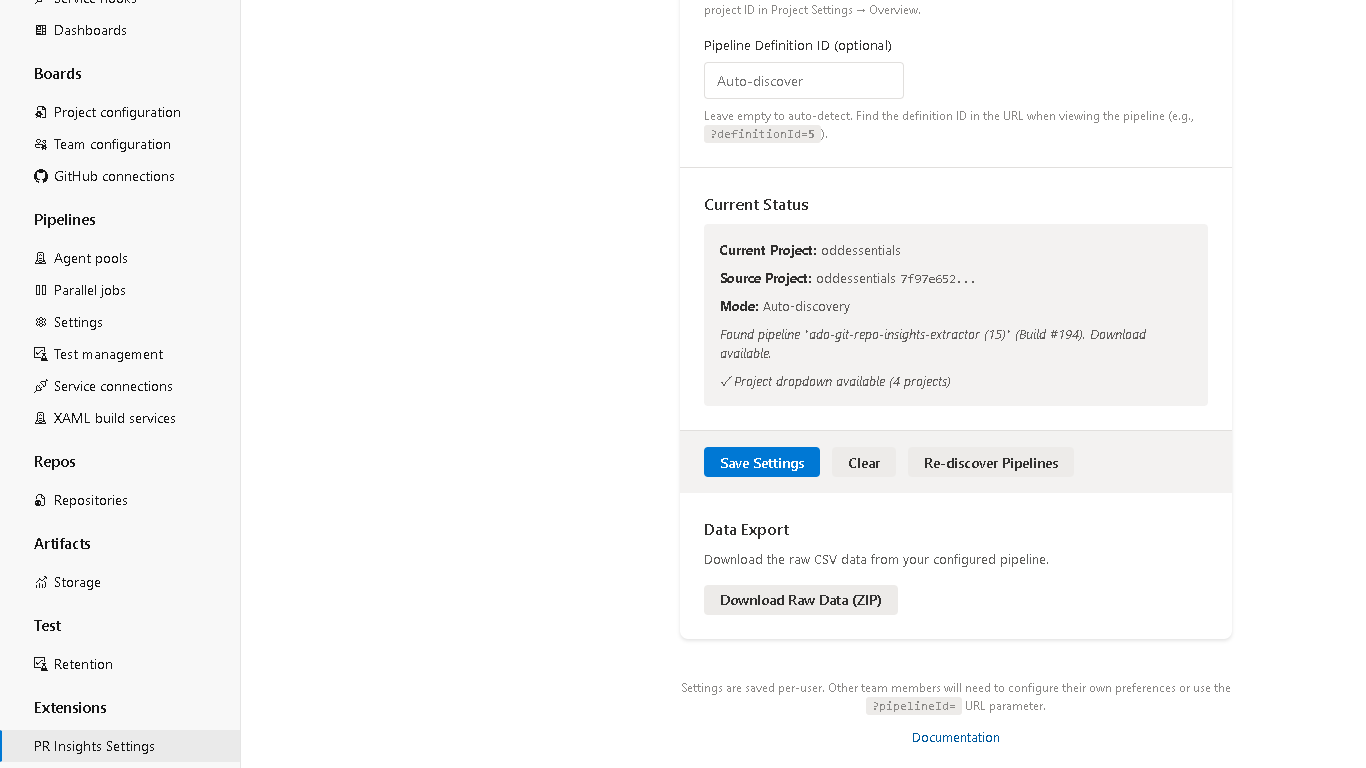
PR Insights Settings — Project-level settings page for administrators to configure dashboard behavior, accessible from Project Settings
Automated PR Extraction — Pipeline task extracts pull request data incrementally, minimizing API calls with smart date windowing and backfill convergence
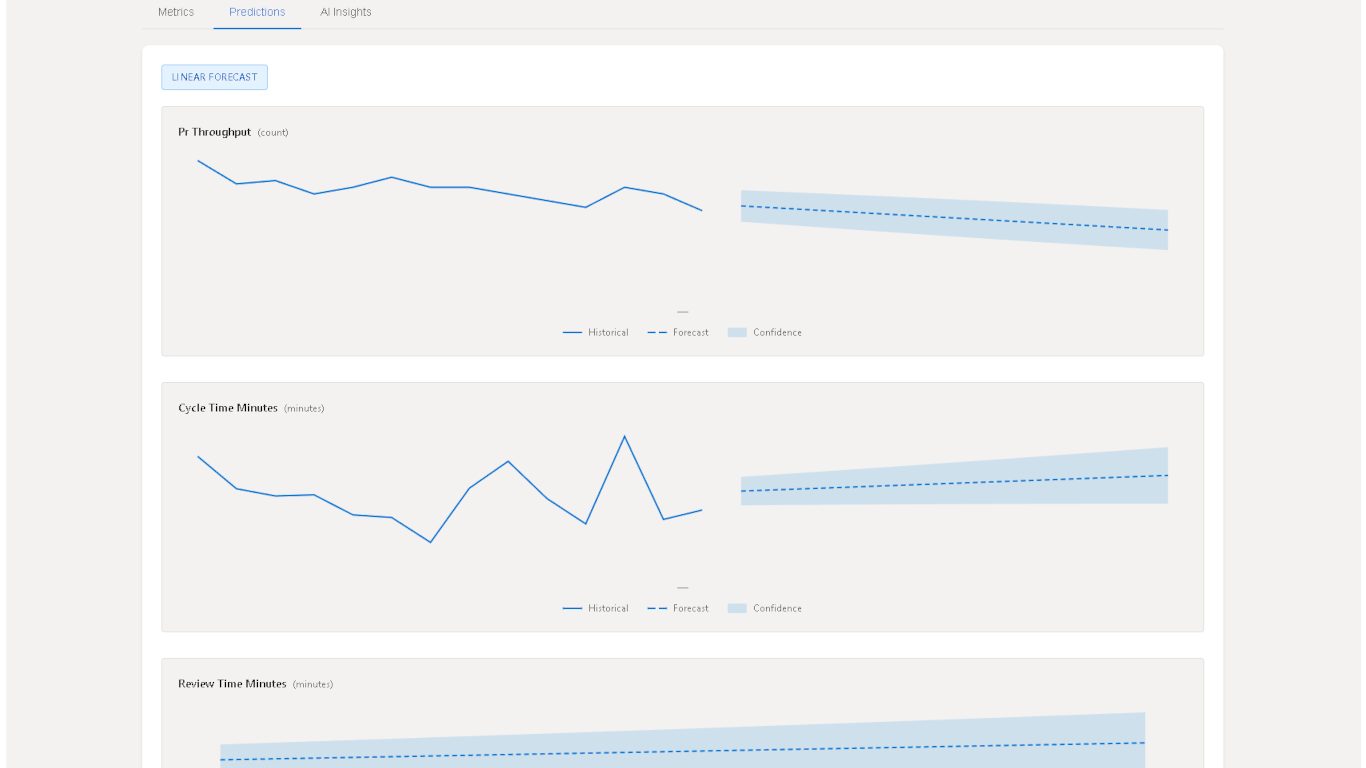
ML Predictions — Time-to-merge forecasting using Prophet models. Requires setting enablePredictions: true in the pipeline task and installing Python Prophet dependencies.
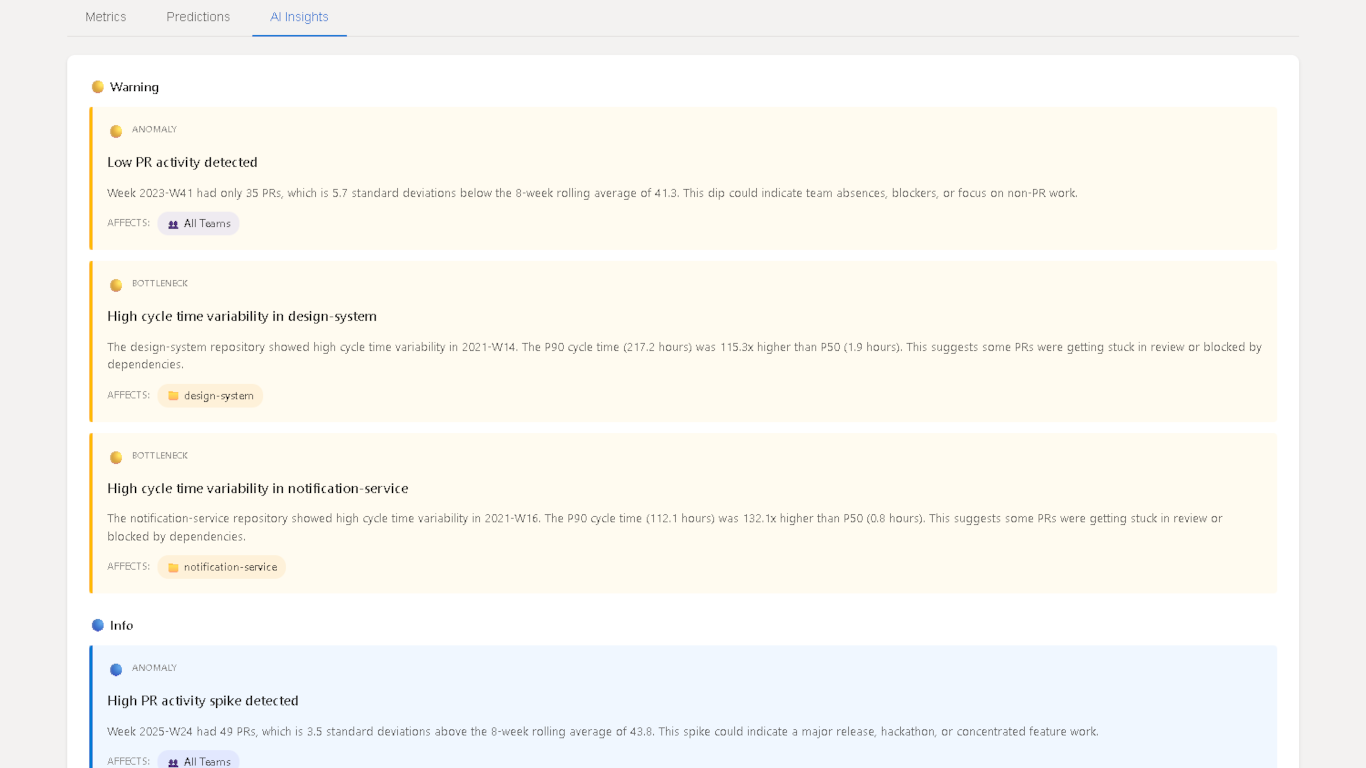
AI-Powered Insights — Natural language summaries of PR trends and anomalies. Requires providing an OpenAI API key via pipeline variable.
Dashboard
The PR Insights Dashboard shows: total PRs, cycle time (P50/P90), active contributors and reviewers, weekly throughput trend, reviewer activity, and cycle-time distribution buckets (<1 day, 1–3 days, 3–7 days, >7 days).
Live Demo
Explore a working dashboard with sample data: View Live Demo
Important: After installing, a project administrator must enable the dashboard via Project Settings > Preview Features > [GRI] PR Insights Dashboard. The dashboard is not visible until this feature flag is turned on.
Getting Started
Install — Click "Get it free" to install Git Repo Insights in your Azure DevOps organization.
Enable the Dashboard — A project or organization administrator must go to Project Settings > Preview Features and turn on [GRI] PR Insights Dashboard.
Create a PAT — Generate a Personal Access Token with Code (Read) scope in Azure DevOps.
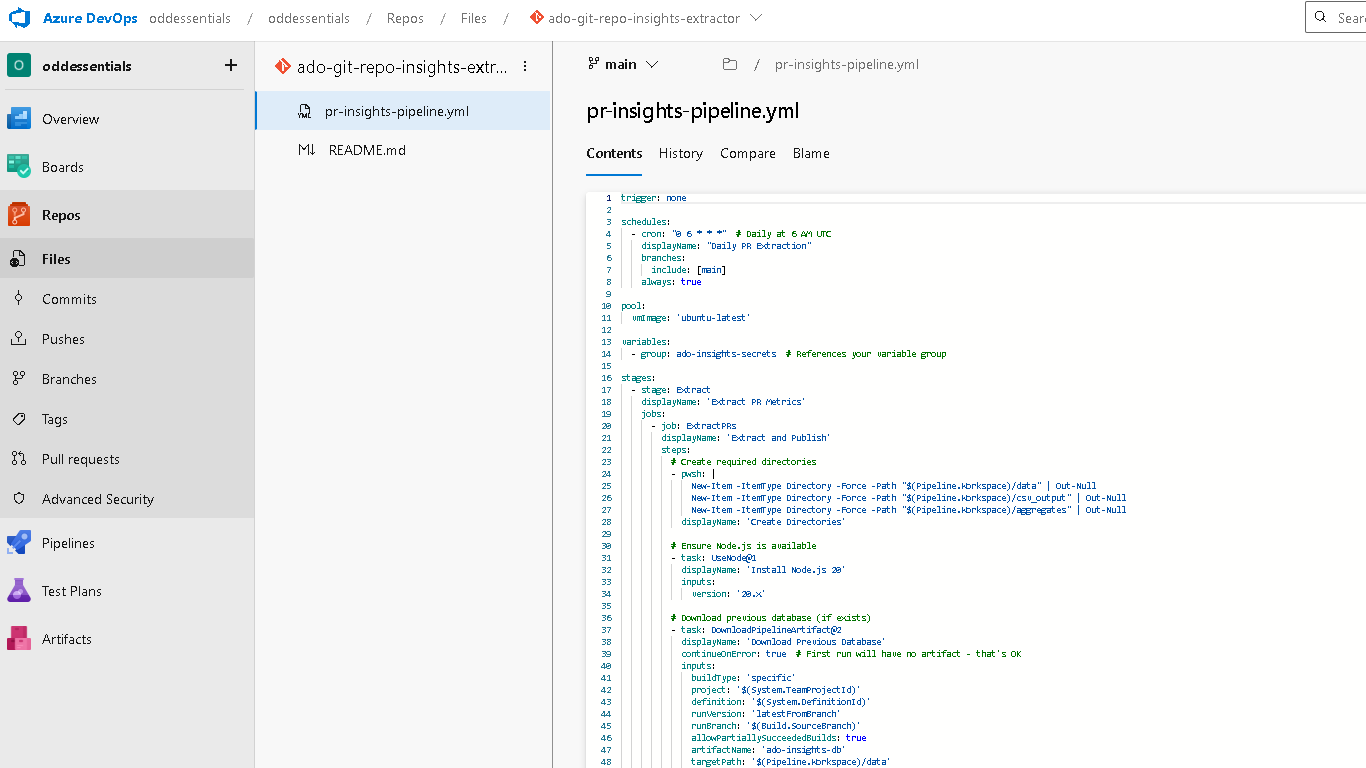
Store the PAT — Add the PAT to a pipeline Variable Group named ado-insights-secrets as a secret variable PAT_SECRET.
Add the Pipeline Task — Add ExtractPullRequests@3 to a pipeline definition (see Pipeline Task Reference for all inputs).
View the Dashboard — After a successful pipeline run, navigate to your project's Repos menu and select PR Insights.
Requirements
Azure DevOps Services (cloud) or Azure DevOps Server 2020+ (on-premises)
Node.js 22+ on the build agent (use UseNode@1 with version: "22.x")