Skip to content
| Marketplace
Sign in
Azure DevOps>Azure Boards>Oboard OKR Software for Azure DevOps
Oboard OKR Software for Azure DevOps

Oboard OKR Software for Azure DevOps

Oboard OKR Software

|
9 installs
| (0) | Paid
OKR tool for Microsoft Azure DevOps. Connect your strategy execution: from goals and success metrics to Azure Boards work. Run automated check-ins through Microsoft Teams.
Get

Oboard OKR Software for Azure DevOps

Turn company strategy into actionable goals and success metrics, linked straight to the Azure Boards work your teams already manage. Oboard for Azure DevOps keeps the full goal hierarchy, from company strategic goals down to work items, in one place.

BOOK A DEMO

If your teams already work in Microsoft Azure DevOps, you need an OKR tool that lives right there. Oboard tracks Objectives and Key Results where the work already happens — no separate goal-management platform, no added complexity.

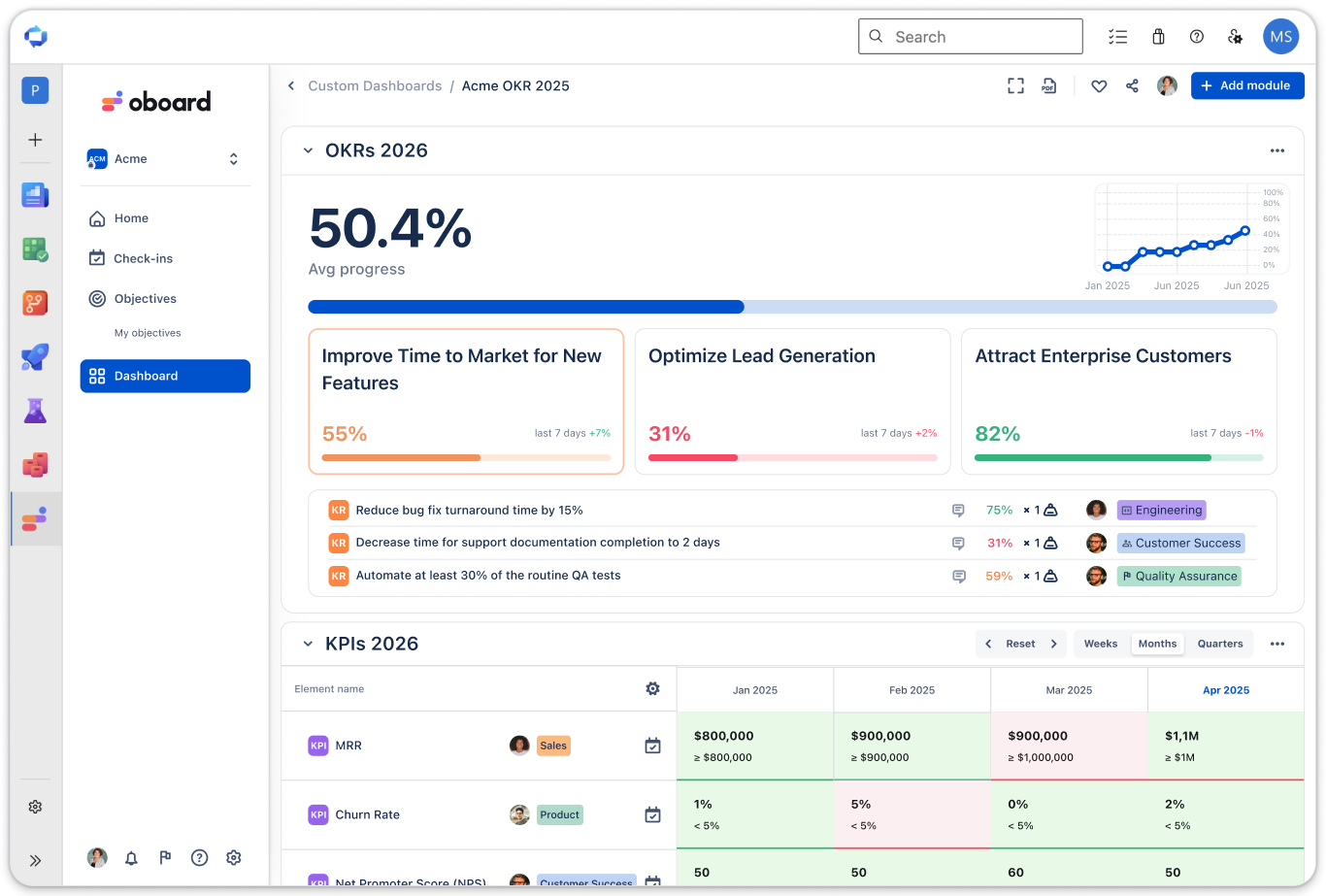
Custom dashboard

🎯 How Oboard OKR Software helps teams in Microsoft Azure DevOps

Oboard's goal-management software helps teams plan and execute across all levels: from strategy to work items in Azure Boards. It gives you:

  • A full OKR hierarchy — company, department, and team objectives in one structure, with your own custom objective levels
  • Direct work item linking — connect Azure DevOps epics and tasks to objectives or key results individually or in bulk by query
  • Automatic progress — goals update from the status of nested work items, or track outcomes manually through check-ins
  • Reviews people actually run — check-in reminders through Microsoft Teams or email, performance reports, and custom dashboards

1. Give every team a clear connection to strategy

Align company, department, and team objectives in one structure. Plan annual priorities and quarterly goals, and organize them into workspaces.

Customizable components let you define your own objective levels and track key results, KPIs, and initiatives in your organization's language.

  • Alignment view — explore the full OKR hierarchy across the organization
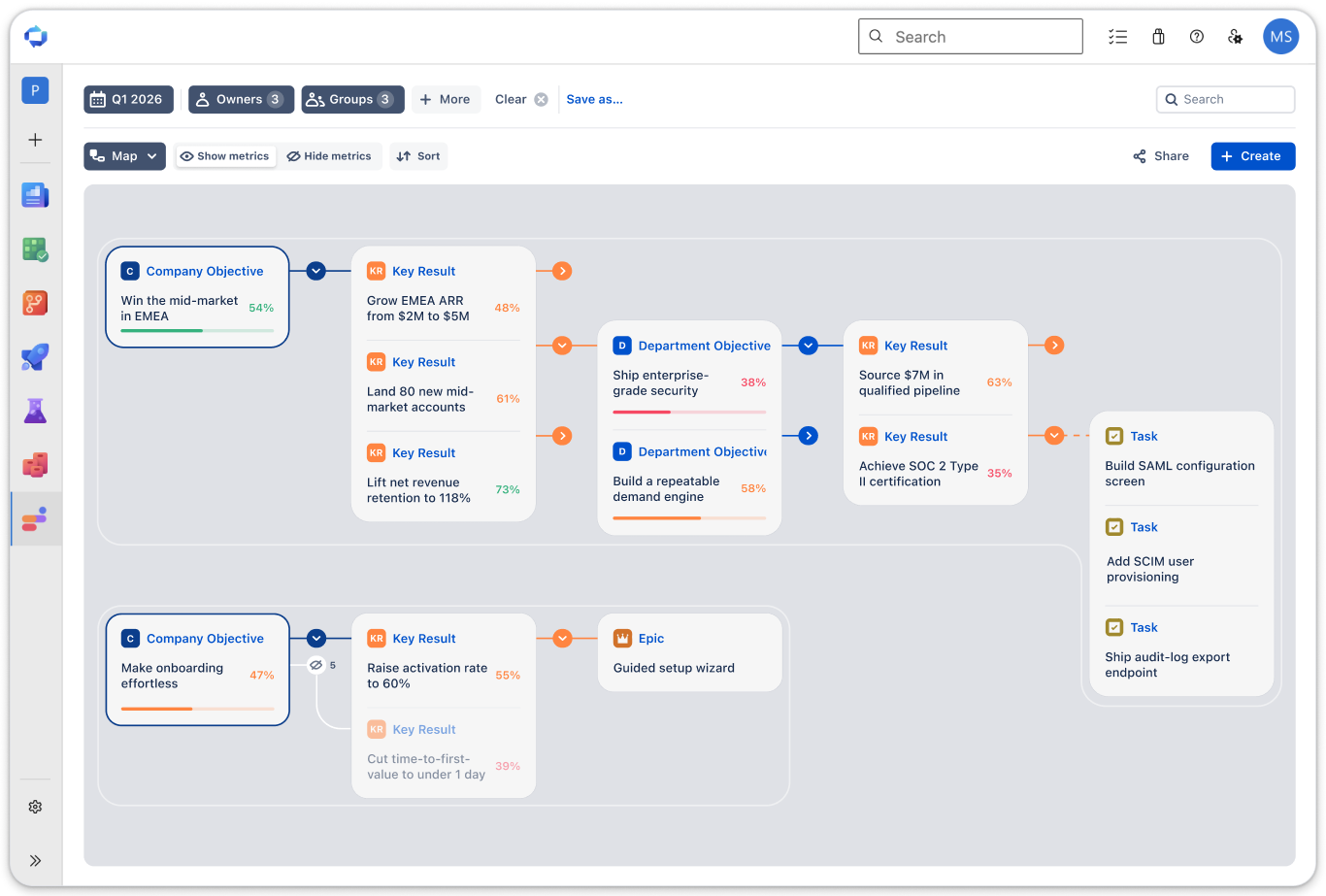
  • OKR Map — communicate the bigger picture to stakeholders
  • Roadmap — plan delivery across the cycle, in sync with start and due dates

Strategy map

2. Automate your updates from work items, Power BI, or via API

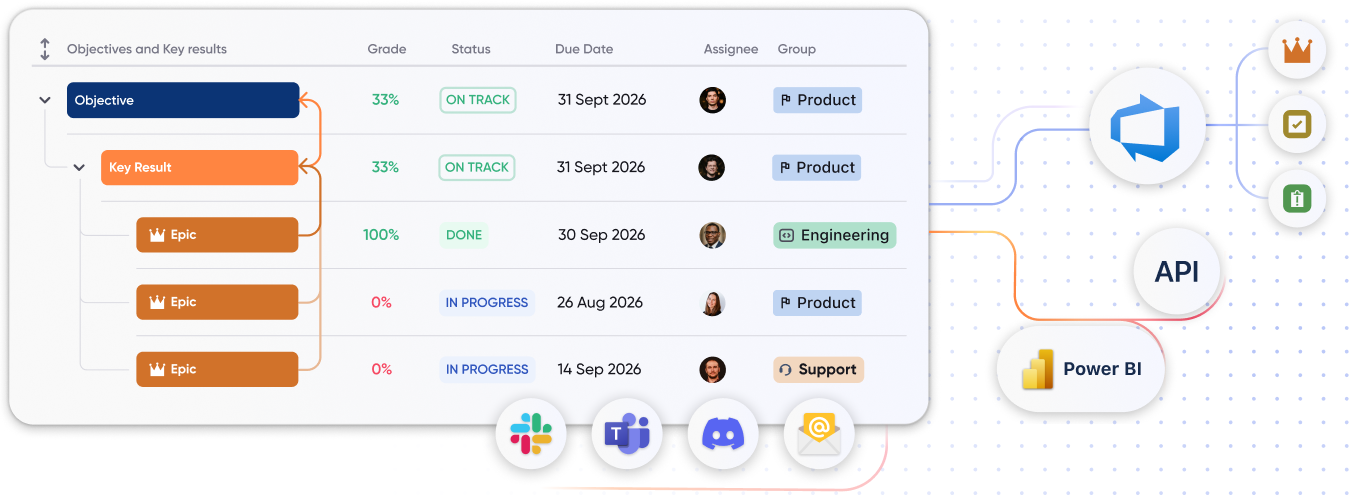
Link Azure DevOps work items directly to objectives or key results — individually, or in bulk using a WIQL query. Your existing work gains a clear strategic purpose while your teams continue managing it in Azure Boards.

Choose how linked work contributes to progress:

  • Update goals automatically from the status of nested work items
  • Or switch contribution off and track the outcome manually through check-ins

Not every measurable result lives in Azure Boards. Connect Power BI or use Oboard's public API to pull data from your analytics stack into Oboard and automate metric updates, so business metrics stay current without manual entry.

Integrations

3. Bring your team into the app

Invite colleagues directly from your Azure DevOps user list, and import Azure groups in bulk to bring whole teams into Oboard at once.

Give people the right level of access, from viewing goals to managing the app.

4. Keep goals moving with regular check-ins

Check-ins combine progress, status, and a written update: what changed, what is blocked, and what happens next.

  • Set weekly, monthly, or custom reminders for specific teams or people
  • Deliver reminders through email, Microsoft Teams, or other work messengers
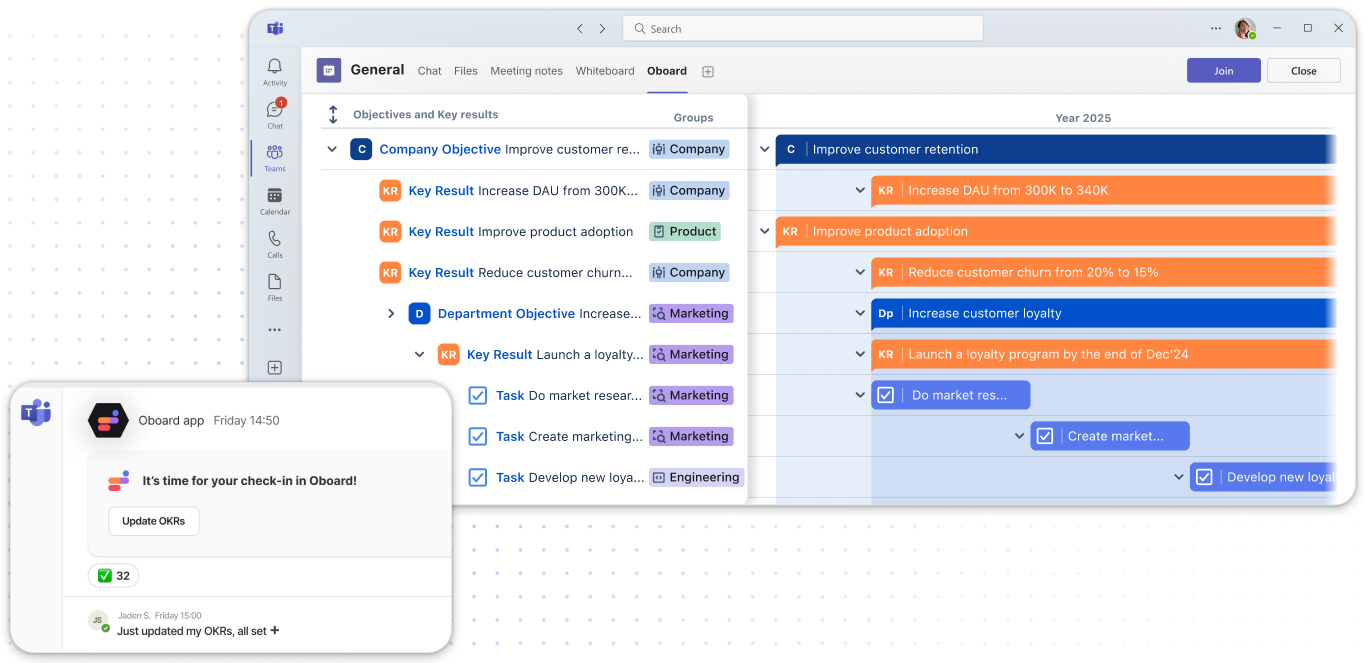
  • Submitted check-ins can be posted to connected Teams channels, keeping stakeholders informed where they already collaborate

Clear statuses and actual-versus-expected progress help you spot goals that need attention before the quarter ends.

Microsoft Teams check-in delivery

5. Turn progress into useful conversations and decisions

Choose the view that fits the review:

  • Home page — focus on your own or your team's goals and run check-ins from the same place
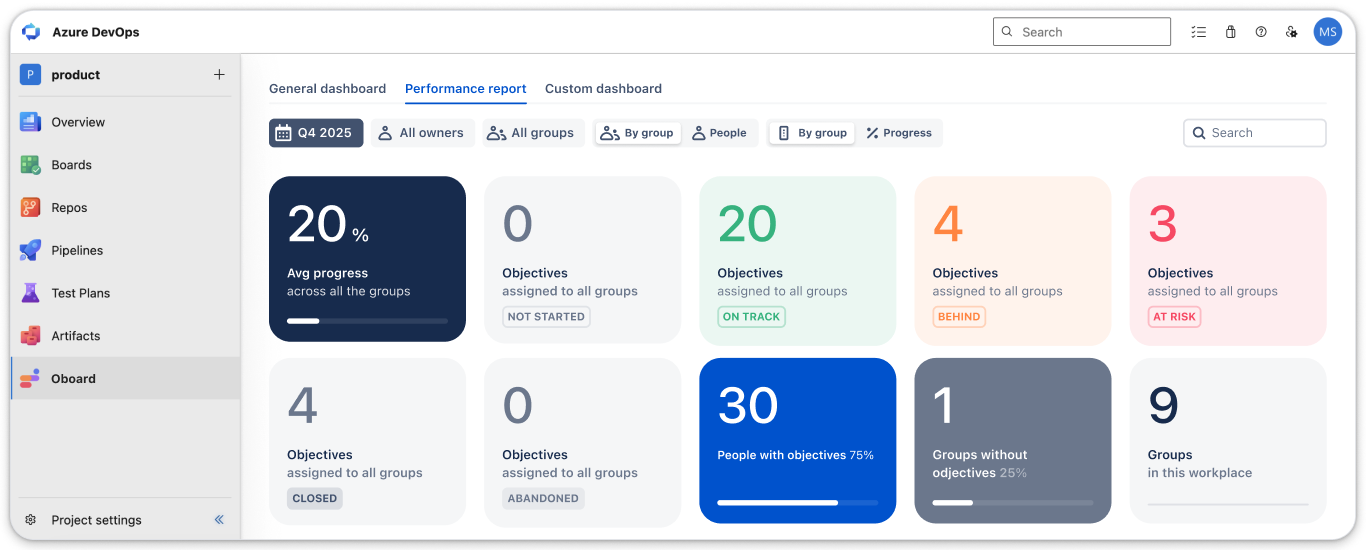
  • Performance report — review progress across people and teams, spot at-risk goals, and identify where support is needed
  • Custom dashboards — bring OKRs, KPI trends, and written context together for company, department, or team reviews, with access control per dashboard

Performance report

Use case: running a quarterly OKR cycle in Azure DevOps

Maria, a delivery lead, needs her teams' sprint work to visibly ladder up to the company's quarterly objectives, without asking engineers to update goals in a second tool.

Steps:

  1. Create the quarterly cycle and set company-level Objectives in Oboard
  2. Cascade department and team objectives, defining Key Results as measurable outcomes
  3. Link the Azure Boards work items that support each Key Result, in bulk via a WIQL query
  4. Let progress roll up automatically as work items move through the workflow
  5. Set weekly check-in reminders delivered to the team's Microsoft Teams channel
  6. Review the Performance report at mid-quarter to catch at-risk objectives early

Result: Maria gets one view connecting strategy to delivery. Engineers keep working in Azure Boards exactly as before, and the quarterly review runs from live data instead of a hand-assembled slide deck.

Getting started

  • Install the app
  • Invite your team
  • Create your first OKRs and link the Azure Boards work that supports them

Security and support

  • 🔒 SOC 2 Type II Compliant — learn more at our Trust Center
  • 🛠 Support — reach us at support@oboard.io or create a support ticket
  • 🎓 Guided onboarding — our Customer Success team helps with setup, OKR structure, and rollout
  • 📘 Documentation — guides to get the most out of Oboard OKR Software
  • Contact us
  • Jobs
  • Privacy
  • Manage cookies
  • Terms of use
  • Trademarks
  • Your Privacy Choices
  • Consumer Health Privacy
© 2026 Microsoft