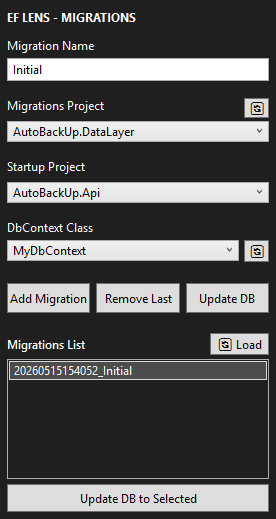
EfLensEfLens: A professional and lightweight GUI for EF Core Migrations. Easily manage your DbContexts, Add migrations, and Update databases without touching the console. |

EF LensEF Lens is a lightweight and professional Visual Studio extension designed to simplify working with Entity Framework Core migrations. Instead of relying on the command line or remembering complex EF Core commands, EF Lens provides a clean and intuitive graphical interface directly inside Visual Studio. With EF Lens, you can easily:
This extension is built for developers who want a faster, cleaner, and more productive experience when working with Entity Framework Core. EF Lens focuses on simplicity, performance, and developer experience — removing unnecessary friction from database management tasks. How to Use EF LensAfter installing the extension:
The EF Lens panel will open inside Visual Studio. From there, you can:
|